Syncfusion.Maui.SmartScheduler
35.1.40
Prefix Reserved
dotnet add package Syncfusion.Maui.SmartScheduler --version 35.1.40
NuGet\Install-Package Syncfusion.Maui.SmartScheduler -Version 35.1.40
<PackageReference Include="Syncfusion.Maui.SmartScheduler" Version="35.1.40" />
<PackageVersion Include="Syncfusion.Maui.SmartScheduler" Version="35.1.40" />
<PackageReference Include="Syncfusion.Maui.SmartScheduler" />
paket add Syncfusion.Maui.SmartScheduler --version 35.1.40
#r "nuget: Syncfusion.Maui.SmartScheduler, 35.1.40"
#:package Syncfusion.Maui.SmartScheduler@35.1.40
#addin nuget:?package=Syncfusion.Maui.SmartScheduler&version=35.1.40
#tool nuget:?package=Syncfusion.Maui.SmartScheduler&version=35.1.40
Syncfusion .NET MAUI SmartScheduler (SfSmartScheduler)
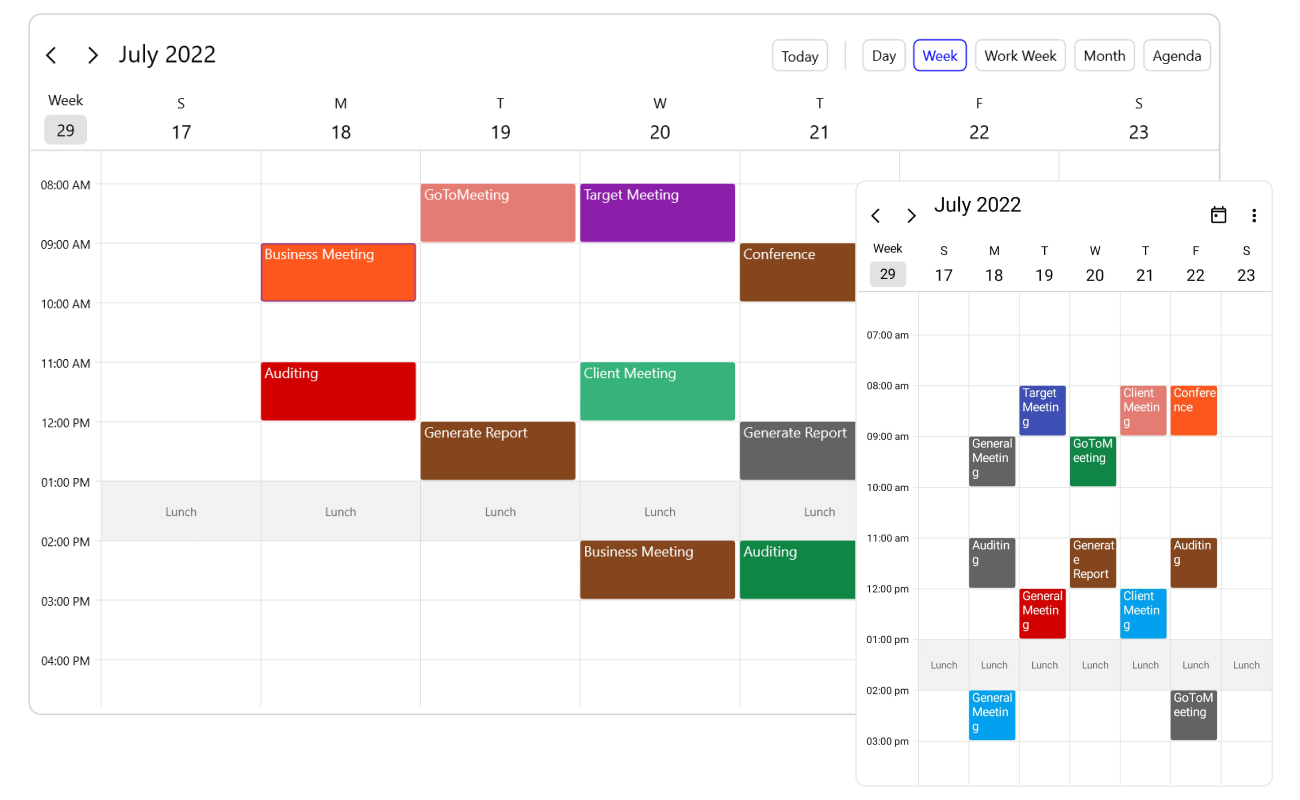
The Syncfusion .NET MAUI Smart Scheduler is an AI-powered event calendar that combines the capabilities of the Scheduler control with natural language understanding. Users can create, update, delete, and explore appointments through conversational prompts while the scheduler intelligently handles scheduling context, resource availability, conflicts, and appointment summaries. Build AI-powered scheduling apps for Android, iOS, macOS, and Windows from a single codebase.
Documentation · Getting Started · API Reference · Demos on GitHub · Product Page · Release Notes
Using this package with an AI coding agent
Before generating Syncfusion code, ask your AI coding agent to run the Syncfusion setup using the following prompt:
Set up this project for Syncfusion before generating code. Fetch and follow the official instructions at https://ai.syncfusion.com, then report the detected platform, installed skill pack, MCP status, and any required licensing action.The setup detects your project’s platform and loads the appropriate Syncfusion skill pack. No Syncfusion account or MCP key is required to install or read Syncfusion agent skills.
Platform reference: https://ai.syncfusion.com/maui/llms.txt
Key features
Natural-language scheduling
Create, update, reschedule, and delete appointments using conversational prompts instead of manually filling forms. The Smart Scheduler understands dates, times, recurrence patterns, appointments, and scheduling intent.
Resource-aware booking
Schedule appointments based on the availability of people, meeting rooms, equipment, or custom resources. When resources are unavailable, alternative time slots can be suggested.
Conflict detection
Automatically detect overlapping appointments and scheduling conflicts. The control can identify conflicts and assist users by proposing alternative scheduling options.
Smart summarization
Generate summaries of appointments and schedules for specific days, weeks, months, or selected date ranges through simple prompts.
Adaptive assist panel
The built-in AI assistant panel adapts to different screen sizes and layouts, providing a conversational scheduling experience across mobile, tablet, and desktop devices.
Customizable assist button
Enable, disable, or replace the built-in assist button using custom templates to match the application's design language.
Event-driven workflow
Choose whether AI-generated appointment actions are automatically applied or manually handled through events, giving complete control over scheduling operations.
Styling and appearance customization
Customize the Smart Scheduler's appearance, including assist panel settings, banners, prompts, buttons, scheduler presentation, and control styling to match application requirements.
Supported platforms
| Platform | Target framework |
|---|---|
| Android | net9.0-android, net10.0-android |
| iOS | net9.0-ios, net10.0-ios |
| macOS (Mac Catalyst) | net9.0-maccatalyst, net10.0-maccatalyst |
| Windows | net9.0-windows10.0.19041, net10.0-windows10.0.19041 |
Minimum OS versions follow the .NET MAUI supported platforms.
Installation
.NET CLI
dotnet add package Syncfusion.Maui.SmartScheduler
Package Manager Console
Install-Package Syncfusion.Maui.SmartScheduler
Getting started
1. Register the Syncfusion core handler and AI service
In MauiProgram.cs, call ConfigureSyncfusionCore() to register the Syncfusion core handler.
using Syncfusion.Maui.Core.Hosting;

public static class MauiProgram
{
    public static MauiApp CreateMauiApp()
    {
        var builder = MauiApp.CreateBuilder();
        builder
            .UseMauiApp<App>()
            .ConfigureSyncfusionCore();

        return builder.Build();
    }
}
To configure the AI services, you must call ConfigureSyncfusionAIServices() in the MauiProgram.cs file.
Add the following namespace:
using Syncfusion.Maui.SmartComponents.Hosting;
Then register the AI service and configure Syncfusion AI services:
string key = "<MENTION-YOUR-KEY>";
Uri azureEndPoint = new Uri("<MENTION-YOUR-URL>");
string deploymentName = "<MENTION-YOUR-DEPLOYMENT-NAME>";

// Shows how to configure Azure AI service to the Smart Components.
AzureOpenAIClient azureOpenAIClient = new AzureOpenAIClient(azureEndPoint, new AzureKeyCredential(key));
IChatClient azureChatClient = azureOpenAIClient.GetChatClient(deploymentName).AsIChatClient();

builder.Services.AddChatClient(azureChatClient);
builder.ConfigureSyncfusionAIServices();
2. Add Smart Scheduler to your page
<ContentPage xmlns="http://schemas.microsoft.com/dotnet/2021/maui"
             xmlns:x="http://schemas.microsoft.com/winfx/2009/xaml"
             xmlns:smartScheduler="clr-namespace:Syncfusion.Maui.SmartScheduler;assembly=Syncfusion.Maui.SmartScheduler"
             x:Class="YourAppNamespace.MainPage">

    <smartScheduler:SfSmartScheduler />

</ContentPage>
Run the application and interact with the smart scheduler using natural language prompts.
Common scenarios
Schedule an appointment using natural language
Examples:
Schedule a project review tomorrow at 3 PM.
Book conference room A next Friday from 10 AM to 11 AM.
Update an existing appointment
Move tomorrow's team meeting to 4 PM.
Find free time slots
Find available time for a one-hour meeting this week.
Detect scheduling conflicts
Show conflicts for next Monday.
Summarize appointments
``text Summarize my meetings for tomorrow.
``text
Provide a summary of this month's appointments.
For more features, see the SmartScheduler documentation.
Dependencies
Installing this package also installs the following packages:
Microsoft.Maui.ControlsSyncfusion.Maui.CoreSyncfusion.Maui.CalendarSyncfusion.Maui.SchedulerSyncfusion.Maui.AIAssistViewSyncfusion.Maui.SmartComponentsSyncfusion.Maui.ChatSyncfusion.Maui.Buttons,Syncfusion.Maui.Inputs,Syncfusion.Maui.ListView,Syncfusion.Maui.NavigationDrawer,Syncfusion.Maui.Picker,Syncfusion.Maui.Popup
Licensing
This is a commercial product and requires a paid license. You have three options:
- Free Community License: for individual developers and small businesses. Check eligibility
- 30-day free trial: Start a trial
- Commercial license: View pricing
Register your license key
Register the key in MauiProgram.cs before the app is built:
Syncfusion.Licensing.SyncfusionLicenseProvider.RegisterLicense("YOUR_LICENSE_KEY");
For details, see Licensing overview. Use of this package is subject to the Syncfusion EULA.
Support and feedback
- Support tickets: Syncfusion Support Portal
- Community forums: .NET MAUI Forums
- Feature requests and bug reports: Feedback Portal
- Samples: Syncfusion .NET MAUI demos on GitHub
About Syncfusion
Founded in 2001 and headquartered in Research Triangle Park, N.C., Syncfusion has more than 26,000+ customers and more than 1 million users, including large financial institutions, Fortune 500 companies, and global IT consultancies.
Today, we provide 1600+ components and frameworks for web (Blazor, ASP.NET Core, ASP.NET MVC, ASP.NET WebForms, JavaScript, Angular, React, Vue, and Flutter), mobile (.NET MAUI, Xamarin, Flutter, UWP, and JavaScript), and desktop development (WinForms, WPF, WinUI, Flutter and UWP). We provide ready-to-deploy enterprise software for dashboards, reports, data integration, and big data processing. Many customers have saved millions in licensing fees by deploying our software.
sales@syncfusion.com | www.syncfusion.com | Toll Free: 1-888-9 DOTNET
| Product | Versions Compatible and additional computed target framework versions. |
|---|---|
| .NET | net9.0 is compatible. net9.0-android was computed. net9.0-android35.0 is compatible. net9.0-browser was computed. net9.0-ios was computed. net9.0-ios18.0 is compatible. net9.0-maccatalyst was computed. net9.0-maccatalyst18.0 is compatible. net9.0-macos was computed. net9.0-tvos was computed. net9.0-windows was computed. net9.0-windows10.0.19041 is compatible. net10.0 is compatible. net10.0-android was computed. net10.0-android36.0 is compatible. net10.0-browser was computed. net10.0-ios was computed. net10.0-ios26.0 is compatible. net10.0-maccatalyst was computed. net10.0-maccatalyst26.0 is compatible. net10.0-macos was computed. net10.0-tvos was computed. net10.0-windows was computed. net10.0-windows10.0.19041 is compatible. |
-
net10.0
- Microsoft.Maui.Controls (>= 10.0.0)
- Syncfusion.Markdown (>= 35.1.40)
- Syncfusion.Maui.AIAssistView (>= 35.1.40)
- Syncfusion.Maui.Buttons (>= 35.1.40)
- Syncfusion.Maui.Calendar (>= 35.1.40)
- Syncfusion.Maui.Chat (>= 35.1.40)
- Syncfusion.Maui.Core (>= 35.1.40)
- Syncfusion.Maui.Inputs (>= 35.1.40)
- Syncfusion.Maui.ListView (>= 35.1.40)
- Syncfusion.Maui.NavigationDrawer (>= 35.1.40)
- Syncfusion.Maui.Picker (>= 35.1.40)
- Syncfusion.Maui.Popup (>= 35.1.40)
- Syncfusion.Maui.Scheduler (>= 35.1.40)
- Syncfusion.Maui.SmartComponents (>= 35.1.40)
-
net10.0-android36.0
- Microsoft.Maui.Controls (>= 10.0.0)
- Syncfusion.Markdown (>= 35.1.40)
- Syncfusion.Maui.AIAssistView (>= 35.1.40)
- Syncfusion.Maui.Buttons (>= 35.1.40)
- Syncfusion.Maui.Calendar (>= 35.1.40)
- Syncfusion.Maui.Chat (>= 35.1.40)
- Syncfusion.Maui.Core (>= 35.1.40)
- Syncfusion.Maui.Inputs (>= 35.1.40)
- Syncfusion.Maui.ListView (>= 35.1.40)
- Syncfusion.Maui.NavigationDrawer (>= 35.1.40)
- Syncfusion.Maui.Picker (>= 35.1.40)
- Syncfusion.Maui.Popup (>= 35.1.40)
- Syncfusion.Maui.Scheduler (>= 35.1.40)
- Syncfusion.Maui.SmartComponents (>= 35.1.40)
-
net10.0-ios26.0
- Microsoft.Maui.Controls (>= 10.0.0)
- Syncfusion.Markdown (>= 35.1.40)
- Syncfusion.Maui.AIAssistView (>= 35.1.40)
- Syncfusion.Maui.Buttons (>= 35.1.40)
- Syncfusion.Maui.Calendar (>= 35.1.40)
- Syncfusion.Maui.Chat (>= 35.1.40)
- Syncfusion.Maui.Core (>= 35.1.40)
- Syncfusion.Maui.Inputs (>= 35.1.40)
- Syncfusion.Maui.ListView (>= 35.1.40)
- Syncfusion.Maui.NavigationDrawer (>= 35.1.40)
- Syncfusion.Maui.Picker (>= 35.1.40)
- Syncfusion.Maui.Popup (>= 35.1.40)
- Syncfusion.Maui.Scheduler (>= 35.1.40)
- Syncfusion.Maui.SmartComponents (>= 35.1.40)
-
net10.0-maccatalyst26.0
- Microsoft.Maui.Controls (>= 10.0.0)
- Syncfusion.Markdown (>= 35.1.40)
- Syncfusion.Maui.AIAssistView (>= 35.1.40)
- Syncfusion.Maui.Buttons (>= 35.1.40)
- Syncfusion.Maui.Calendar (>= 35.1.40)
- Syncfusion.Maui.Chat (>= 35.1.40)
- Syncfusion.Maui.Core (>= 35.1.40)
- Syncfusion.Maui.Inputs (>= 35.1.40)
- Syncfusion.Maui.ListView (>= 35.1.40)
- Syncfusion.Maui.NavigationDrawer (>= 35.1.40)
- Syncfusion.Maui.Picker (>= 35.1.40)
- Syncfusion.Maui.Popup (>= 35.1.40)
- Syncfusion.Maui.Scheduler (>= 35.1.40)
- Syncfusion.Maui.SmartComponents (>= 35.1.40)
-
net10.0-windows10.0.19041
- Microsoft.Maui.Controls (>= 10.0.0)
- Syncfusion.Markdown (>= 35.1.40)
- Syncfusion.Maui.AIAssistView (>= 35.1.40)
- Syncfusion.Maui.Buttons (>= 35.1.40)
- Syncfusion.Maui.Calendar (>= 35.1.40)
- Syncfusion.Maui.Chat (>= 35.1.40)
- Syncfusion.Maui.Core (>= 35.1.40)
- Syncfusion.Maui.Inputs (>= 35.1.40)
- Syncfusion.Maui.ListView (>= 35.1.40)
- Syncfusion.Maui.NavigationDrawer (>= 35.1.40)
- Syncfusion.Maui.Picker (>= 35.1.40)
- Syncfusion.Maui.Popup (>= 35.1.40)
- Syncfusion.Maui.Scheduler (>= 35.1.40)
- Syncfusion.Maui.SmartComponents (>= 35.1.40)
-
net9.0
- Microsoft.Maui.Controls (>= 9.0.111)
- Syncfusion.Markdown (>= 35.1.40)
- Syncfusion.Maui.AIAssistView (>= 35.1.40)
- Syncfusion.Maui.Buttons (>= 35.1.40)
- Syncfusion.Maui.Calendar (>= 35.1.40)
- Syncfusion.Maui.Chat (>= 35.1.40)
- Syncfusion.Maui.Core (>= 35.1.40)
- Syncfusion.Maui.Inputs (>= 35.1.40)
- Syncfusion.Maui.ListView (>= 35.1.40)
- Syncfusion.Maui.NavigationDrawer (>= 35.1.40)
- Syncfusion.Maui.Picker (>= 35.1.40)
- Syncfusion.Maui.Popup (>= 35.1.40)
- Syncfusion.Maui.Scheduler (>= 35.1.40)
- Syncfusion.Maui.SmartComponents (>= 35.1.40)
-
net9.0-android35.0
- Microsoft.Maui.Controls (>= 9.0.111)
- Syncfusion.Markdown (>= 35.1.40)
- Syncfusion.Maui.AIAssistView (>= 35.1.40)
- Syncfusion.Maui.Buttons (>= 35.1.40)
- Syncfusion.Maui.Calendar (>= 35.1.40)
- Syncfusion.Maui.Chat (>= 35.1.40)
- Syncfusion.Maui.Core (>= 35.1.40)
- Syncfusion.Maui.Inputs (>= 35.1.40)
- Syncfusion.Maui.ListView (>= 35.1.40)
- Syncfusion.Maui.NavigationDrawer (>= 35.1.40)
- Syncfusion.Maui.Picker (>= 35.1.40)
- Syncfusion.Maui.Popup (>= 35.1.40)
- Syncfusion.Maui.Scheduler (>= 35.1.40)
- Syncfusion.Maui.SmartComponents (>= 35.1.40)
-
net9.0-ios18.0
- Microsoft.Maui.Controls (>= 9.0.111)
- Syncfusion.Markdown (>= 35.1.40)
- Syncfusion.Maui.AIAssistView (>= 35.1.40)
- Syncfusion.Maui.Buttons (>= 35.1.40)
- Syncfusion.Maui.Calendar (>= 35.1.40)
- Syncfusion.Maui.Chat (>= 35.1.40)
- Syncfusion.Maui.Core (>= 35.1.40)
- Syncfusion.Maui.Inputs (>= 35.1.40)
- Syncfusion.Maui.ListView (>= 35.1.40)
- Syncfusion.Maui.NavigationDrawer (>= 35.1.40)
- Syncfusion.Maui.Picker (>= 35.1.40)
- Syncfusion.Maui.Popup (>= 35.1.40)
- Syncfusion.Maui.Scheduler (>= 35.1.40)
- Syncfusion.Maui.SmartComponents (>= 35.1.40)
-
net9.0-maccatalyst18.0
- Microsoft.Maui.Controls (>= 9.0.111)
- Syncfusion.Markdown (>= 35.1.40)
- Syncfusion.Maui.AIAssistView (>= 35.1.40)
- Syncfusion.Maui.Buttons (>= 35.1.40)
- Syncfusion.Maui.Calendar (>= 35.1.40)
- Syncfusion.Maui.Chat (>= 35.1.40)
- Syncfusion.Maui.Core (>= 35.1.40)
- Syncfusion.Maui.Inputs (>= 35.1.40)
- Syncfusion.Maui.ListView (>= 35.1.40)
- Syncfusion.Maui.NavigationDrawer (>= 35.1.40)
- Syncfusion.Maui.Picker (>= 35.1.40)
- Syncfusion.Maui.Popup (>= 35.1.40)
- Syncfusion.Maui.Scheduler (>= 35.1.40)
- Syncfusion.Maui.SmartComponents (>= 35.1.40)
-
net9.0-windows10.0.19041
- Microsoft.Maui.Controls (>= 9.0.111)
- Syncfusion.Markdown (>= 35.1.40)
- Syncfusion.Maui.AIAssistView (>= 35.1.40)
- Syncfusion.Maui.Buttons (>= 35.1.40)
- Syncfusion.Maui.Calendar (>= 35.1.40)
- Syncfusion.Maui.Chat (>= 35.1.40)
- Syncfusion.Maui.Core (>= 35.1.40)
- Syncfusion.Maui.Inputs (>= 35.1.40)
- Syncfusion.Maui.ListView (>= 35.1.40)
- Syncfusion.Maui.NavigationDrawer (>= 35.1.40)
- Syncfusion.Maui.Picker (>= 35.1.40)
- Syncfusion.Maui.Popup (>= 35.1.40)
- Syncfusion.Maui.Scheduler (>= 35.1.40)
- Syncfusion.Maui.SmartComponents (>= 35.1.40)
NuGet packages
This package is not used by any NuGet packages.
GitHub repositories
This package is not used by any popular GitHub repositories.
| Version | Downloads | Last Updated |
|---|---|---|
| 35.1.40 | 68 | 10/13/2026 |
| 35.1.39 | 98 | 10/6/2026 |
| 35.1.37 | 100 | 9/29/2026 |
| 34.2.9 | 116 | 9/21/2026 |
| 34.2.8 | 100 | 9/14/2026 |
| 34.2.7 | 156 | 9/8/2026 |
| 34.2.6 | 116 | 8/31/2026 |
| 34.2.5 | 130 | 8/25/2026 |
| 34.2.4 | 196 | 8/17/2026 |
| 34.2.3 | 113 | 8/11/2026 |
| 34.2.2 | 159 | 8/5/2026 |
| 34.1.33 | 144 | 7/27/2026 |
| 34.1.32 | 135 | 7/21/2026 |
| 34.1.31 | 139 | 7/14/2026 |
| 34.1.30 | 138 | 7/9/2026 |
| 34.1.29 | 138 | 7/6/2026 |