Syncfusion.Blazor.Inputs
32.2.5
Prefix Reserved
dotnet add package Syncfusion.Blazor.Inputs --version 32.2.5
NuGet\Install-Package Syncfusion.Blazor.Inputs -Version 32.2.5
<PackageReference Include="Syncfusion.Blazor.Inputs" Version="32.2.5" />
<PackageVersion Include="Syncfusion.Blazor.Inputs" Version="32.2.5" />
<PackageReference Include="Syncfusion.Blazor.Inputs" />
paket add Syncfusion.Blazor.Inputs --version 32.2.5
#r "nuget: Syncfusion.Blazor.Inputs, 32.2.5"
#:package Syncfusion.Blazor.Inputs@32.2.5
#addin nuget:?package=Syncfusion.Blazor.Inputs&version=32.2.5
#tool nuget:?package=Syncfusion.Blazor.Inputs&version=32.2.5
Syncfusion® Blazor Input Components
This package contains Blazor Color Picker, Blazor File Upload, Blazor MaskedTextBox, Blazor NumericTextBox, Blazor Range Slider, Blazor TextBox, Blazor SpeechToText and Blazor Rating components for Blazor application.
System Requirements
Blazor Color Picker
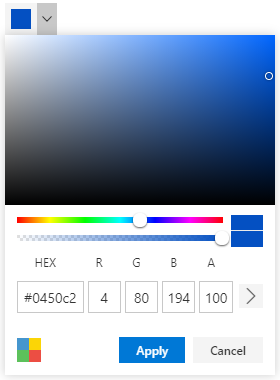
The Blazor Color Picker component allows you to pick colors either by selecting them from the color picker container or by adjusting the hue and opacity. It supports inline mode, palette customization, and localization for seamless integration into forms.
Getting Started
- Getting Started with Blazor Color Picker in Web App
- Getting Started with Blazor Color Picker in WASM App
Resources
- Blazor Color Picker Component Features Overview
- Blazor Color Picker Component Documentation
- Blazor Color Picker Component Demos
- Blazor Color Picker Video Tutorials
Blazor File Upload
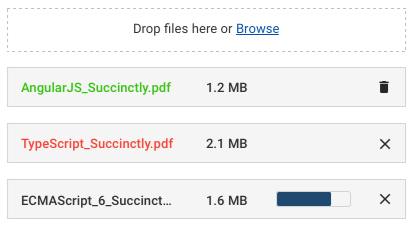
The Blazor File Upload is a component for uploading files, images, documents, and audio and video files to a server. The File Upload works in both WebAssembly and Server-side Blazor apps, and also supports a rich set of features that include multiple file selection, progress bars, auto-uploading, drag and drop, folder (directory) uploading, file validation, and more.
Getting Started
- Getting Started with Blazor File Upload in Web App
- Getting Started with Blazor File Upload in WASM App
Resources
- Blazor File Upload Component Features Overview
- Blazor File Upload Component Documentation
- Blazor File Upload Component Demos
Blazor MaskedTextBox
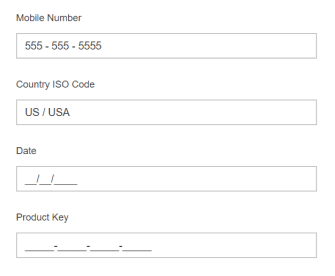
The Blazor MaskedTextBox is a component that provides an easy and reliable way to collect user input based on a standard mask. It allows you to capture phone numbers, date values, credit card numbers, and other standard format values.
Getting Started
- Getting Started with Blazor MaskedTextBox in Web App
- Getting Started with Blazor MaskedTextBox in WASM App
Resources
- Blazor MaskedTextBox Component Features Overview
- Blazor MaskedTextBox Component Documentation
- Blazor MaskedTextBox Component Demos
- Blazor MaskedTextBox Component Video Tutorials
Blazor NumericTextBox
The Blazor NumericTextBox component is a quick replacement of the number-type HTML input element. It’s used to get number inputs from users. It has several out-of-the-box features such as number format support, precision component, and spin buttons.

Getting Started
- Getting Started with Blazor NumericTextBox in Web App
- Getting Started with Blazor NumericTextBox in WASM App
Resources
- Blazor NumericTextBox Component Features Overview
- Blazor NumericTextBox Component Documentation
- Blazor NumericTextBox Component Demos
- Blazor NumericTextBox Component Video Tutorials
Blazor Signature
The Blazor Signature - Signature component allows user to draw smooth signatures as vector outline of strokes using variable width Bézier curve interpolation. It allows to save signature as image.

Getting Started
Resources
- Blazor Signature Component Features Overview
- Blazor Signature Component Documentation
- Blazor Signature Component Demos
- Blazor Signature Component Video Tutorials
Blazor Range Slider
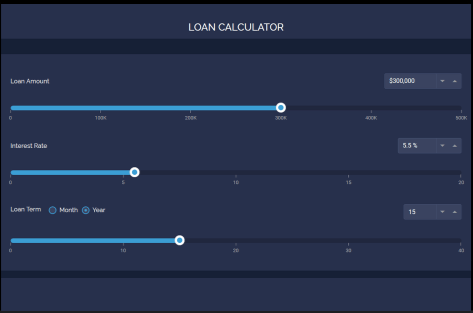
The Blazor Range Slider is a custom range-type HTML5 input Component. It allows you to select a value or range of values between a specified min and max.
Getting Started
- Getting Started with Blazor Range Slider in Web App
- Getting Started with Blazor Range Slider in WASM App
Resources
- Blazor Range Slider Component Features Overview
- Blazor Range Slider Component Documentation
- Blazor Range Slider Component Demos
- Blazor Range Slider Component Video Tutorials
Blazor TextBox
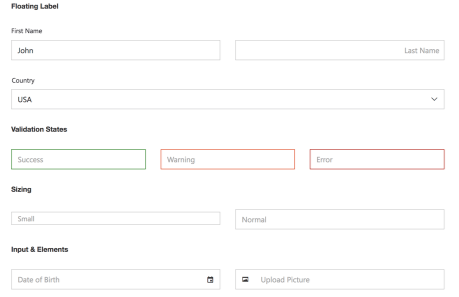
The Blazor TextBox is a component for editing, displaying, or entering plain text on forms to capture user names, phone numbers, email, and more. This component is an extended version of the HTML5 TextBox (input type text) component with icons, floating labels, different sizing, grouping, validation states, and more. It is available in an HTML5/CSS version and a JavaScript version.
Getting Started
Resources
- Blazor TextBox Component Features Overview
- Blazor TextBox Component Documentation
- Blazor TextBox Component Demos
- Blazor TextBox Component Video Tutorials
Blazor Rating
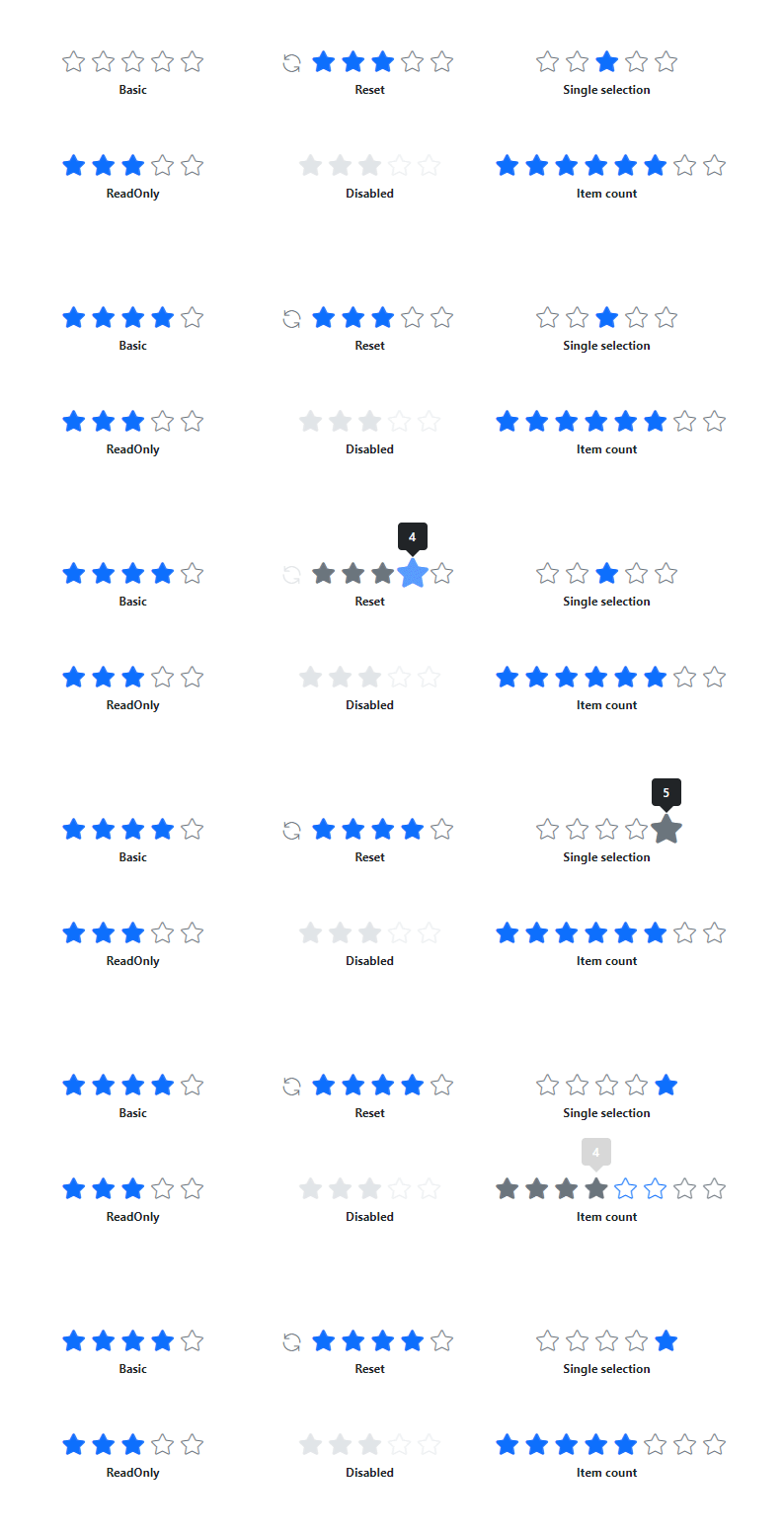
The Blazor Rating component is used to provide a star rating or view other people’s ratings on a numeric scale for any service provided, such as for movies, applications, or products. It has several built-in features such as support for precision modes, labels, tooltip, and UI customization.
Getting Started
Resources
- Blazor Rating Component Features Overview
- Blazor Rating Component Documentation
- Blazor Rating Component Demos
- Blazor Rating Component Video Tutorials
Blazor SpeechToText
The Blazor SpeechToText component provides seamless voice-to-text conversion in the web applications. It features real-time transcription with interim results, multilingual recognition, customizable buttons and tooltips, and error handling, ensuring an intuitive and accessible speech recognition experience.
Getting Started
- Getting Started with Blazor SpeechToText in Web App
- Getting Started with Blazor SpeechToText in WASM App
Resources
- Blazor SpeechToText Component Features Overview
- Blazor SpeechToText Component Documentation
- Blazor SpeechToText Component Demos
Support and feedback
- For any other queries, reach our Syncfusion® support team or post the queries through the community forums.
- Provide feature request through the Syncfusion® feedback portal
License
This is a commercial product and requires a paid license for possession or use. Syncfusion® licensed software, including this component, is subject to the terms and conditions of Syncfusion® EULA. You can purchase a license here or start a free 30-day trial here.
About Syncfusion®
Founded in 2001 and headquartered in Research Triangle Park, N.C., Syncfusion® has more than 29,000 customers and more than 1 million users, including large financial institutions, Fortune 500 companies, and global IT consultancies.
Today, we provide 1800+ components and frameworks for web (Blazor, ASP.NET Core, ASP.NET MVC, ASP.NET WebForms, JavaScript, Angular, React, Vue, and Flutter), mobile (Xamarin, Flutter, UWP, and JavaScript), and desktop development (WinForms, WPF, WinUI, Flutter and UWP). We provide ready-to-deploy enterprise software for dashboards, reports, data integration, and big data processing. Many customers have saved millions in licensing fees by deploying our software.
sales@syncfusion.com | www.syncfusion.com | Toll Free: 1-888-9 DOTNET
| Product | Versions Compatible and additional computed target framework versions. |
|---|---|
| .NET | net8.0 is compatible. net8.0-android was computed. net8.0-browser was computed. net8.0-ios was computed. net8.0-maccatalyst was computed. net8.0-macos was computed. net8.0-tvos was computed. net8.0-windows was computed. net9.0 is compatible. net9.0-android was computed. net9.0-browser was computed. net9.0-ios was computed. net9.0-maccatalyst was computed. net9.0-macos was computed. net9.0-tvos was computed. net9.0-windows was computed. net10.0 is compatible. net10.0-android was computed. net10.0-browser was computed. net10.0-ios was computed. net10.0-maccatalyst was computed. net10.0-macos was computed. net10.0-tvos was computed. net10.0-windows was computed. |
-
net10.0
- Syncfusion.Blazor.Buttons (>= 32.2.5)
- Syncfusion.Blazor.Core (>= 32.2.5)
- Syncfusion.Blazor.Data (>= 32.2.5)
- Syncfusion.Blazor.Popups (>= 32.2.5)
- Syncfusion.Blazor.Spinner (>= 32.2.5)
- Syncfusion.Blazor.SplitButtons (>= 32.2.5)
-
net8.0
- Syncfusion.Blazor.Buttons (>= 32.2.5)
- Syncfusion.Blazor.Core (>= 32.2.5)
- Syncfusion.Blazor.Data (>= 32.2.5)
- Syncfusion.Blazor.Popups (>= 32.2.5)
- Syncfusion.Blazor.Spinner (>= 32.2.5)
- Syncfusion.Blazor.SplitButtons (>= 32.2.5)
-
net9.0
- Syncfusion.Blazor.Buttons (>= 32.2.5)
- Syncfusion.Blazor.Core (>= 32.2.5)
- Syncfusion.Blazor.Data (>= 32.2.5)
- Syncfusion.Blazor.Popups (>= 32.2.5)
- Syncfusion.Blazor.Spinner (>= 32.2.5)
- Syncfusion.Blazor.SplitButtons (>= 32.2.5)
NuGet packages (31)
Showing the top 5 NuGet packages that depend on Syncfusion.Blazor.Inputs:
| Package | Downloads |
|---|---|
|
Syncfusion.Blazor.DropDowns
This package provides the functionality to utilize the features of Syncfusion® Blazor AutoComplete, ComboBox, DropDownList, ListBox, and MultiSelect Dropdown. |
|
|
Syncfusion.Blazor.Navigations
This package provides the functionality to utilize the features of Syncfusion® Blazor Accordion, Context Menu, Menu Bar, Tabs, Toolbar, Tree-view, and Sidebar. |
|
|
Syncfusion.Blazor.Calendars
This package provides the functionality to utilize the features of Syncfusion® Blazor Calendar, DatePicker, DateRangePicker, DateTimePicker, and TimePicker. |
|
|
Syncfusion.Blazor.Grid
This package provides the functionality to utilize the features of Syncfusion® Blazor DataGrid component and more. |
|
|
Syncfusion.Blazor.RichTextEditor
This package provides the functionality to utilize the features of Syncfusion® Blazor RichTextEditor component and more. |
GitHub repositories
This package is not used by any popular GitHub repositories.
| Version | Downloads | Last Updated |
|---|---|---|
| 32.2.5 | 2,605 | 2/16/2026 |
| 32.2.4 | 4,032 | 2/10/2026 |
| 32.2.3 | 5,071 | 2/5/2026 |
| 32.1.25 | 8,196 | 1/26/2026 |
| 32.1.24 | 7,203 | 1/19/2026 |
| 32.1.23 | 9,603 | 1/13/2026 |
| 32.1.22 | 7,743 | 1/5/2026 |
| 32.1.21 | 6,501 | 12/29/2025 |
| 32.1.20 | 4,341 | 12/23/2025 |
| 32.1.19 | 11,791 | 12/16/2025 |
| 31.2.18 | 12,289 | 12/8/2025 |
| 31.2.16 | 11,064 | 12/1/2025 |
| 31.2.15 | 9,860 | 11/25/2025 |
| 31.2.12 | 11,594 | 11/18/2025 |
| 31.2.10 | 5,561 | 11/12/2025 |
| 31.2.5 | 11,026 | 11/3/2025 |
| 31.2.4 | 7,273 | 10/28/2025 |
| 31.2.3 | 8,219 | 10/21/2025 |
| 31.2.2 | 11,987 | 10/15/2025 |
| 31.1.23 | 10,303 | 10/6/2025 |