WinUIIslands 1.1.0
See the version list below for details.
dotnet add package WinUIIslands --version 1.1.0
NuGet\Install-Package WinUIIslands -Version 1.1.0
<PackageReference Include="WinUIIslands" Version="1.1.0" />
<PackageVersion Include="WinUIIslands" Version="1.1.0" />
<PackageReference Include="WinUIIslands" />
paket add WinUIIslands --version 1.1.0
#r "nuget: WinUIIslands, 1.1.0"
#:package WinUIIslands@1.1.0
#addin nuget:?package=WinUIIslands&version=1.1.0
#tool nuget:?package=WinUIIslands&version=1.1.0
WinUIIslands



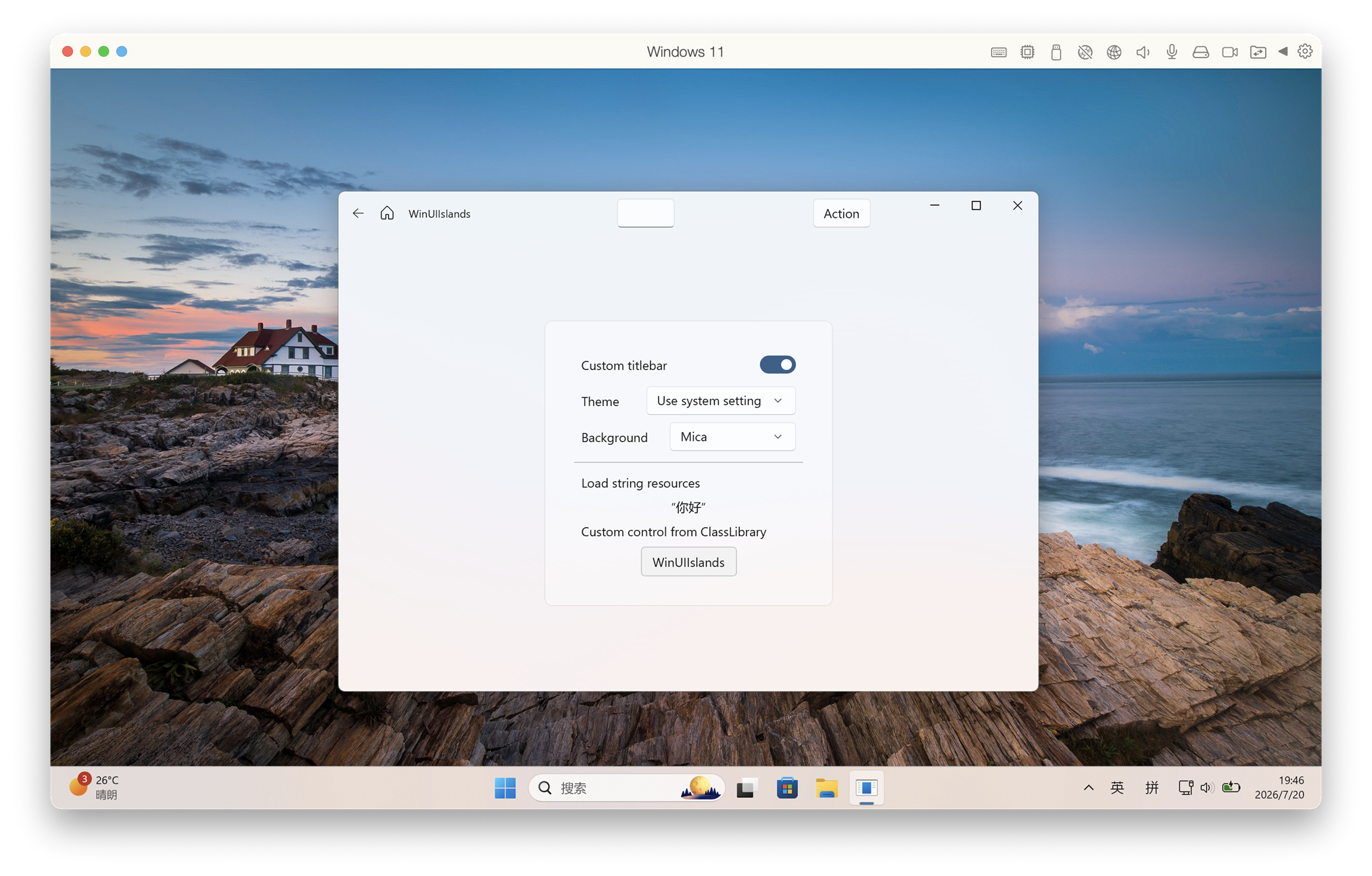
WinUIIslands brings UWP XAML and WinUI 2 controls to unpackaged .NET 10 desktop applications. It provides a native Win32 window host, XAML Islands startup, custom title bars, backdrop support, AppWindow-style APIs and a NativeAOT-compatible build pipeline.
This project uses Windows.UI.Xaml.* with the WinUI 2 Microsoft.UI.Xaml controls library. It is not WinUI 3.
Why WinUIIslands
- NativeAOT-first: publish a self-contained native executable without carrying the normal JIT runtime payload.
- A much smaller deployment surface than self-contained JIT: the generated ARM64 starter app measured 14.83 MiB across 3 runtime files instead of 129.45 MiB across 198 files.
- The same NativeAOT starter app idled at about 9.2 MiB private working set. Total working set was 62.2 MiB because it includes shared Windows and XAML pages.
- WinUI 2.8.7 is enabled by default, including its Fluent control resources and runtime staging.
- No MSIX package is required for unpackaged applications.
- XBF embedding, PRI generation/merging and XAML startup patching are handled by the NuGet package.
- Built-in
Application,Window, customTitleBar, Mica/Acrylic backdrops and AppWindow-compatible window management APIs.
The measurements above were taken from the generated template on Windows 11 ARM64 after ten seconds idle. Deployment sizes exclude PDB symbol files. The equivalent self-contained JIT build used about 13.1 MiB private working set and 94.9 MiB total working set. Results vary with Windows version, architecture and controls used.
Supported targets
| Area | Supported range |
|---|---|
| Operating system | Windows 10 version 1903 / build 18362 or newer, including Windows 11 |
| Architectures | x86, x64 and ARM64 |
| .NET | .NET 10 |
| Windows SDK target | 10.0.26100.0 |
| XAML | UWP XAML (Windows.UI.Xaml) with WinUI 2.8.7 controls |
| Deployment | Unpackaged JIT or self-contained NativeAOT |
Quick start with the template
Install the template package:
dotnet new install WinUIIslands.Templates::1.1.0
Create an application:
dotnet new winuiislands -n HelloIslands
cd HelloIslands
XAML projects must be built with Visual Studio MSBuild because they use the Windows UWP XAML compiler. From a Visual Studio Developer PowerShell or Developer Command Prompt:
msbuild .\HelloIslands.csproj /restore /m /p:Configuration=Debug /p:Platform=x64
.\bin\x64\Debug\net10.0-windows10.0.26100.0\HelloIslands.exe
Use ARM64 or x86 instead of x64 when appropriate.
Publish a self-contained NativeAOT build:
msbuild .\HelloIslands.csproj /t:Publish /restore /m `
  /p:Configuration=Release `
  /p:Platform=x64 `
  /p:RuntimeIdentifier=win-x64
The application is written to:
bin\x64\Release\net10.0-windows10.0.26100.0\win-x64\publish\
Add WinUIIslands to an existing project
dotnet add package WinUIIslands --version 1.1.0
WinUI 2 depends on WebView2 for its optional WebView2 control. If your application does not use that control, exclude its assets as the template does:
<ItemGroup>
  <PackageReference Include="WinUIIslands" Version="1.1.0" />
  <PackageReference Include="Microsoft.Web.WebView2" Version="1.0.4078.44" ExcludeAssets="All" />
</ItemGroup>
The minimum project settings are:
<PropertyGroup>
  <OutputType>WinExe</OutputType>
  <TargetFramework>net10.0-windows10.0.26100.0</TargetFramework>
  <TargetPlatformMinVersion>10.0.18362.0</TargetPlatformMinVersion>
  <UseUwp>true</UseUwp>
  <Platforms>x86;x64;ARM64</Platforms>
  <RuntimeIdentifiers>win-x86;win-x64;win-arm64</RuntimeIdentifiers>
  <PublishAot>true</PublishAot>
  <DisableRuntimeMarshalling>true</DisableRuntimeMarshalling>
  <ApplicationManifest>app.manifest</ApplicationManifest>
  <WinUIIslandsPackaging>false</WinUIIslandsPackaging>
</PropertyGroup>
Derive the XAML application and window from the WinUIIslands types:
<island:Application
    x:Class="MyApp.App"
    xmlns="http://schemas.microsoft.com/winfx/2006/xaml/presentation"
    xmlns:x="http://schemas.microsoft.com/winfx/2006/xaml"
    xmlns:island="using:WinUIIslands"
    xmlns:muxc="using:Microsoft.UI.Xaml.Controls">
    <island:Application.Resources>
        <muxc:XamlControlsResources ControlsResourcesVersion="Version2" />
    </island:Application.Resources>
</island:Application>
public sealed partial class App : WinUIIslands.Application
{
    private MainWindow? _window;

    protected override void OnIslandLaunched(LaunchActivatedEventArgs e)
    {
        _window = new MainWindow();
        _window.Activate();
    }
}
The project template contains the complete manifest, XAML application, custom-title-bar window and NativeAOT settings, so installing the template is the recommended way to start.
Build this repository
dotnet build .\WinUIIslands\WinUIIslands.csproj
msbuild .\App1\App1\App1.csproj /restore /m /p:Configuration=Debug /p:Platform=x64
Packages
- WinUIIslands — runtime library and build pipeline.
- WinUIIslands.Templates —
dotnet new winuiislandsproject template.
License
MIT
| Product | Versions Compatible and additional computed target framework versions. |
|---|---|
| .NET | net10.0-windows10.0.26100 is compatible. |
-
net10.0-windows10.0.26100
- Microsoft.UI.Xaml (>= 2.8.7)
NuGet packages
This package is not used by any NuGet packages.
GitHub repositories
This package is not used by any popular GitHub repositories.