WinUIIslands.Templates
1.1.0
See the version list below for details.
dotnet new install WinUIIslands.Templates@1.1.0
WinUIIslands



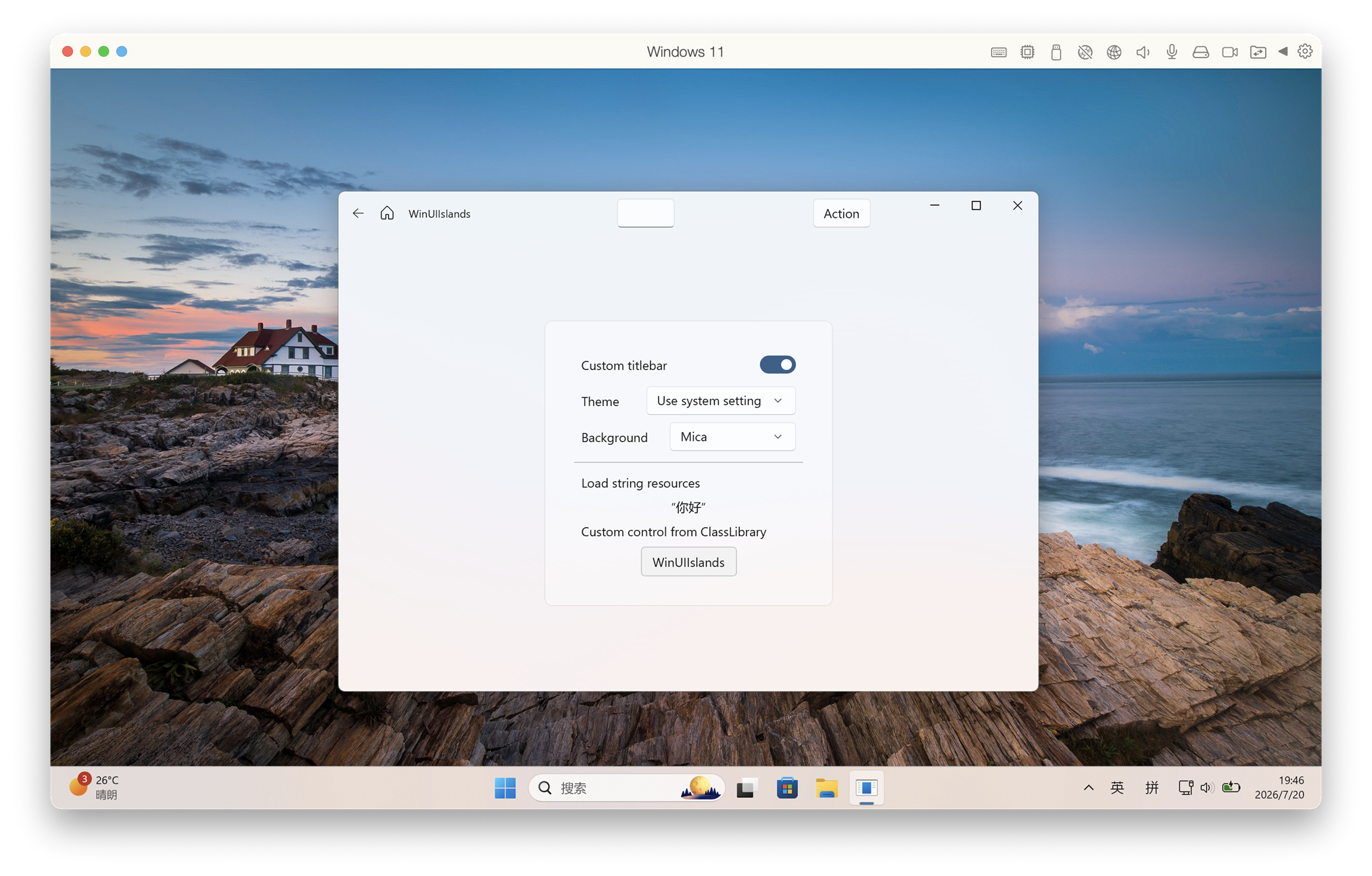
WinUIIslands brings UWP XAML and WinUI 2 controls to unpackaged .NET 10 desktop applications. It provides a native Win32 window host, XAML Islands startup, custom title bars, backdrop support, AppWindow-style APIs and a NativeAOT-compatible build pipeline.
This project uses Windows.UI.Xaml.* with the WinUI 2 Microsoft.UI.Xaml controls library. It is not WinUI 3.
Why WinUIIslands
- NativeAOT-first: publish a self-contained native executable without carrying the normal JIT runtime payload.
- A much smaller deployment surface than self-contained JIT: the generated ARM64 starter app measured 14.83 MiB across 3 runtime files instead of 129.45 MiB across 198 files.
- The same NativeAOT starter app idled at about 9.2 MiB private working set. Total working set was 62.2 MiB because it includes shared Windows and XAML pages.
- WinUI 2.8.7 is enabled by default, including its Fluent control resources and runtime staging.
- No MSIX package is required for unpackaged applications.
- XBF embedding, PRI generation/merging and XAML startup patching are handled by the NuGet package.
- Built-in
Application,Window, customTitleBar, Mica/Acrylic backdrops and AppWindow-compatible window management APIs.
The measurements above were taken from the generated template on Windows 11 ARM64 after ten seconds idle. Deployment sizes exclude PDB symbol files. The equivalent self-contained JIT build used about 13.1 MiB private working set and 94.9 MiB total working set. Results vary with Windows version, architecture and controls used.
Supported targets
| Area | Supported range |
|---|---|
| Operating system | Windows 10 version 1903 / build 18362 or newer, including Windows 11 |
| Architectures | x86, x64 and ARM64 |
| .NET | .NET 10 |
| Windows SDK target | 10.0.26100.0 |
| XAML | UWP XAML (Windows.UI.Xaml) with WinUI 2.8.7 controls |
| Deployment | Unpackaged JIT or self-contained NativeAOT |
Quick start with the template
Install the template package:
dotnet new install WinUIIslands.Templates::1.1.0
Create an application:
dotnet new winuiislands -n HelloIslands
cd HelloIslands
XAML projects must be built with Visual Studio MSBuild because they use the Windows UWP XAML compiler. From a Visual Studio Developer PowerShell or Developer Command Prompt:
msbuild .\HelloIslands.csproj /restore /m /p:Configuration=Debug /p:Platform=x64
.\bin\x64\Debug\net10.0-windows10.0.26100.0\HelloIslands.exe
Use ARM64 or x86 instead of x64 when appropriate.
Publish a self-contained NativeAOT build:
msbuild .\HelloIslands.csproj /t:Publish /restore /m `
  /p:Configuration=Release `
  /p:Platform=x64 `
  /p:RuntimeIdentifier=win-x64
The application is written to:
bin\x64\Release\net10.0-windows10.0.26100.0\win-x64\publish\
Add WinUIIslands to an existing project
dotnet add package WinUIIslands --version 1.1.0
WinUI 2 depends on WebView2 for its optional WebView2 control. If your application does not use that control, exclude its assets as the template does:
<ItemGroup>
  <PackageReference Include="WinUIIslands" Version="1.1.0" />
  <PackageReference Include="Microsoft.Web.WebView2" Version="1.0.4078.44" ExcludeAssets="All" />
</ItemGroup>
The minimum project settings are:
<PropertyGroup>
  <OutputType>WinExe</OutputType>
  <TargetFramework>net10.0-windows10.0.26100.0</TargetFramework>
  <TargetPlatformMinVersion>10.0.18362.0</TargetPlatformMinVersion>
  <UseUwp>true</UseUwp>
  <Platforms>x86;x64;ARM64</Platforms>
  <RuntimeIdentifiers>win-x86;win-x64;win-arm64</RuntimeIdentifiers>
  <PublishAot>true</PublishAot>
  <DisableRuntimeMarshalling>true</DisableRuntimeMarshalling>
  <ApplicationManifest>app.manifest</ApplicationManifest>
  <WinUIIslandsPackaging>false</WinUIIslandsPackaging>
</PropertyGroup>
Derive the XAML application and window from the WinUIIslands types:
<island:Application
    x:Class="MyApp.App"
    xmlns="http://schemas.microsoft.com/winfx/2006/xaml/presentation"
    xmlns:x="http://schemas.microsoft.com/winfx/2006/xaml"
    xmlns:island="using:WinUIIslands"
    xmlns:muxc="using:Microsoft.UI.Xaml.Controls">
    <island:Application.Resources>
        <muxc:XamlControlsResources ControlsResourcesVersion="Version2" />
    </island:Application.Resources>
</island:Application>
public sealed partial class App : WinUIIslands.Application
{
    private MainWindow? _window;

    protected override void OnIslandLaunched(LaunchActivatedEventArgs e)
    {
        _window = new MainWindow();
        _window.Activate();
    }
}
The project template contains the complete manifest, XAML application, custom-title-bar window and NativeAOT settings, so installing the template is the recommended way to start.
Build this repository
dotnet build .\WinUIIslands\WinUIIslands.csproj
msbuild .\App1\App1\App1.csproj /restore /m /p:Configuration=Debug /p:Platform=x64
Packages
- WinUIIslands — runtime library and build pipeline.
- WinUIIslands.Templates —
dotnet new winuiislandsproject template.
License
MIT
This package has no dependencies.
NuGet packages
This package is not used by any NuGet packages.
GitHub repositories
This package is not used by any popular GitHub repositories.