UVtools.Core
6.2.0
dotnet add package UVtools.Core --version 6.2.0
NuGet\Install-Package UVtools.Core -Version 6.2.0
<PackageReference Include="UVtools.Core" Version="6.2.0" />
<PackageVersion Include="UVtools.Core" Version="6.2.0" />
<PackageReference Include="UVtools.Core" />
paket add UVtools.Core --version 6.2.0
#r "nuget: UVtools.Core, 6.2.0"
#:package UVtools.Core@6.2.0
#addin nuget:?package=UVtools.Core&version=6.2.0
#tool nuget:?package=UVtools.Core&version=6.2.0
UVtools









Download the latest version at:
https://github.com/sn4k3/UVtools/releases/latest
To auto-install on Windows (package manager):
- Winget:
winget install -e --id PTRTECH.UVtools - Chocolatey:
choco install -y uvtools
Note: Winget is included on Windows 10 with recent updates and Windows 11 by default.
To auto-install on Linux:
[ "$(command -v apt)" -a -z "$(command -v curl)" ] && sudo apt-get install -y curl
[ "$(command -v dnf)" -a -z "$(command -v curl)" ] && sudo dnf install -y curl
[ "$(command -v pacman)" -a -z "$(command -v curl)" ] && sudo pacman -S curl
[ "$(command -v zypper)" -a -z "$(command -v curl)" ] && sudo zypper install -y curl
bash -c "$(curl -fsSL https://raw.githubusercontent.com/sn4k3/UVtools/master/Scripts/install-uvtools.sh)"
To auto-install on macOS:
bash -c "$(curl -fsSL https://raw.githubusercontent.com/sn4k3/UVtools/master/Scripts/install-uvtools.sh)"
To downgrade to a previous version:
# Replace x.x.x by the version you want to install
bash -c "$(curl -fsSL https://raw.githubusercontent.com/sn4k3/UVtools/master/Scripts/install-uvtools.sh)" -- x.x.x
MSLA/DLP, file analysis, calibration, repair, conversion and manipulation
This simple tool can give you insight of supports and find key failures.
Did you forget what resin or other settings you used on a project?
This can also save you, check every setting that was used with or change them!
- Facebook group: https://www.facebook.com/groups/uvtools
- Discussions: https://github.com/sn4k3/UVtools/discussions
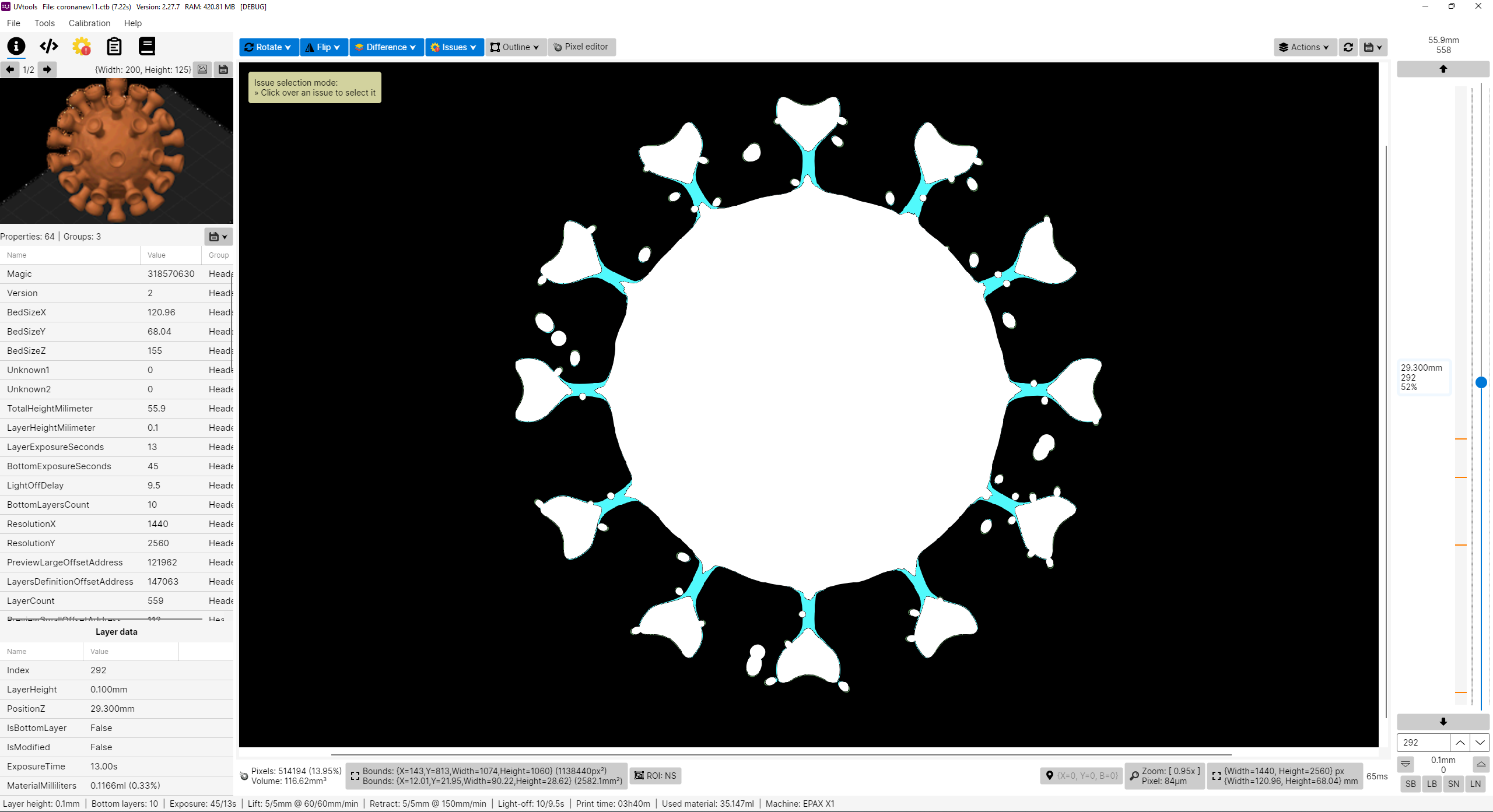
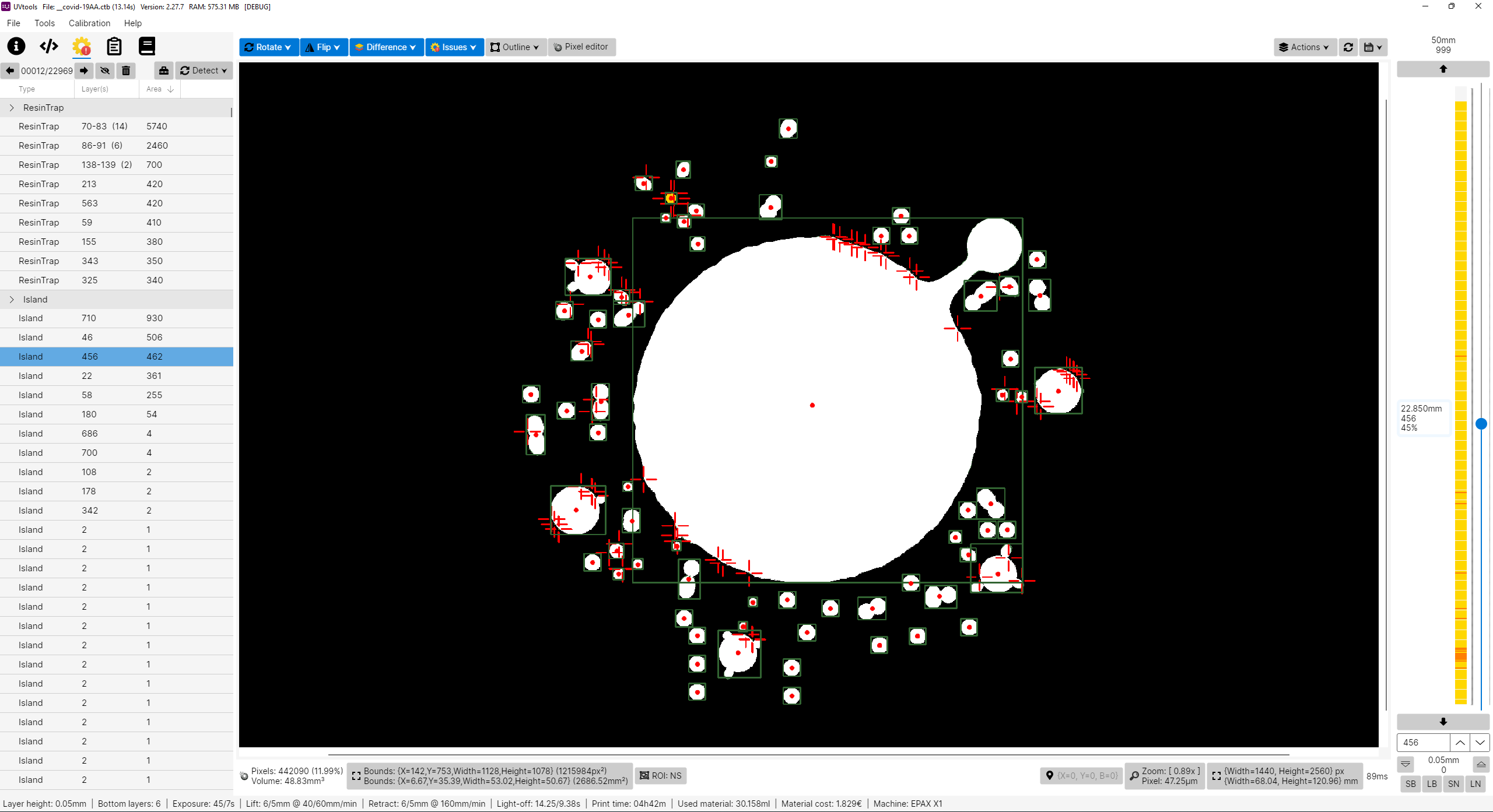
Why this project?
I don't own a Prusa SL1 or any other resin printer, for now I’m only an FDM user with Prusa MK3 and an Ender3. PrusaSlicer is my only choice, why? Because I think it's the best and features more, at least for me, simple but powerful.
So why this project? Well, in fact, I’m looking for a resin printer. I like to study and learn first before buying and get good and don't regret. While inspecting, I found that resin printers firmwares are not as universal as FDM, too many file formats and there before each printer can use their own property file, this of course limit the software selection. For example, only PrusaSlicer can slice SL1 files. So with that in mind, I'm preparing when I get a resin printer in the future, I can use PrusaSlicer instead of others. I've explored the other slicers and again, no one gives me joy, and I feel them unstable, many users slice model on PrusaSlicer just to get those supports and export STL to load in another, that means again PrusaSlicer is on the win side, the problem is they can't slice directly on PrusaSlicer, so, in the end, my project aims to do almost that, configure a printer on PrusaSlicer, e.g.: EPAX X1, slice, export a file, convert SL1 to native printer file and print.
Please note I don't own any resin printer! All my work is virtual and calculated, so, use experimental functions with care! Once things got confirmed, a list will show. But also, I need victims for a test subject. Proceed at your own risk!
Features
- View, modify and extract layer by layer
- View, modify and extract thumbnails
- Export file to a folder
- View and edit all used properties/settings
- Many tools to mutate and filter layers
- Check for issues and repair/remove them as possible:
- Islands
- Overhangs
- Resin traps
- Suction cups
- Touching bounds
- Print height
- Empty layers
- Suggestions and auto corrections:
- Layer height
- Bottom layer count
- Wait time before cure
- Wait time after cure
- Transition layer count
- Model position
- Convert format to another format
- Calibration tests
- Portable (No installation needed)
Known File Formats
- SL1, SL1S (PrusaSlicer)
- Photon, Photons, CBDDLP, CTB, PHZ, FDG, ZIP (ThickBox)
- PWS, PW0, PWX, DLP, DL2P, PWMO, PWMA, PWMS, PWMX, PMX2, PWMB, PWSQ, PX6S, PM3, PM3N, PM3M, PM4M, PM4U, PM3R, PM5, PM5S, PWC, PM7, PM7M, PWSZ, PP1, PP1M (Photon Workshop)
- JXS (GKone Slicer)
- ZCode (UnitMaker)
- ZCodex (Z-Suite)
- CWS (NovaMaker), RGB.CWS (Nova Bene4 Mono / Elfin2 Mono SE)
- XML.CWS (Wanhao Workshop)
- MDLP (Makerbase MKS-DLP v1)
- GR1 (GR1 Workshop)
- CXDLP, CXDLPV4 (Creality Box)
- GOO (Elegoo)
- PRZ (Phrozen Sonic Mini 8K S)
- LGS (Longer Orange 10), LGS30 (Longer Orange 30), LGS120 (Longer Orange 120), LGS4K (Longer Orange 4K & mono)
- Flashforge SVGX
- Anet N4, Anet N7
- QDT (Emake3D Galaxy 1)
- OSLA (Open SLA universal binary file)
- OSF (Vlare Open File Format)
- NanoDLP (Zip)
- UVJ (Vendor-neutral format for manual manipulation)
- VDT (Voxeldance Tango), VDA.ZIP (Voxeldance Additive)
- ZIP (Generic / Frozen Zip)
- ZIP (Klipper)
- Image files (png, jpg, jpeg, jp2, tif, bmp, pbm, pgm, ras, sr)
PrusaSlicer
- Installation: https://github.com/sn4k3/UVtools/wiki/Setup-PrusaSlicer
- Available printers: https://github.com/sn4k3/UVtools/tree/master/PrusaSlicer/printer
- Available profiles:
- From 0.01 mm to 0.20 mm
- Light, Medium and Heavy Supports
- Custom "Material Notes" and "Printer Notes" keywords:
- TransitionLayerCount_xxx: Sets the number of transition layers
- BottomLightOffDelay_xxx: Sets the bottom light off delay time in seconds
- LightOffDelay_xxx: Sets the light off delay time in seconds
- BottomWaitTimeBeforeCure_xxx: Sets the bottom wait time before cure in seconds
- WaitTimeBeforeCure_xxx: Sets the wait time before cure in seconds
- BottomWaitTimeAfterCure_xxx: Sets the bottom wait time after cure in seconds
- WaitTimeAfterCure_xxx: Sets the wait time after cure in seconds
- BottomLiftHeight_xxx: Sets the bottom lift height in millimeters
- BottomLiftSpeed_xxx: Sets the bottom lift speed in millimeters/minute
- BottomLiftHeight2_xxx: Sets the second bottom lift height in millimeters
- BottomLiftSpeed2_xxx: Sets the second bottom lift speed in millimeters/minute
- LiftHeight_xxx: Sets the lift height in millimeters
- LiftSpeed_xxx: Sets the lift speed in millimeters/minute
- LiftHeight2_xxx: Sets the second lift height in millimeters
- LiftSpeed2_xxx: Sets the second lift speed in millimeters/minute
- BottomWaitTimeAfterLift_xxx: Sets the bottom wait time after lift in seconds
- WaitTimeAfterLift_xxx: Sets the wait time after lift in seconds
- BottomRetractSpeed_xxx: Sets the bottom retract speed in millimeters/minute
- BottomRetractHeight2_xxx: Sets the second bottom retract height in millimeters
- BottomRetractSpeed2_xxx: Sets the second bottom retract speed in millimeters/minute
- RetractSpeed_xxx: Sets the retract speed in millimeters/minute
- RetractHeight2_xxx: Sets the second retract height in millimeters
- RetractSpeed2_xxx: Sets the second retract speed in millimeters/minute
- BottomLightPWM_xxx: Sets the bottom LED light power (0–255)
- LightPWM_xxx: Sets the LED light power (0–255)
- FILEVERSION_n: Sets the output file format version/revision
- FILECLASS_xxx: Sets the output file format class to be auto-converted once open on UVtools
- FILEFORMAT_xxx: Sets the output file format extension to be auto-converted once open on UVtools
- LAYERIMAGEFORMAT_xxx: Sets the layer image format required for the converted file if the format have multiple options (For Archives with PNG's)
Note that some variables will only work if the target format supports them, otherwise they will be ignored.
Replace the "xxx" by your desired value in the correct units
Command-line
UVtoolsCmd (Console) executable
Usage:
  UVtoolsCmd [command] [options]

Options:
  -q, --quiet     Make output silent but exceptions error will still show
  --no-progress   Show no progress
  --dummy         Do not save alterations to file
  --core-version  Show core version information
  --version       Show version information
  -?, -h, --help  Show help and usage information

Commands:
  set-properties <input-file> <property=value>                                            Set properties in a file or to it layers with new values
  run <input-file> <classes/files>                                                        Run operations, suggestions and/or scripts
  convert <input-file> <target-type/ext> <output-file>                                    Convert input file into a output file format by a known type or extension []
  extract <input-file> <output-folder>                                                    Extract file contents to a folder []
  copy-parameters <input-file> <target-files>                                             Copy print parameters from one file to another
  set-preview, set-thumbnail <input-file> <file path|layer index|:random-layer|:heatmap>  Sets and replace thumbnail(s) in the file [default: :heatmap]
  compare <input-file-a> <input-file-b>                                                   Compare two files and output the differences
  print-issues <input-file>                                                               Detect and print issues
  print-properties <input-file>                                                           Prints available properties
  print-gcode <input-file>                                                                Prints the gcode of the file if available
  print-machines                                                                          Prints machine settings
  print-formats                                                                           Prints the available formats
Note: On each command you can use -? to see specific command help and extra options
UVtools (UI) executable
- Open file(s):
- Syntax: UVtools <file1> [file2] [file3] ...
- Example 1: UVtools C:\model.osla
- Example 2: UVtools C:\model.zip D:\other_model.osla
- Note: When an invalid file is passed, the program will open as default.
- Redirect a command to UVtoolsCmd:
- Syntax: UVtools --cmd <commands ...>
- Example 1: UVtools --cmd convert C:\model.osla zip
- Note: This can be used when UVtoolsCmd is not directly exposed, for example, if you are running via a
.AppImage.
All commands will be redirected toUVtoolsCmdand the UI will not run. It still shows the terminal window.
Legacy
The following commands are the old way and commands under the UI executable, they will be removed soon, try to not use them, please prefer UVtoolsCmd.
- Convert a file into another type(s)
- Syntax: UVtools -c/--convert <input_file> <output_file1_or_ext> [output_file2_or_ext] ...
- Example 1: UVtools -c model.zip osla
- Example 2: UVtools -c model.zip model_converted.osla
- Example 3: UVtools --convert model.zip model_converted.osla model_converted.zcode
- Note: Nothing happens when providing wrong files, will quit.
- Extract a file to a folder
- Syntax: UVtools -e/--extract <input_file> [output_folder]
- Example 1: UVtools -e model.zip
- Example 2: UVtools -e model.zip mymodel
- Example 3: UVtools --extract model.zip.
- Note: Nothing happens when providing the wrong files / folder, will quit.
- Export a file to a 3D mesh
- Syntax: UVtools --export-mesh <input_file> [output_mesh_file]
- Example 1: UVtools --export-mesh model.zip
- Example 2: UVtools --export-mesh model.zip model_exported.stl
- Note: Nothing happens when providing wrong files, will quit.
- Run an operation and save the file
- Syntax: UVtools --run-operation <input_file> <operation_file.uvtop>
- Example 1: UVtools --run-operation model.zip MyMorph.uvtop
- Note: Nothing happens when providing wrong files, will quit.
- Run a script and save the file
- Syntax: UVtools --run-script <input_file> <script_file.cs>
- Example 1: UVtools --run-script model.zip myScript.cs
- Note: Nothing happens when providing wrong files, will quit.
- Copy print parameters from one file to another
- Syntax: UVtools --copy-parameters <from_file> <to_file>
- Example 1: UVtools --copy-parameters model.zip otherfile.zip
- Note: Nothing happens when providing wrong files, will quit.
Requirements
Windows
- Windows 10 or greater
- If on Windows 10/11 N or NK:
- Media Feature Pack must be installed
- Press Windows + R
- Type: appwiz.cpl (and press Enter key)
- Click on: Turn Windows features on or off
- Check the "Media Extensions" and click Ok
- If on Windows 10/11 N or NK:
- 8GB RAM or higher + 512MB per CPU core
- 64-bit System
- 1920 x 1080 @ 100% scale as minimum resolution
Linux
- 8GB RAM or higher + 512MB per CPU core
- 64-bit System
- 1920 x 1080 @ 100% scale as minimum resolution
Installing the dependencies
Copy the following script, paste and run on a terminal:
(Required if you didn't use the auto installer or if it
failed to detect and install dependencies)
[ "$(command -v apt-get)" -a -z "$(command -v curl)" ] && sudo apt-get install -y curl
[ "$(command -v pacman)" -a -z "$(command -v curl)" ] && sudo pacman -S curl
[ "$(command -v dnf)" -a -z "$(command -v curl)" ] && sudo dnf install -y curl
[ "$(command -v zypper)" -a -z "$(command -v curl)" ] && sudo zypper install -y curl
sudo bash -c "$(curl -fsSL https://raw.githubusercontent.com/sn4k3/UVtools/master/Scripts/install-dependencies.sh)"
To run UVtools, open it folder on a terminal and call one of:
- Double-click
UVtoolsfile ./UVtoolsbash UVtools.shdotnet UVtools.dll[For universal package only, requires dotnet-runtime]- As a practical alternative, you can create a shortcut on Desktop
If you download the .AppImage package variant, you must set run permissions to it before attempting to run it:
Mac
- macOS 13 Monterey or higher
- 8GB RAM or higher + 512MB per CPU core
- Install UVtools via the auto installer
To run UVtools, open its folder on a terminal and call one of:
- Double-click
UVtoolsfile ./UVtools.app/Contents/MacOS/UVtoolsbash UVtools.app/Contents/MacOS/UVtools.sh- As a practical alternative, you can create a shortcut on Desktop
How to use
There are multiple ways to open your file in UVtools:
- Open UVtools and load your file (CTRL + O) (File → Open)
- Open UVtools and drag and drop your file inside the window
- Drag and drop the file into UVtools.exe
- Set UVtools the default program to open your files
Library → Developers
Are you a developer? This project includes a .NET library (UVtools.Core) that can be referenced in your application to make use of my work. Easy-to-use calls that allow you to work with the formats. For more information, navigate the main code to see some calls.
Nuget package: https://www.nuget.org/packages/UVtools.Core
dotnet add package UVtools.Core
Scripting:
Develop and build from Source
Build directions
The fastest way to compile the project is by run the build/compile.bat, however, if you wish to develop with Visual
Studio follow the following steps:
- Install Visual Studio and include .NET development support
- Install the .NET 6.0 SDK if not included on the previous installation
- Install the Avalonia for Visual Studio:
- Install the Wix Toolset: (Required only for MSI build, optional)
dotnet tool install --global wix- Visual Studio HeatWave extension
- Open UVtools.sln
- Build
TODO
- More file formats
- Cleanup and performance (always)
- See features request under GitHub
Support my work / Donate
All my work here is given for free (OpenSource), it took some hours to build, test and polish the program.
If you're happy to contribute to a better program and for my work, I will appreciate the tip.
Use one of the following methods:


Contributors

Citation
If you use UVtools in academic or scientific work, Please cite the specific UVtools version used in your research. The citation year should correspond to that version's release year.
APA 7
Conceição, T. M. F. (2026). UVtools: MSLA/DLP file analysis, calibration, repair, conversion and manipulation (Version 6.0.3) [Computer software]. GitHub. https://github.com/sn4k3/UVtools/releases/tag/v6.0.3
In-text citation: (Conceição, 2026)
Harvard
Conceição, Tiago M. F. (2026) UVtools: MSLA/DLP file analysis, calibration, repair, conversion and manipulation, version 6.0.3 [computer software]. Available at: https://github.com/sn4k3/UVtools/releases/tag/v6.0.3 (Accessed: 23 June 2026).
In-text citation: (Conceição, 2026)
IEEE
-
-
- Conceição, “UVtools: MSLA/DLP file analysis, calibration, repair, conversion and manipulation,” version 6.0.3, 2026. [Computer software]. Available: https://github.com/sn4k3/UVtools/releases/tag/v6.0.3
-
In-text citation: [1]
Chicago
Conceição, Tiago M. F. UVtools: MSLA/DLP File Analysis, Calibration, Repair, Conversion and Manipulation. Version 6.0.3. Computer software. 2026. https://github.com/sn4k3/UVtools/releases/tag/v6.0.3
Vancouver
Conceição TMF. UVtools: MSLA/DLP file analysis, calibration, repair, conversion and manipulation [computer software]. Version 6.0.3. 2026. Available from: https://github.com/sn4k3/UVtools/releases/tag/v6.0.3
MLA 9
Conceição, Tiago M. F. UVtools: MSLA/DLP File Analysis, Calibration, Repair, Conversion and Manipulation. Version 6.0.3, GitHub, 2026, https://github.com/sn4k3/UVtools/releases/tag/v6.0.3
Generic citation
File processing was performed using UVtools, an open-source application for MSLA/DLP file analysis, calibration, repair, conversion and manipulation (Conceição, 2026).
BibTeX
@software{conceicao_uvtools,
author  = {Conceição, Tiago M. F.},
title   = {{UVtools}: MSLA/DLP File Analysis, Calibration, Repair,
Conversion and Manipulation},
version = {VERSION_USED},
year    = {VERSION_RELEASE_YEAR},
url     = {https://github.com/sn4k3/UVtools/releases/tag/VERSION_TAG},
note    = {Open-source computer software}
}
| Product | Versions Compatible and additional computed target framework versions. |
|---|---|
| .NET | net10.0 is compatible. net10.0-android was computed. net10.0-browser was computed. net10.0-ios was computed. net10.0-maccatalyst was computed. net10.0-macos was computed. net10.0-tvos was computed. net10.0-windows was computed. |
-
net10.0
- BinarySerializer (>= 10.1.0)
- CommunityToolkit.Diagnostics (>= 8.4.2)
- CommunityToolkit.HighPerformance (>= 8.4.2)
- DotNext (>= 6.6.0)
- Emgu.CV (>= 4.13.0.5924)
- Emgu.CV.runtime.mini.macos (>= 4.13.0.5924)
- Emgu.CV.runtime.mini.ubuntu-24.04-x64 (>= 4.13.0.5924)
- Emgu.CV.runtime.mini.windows (>= 4.13.0.5924)
- EmguExtensions (>= 0.1.9)
- K4os.Compression.LZ4 (>= 1.3.8)
- K4os.Compression.LZ4.Streams (>= 1.3.8)
- KdTree (>= 1.4.1)
- Microsoft.CodeAnalysis.CSharp.Scripting (>= 5.6.0)
- Microsoft.IO.RecyclableMemoryStream (>= 3.0.1)
- NativeCompressions (>= 0.6.1)
- Portable.BouncyCastle (>= 1.9.0)
- SixLabors.ImageSharp (>= 4.0.0)
- StageKit (>= 0.2.4)
- System.Reflection.TypeExtensions (>= 4.7.0)
- ZLinq (>= 1.5.6)
NuGet packages
This package is not used by any NuGet packages.
GitHub repositories
This package is not used by any popular GitHub repositories.
| Version | Downloads | Last Updated |
|---|---|---|
| 6.2.0 | 86 | 8/6/2026 |
| 6.1.0 | 154 | 6/27/2026 |
| 6.0.3 | 164 | 4/6/2026 |
| 6.0.2 | 149 | 4/5/2026 |
| 6.0.1 | 142 | 3/22/2026 |
| 6.0.0 | 155 | 3/10/2026 |
| 5.2.1 | 250 | 9/26/2025 |
| 5.2.0 | 223 | 8/23/2025 |
| 5.1.7 | 386 | 8/6/2025 |
| 5.1.6 | 274 | 7/28/2025 |
| 5.1.5 | 395 | 7/20/2025 |
| 5.1.4 | 286 | 6/28/2025 |
| 5.1.3 | 325 | 6/15/2025 |
| 5.1.2 | 352 | 5/29/2025 |
| 5.1.1 | 279 | 5/9/2025 |
| 5.1.0 | 365 | 4/22/2025 |
| 5.0.9 | 386 | 4/4/2025 |
| 5.0.8 | 370 | 3/10/2025 |
| 5.0.7 | 316 | 2/15/2025 |
| 5.0.6 | 302 | 1/31/2025 |
- **Layer repair:**
- Fixed single-pass island and suction-cup re-detection.
- Fixed the inclusive layer range so the final selected layer is processed.
- Restricted repairs and island detection to the selected range.
- Removed the early return that skipped morphology and empty-layer removal.
- Indexed issues by layer instead of repeatedly scanning all issues.
- Added deterministic Mat disposal and exception-safe attachment locking.
- Fixed attachment of early layers and prevented source-layer modification.
- Improved cancellation handling, validation, progress counts, and all-empty-file handling.
- Prevented repaired islands from being processed again by later stages.
- **Operations**:
- Audited all operation implementations for correctness, cancellation, native-resource ownership, and avoidable work.
- Invalidated cached validation after settings change, rejected reversed layer ranges, and disposed internally owned
progress state.
- Made native matrix, ROI, cache, and imported-format cleanup deterministic across calibration, import, mesh export,
dynamic-height, arithmetic, dimming, raft, re-height, and redraw operations.
- Reduced multi-layer removal from repeated full-layer shifts to one pass while handling duplicate and invalid indexes
safely.
- Replaced quadratic pattern-image string construction with row builders and avoided oversized pattern tiling.
- Fixed re-height difference accumulation and pixel-corrosion indexing errors.
- Fixed clone, phased-exposure, double-exposure, and timelapse layer placement/counting while avoiding partial commits
on cancellation.
- Made light-bleed compensation deterministic by reading immutable layer snapshots instead of concurrently modified
neighbors.
- Fixed dynamic-lift zero-range calculations, resize fade endpoints, overlapping copy moves, transition progress, and
lift-time calculations.
- Fixed infill wave stepping/Z accumulation, pattern cleanup, and exact pattern repeat sizing.
- Fixed GIF frame counts, zero FPS handling, rotated frame dimensions, save error reporting, and image/heat-map crop
transforms.
- Improved mask ownership and ROI behavior, layer-arithmetic bounds/masking, lithophane sizing, and PCB render reuse.
- **Gerber:**
- Audited the complete Gerber parser, apertures, macros, and drawing primitives.
- Reworked command tokenization to support multiple commands per line and multiline extended commands without repeated
string concatenation.
- Fixed signed and trailing-zero coordinates, modal D01/D02/D03 operations, relative positioning, duplicate
definitions, and combined G01/G02/G03 commands.
- Added validated single- and multi-quadrant arc interpolation, optional I/J offsets, correctly stroked full circles,
and arc support inside regions.
- Replaced the aperture regex parser with allocation-conscious validated parsing and fixed clipped rectangle flashes
near image boundaries.
- Added ordered macro variable assignments, invariant-culture expression evaluation, malformed-input handling, outline
vertex validation, and rotation around the macro origin for every primitive.
- Consolidated duplicated primitive expression logic and reduced temporary allocations throughout parsing and drawing.
- Capture the coordinate sign so negative plots are placed correctly. by @The-Bootloader (#1133)
- Auto-center the artwork, render it upright, and optionally by @The-Bootloader (#1133)
- Warn when a drill file would be silently ignored. by @The-Bootloader (#1133)
- Add anchors to PCB render
- **Excellon:**
- Reworked coordinate and tool parsing to handle declared formats, signed and decimal coordinates, zero suppression,
omitted axes, and malformed input without regex allocations or parser exceptions.
- Added incremental coordinates, repeats, routed linear slots, G85 slots, M71/M72 units, and G90/G91 positioning.
- Fixed `FILE_FORMAT` fractional precision, asymmetric pixel scaling, duplicate tools, stale parser state, and
invariant-culture serialization.
- Added slot rendering and deterministic sizing validation.
- **GCode:**
- Audited the complete GCode builder, command, and layer-state implementations.
- Fixed invariant-culture output, command equality/hash consistency, line counting, compact command parsing, numeric
validation, LED-off detection, PWM scaling, sync-delay detection, and layer bounds/state resets.
- Fixed relative retract acceleration, zero-valued retract suppression, event arguments, Klipper setup idempotence,
malformed thumbnail handling, and out-of-range layer detection.
- Reduced rebuild work by reusing movement lists, replacing quadratic remaining-time sums with a running total, and
avoiding thumbnail chunk allocations.
- **File formats:**
- Reduced GCode thumbnail and FlashForge SVGX path-building allocations with bounded stack-backed and sparse DotNext
buffer writers.
- Made FlashForge SVG coordinate serialization culture-invariant.
- **Layer compression:**
- Preserved sparse, incrementally growing compression streams for large matrices while reducing Zstandard
decompression overhead by decoding directly into the destination matrix.
- Rejected truncated, oversized, and dimension-mismatched LZ4 and Zstandard decompressed data.
- **Mesh export:**
- Added shared stack-buffered, invariant UTF-8 record formatting across AMF, 3MF, OBJ, OFF, PLY, STL, and WRL exports.
- Replaced repeated dictionary lookups with single-probe vertex-cache access in all indexed mesh exporters.
- Combined binary PLY vertex/face records and STL triangles into one stream write per record without heap allocations.
- Removed per-candidate string allocations from mesh extension lookup and made matching case-insensitive.
- Fixed cropped rotation/flip exports, non-square pixel pitch after quarter-turn rotation, and layer Z placement.
- Made cancellation, temporary writer, and voxel subtraction-matrix cleanup deterministic while preserving the
selected output extension.
- **Suggestions:**
- Audited every suggestion for validation, cancellation, progress ownership, malformed profile handling, and avoidable
work.
- Fixed bottom-layer target caps, transition-layer zero-step handling and reporting, and exact/stable model corner
placement.
- Corrected bottom/normal limits, clamping, proportional inputs, and light-off-delay handling for wait-before-cure and
wait-after-cure suggestions.
- Removed repeated transition-layer scans, made random anchors allocation-free, and replaced whole-file XML regex
matching with secure streaming profile discovery.
- **Advanced image box:**
- Fixed zoom-level navigation skipping adjacent levels and failing with an empty level collection
- Corrected centered zoom anchoring and tracker-image sizing when automatic tracker zoom is disabled
- Made pointer panning and selection end reliably when the pointer is released outside the control
- Rejected empty zoom regions and clipped selections safely to image bounds
- Add `GetRleBufferInitialCapacity` helper to `FileFormat` for consistent RLE buffer sizing
- Add Goo V5.0, V5.1 and V5.2 support by @AlchMeow (#1129) fixes #1114
- Refactor RLE encode/decode across all file formats to use `BufferWriterSlim<byte>` instead of `List<byte>`, reducing
allocations
- Replace `List<byte>` layer line buffers with `MemoryOwner<byte>` using `ArrayPool` for pooled, zero-copy layer
encoding/decoding
- Improve robustness: add bounds checks to RLE decoders, dispose Mat on error, validate ZIP entry sizes
- Optimize `FileStreamExtensions` read/write methods using `BinaryPrimitives` and stack-allocated spans
- Fix `CTBEncryptedFile.CryptFile` to use a shared backing buffer instead of copying
- Fix `SL1File` swapped `BottomLightPWM`/`LightPWM` default values
- Fix `NanoDLPFile` incorrect `DisplayController` condition
- Fix `KlipperFile` regex group count checks and float parsing with `InvariantCulture`
- Fix `ZCodexFile` division-by-zero when `LayerCount == 0`
- Fix .gitignore the NUKE temp directory by @The-Bootloader (#1132)
- Rename "010" solution folder to work around Nuke source generator bug by @The-Bootloader (#1133)
- (Upgrade) .NET from 10.0.9 to 10.0.10
- (Upgrade) AvaloniaUI from 12.0.5 to 12.1.1