Syncfusion.SfInput.UWP
32.2.8
Prefix Reserved
See the version list below for details.
dotnet add package Syncfusion.SfInput.UWP --version 32.2.8
NuGet\Install-Package Syncfusion.SfInput.UWP -Version 32.2.8
<PackageReference Include="Syncfusion.SfInput.UWP" Version="32.2.8" />
<PackageVersion Include="Syncfusion.SfInput.UWP" Version="32.2.8" />
<PackageReference Include="Syncfusion.SfInput.UWP" />
paket add Syncfusion.SfInput.UWP --version 32.2.8
#r "nuget: Syncfusion.SfInput.UWP, 32.2.8"
#:package Syncfusion.SfInput.UWP@32.2.8
#addin nuget:?package=Syncfusion.SfInput.UWP&version=32.2.8
#tool nuget:?package=Syncfusion.SfInput.UWP&version=32.2.8
Syncfusion® UWP Input Components
This package contains UWP ComboBox, UWP Date Picker, UWP Masked TextBox, UWP Numeric TextBox, and UWP Time Picker components for UWP application.
System Requirements
ComboBox
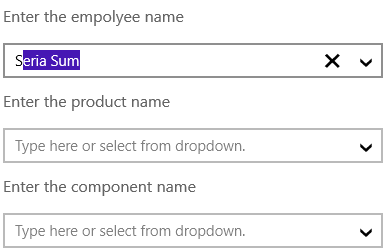
The Syncfusion® UWP ComboBox is a combination of a drop-down list (or list box) and an editable text box, allowing users to either enter a value directly or chose from the drop-down list.
Features Overview | Docs | Online Demo | Support | Forums | Feedback
Getting Started
Date Picker
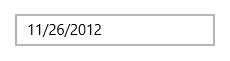
The Syncfusion® UWP Date Picker provides an intuitive touch interface to quickly select a date. It allows users to choose different date formats and specify minimum and maximum dates to restrict date selection. The time selector appearance can also be completely customized.
Features Overview | Docs | Online Demo | Support | Forums | Feedback
Getting Started
Masked TextBox
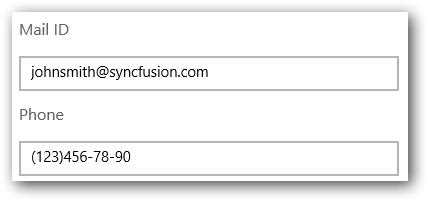
The Syncfusion® UWP Masked TextBox is an enhanced version of a text box that additionally restricts input to conform to a specific structure or mask.
Features Overview | Docs | Online Demo | Support | Forums | Feedback
Getting Started
Numeric TextBox
The Syncfusion® UWP Numeric TextBox restricts the input to allow only numbers to be entered. It supports culture based formatting and other features.

Features Overview | Docs | Online Demo | Support | Forums | Feedback
Getting Started
Time Picker
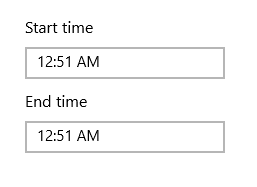
The Syncfusion® UWP Time Picker aallows users to pick a time and edit the time input. It allows users to choose different time formats and supports minimum and maximum times to restrict time selection. The appearance of the time selector can be completely customized.
Features Overview | Docs | Online Demo | Support | Forums | Feedback
Getting Started
License
This is a commercial product and requires a paid license for possession or use. Syncfusion® licensed software, including this component, is subject to the terms and conditions of Syncfusion® EULA. You can purchase a license here or start a free 30-day trial here.
About Syncfusion®
Founded in 2001 and headquartered in Research Triangle Park, N.C., Syncfusion® has more than 29,000 customers and more than 1 million users, including large financial institutions, Fortune 500 companies, and global IT consultancies.
Today, we provide 1800+ components and frameworks for web (Blazor, Flutter, ASP.NET Core, ASP.NET MVC, ASP.NET Web Forms, JavaScript, Angular, React, Vue, and jQuery), mobile (.NET MAUI, Flutter, Xamarin, UWP, and JavaScript), and desktop development (WinForms, WPF, WinUI, .NET MAUI, Flutter, Xamarin, and UWP). We provide ready-to-deploy enterprise software for dashboards, reports, data integration, and big data processing. Many customers have saved millions in licensing fees by deploying our software.
sales@syncfusion.com | www.syncfusion.com | Toll Free: 1-888-9 DOTNET
| Product | Versions Compatible and additional computed target framework versions. |
|---|---|
| Universal Windows Platform | uap was computed. uap10.0 is compatible. |
-
- Syncfusion.Licensing (>= 32.2.8)
- Syncfusion.SfShared.UWP (>= 32.2.8)
NuGet packages (18)
Showing the top 5 NuGet packages that depend on Syncfusion.SfInput.UWP:
| Package | Downloads |
|---|---|
|
Syncfusion.Xamarin.SfNumericTextBox
This package provides the functionality to utilize the features of Syncfusion® Xamarin Numeric TextBox control and more. |
|
|
Syncfusion.Xamarin.SfRangeSlider
This package provides the functionality to utilize the features of Syncfusion® Xamarin Range Slider control and more. |
|
|
Syncfusion.Xamarin.SfPicker
This package provides the functionality to utilize the features of Syncfusion® Xamarin Picker, DatePicker, and TimePicker. |
|
|
Syncfusion.Xamarin.SfAutoComplete
This package provides the functionality to utilize the features of Syncfusion® Xamarin AutoComplete control and more. |
|
|
Syncfusion.Xamarin.SfNumericUpDown
This package provides the functionality to utilize the features of Syncfusion® Xamarin NumericUpDown control and more. |
GitHub repositories (1)
Showing the top 1 popular GitHub repositories that depend on Syncfusion.SfInput.UWP:
| Repository | Stars |
|---|---|
|
syncfusion/xamarin-demos
This repository contains the Syncfusion Xamarin UI control’s samples and the guide to use them.
|
| Version | Downloads | Last Updated |
|---|---|---|
| 32.2.9 | 533 | 3/9/2026 |
| 32.2.8 | 527 | 3/2/2026 |
| 32.2.7 | 537 | 2/23/2026 |
| 32.2.5 | 565 | 2/16/2026 |
| 32.2.4 | 544 | 2/10/2026 |
| 32.2.3 | 560 | 2/5/2026 |
| 32.1.25 | 623 | 1/26/2026 |
| 32.1.24 | 525 | 1/19/2026 |
| 32.1.23 | 536 | 1/13/2026 |
| 32.1.22 | 597 | 1/5/2026 |
| 32.1.21 | 551 | 12/29/2025 |
| 32.1.20 | 642 | 12/23/2025 |
| 32.1.19 | 1,655 | 12/16/2025 |
| 31.2.18 | 926 | 12/8/2025 |
| 31.2.16 | 1,196 | 12/1/2025 |
| 31.2.15 | 694 | 11/25/2025 |
| 31.2.12 | 881 | 11/18/2025 |
| 31.2.10 | 777 | 11/12/2025 |
| 31.2.5 | 707 | 11/3/2025 |
| 31.2.4 | 696 | 10/28/2025 |