SplatDev.Umbraco.Plugins.Slider
1.4.1
dotnet add package SplatDev.Umbraco.Plugins.Slider --version 1.4.1
NuGet\Install-Package SplatDev.Umbraco.Plugins.Slider -Version 1.4.1
<PackageReference Include="SplatDev.Umbraco.Plugins.Slider" Version="1.4.1" />
<PackageVersion Include="SplatDev.Umbraco.Plugins.Slider" Version="1.4.1" />
<PackageReference Include="SplatDev.Umbraco.Plugins.Slider" />
paket add SplatDev.Umbraco.Plugins.Slider --version 1.4.1
#r "nuget: SplatDev.Umbraco.Plugins.Slider, 1.4.1"
#:package SplatDev.Umbraco.Plugins.Slider@1.4.1
#addin nuget:?package=SplatDev.Umbraco.Plugins.Slider&version=1.4.1
#tool nuget:?package=SplatDev.Umbraco.Plugins.Slider&version=1.4.1
Slider
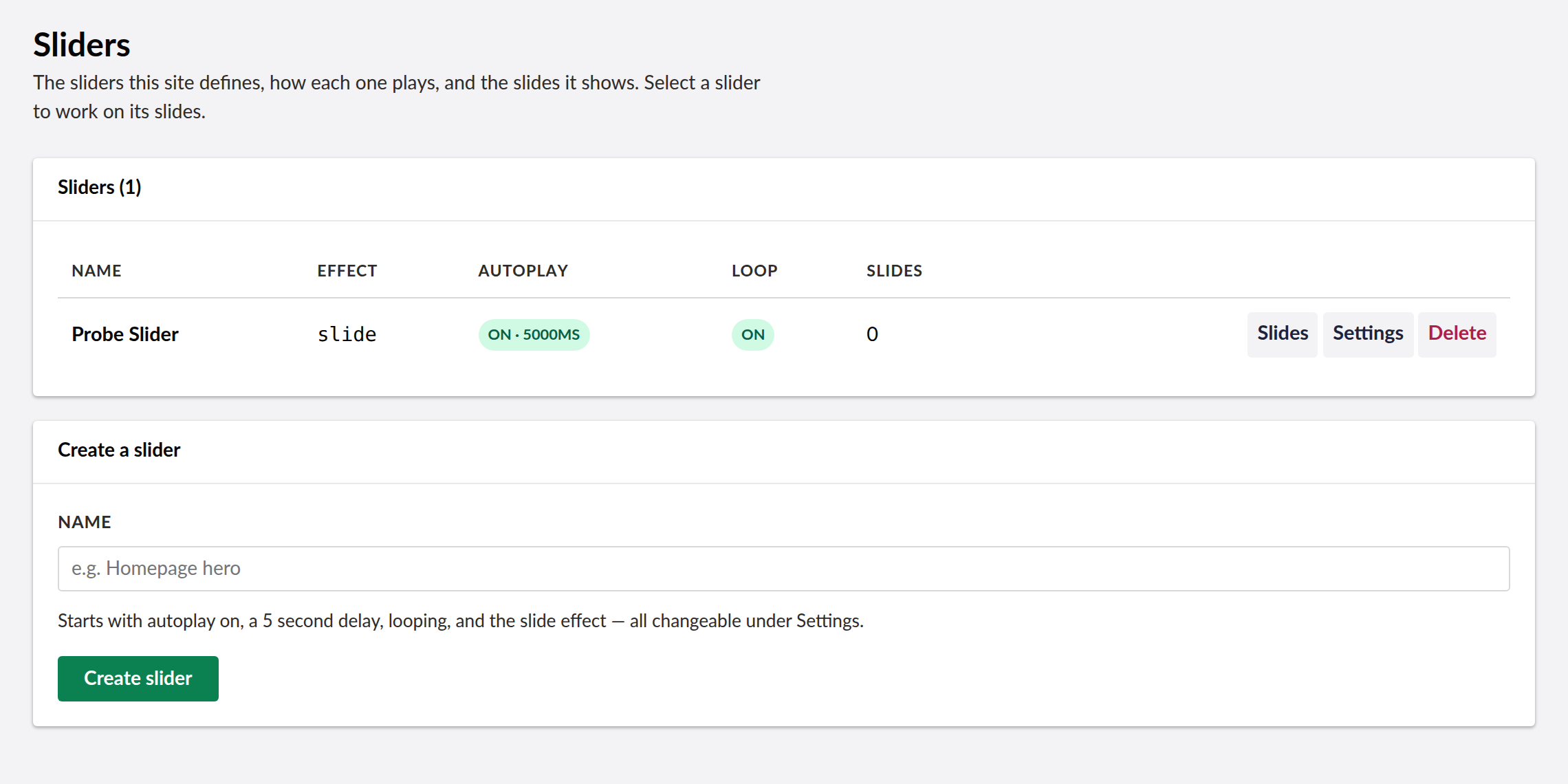
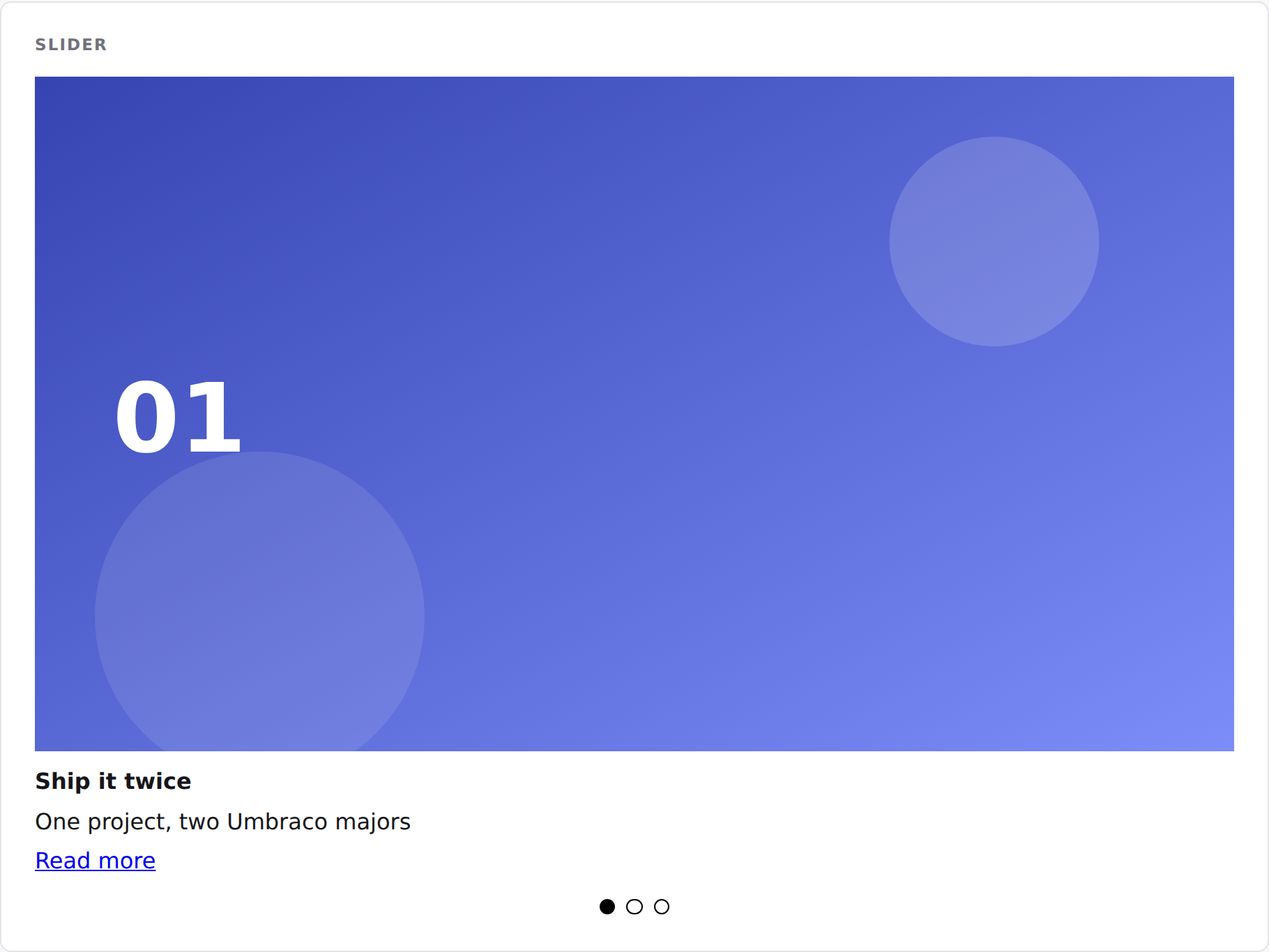
Image slider plugin for Umbraco — stores slide data with EF Core, renders via configurable view component. Provides a Bellissima backoffice dashboard for managing sliders and slides.


Compatibility
| Umbraco | .NET | Package Version |
|---|---|---|
| 13.x | 8.0 | 1.0.0 |
| 17.x | 10.0 | 1.0.0 |
Installation
dotnet add package SplatDev.Umbraco.Plugins.Slider
Quick Start
Register in Program.cs:
builder.CreateUmbracoBuilder()
    .AddBackOffice()
    .AddWebsite()
    .AddSlider()   // <-- add this
    .Build();
Configuration
The plugin uses EF Core to persist slider data. Ensure your Umbraco database is configured and migrations are applied on startup.
Available settings
| Key | Type | Default | Description |
|---|---|---|---|
Slider:EnableEFMigrations |
bool |
true |
Run EF migrations on startup |
Backoffice Dashboard (Umbraco 17+)
A Bellissima Lit dashboard is available under the Settings section. It displays all configured sliders with their slides, effects, and autoplay status.
Client build
The dashboard is built with Vite + TypeScript:
cd Slider/client
pnpm install
pnpm run build
Output: App_Plugins/Slider/dist/slider-dashboard.element.js
API
| Endpoint | Method | Description |
|---|---|---|
/umbraco/api/slider/GetSliders |
GET | List all sliders with slides |
/umbraco/api/slider/GetSlider |
GET | Get a single slider by ID |
/umbraco/api/slider/CreateSlider |
POST | Create a new slider |
/umbraco/api/slider/UpdateSlider |
PUT | Update slider properties |
/umbraco/api/slider/DeleteSlider |
DELETE | Delete a slider and its slides |
/umbraco/api/slider/GetSlides |
GET | Get slides for a slider |
/umbraco/api/slider/AddSlide |
POST | Add a slide to a slider |
/umbraco/api/slider/UpdateSlide |
PUT | Update slide properties |
/umbraco/api/slider/DeleteSlide |
DELETE | Remove a slide |
Rendering a slider
@* The first slider — the usual case on a site with one: *@
@await Component.InvokeAsync("Slider")

@* A specific slider by id: *@
@await Component.InvokeAsync("Slider", new { sliderId = 1 })

@* Or the one chosen on this page with the Slider property editor: *@
@await Component.InvokeAsync("Slider", new { sliderId = Model.Value<int>("slider") })
The markup carries splatdev-slider__* class names and no styles of its own, so it
inherits your site's design rather than fighting it. Autoplay, delay and looping come
from the slider's own settings; autoplay pauses on hover, while the tab is hidden, and
for visitors who ask for reduced motion.
Changelog
1.4.1 — 2026-08-24
Package metadata only: the listing now carries an icon and search tags, and the project and repository links point at the organisation that actually hosts this code. No code changes.
1.4.0 — 2026-08-23
Adds a view component so the slider chosen with the property editor can actually be rendered on a page. Until now the picker stored an id nothing consumed.
1.3.0 — 2026-08-23
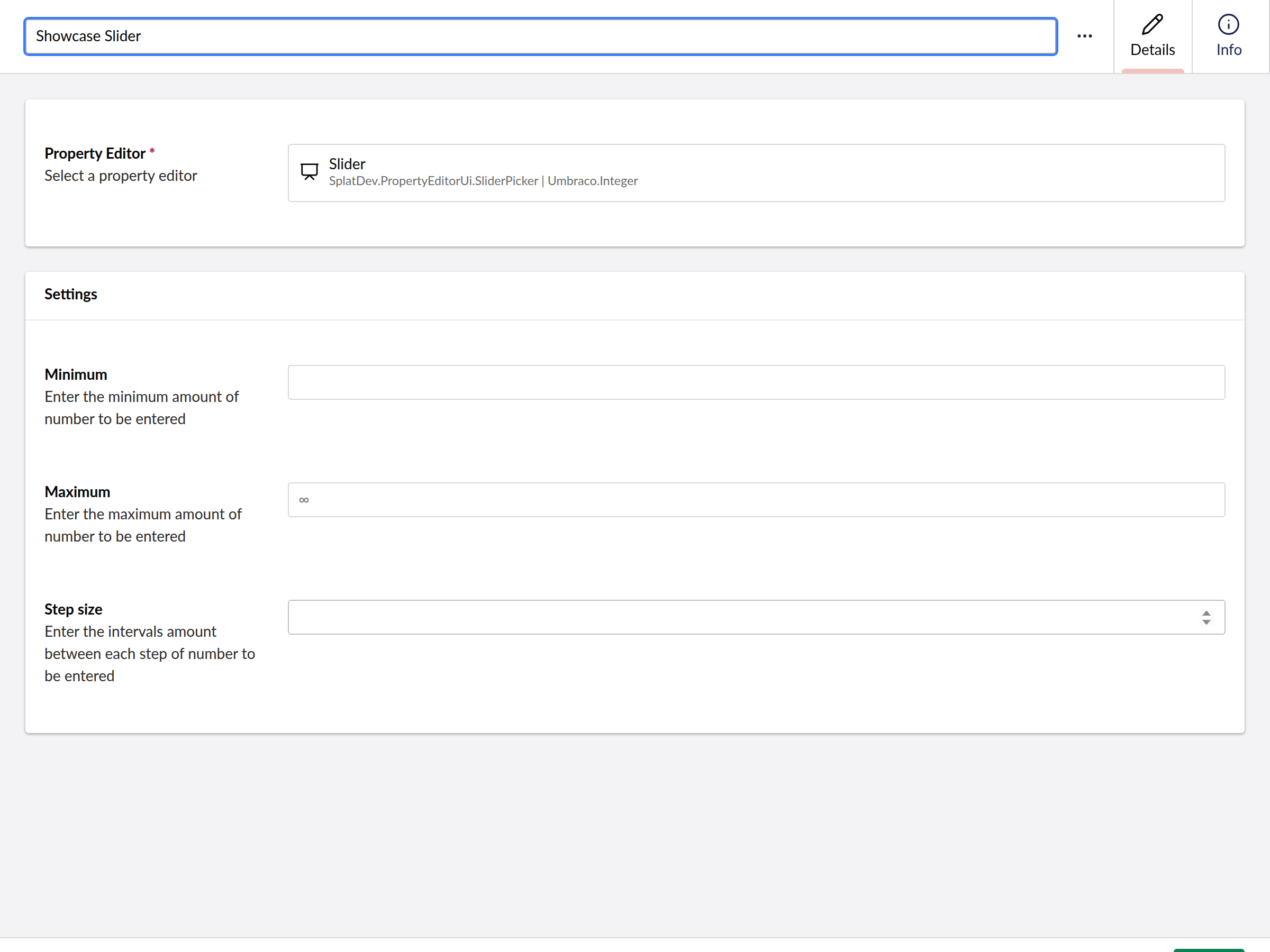
- A content editor can choose which slider a page shows. The plugin stored sliders in its own tables with no way for a page to reference one, so a slider could be built and never appear anywhere.
1.2.3 — 2026-08-22
- The dashboard manages sliders and their slides. It listed slider names and offered no controls at all, while the API behind it had supported all of this the whole time.
- Each slider's playback settings are editable: autoplay and its delay, looping, and the transition effect.
- Select a slider to work on its slides — add them, reorder them with up and down, and remove them.
- Slide images are chosen from the media library with a picker rather than typed as a URL, and the stored value is the site-relative path.
- Deleting asks first and says what goes with it — and makes clear the media library itself is untouched.
1.2.2 — 2026-08-21
- Dashboard now sends the backoffice token with its API calls. On Umbraco 17 those calls were arriving unauthenticated and coming back 401, which the dashboard rendered as an empty state rather than an error.
- A failed request now raises a notification instead of leaving the dashboard looking like there is simply no data.
- The plugin's tables are created on startup. They were never created before, so anything touching them failed on a fresh install.
- Runs on SQLite as well as SQL Server. It previously assumed SQL Server and failed with "Keyword not supported: 'cache'" on the database Umbraco's installer offers by default.
License
MIT © SplatDev
| Product | Versions Compatible and additional computed target framework versions. |
|---|---|
| .NET | net8.0 is compatible. net8.0-android was computed. net8.0-browser was computed. net8.0-ios was computed. net8.0-maccatalyst was computed. net8.0-macos was computed. net8.0-tvos was computed. net8.0-windows was computed. net9.0 was computed. net9.0-android was computed. net9.0-browser was computed. net9.0-ios was computed. net9.0-maccatalyst was computed. net9.0-macos was computed. net9.0-tvos was computed. net9.0-windows was computed. net10.0 is compatible. net10.0-android was computed. net10.0-browser was computed. net10.0-ios was computed. net10.0-maccatalyst was computed. net10.0-macos was computed. net10.0-tvos was computed. net10.0-windows was computed. |
-
net10.0
- Microsoft.EntityFrameworkCore.Sqlite (>= 10.0.7)
- Microsoft.EntityFrameworkCore.SqlServer (>= 10.0.7)
- Microsoft.Extensions.FileProviders.Embedded (>= 10.0.6)
- Umbraco.Cms.Core (>= 17.3.4)
- Umbraco.Cms.Web.Common (>= 17.3.4)
-
net8.0
- Microsoft.EntityFrameworkCore.Sqlite (>= 8.0.20)
- Microsoft.EntityFrameworkCore.SqlServer (>= 8.0.20)
- Umbraco.Cms.Core (>= 13.12.0)
- Umbraco.Cms.Web.Common (>= 13.12.0)
NuGet packages
This package is not used by any NuGet packages.
GitHub repositories
This package is not used by any popular GitHub repositories.
| Version | Downloads | Last Updated |
|---|---|---|
| 1.4.1 | 39 | 8/24/2026 |