SplatDev.Umbraco.Plugins.PhotoGallery
1.4.3
dotnet add package SplatDev.Umbraco.Plugins.PhotoGallery --version 1.4.3
NuGet\Install-Package SplatDev.Umbraco.Plugins.PhotoGallery -Version 1.4.3
<PackageReference Include="SplatDev.Umbraco.Plugins.PhotoGallery" Version="1.4.3" />
<PackageVersion Include="SplatDev.Umbraco.Plugins.PhotoGallery" Version="1.4.3" />
<PackageReference Include="SplatDev.Umbraco.Plugins.PhotoGallery" />
paket add SplatDev.Umbraco.Plugins.PhotoGallery --version 1.4.3
#r "nuget: SplatDev.Umbraco.Plugins.PhotoGallery, 1.4.3"
#:package SplatDev.Umbraco.Plugins.PhotoGallery@1.4.3
#addin nuget:?package=SplatDev.Umbraco.Plugins.PhotoGallery&version=1.4.3
#tool nuget:?package=SplatDev.Umbraco.Plugins.PhotoGallery&version=1.4.3
PhotoGallery
Photo gallery plugin for Umbraco — stores gallery albums and photos with EF Core, renders via view component.


Compatibility
| Umbraco | .NET | Package Version | Dashboard |
|---|---|---|---|
| 13.x | 8.0 | 1.4.3 | AngularJS |
| 17.x | 10.0 | 1.4.3 | Lit (Bellissima) |
Installation
dotnet add package SplatDev.Umbraco.Plugins.PhotoGallery
Quick Start
No registration call is needed. The package ships Umbraco composers, so the AddComposers() already in the default Program.cs picks the plugin up as soon as the package is referenced.
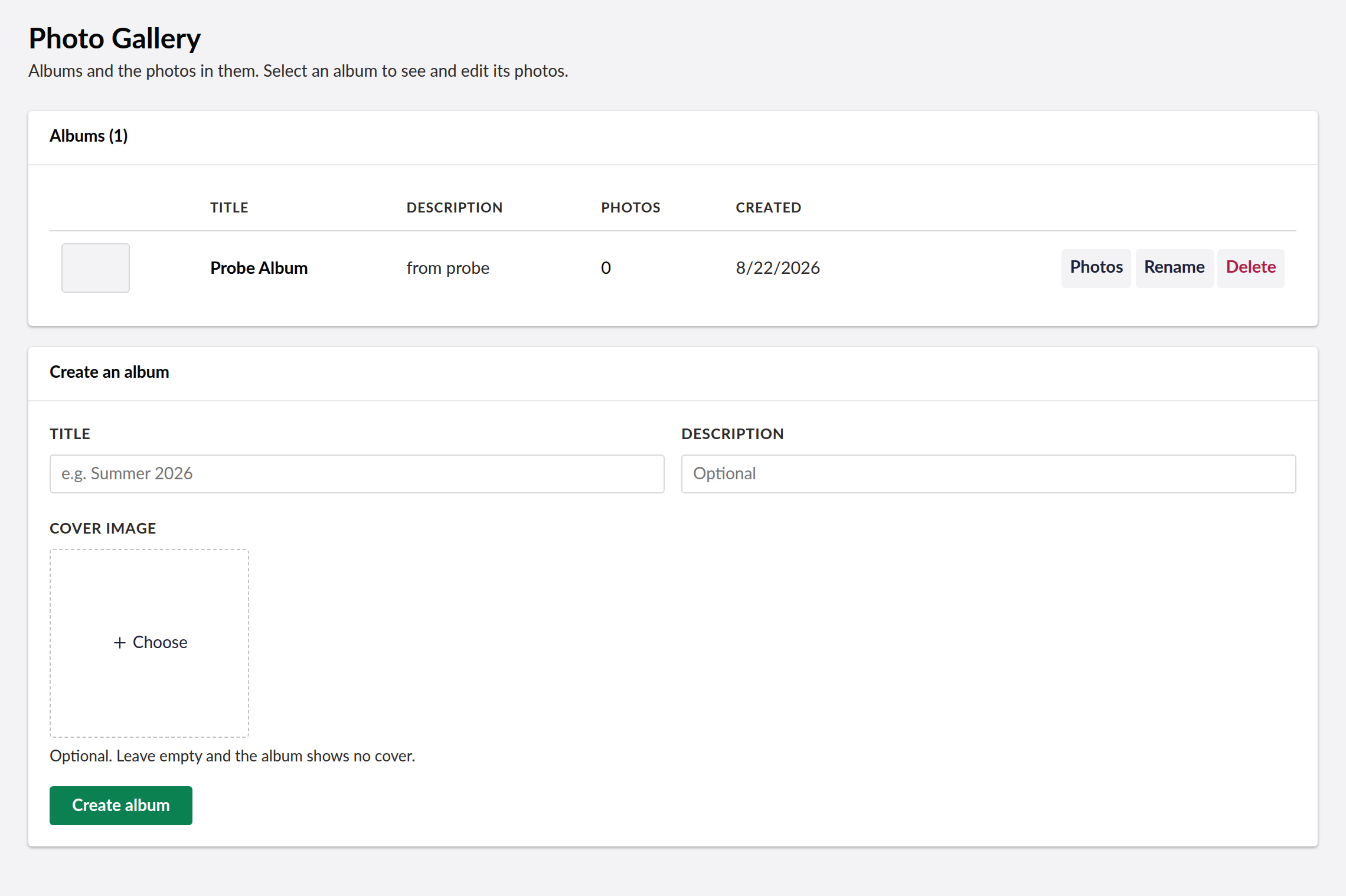
The Photo Gallery dashboard appears under the Settings section in the Umbraco backoffice. It displays albums and photos managed through the gallery.
U17 Bellissima Dashboard (Lit)
The U17 dashboard is built as a Lit Web Component using Vite and TypeScript.
Development
cd client
npm install  # or pnpm install
npm run dev  # watch mode during development
npm run build  # production build
The build output is placed at App_Plugins/PhotoGallery/dist/photogallery-dashboard.element.js and registered in umbraco-package.json.
Architecture
client/— Vite + TypeScript + Lit sourceclient/src/photogallery-dashboard.element.ts— Lit element displaying albums with photo gridsControllers/— Back-end API endpoints for album/photo CRUDServices/— Gallery business logic with EF Core
Rendering an album
@* The first album — the usual case on a site with one: *@
@await Component.InvokeAsync("PhotoGallery")

@* A specific album by id: *@
@await Component.InvokeAsync("PhotoGallery", new { albumId = 1 })

@* Or the one chosen on this page with the Album property editor: *@
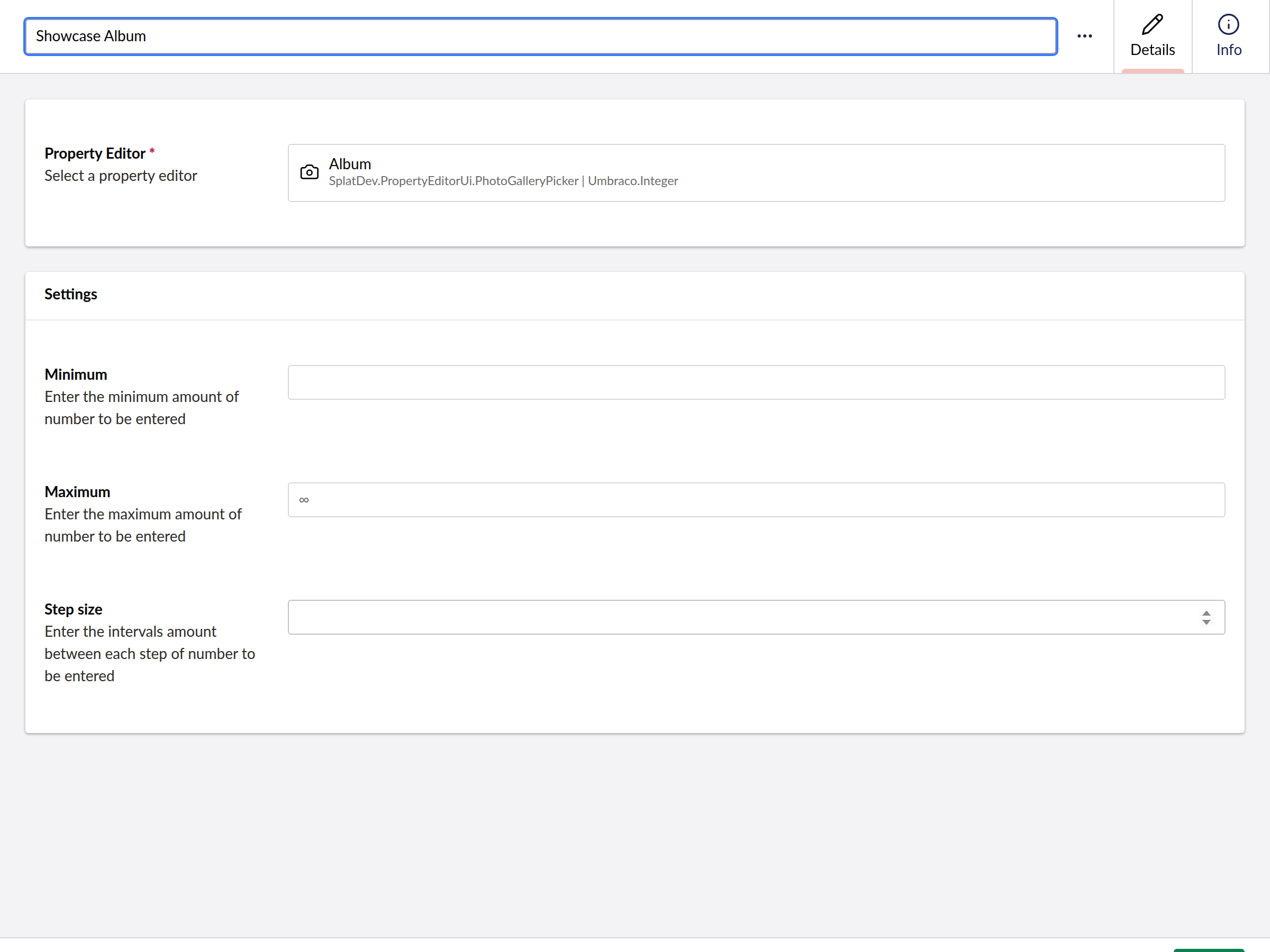
@await Component.InvokeAsync("PhotoGallery", new { albumId = Model.Value<int>("album") })
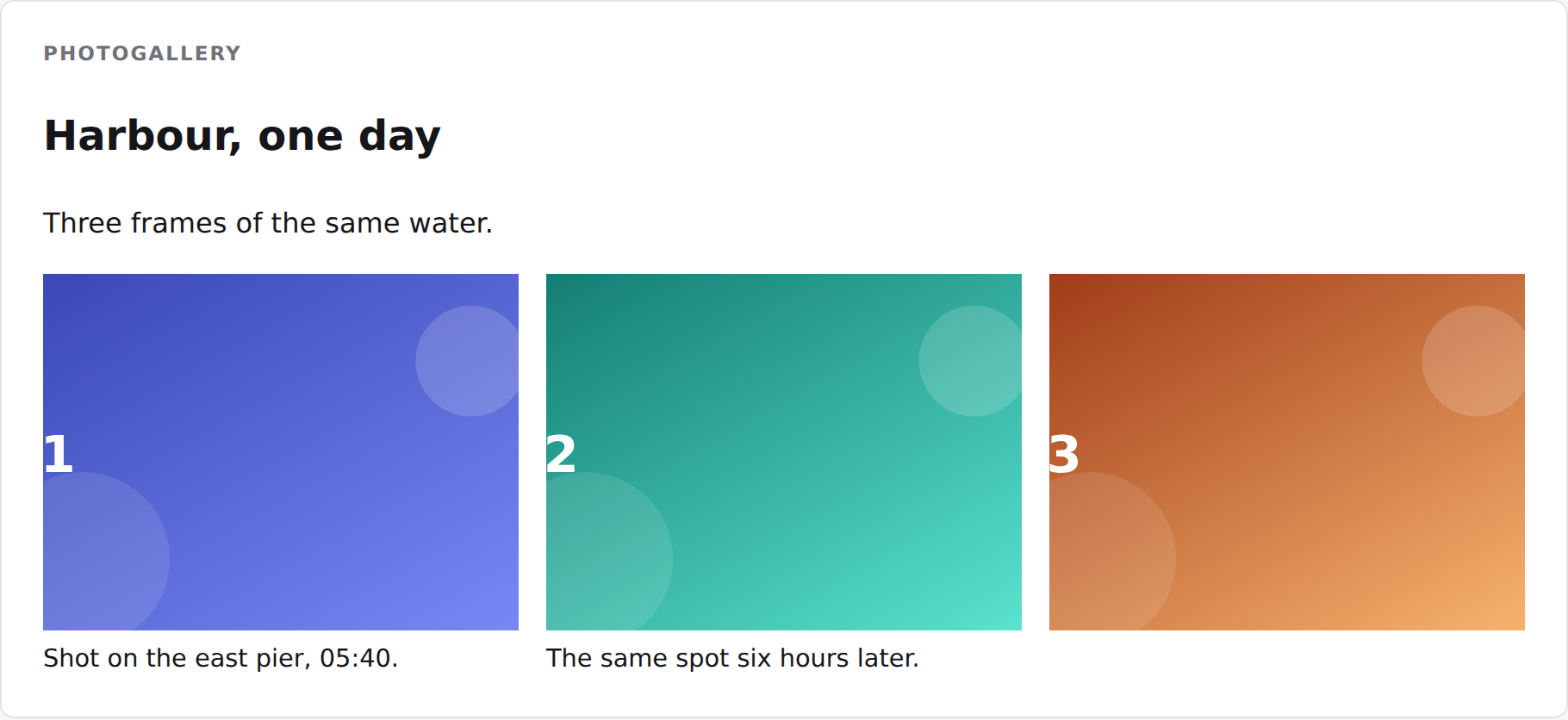
The markup carries splatdev-gallery__* class names and no styles of its own, so it
inherits your site's design. Thumbnails are used where a photo has one and each links to
the full image; photos below the fold load lazily.
Changelog
1.4.3 — 2026-08-26
Fixes a duplicate registration on sites that still have a physical App_Plugins folder for this plugin, left behind by an older release that copied content into the site. Umbraco registered those extensions twice - once from its own scan of the folder, once from this package's embedded manifest - and logged "Extension with alias ... is already registered". The embedded manifest now yields to the physical copy.
1.4.2 — 2026-08-25
Documentation only, no code change. The README's Quick Start told you to call a registration method that does not exist in this package — following it produced a compile error on the first build. There is nothing to register: the package ships Umbraco composers and the AddComposers() already in the default Program.cs finds it. The Compatibility table also now shows the version actually being shipped instead of the one it was written at.
1.4.1 — 2026-08-24
Package metadata only: the listing now carries an icon and search tags, and the project and repository links point at the organisation that actually hosts this code. No code changes.
1.4.0 — 2026-08-23
Adds a view component so the album chosen with the property editor can actually be rendered on a page. Until now the picker stored an id nothing consumed.
1.3.0 — 2026-08-23
- A content editor can choose which album a page shows. The plugin stored albums in its own tables with no way for a page to reference one, so an album could be filled and never appear anywhere.
1.2.3 — 2026-08-22
- The dashboard manages albums and photos, which is what it was for. It listed album names and offered no controls at all, while the API behind it had supported creating, renaming and deleting albums and adding and removing photos the whole time.
- Select an album to see its photos, with thumbnails, and add or remove them there.
- Images are chosen from the media library with a picker. Nothing asks you to type a URL, and what gets stored is the site-relative path, so the records survive the site moving domain.
- Deleting asks first and says what goes with it — and makes clear the media library itself is untouched.
1.2.2 — 2026-08-21
- Dashboard now sends the backoffice token with its API calls. On Umbraco 17 those calls were arriving unauthenticated and coming back 401, which the dashboard rendered as an empty state rather than an error.
- A failed request now raises a notification instead of leaving the dashboard looking like there is simply no data.
- The plugin's tables are created on startup. They were never created before, so anything touching them failed on a fresh install.
- Runs on SQLite as well as SQL Server. It previously assumed SQL Server and failed with "Keyword not supported: 'cache'" on the database Umbraco's installer offers by default.
License
MIT © SplatDev
| Product | Versions Compatible and additional computed target framework versions. |
|---|---|
| .NET | net8.0 is compatible. net8.0-android was computed. net8.0-browser was computed. net8.0-ios was computed. net8.0-maccatalyst was computed. net8.0-macos was computed. net8.0-tvos was computed. net8.0-windows was computed. net9.0 was computed. net9.0-android was computed. net9.0-browser was computed. net9.0-ios was computed. net9.0-maccatalyst was computed. net9.0-macos was computed. net9.0-tvos was computed. net9.0-windows was computed. net10.0 is compatible. net10.0-android was computed. net10.0-browser was computed. net10.0-ios was computed. net10.0-maccatalyst was computed. net10.0-macos was computed. net10.0-tvos was computed. net10.0-windows was computed. |
-
net10.0
- Microsoft.EntityFrameworkCore.Sqlite (>= 10.0.7)
- Microsoft.EntityFrameworkCore.SqlServer (>= 10.0.7)
- Microsoft.Extensions.FileProviders.Embedded (>= 10.0.6)
- Umbraco.Cms.Core (>= 17.3.4)
- Umbraco.Cms.Web.Common (>= 17.3.4)
-
net8.0
- Microsoft.EntityFrameworkCore.Sqlite (>= 8.0.20)
- Microsoft.EntityFrameworkCore.SqlServer (>= 8.0.20)
- Umbraco.Cms.Core (>= 13.12.0)
- Umbraco.Cms.Web.Common (>= 13.12.0)
NuGet packages
This package is not used by any NuGet packages.
GitHub repositories
This package is not used by any popular GitHub repositories.
| Version | Downloads | Last Updated |
|---|---|---|
| 1.4.3 | 104 | 8/27/2026 |