Rebex.Imap
8.0.9820
Prefix Reserved
dotnet add package Rebex.Imap --version 8.0.9820
NuGet\Install-Package Rebex.Imap -Version 8.0.9820
<PackageReference Include="Rebex.Imap" Version="8.0.9820" />
<PackageVersion Include="Rebex.Imap" Version="8.0.9820" />
<PackageReference Include="Rebex.Imap" />
paket add Rebex.Imap --version 8.0.9820
#r "nuget: Rebex.Imap, 8.0.9820"
#:package Rebex.Imap@8.0.9820
#addin nuget:?package=Rebex.Imap&version=8.0.9820
#tool nuget:?package=Rebex.Imap&version=8.0.9820
Rebex IMAP - The C# IMAP library for .NET
Free trial | Sample code | API reference | What's new | Pricing | Support
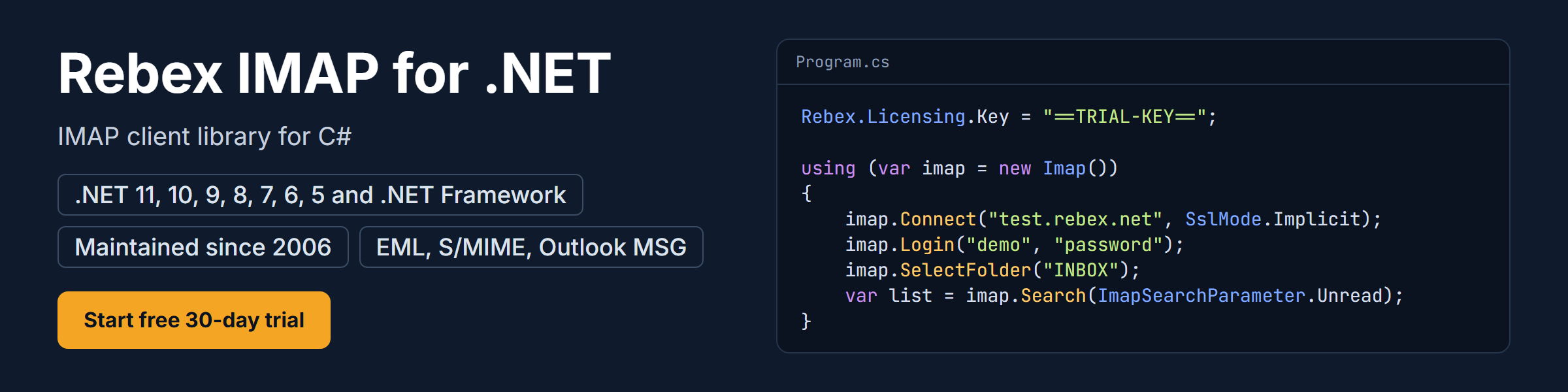
Rebex IMAP is an IMAP client library for .NET developers. It provides advanced mailbox access over the IMAP protocol with TLS encryption. With Rebex IMAP, it's simple to connect to a mail server, search, list, download, and manage messages and folders. For creating and manipulating email messages, use Rebex.Mail. For sending mail, use Rebex.Smtp. For Exchange access, use Rebex.Ews or Rebex.Graph.
20+ years of active development. Rebex IMAP has been continuously developed and maintained since 2006, with regular updates and new features.
Key features
- Message operations - list, download, upload, copy, move, delete messages; download individual parts and attachments; message flags and keywords
- Folder operations - list, create, rename, delete, subscribe to folders; IDLE notifications for real-time updates
- Searching - search by sender, subject, date, flags, full text; combine criteria with AND, OR, NOT operators
- TLS support - explicit and implicit TLS modes, STARTTLS upgrade
- Many authentication modes - password, OAuth 2.0, X.509 client certificates, GSS-API, Kerberos, NTLM, single sign-on, CRAM-MD5, DIGEST-MD5
- Async/await API - Task-based asynchronous API support
- MIME and S/MIME - sign, encrypt, and verify messages using X.509 certificates (via Rebex.Mail)
- Cryptographic algorithms including PQC - ML-KEM, ML-DSA, Ed25519, ChaCha20/Poly1305, AES/GCM, ECDH, ECDSA, RSA, and more
- FIPS 140-3 compliant mode
Getting started
Connect, authenticate and search for unread messages
// get a free trial key at https://www.rebex.net/support/trial/
Rebex.Licensing.Key = "==put-your-license-key-here==";

using (var imap = new Rebex.Net.Imap())
{
    // connect using implicit TLS
    imap.Connect("imap.example.org", SslMode.Implicit);

    // authenticate
    imap.Login(username, password);

    // select folder to work with
    imap.SelectFolder("INBOX");

    // get list of unread messages
    ImapMessageCollection list = imap.Search(ImapSearchParameter.Unread);

    // print some info
    foreach (ImapMessageInfo info in list)
    {
        Console.WriteLine("From: {0}", info.From);
        Console.WriteLine("Subject: {0}", info.Subject);
    }

    // disconnect (not required, but polite)
    imap.Disconnect();
}
Get message list
imap.SelectFolder("Inbox");

ImapMessageCollection list = imap.GetMessageList();

Console.WriteLine("Found {0} message(s).", list.Count);
foreach (ImapMessageInfo info in list)
{
    Console.WriteLine("[{0}] {1}: {2}", info.ReceivedDate, info.From, info.Subject);
}
Download a message
// download a message
MailMessage mail = imap.GetMailMessage(uniqueId);

Console.WriteLine("From: {0}", mail.From);
Console.WriteLine("Subject: {0}", mail.Subject);
if (mail.Attachments.Count > 0)
    Console.WriteLine("Attachments: {0}", mail.Attachments.Count);

// save mail directly to disk
imap.GetMessage(uniqueId, @"C:\MyData\mail.eml");
Download individual attachments
ImapMessageInfo info = imap.GetMessageInfo(uniqueId, ImapListFields.MessageStructure);

foreach (ImapMessagePart part in info.GetParts())
{
    if (part.Kind != ImapMessagePartKind.Attachment)
        continue;

    string target = Path.Combine(@"C:\MyData", part.FileName);
    using (FileStream stream = File.Create(target))
    {
        imap.GetMessagePart(uniqueId, part.Id, stream);
    }
}
Search with multiple criteria
// find messages from Joe which arrived today and have "Holiday" in subject
ImapMessageCollection list = imap.Search(
    ImapSearchParameter.From("joe@example.org"),
    ImapSearchParameter.Arrived(DateTime.Now),
    ImapSearchParameter.Subject("Holiday"));
Folder operations
// get folder info
ImapFolder info = imap.GetFolderInfo("Inbox");
Console.WriteLine("Total messages: {0}", info.TotalMessageCount);
Console.WriteLine("Not-seen messages: {0}", info.NotSeenMessageCount);

// create a folder
if (!imap.FolderExists("My mails"))
    imap.CreateFolder("My mails");

// copy a message to another folder
imap.CopyMessage(uniqueId, "My mails");
Delete and purge messages
// mark message for deletion
imap.DeleteMessage(uniqueId);

// permanently remove deleted messages
imap.Purge();
Supported platforms
- .NET 11 on Windows, Linux, macOS, Android, iOS
- .NET 10 on Windows, Linux, macOS, Android, iOS
- .NET 9 on Windows, Linux, macOS
- .NET 8 on Windows, Linux, macOS
- .NET 7 on Windows, Linux, macOS
- .NET 6 on Windows, Linux, macOS
- .NET 5 on Windows, Linux, macOS
- .NET Framework 4.0, 4.5.x, 4.6.x, 4.7.x, 4.8.x
- .NET Framework 3.5 SP1
- .NET Core 3.1 on Windows, Linux, macOS
- Xamarin.Android (10.1 and higher; via .NET Standard 2.1)
- Xamarin.iOS (13.10 and higher; via .NET Standard 2.1)
- Mono 6.0 or higher on Linux and macOS
Supported architectures: x86, x64, ARM64.
Licensing
This is a paid commercial product with a free 30-day trial.
- Trial mode: Start your free 30-day trial by generating your trial key
- Licensed mode: Buy Rebex IMAP and get your full license key
When the full license key is provided, NuGet.org repository can be used to retrieve versions of Rebex components covered by your support contract.
Support
Talk to real people. No scripted or AI responses. Support is provided directly by the engineers who design and build the library.
Email us at support@rebex.net or visit rebex.net/support.
Documentation
| Product | Versions Compatible and additional computed target framework versions. |
|---|---|
| .NET | net5.0 is compatible. net5.0-windows was computed. net6.0 is compatible. net6.0-android was computed. net6.0-ios was computed. net6.0-maccatalyst was computed. net6.0-macos was computed. net6.0-tvos was computed. net6.0-windows was computed. net7.0 is compatible. net7.0-android was computed. net7.0-ios was computed. net7.0-maccatalyst was computed. net7.0-macos was computed. net7.0-tvos was computed. net7.0-windows was computed. net8.0 is compatible. net8.0-android was computed. net8.0-browser was computed. net8.0-ios was computed. net8.0-maccatalyst was computed. net8.0-macos was computed. net8.0-tvos was computed. net8.0-windows was computed. net9.0 is compatible. net9.0-android was computed. net9.0-browser was computed. net9.0-ios was computed. net9.0-maccatalyst was computed. net9.0-macos was computed. net9.0-tvos was computed. net9.0-windows was computed. net10.0 is compatible. net10.0-android was computed. net10.0-browser was computed. net10.0-ios was computed. net10.0-maccatalyst was computed. net10.0-macos was computed. net10.0-tvos was computed. net10.0-windows was computed. net11.0 is compatible. |
| .NET Core | netcoreapp2.0 was computed. netcoreapp2.1 was computed. netcoreapp2.2 was computed. netcoreapp3.0 was computed. netcoreapp3.1 is compatible. |
| .NET Standard | netstandard2.0 is compatible. netstandard2.1 is compatible. |
| .NET Framework | net35 is compatible. net40 is compatible. net403 was computed. net45 was computed. net451 was computed. net452 was computed. net46 is compatible. net461 was computed. net462 was computed. net463 was computed. net47 was computed. net471 was computed. net472 was computed. net48 was computed. net481 was computed. |
| MonoAndroid | monoandroid was computed. |
| MonoMac | monomac was computed. |
| MonoTouch | monotouch was computed. |
| Tizen | tizen40 was computed. tizen60 was computed. |
| Xamarin.iOS | xamarinios was computed. |
| Xamarin.Mac | xamarinmac was computed. |
| Xamarin.TVOS | xamarintvos was computed. |
| Xamarin.WatchOS | xamarinwatchos was computed. |
-
.NETCoreApp 3.1
- Rebex.Common (= 8.0.9820)
- Rebex.Mail (= 8.0.9820)
- Rebex.Networking (= 8.0.9820)
-
.NETFramework 3.5
- Rebex.Common (= 8.0.9820)
- Rebex.Mail (= 8.0.9820)
- Rebex.Networking (= 8.0.9820)
-
.NETFramework 4.0
- Rebex.Common (= 8.0.9820)
- Rebex.Mail (= 8.0.9820)
- Rebex.Networking (= 8.0.9820)
-
.NETFramework 4.6
- Rebex.Common (= 8.0.9820)
- Rebex.Mail (= 8.0.9820)
- Rebex.Networking (= 8.0.9820)
-
.NETStandard 2.0
- Rebex.Common (= 8.0.9820)
- Rebex.Mail (= 8.0.9820)
- Rebex.Networking (= 8.0.9820)
-
.NETStandard 2.1
- Rebex.Common (= 8.0.9820)
- Rebex.Mail (= 8.0.9820)
- Rebex.Networking (= 8.0.9820)
-
net10.0
- Rebex.Common (= 8.0.9820)
- Rebex.Mail (= 8.0.9820)
- Rebex.Networking (= 8.0.9820)
-
net11.0
- Rebex.Common (= 8.0.9820)
- Rebex.Mail (= 8.0.9820)
- Rebex.Networking (= 8.0.9820)
-
net5.0
- Rebex.Common (= 8.0.9820)
- Rebex.Mail (= 8.0.9820)
- Rebex.Networking (= 8.0.9820)
-
net6.0
- Rebex.Common (= 8.0.9820)
- Rebex.Mail (= 8.0.9820)
- Rebex.Networking (= 8.0.9820)
-
net7.0
- Rebex.Common (= 8.0.9820)
- Rebex.Mail (= 8.0.9820)
- Rebex.Networking (= 8.0.9820)
-
net8.0
- Rebex.Common (= 8.0.9820)
- Rebex.Mail (= 8.0.9820)
- Rebex.Networking (= 8.0.9820)
-
net9.0
- Rebex.Common (= 8.0.9820)
- Rebex.Mail (= 8.0.9820)
- Rebex.Networking (= 8.0.9820)
NuGet packages (1)
Showing the top 1 NuGet packages that depend on Rebex.Imap:
| Package | Downloads |
|---|---|
|
Rebex.TotalPack
Rebex Total Pack is a metapackage that includes all Rebex libraries such as Rebex SFTP, Rebex FTP, Rebex SSH Shell, and more. See https://www.rebex.net/total-pack/ for a complete list. This is a paid commercial product with a free 30-day trial: - Trial mode: Start your free 30-day trial by generating your trial key at https://rebex.net/support/trial-key.aspx - Licensed mode: Purchase the product at https://rebex.net/shop/ and get your full license key at https://rebex.net/protected/nuget When the full license key is provided, NuGet.org repository can be used to retrieve versions of Rebex components covered by your support contract. Supported platforms: - .NET 11 on Windows, Linux, macOS, Android, iOS - .NET 10 on Windows, Linux, macOS, Android, iOS - .NET 9 on Windows, Linux, macOS - .NET 8 on Windows, Linux, macOS - .NET 7 on Windows, Linux, macOS - .NET 6 on Windows, Linux, macOS - .NET 5 on Windows, Linux, macOS - .NET Framework 4.0, 4.5.x, 4.6.x, 4.7.x, 4.8.x - .NET Framework 3.5 SP1 - .NET Core 3.1 on Windows, Linux, macOS - Xamarin.Android (10.1 and higher; via .NET Standard 2.1) - Xamarin.iOS (13.10 and higher; via .NET Standard 2.1) - Mono 6.0 or higher on Linux and macOS |
GitHub repositories
This package is not used by any popular GitHub repositories.
| Version | Downloads | Last Updated |
|---|---|---|
| 8.0.9820 | 84 | 11/20/2026 |
| 8.0.9797 | 1,942 | 10/28/2026 |
| 8.0.9709 | 4,765 | 8/3/2026 |
| 8.0.9673 | 4,802 | 6/25/2026 |
| 8.0.9663 | 238 | 6/24/2026 |
| 8.0.9643-rc.4 | 156 | 5/27/2026 |
| 8.0.9531-rc.3 | 139 | 2/4/2026 |
| 8.0.9440-rc.2 | 273 | 11/5/2025 |
| 8.0.9392-rc.1 | 315 | 9/19/2025 |
| 7.0.9796 | 283 | 10/28/2026 |
| 7.0.9649 | 366 | 6/23/2026 |
| 7.0.9561 | 8,517 | 3/6/2026 |
| 7.0.9448 | 9,859 | 11/12/2025 |
| 7.0.9391 | 21,704 | 9/17/2025 |
| 7.0.9313 | 6,745 | 6/30/2025 |
| 7.0.9209 | 9,179 | 3/20/2025 |
| 7.0.9147 | 8,170 | 1/16/2025 |
| 7.0.9119 | 4,300 | 12/19/2024 |
| 7.0.9083 | 7,349 | 11/13/2024 |
| 6.0.9280 | 3,539 | 6/30/2025 |