Paperwork.CLI
9.8.2
dotnet tool install --global Paperwork.CLI --version 9.8.2
dotnet new tool-manifest
dotnet tool install --local Paperwork.CLI --version 9.8.2
#tool dotnet:?package=Paperwork.CLI&version=9.8.2
nuke :add-package Paperwork.CLI --version 9.8.2
Scryber | Core | CLI | Skill | Design | View | Help | Corp
Paperwork.CLI
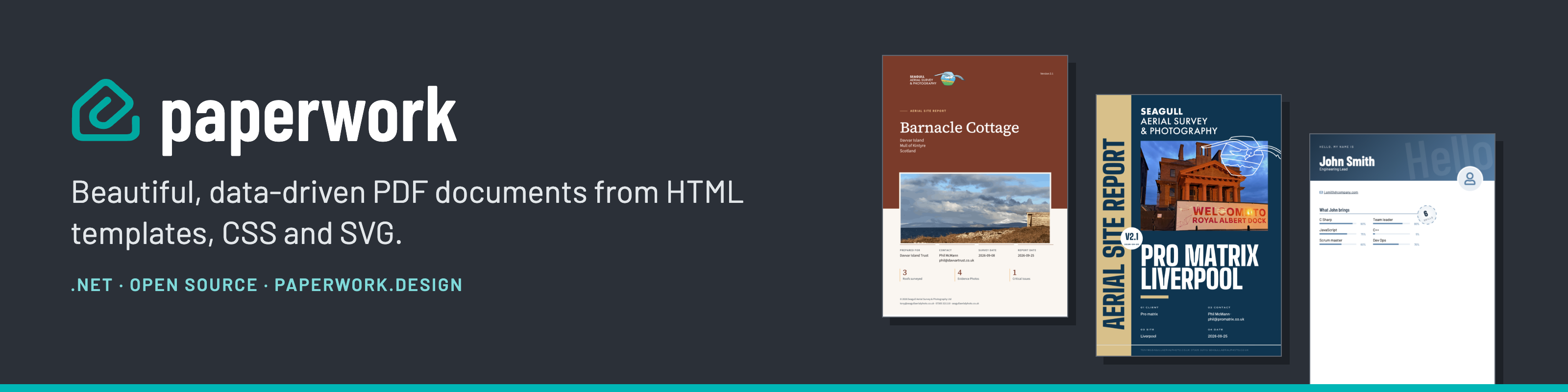
Your templates, turned into documents automatically.
Paperwork.CLI creates dynamic documents from your templates automatically: in scripts, scheduled jobs and pipelines. Reference a template published on paperwork.design by its id (the same published templates people fill in with the Viewer), or point it at template files you have downloaded, add data and fields at run time, and write the PDF to a file or straight to another command. It runs on Paperwork.Core.
Not yet supported: templates that require a password to open, and templates that read data through a browser-only (NoCors) connection.
The Paperwork family
| What it's for | |
|---|---|
| Scryber.Core (git) | The open-source generation engine: templates, and code to create a document. |
| Paperwork.Core (git) | Embedding generation in your .NET applications, from your own template or a document built in code. |
| Paperwork.CLI (this package) | Creating dynamic documents from your templates automatically, whether referenced or downloaded. |
| Paperwork.Skill | Making the CLI available to your AI, to design, build and run document creation. |
| Paperwork.Design | The online template designer: build, preview and publish your templates. |
| Paperwork.View | The free online PDF viewer for your custom templates and Paperwork designs. |
| Paperwork.Samples | The designs and templates from the help files at paperwork.help, ready to use. |
Documentation for all of them is at paperwork.help.
Installation
dotnet tool install -g Paperwork.CLI
Commands
| Command | Description |
|---|---|
generate |
Generate a PDF document |
validate <config> |
Validate a template config JSON file (schemaVers/template-wrapped shape — see config format) |
list |
List published templates: your personal ones, one owner's public ones, or a collection's |
login |
Sign in with GitHub, Microsoft or Google (--provider) — needed for personal and collection templates |
whoami |
Show who you are signed in as, and check the sign-in still works |
logout |
Forget the saved sign-in on this machine |
info |
Display version and environment information |
Quick Start
From a stored public template
paperwork generate --template "j-smith:monthly-report" --output report.pdf # an owner:slug id, see "Find a template's id" below
From a personal template — requires login first
paperwork login
paperwork generate --template "user-id:my-template-slug" \
  --personal \
  --output report.pdf
From a template in a collection — requires login as a member
paperwork login
paperwork generate --collection "acme:reports" --template monthly-summary \
  --output report.pdf
--template is the template's id within the collection, and --collection is the
collection's own id. If you are not a member of the collection, or the template
has not been published, the command says so before it tries to fetch anything.
Find a template's id
paperwork list --personal                          # your own personal templates
paperwork list --public --owner j-smith            # one owner's public templates
paperwork list --private --collection acme:reports # a collection's templates
One of --personal, --public or --private is required. Only published
templates are listed. Add --json for script-friendly output.
Check your sign-in
paperwork whoami    # who you are in each environment, your role and user id
paperwork logout    # forget the saved sign-in (add --all for every environment)
From an HTML file
paperwork generate --layout invoice.html --output invoice.pdf
With data and fields
paperwork generate \
  --layout invoice.html \
  --data order=order.json \
  --field date=2026-03-26 \
  --field title="March Invoice" \
  --output invoice.pdf
From a config file
paperwork generate --config invoice-config.json --output invoice.pdf
Override a config data source at runtime
paperwork generate --config invoice-config.json \
  --data customer=local-customer.json \
  --output invoice.pdf
Password-protect the PDF
--password sets a password needed to open the document, and encrypts it (128bit). Any permissions the template's security section sets are kept; with no security section, everything else is allowed.
paperwork generate --config invoice-config.json --password "s3cret" --output invoice.pdf
To keep the password out of your shell history and build logs, put it in an environment variable and give --password-env the variable's name. Nothing is read unless you ask for it, and generation stops if the variable is not set.
export INVOICE_PASSWORD="s3cret"
paperwork generate --config invoice-config.json --password-env INVOICE_PASSWORD --output invoice.pdf
A template whose security section sets requireUserPassword will not generate without a password, and stops with error 300.
Pipe output to stdout
paperwork generate --layout report.html | aws s3 cp - s3://my-bucket/report.pdf
generate options
| Option | Description |
|---|---|
--template <id> |
Fetch a published template (mutually exclusive with --config/--layout) |
--personal |
Fetch one of your own personal-scope templates (--template must be {owner}:{slug}) — requires login first |
--collection <id> |
Fetch a template published in a collection (--template is its id within the collection) — requires login as a member |
--environment <name> |
production (default) | staging | dev |
--portal <host> |
The portal whose configuration (endpoints, allowed domains) to generate with, e.g. paperwork.design. Defaults to the environment's main portal |
--config <file> |
Template config JSON file — schemaVers/template-wrapped shape |
--layout <file> |
HTML layout file |
--style <file> |
CSS file — repeatable |
--data name=path |
JSON data file — repeatable; overrides config/template data by name |
--field key=value |
Scalar field override — repeatable; accessible as $fields["key"] in templates |
--output <file> |
Output PDF path; omit to write bytes to stdout |
--password <text> |
Password needed to open the PDF (128bit encryption), keeping the template's permissions |
--password-env <name> |
Name of an environment variable holding the password - keeps it out of shell history. Stops if the variable is not set |
--sync |
Render synchronously. Remote content ($assets, $maps, Source items) is not waited for and will be missing — only for documents that use none |
Validate
paperwork validate report.json
# Valid. Layouts: 1, Styles: 2, Data: 3, Fields: 1
Full documentation
- Paperwork.CLI overview — installation, commands overview, quick start
- Generate, validate and sign in and list — full command reference
- config format — config file schema, including nested field values
- Examples — common usage patterns
Licence
Free to use, including commercially, under the Paperwork Free Use Licence - see LICENSE.txt, included in the package. The source is not published.
| Product | Versions Compatible and additional computed target framework versions. |
|---|---|
| .NET | net8.0 is compatible. net8.0-android was computed. net8.0-browser was computed. net8.0-ios was computed. net8.0-maccatalyst was computed. net8.0-macos was computed. net8.0-tvos was computed. net8.0-windows was computed. net9.0 was computed. net9.0-android was computed. net9.0-browser was computed. net9.0-ios was computed. net9.0-maccatalyst was computed. net9.0-macos was computed. net9.0-tvos was computed. net9.0-windows was computed. net10.0 was computed. net10.0-android was computed. net10.0-browser was computed. net10.0-ios was computed. net10.0-maccatalyst was computed. net10.0-macos was computed. net10.0-tvos was computed. net10.0-windows was computed. |
This package has no dependencies.