Nextended.Aspire.Hosting.WebDataStudio
10.1.35
See the version list below for details.
dotnet add package Nextended.Aspire.Hosting.WebDataStudio --version 10.1.35
NuGet\Install-Package Nextended.Aspire.Hosting.WebDataStudio -Version 10.1.35
<PackageReference Include="Nextended.Aspire.Hosting.WebDataStudio" Version="10.1.35" />
<PackageVersion Include="Nextended.Aspire.Hosting.WebDataStudio" Version="10.1.35" />
<PackageReference Include="Nextended.Aspire.Hosting.WebDataStudio" />
paket add Nextended.Aspire.Hosting.WebDataStudio --version 10.1.35
#r "nuget: Nextended.Aspire.Hosting.WebDataStudio, 10.1.35"
#:package Nextended.Aspire.Hosting.WebDataStudio@10.1.35
#addin nuget:?package=Nextended.Aspire.Hosting.WebDataStudio&version=10.1.35
#tool nuget:?package=Nextended.Aspire.Hosting.WebDataStudio&version=10.1.35

Nextended.Aspire.Hosting.WebDataStudio



WebDataStudio — a browser database studio for PostgreSQL, MySQL, SQL Server, SQLite, Oracle, DuckDB, ClickHouse, MongoDB and Redis — wired to the databases of your stack, with accounts and roles, an optional SQL assistant, and an MCP endpoint for AI agents.
Runs WebDataStudio as an Aspire resource.
📖 Documentation: English · Deutsch | 🧪 Runnable sample: WebDataStudio.AppHost
Run WebDataStudio — a browser-based database studio for PostgreSQL, MySQL, SQL Server, SQLite, Oracle, DuckDB, ClickHouse, MongoDB, Redis and object storage — inside your Aspire stack, with the databases of that stack already wired up.
var builder = DistributedApplication.CreateBuilder(args);

var shop = builder.AddPostgres("pg").AddDatabase("shop").WithWebDataStudio();
var orders = builder.AddSqlServer("sql").AddDatabase("orders").WithWebDataStudio();
var cache = builder.AddRedis("cache").WithWebDataStudio();

builder.Build().Run();
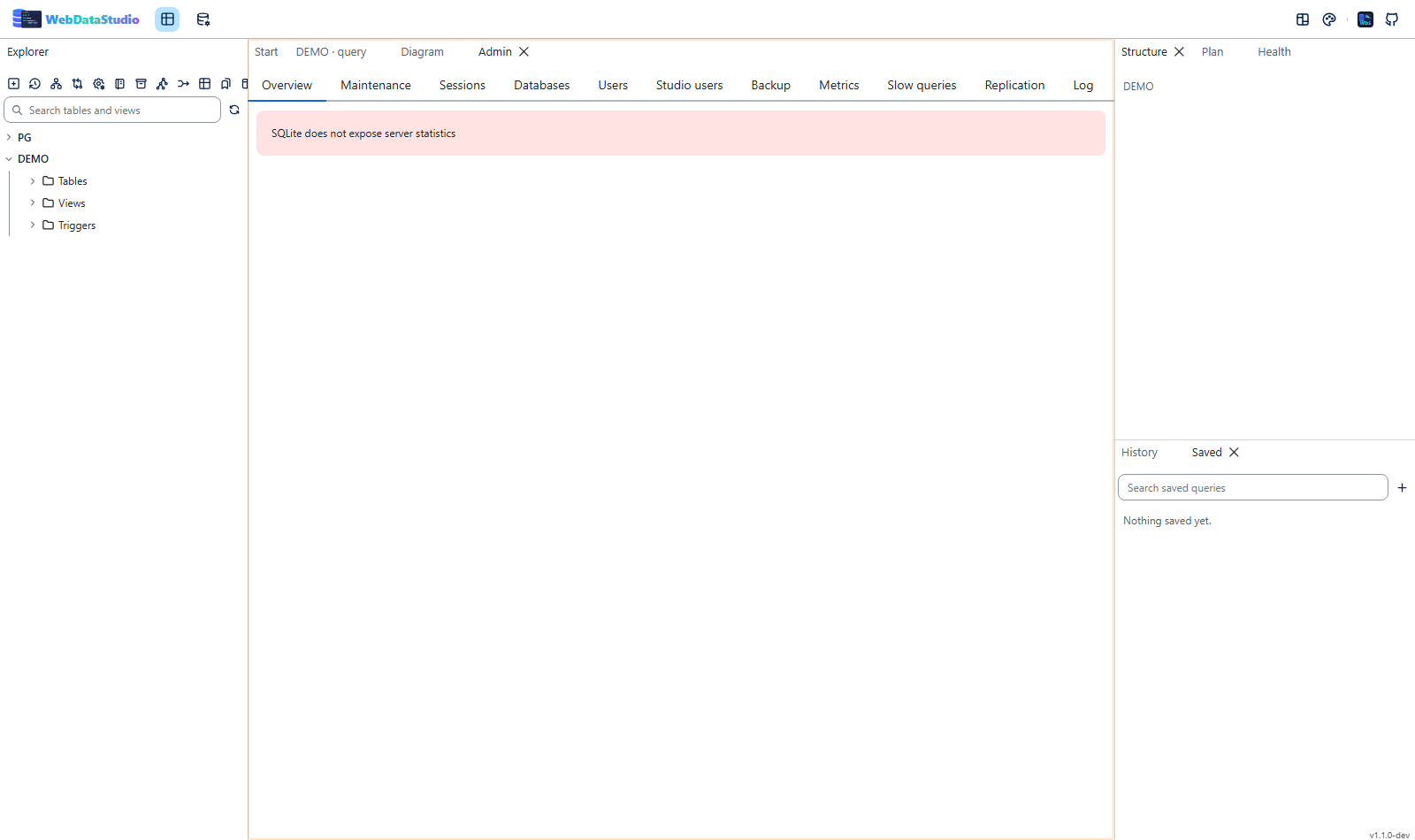
One studio, three connections, no connection string typed anywhere. Open it from the Aspire
dashboard and the explorer already lists SHOP, ORDERS and CACHE.
What you get, in one app host
var builder = DistributedApplication.CreateBuilder(args);

var shop = builder.AddPostgres("pg").AddDatabase("shop");
var orders = builder.AddSqlServer("sql").AddDatabase("orders");
var storage = builder.AddAzureStorage("storage").RunAsEmulator();   // Azurite while developing

builder.AddWebDataStudio("studio")
    .WithReference(shop)                                    // every engine, one call each
    .WithReference(orders, readOnly: true, color: "#e03131")
    .WithBlobStorage(storage.AddBlobs("blobs"), container: "exports")  // browsable and queryable
    .WithStorage("LAKE", "s3://lake?region=eu-central-1")   // AWS, MinIO, R2, Wasabi, Ceph
    .WithStorage("DROP", "file:///data/incoming")           // or just a folder
    .WithSchemas("shop", "public", "sales")                 // don't read 5000 tables to show 12
    .WithExportTemplates("export-templates")                // export formats as text, not as code
    .WithSeedScript("seed")                                 // a fresh stack with data in it
    .WithSavedQueriesFromDirectory("queries")               // the five queries everybody needs
    .WithLogin("admin", builder.AddParameter("studio-password", secret: true))
    .WithSingleSignOn(authority, clientId, oidcSecret)      // or the provider you already have
    .WithAuditTrail(days: 365)                              // who did what, kept for a year
    .WithMcpEndpoint("mcp")                                 // the studio as a tool for AI agents
    .WithOllamaAssistant(ollama, "llama3.1");               // optional SQL assistance, local

builder.Build().Run();
And in the studio itself, without any of it being configured here: the object tree and the query editor, the data tab with its filter language, Find data for "which table has 4711 in it", the Jobs tab for what the server runs on a schedule (Agent, pg_cron, events), Capture for what ran in the next minute and what the index advisor makes of it, a read of every statement before it runs, an interactive Entra sign-in for Azure SQL, Synapse and Fabric, and Add a bucket for attaching one from the UI rather than from here.
Also without configuration: what is inside a JSON column and the SELECT that flattens it, a table
followed on a timer with the new rows tinted, a file in a bucket turned into a real table, how much
every table grew since the studio last looked, what this studio keeps running and whether it is
getting slower, Data quality rules that count the rows breaking them and report with the health
findings, and a development subset — these rows, the rows they point at, what is about people
replaced — as one SQL script that WithSeedScript can load into the next fresh stack.
A runnable version of exactly this is in the repository:
WebDataStudio.AppHost
— it starts PostgreSQL, SQL Server, MongoDB, Redis, Azurite, a MinIO with a CSV already in its
bucket and a Keycloak with a realm already imported, so the first things you can do after
dotnet run are open a file in a bucket as a table and sign in to a studio with the demo account
(admin / change-me-please) without that account existing in the studio at all.
Sharing one studio, or running several
WithWebDataStudio() creates the studio on the first call and attaches to it on every one after —
sharing is keyed on the studio's resource name.
// One shared studio (default name "webdatastudio")
shop.WithWebDataStudio();
orders.WithWebDataStudio();

// A second studio, for the databases that belong together
analytics.WithWebDataStudio(studioName: "analytics-studio");
warehouse.WithWebDataStudio(studioName: "analytics-studio");

// A studio you built yourself, with your own options
var admin = builder.AddWebDataStudio("admin-studio")
    .WithLogin("admin", builder.AddParameter("studio-password", secret: true))
    .WithReadOnly();

production.WithWebDataStudio(admin, color: "#e03131", group: "Production");
The same works from the studio's side, which reads better when one studio owns many databases:
builder.AddWebDataStudio("studio")
    .WithReference(shop)
    .WithReference(orders, connectionName: "ORDERS_PROD", readOnly: true, color: "#e03131")
    .WithReference(cache)
    .WithConnection("LEGACY", "Host=old-box;Database=legacy;Username=ro;Password=pw",
        WebDataStudioEngine.PostgreSql, readOnly: true, group: "Legacy");
WithReferenceon a studio is this package's own overload. Aspire's built-in one would write aConnectionStrings__*variable, which the studio does not read; this one writes theWDS_CONN_*variables it does.
API
| Call | Effect |
|---|---|
AddWebDataStudio(name = "webdatastudio", port?, image?, tag?) |
Add the studio container: HTTP endpoint, health check, per-instance data volume. |
.WithReference(resource, connectionName?, engine?, readOnly?, group?, color?) |
Attach any resource that has a connection string. |
.WithConnection(name, connectionString, engine, …) |
Attach a database that is not part of the stack. Also takes a ReferenceExpression. |
.WithStorage(name, url, readOnly?, group?, color?) |
Attach object storage by URL: s3://, azblob://, gs://, file://. |
.WithBlobStorage(blobs, container?, connectionName?, prefix?, …) |
Attach the blob resource the app host models — Azurite while developing, the real account once deployed. |
.WithLogin(user, password) |
Guard the studio with a login, as an admin. Chain it for more accounts — two calls mean two people can sign in. Both halves also accept an Aspire ParameterResource. |
.WithUser(user, password, role, connections…) |
One account with a role (StudioRoles.Admin, Editor, Viewer) and, optionally, the connections it may see. The password also takes a ParameterResource. |
.WithSingleSignOn(authority, clientId, secret?, label?, scopes…) |
Sign people in through the identity provider you already have — Entra, Keycloak, Auth0, Okta — instead of accounts in the environment. |
.WithSignInRoles(admins?, editors?, viewers?, defaultRole?) |
Which of that provider's groups, roles or addresses get which studio role. |
.WithAuditTrail(days = 90) / .WithoutAuditTrail() |
How long the studio keeps its record of who did what — or turn it off for a deployment that keeps its own. |
.WithAssistant(server, model, …) |
Point the studio's optional assistance at a model server in the stack — Ollama, LocalAI, vLLM, llama.cpp. Also takes a URL, a ReferenceExpression or a ParameterResource key. |
.WithOllamaAssistant(ollama, model) / .WithLocalAiAssistant(localai, model) |
The same, named for the two servers people reach for first. |
.WithClaudeAssistant(key), .WithChatGptAssistant(key), .WithOpenRouterAssistant(key), .WithGroqAssistant(key), .WithMistralAssistant(key), .WithDeepSeekAssistant(key), .WithGeminiAssistant(key), .WithAzureOpenAiAssistant(resource, deployment, key) |
The hosted providers, one call each: the right URL and a sensible default model. |
.WithMaskedColumns("ssn", "iban") |
Mask these columns as well, whatever the studio's name heuristic thinks. Chaining adds to the list. |
.WithUnmaskedColumns("token_type") |
Leave these alone, whatever it thinks. |
.WithoutColumnMasking() |
Turn the heuristic off, leaving only the columns you named. |
.WithMcpEndpoint(path?, key?, allowWrite?) |
Serve the studio as an MCP server, so Claude Code, Claude Desktop, VS Code or Cursor can reach its databases. Read-only unless allowWrite. |
.WithScheduledQueries(jobs…) |
Run reading queries on a schedule and write each result as a file. |
.WithSavedQueriesFromDirectory(path) |
Mount a folder of .sql files and import them as saved queries at start. |
.WithSeedScript(path) |
Run a seed script once per connection — a file, or {CONNECTION}.sql per connection. |
.WithSchemas(connectionName, schemas…) |
Read only these schemas on that connection. On a server with thousands of tables that is the difference between a tree that opens and one that does not. |
.WithExportTemplates(path) |
Mount a folder of export templates — an export format written as text with placeholders rather than as code. |
.WithQualityRules(path) |
Mount the data quality rules the deployment owns, as JSON: rules about the rows rather than the schema, kept in the repository. |
.WithSavedQueries(params SavedStudioQuery[]) |
The same queries written here instead of as files — name, statement, optional folder and connection. |
.WithExportTemplates(params StudioExportTemplate[]) |
An export format written in the app host rather than as a .json file. |
.WithQualityRules(params StudioQualityRule[]) |
Data quality rules written in the app host, typed, instead of hand-kept JSON. |
.WithSeedScript(connection, sql) |
A seed script for one connection, written here rather than as {CONNECTION}.sql. |
.WithConnections(params StudioConnectionEntry[]) |
Connections that are not resources in this stack — a legacy server, somebody else's replica. Read-only in the UI, like every environment connection. |
.WithConnectionsFromFile(path) |
The same array, kept as JSON in your repository. |
.WithDashboards(params StudioDashboard[]) |
A page of statements everybody sees the first time they open the studio. It belongs to the deployment: shown, not editable there. |
.WithDashboardsFromFile(path) |
The same, as JSON in your repository. |
.WithSnippets(params StudioSnippet[]) |
Editor snippets for everybody. A person's own snippet with the same prefix wins for that person. |
.WithSnippetsFromFile(path) |
The same, as JSON. |
.WithMaskingFromFile(path) |
The masking baseline as a file: { "maskByDefault": true, "extra": [...], "never": [...] }. Counts alongside WithMaskedColumns. |
.WithDefaultPreferences(timeZone?, pageSize?, …) |
What a studio starts with before anybody changed it — the time zone timestamps are shown in, rows per page, and the rest. A starting point, not a lock. |
.WithBackupSchedule(directory, params StudioBackup[]) |
Dumps the studio takes on its own: every so many minutes or daily at a time in UTC, keeping the newest N. Mount a volume at directory, or they live as long as the container does. |
.WithBackupScheduleFromFile(path, directory) |
The same schedule, as JSON in your repository. |
.WithSeedFrom(params StudioSeedCopy[]) |
Fills one connection from another when the stack comes up: the tables are created in the target and filled. A table that already exists is left alone. |
.WithSchemaSnapshots(path?) |
Snapshot every connection's schema on start and report the drift since the last one. |
.WithOpenTelemetry(collector \| url?, serviceName?) |
Send the studio's traces and metrics to an OTLP collector — a resource in the stack, or a URL. |
.WithSharedResults(ttl?, isPublic?, maxRows?) |
Let people keep a result and share it as a link. Off by default. |
.WithArchives(path?, maxRows?) |
Move or cap the results the studio keeps as files. They are on by default; this decides where and how big. |
.WithAlertWebhook(url, interval?, minSeverity?, connections?) |
Post new health findings — missing indexes, tables without a key, bloat — to Slack, Teams or any webhook. |
.WithMcpTools(WebDataStudioMcpTools.SchemaOnly) |
Narrow the endpoint to named tools. ReadOnly and SchemaOnly are ready-made sets. |
.WithoutAssistantTools() |
Keep the studio's own assistant from using those MCP tools. |
.WithTitle(name) |
Name shown in the studio's header and browser tab. Defaults to the resource name; null leaves it unnamed. |
.WithTheme(WebDataStudioTheme.Ocean) |
The theme the studio comes up in — an enum of the studio's own themes, or a string for one this package does not know yet. A person who picks another keeps their choice. |
.WithReadOnly(readOnly = true) |
Make every connection read-only, enforced in the driver. |
.WithQueryTimeout(TimeSpan) |
Default statement timeout. |
.WithMaxRows(int) |
Default row cap per result. |
.WithSessionLimits(maxSessions?, idleTimeout?) |
Cap open sessions per connection and how long an idle one lives. |
.WithTransactionTimeout(TimeSpan) |
How long a transaction a query tab holds open may sit untouched before the studio rolls it back (default 15 minutes). |
.WithSecretKey(base64) |
Key for the secrets the studio stores; also takes a ParameterResource. |
.WithDataVolume(name?) / .WithDataBindMount(path) |
Put the studio's own data somewhere else. |
resource.WithWebDataStudio(configure?, studioName?, connectionName?, engine?) |
Attach from the database's side, creating or reusing the studio. |
resource.WithWebDataStudio(studio, …) |
Attach to a studio you built yourself. |
The theme it comes up in
builder.AddWebDataStudio("studio")
    .WithTheme(WebDataStudioTheme.AspireDashboard);
One of Ocean (the studio's default), GitHubDark, GitHubLight, AspireDashboard, Blazor,
Dracula, Nord, OneDark, Monokai, Terminal, SolarizedDark, SolarizedLight, NeonGlow,
Synthwave, Hologram, Nightlife, Obsidian, Stage, Dev, LinkHub or Kiosk. Each value
carries the studio's own theme id as its [Description], so the two lists cannot drift apart, and
WithTheme("some-new-theme") is there for a newer studio image that has one this package does not
know yet.
It is the initial theme, not a lock. Whoever opens the studio may pick another one from the header, that choice belongs to their browser and wins over this — and it is never overwritten, so raising the deployment's default later still reaches everybody who never picked one. An id the studio does not have is ignored (a line in the browser's console), because a stack should not fail to start over a colour scheme.
Three studios in one stack, told apart at a glance:
var shop = builder.AddPostgres("pg").AddDatabase("shop");

shop.WithWebDataStudio(s => s.WithTitle("Development").WithTheme(WebDataStudioTheme.Dev));
shop.WithWebDataStudio(s => s.WithTitle("Production").WithTheme(WebDataStudioTheme.Stage)
    .WithReadOnly(), studioName: "prod-studio");
From a folder, or written here — or both
Everything the studio reads from a repository can also be written in the app host:
builder.AddWebDataStudio()
    // what the repository ships, and a review can catch
    .WithSavedQueriesFromDirectory("queries")
    .WithQualityRules("quality")
    // what belongs to this stack
    .WithSavedQueries(
        new SavedStudioQuery("Orders without a customer",
            "SELECT * FROM orders WHERE customer_id IS NULL", folder: "Ad hoc", connection: "SHOP"))
    .WithQualityRules(new StudioQualityRule(
        "SHOP", "orders", "NotNull", Column: "customer_id",
        Message: "an order without a customer is one nobody can invoice"))
    .WithExportTemplates(new StudioExportTemplate(
        "wiki", "Wiki table", "txt", "text/plain",
        Row: "| {{values}} |", Header: "| {{columns}} |", Separator: " | "))
    .WithSeedScript("SCRATCH", "INSERT INTO people (name) VALUES ('ada');");
Both at once is the point. Each of these settings takes a list of paths, so the folder version and the inline version add up rather than one replacing the other — which is what happened before, silently and in call order.
The inline files are created inside the container rather than mounted from the host, so a published stack carries them the same way a local one does and there is no folder to keep in step. Calling one of these twice adds to what the earlier call wrote; a saved query with the same name replaces itself rather than appearing twice.
What stays a file-only thing on purpose: accounts. WithUser and WithLogin take a parameter
for the secret, and a list of people with passwords does not belong in a repository file — that is
what an identity provider is for.
The rest of it: connections, dashboards, snippets, preferences
The same two ways — written here, or read from a file, or both — for everything else a deployment brings with it:
builder.AddWebDataStudio()
    // servers that are not resources in this stack
    .WithConnections(new StudioConnectionEntry("LEGACY", "sqlserver",
        "Server=old;Database=erp;Trusted_Connection=True", ReadOnly: true, Group: "Old"))
    // the page everybody sees on the first morning
    .WithDashboards(new StudioDashboard("Morning",
    [
        new StudioTile("Orders today", "SHOP", "SELECT count(*) FROM orders WHERE placed > current_date"),
        new StudioTile("By status", "SHOP",
            "SELECT status, count(*) FROM orders GROUP BY status", View: "chart", Width: 2),
    ], RefreshSeconds: 60))
    // the filter everybody types
    .WithSnippets(new StudioSnippet("tenant", "tenant filter", "WHERE tenant_id = ${1:1}"))
    // and what a studio starts with: UTC, so a screenshot cannot be misread
    .WithDefaultPreferences(timeZone: "utc", pageSize: 500);
What belongs to the deployment stays its own. A shipped dashboard is shown with a from the deployment badge and its edit and delete buttons are off — somebody who wants it different saves a copy under another name. A shipped snippet is offered to everybody, and a person's own snippet with the same prefix wins for that person. The preferences are a starting point: the first person to change one keeps their change.
A connection string with a secret in it belongs in a parameter. WithConnections takes plain
text and is meant for what a repository may hold; WithConnection(name, connectionString, …) takes
a ParameterResource, which is where a password goes.
Backups, and data that already exists somewhere
Two things that make a stack you leave running:
builder.AddWebDataStudio()
    // a dump every night, seven kept, into a volume
    .WithBackupSchedule("/backups",
        new StudioBackup("nightly", "SHOP", DailyAtUtc: "02:00", Keep: 7))
    // and a development database that does not start out empty
    .WithSeedFrom(new StudioSeedCopy("STAGING", "DEV",
        ["countries", "products", "customers"], MaxRows: 500));
The dump is the engine's own tool — pg_dump, mysqldump, mongodump — which has to be in the
studio's image; the run says so rather than writing an empty file when it is not. Two ways of saying
when: EveryMinutes, or DailyAtUtc. There is no cron parser on purpose. Keep prunes this job's
own files and nobody else's, because a volume that fills up is how a backup schedule stops being
one. GET /api/admin/backup-schedule says what the jobs are and how the last run of each went.
WithSeedFrom is the other kind of seed. WithSeedScript is the answer when you can write the
data down; this is the answer when you cannot, because the tables already exist on a staging server
or in a container this stack brought up. Each table is created in the target and filled, at most
MaxRows rows — a seed, not a replica.
It carries the seed script's guards and one more: a table that already exists is left alone. Nothing is written into a read-only connection, nothing into one coloured red — the studio's convention for production — and a restart never overwrites what somebody has been working on.
Say
.WaitFor(...)when the source needs a moment. The copy runs shortly after the studio starts, and a server that is not up yet has nothing to copy — it is logged, and not tried again. Aspire already has the answer:.WaitFor(postgres)on the studio.
Signing in with the provider you already have
WithLogin and WithUser put accounts in the container's environment: fine for one team, wrong for
a company that already decides who works there somewhere else.
builder.AddWebDataStudio("studio")
    .WithReference(shop)
    .WithSingleSignOn(
        "https://login.microsoftonline.com/<tenant>/v2.0",
        "00000000-0000-0000-0000-000000000000",
        builder.AddParameter("oidc-secret", secret: true),
        label: "Sign in with Entra",
        "openid", "profile", "email")
    .WithSignInRoles(admins: ["dba-group"], editors: ["developers"])
    .WithAuditTrail(days: 365);
- Authorization code flow with PKCE; the redirect URI to register with the provider is
https://<the studio>/signin-oidc. A provider checks it exactly, so pin the studio's port (AddWebDataStudio("studio", port: 8082)): a port that changes every run cannot be registered. - Needs a studio image that has the feature: it arrived after 1.2.0.
- Configuring a provider closes the door: a studio with a provider and no accounts is not an open studio with a login button on it.
- The role stays the studio's own. Matching reads the provider's
roles,role,groupsandwidsclaims and the person's own name, address and UPN, soadmins: ["ada@example.com"]works in a tenant with no groups. Admin beats editor beats viewer; anybody who matches nothing getsdefaultRole, a viewer unless said otherwise. - A provider and accounts can both be configured — the login screen shows the button and the form.
- An authority on
http://, a Keycloak in the same app host, is allowed to serve its metadata over plain http and the call sets that for you.
Who did what
One line per request that changed something or took data out of the building — a statement run, an export, a change applied, a request refused — with who asked, against which connection, and what came of it. Read in Administration → Audit, on by default, 90 days unless another number is asked for. Request bodies are never recorded: a connection body carries a password.
The optional assistance
The studio can explain a statement and draft one from a question. It is off unless configured:
no endpoint means no button, no calls, and /api/health reports assist: false.
Point it at a model server in the same stack, and the conversation never leaves the machine:
var ollama = builder.AddOllama("ollama").WithDataVolume();   // CommunityToolkit
ollama.AddModel("llama3.2");

builder.AddWebDataStudio()
    .WithReference(shop)
    .WithOllamaAssistant(ollama, "llama3.2");                // waits for Ollama, uses its endpoint
LocalAI works the same way — WithLocalAiAssistant(localai, "qwen3-8b") — and so does anything else
that speaks the OpenAI chat-completions shape (WithAssistant(server, model, path: "/v1/chat/completions")).
For a hosted model there is one call per provider, so nobody has to look a URL up:
studio.WithClaudeAssistant(builder.AddParameter("anthropic-key", secret: true));
studio.WithChatGptAssistant(openAiKey, "gpt-4o");
studio.WithOpenRouterAssistant(openRouterKey, "anthropic/claude-sonnet-4.5");
studio.WithAzureOpenAiAssistant("my-openai", "gpt4o-deploy", azureKey);
| Call | Provider | Default model |
|---|---|---|
.WithClaudeAssistant(key, model?) |
Anthropic, through their OpenAI-compatible endpoint | claude-sonnet-4-5 |
.WithChatGptAssistant(key, model?) |
OpenAI | gpt-4o-mini |
.WithOpenRouterAssistant(key, model?) |
OpenRouter — the model name carries the provider | anthropic/claude-sonnet-4.5 |
.WithGroqAssistant(key, model?) |
Groq | llama-3.3-70b-versatile |
.WithMistralAssistant(key, model?) |
Mistral | mistral-large-latest |
.WithDeepSeekAssistant(key, model?) |
DeepSeek | deepseek-chat |
.WithGeminiAssistant(key, model?) |
Google, through their OpenAI-compatible endpoint | gemini-2.5-flash |
.WithAzureOpenAiAssistant(resource, deployment, key, apiVersion?) |
Azure OpenAI — builds the deployment URL for you | the deployment name |
.WithOllamaAssistant(ollama, model?) / .WithLocalAiAssistant(localai, model) |
a model server in your own stack | llama3.2 / — |
Every key also takes an Aspire ParameterResource, which is how it stays out of the manifest.
What leaves the studio is the statement or the question, and — only when the user turns the switch on in the dialog — the table and column names of the connection. Never a row of data. Nothing the model answers is executed: a suggested statement lands in the editor and goes through the same run and preview as anything typed by hand.
Masked columns
The studio masks columns whose names say they hold a secret — password, api_key, iban — before
the values leave the server. For a schema it reads wrong, correct it here rather than per person:
studio
    .WithMaskedColumns("ssn", "customer_note")   // mask these too
    .WithUnmaskedColumns("token_type");          // and leave this one alone
WithoutColumnMasking() turns the guessing off and masks only what you named. Anything somebody
later sets from the studio's column menu wins over these, because they were looking at the data.
Sharing a result
studio.WithSharedResults(ttl: TimeSpan.FromDays(3), isPublic: false);
A result grows a Share button, and the link shows the rows as they were — a snapshot, not a
query: it cannot run anything, and masking is applied before the rows are stored, so a masked column
stays masked in that link. isPublic: true lets anybody with the link open it without signing in,
which is the point of a link and a decision worth making on purpose.
Traces and metrics
var collector = builder.AddOpenTelemetryCollector("otel");   // Nextended.Aspire.Hosting.Grafana

studio.WithOpenTelemetry(collector);        // or WithOpenTelemetry("http://collector:4317")
The studio then reports its own work to the same collector as the rest of the stack: a span per run
(query.execute, tagged with engine, rows and outcome), a span per MCP tool call, and counters for
statements, rows and tool calls. It reports as the resource's name unless you say otherwise, so three
studios are told apart, and it waits for the collector so the first traces are not thrown away.
Alerts
studio.WithAlertWebhook(builder.AddParameter("slack-webhook", secret: true),
    interval: TimeSpan.FromHours(2), minSeverity: "warning");
The studio runs the analysis behind its health report on that interval and posts what is new —
missing indexes, tables without a primary key, bloat — to the webhook. The payload's text field is
what Slack, Mattermost, Discord and Teams render; the findings ride along structured, each with the
statement that would fix it. Only new findings are sent, and a failed post is retried on the next
sweep.
Queries and data that ship with the stack
builder.AddWebDataStudio()
    .WithReference(shop)
    .WithSavedQueriesFromDirectory("./queries")   // .sql files -> the Saved panel
    .WithSeedScript("./seed");                    // SHOP.sql -> run once on SHOP
Both folders are mounted read-only and read at start. Saved queries are imported idempotently — a
restart replaces rather than duplicates — and a file may name its connection and folder in comments
(-- wds:connection SHOP, -- wds:folder Ops).
A seed script runs once per content: editing it makes it run again, restarting does not. It never runs on a read-only connection, and never on one marked as production.
Scheduled reports
studio.WithScheduledQueries(
    new ScheduledStudioQuery("orders-per-day", "SHOP",
        "SELECT date(created_at) AS day, count(*) FROM orders GROUP BY 1", DailyAtUtc: "03:00"),
    new ScheduledStudioQuery("queue-depth", "SHOP",
        "SELECT count(*) FROM jobs WHERE state = 'pending'", EveryMinutes: 15, Format: "json"));
The schedule is generated as a file and mounted read-only, so it lives in the app host rather than in
a volume somebody has to remember. Results land in /data/exports on the studio's own volume, masked
like every other export. Only reading statements run, and a job that says neither EveryMinutes nor
DailyAtUtc throws here rather than never running.
Archives
studio.WithArchives();                          // /data/archives, on the studio's own volume
studio.WithArchives("/mnt/archives", maxRows: 50_000);
A result can be kept as a file the studio holds on to: what a table looked like before the migration,
what the report said last Tuesday. The panel lists them, opening one shows its rows, and the rows can
be scripted back out as INSERTs for wherever they should go next.
The format is NDJSON — a header line naming the columns and where they came from, then one row per line — so anything can read it. Masked columns are masked in the file: an archive of them would be a way around the masking. Archives work without this call; it is for putting them on a different volume, or for capping how much one keeps.
Object storage
var storage = builder.AddAzureStorage("storage").RunAsEmulator();
var blobs = storage.AddBlobs("blobs");

// The container as its own resource, which is what creates it — in Azurite while developing and in
// the real account once deployed.
storage.AddBlobContainer("exports");

studio.WithBlobStorage(blobs, container: "exports");               // Azurite now, the account later
studio.WithStorage("LAKE", "s3://bucket/exports?region=eu-central-1");
studio.WithStorage("DROP", "file:///data/incoming", readOnly: true);
AddBlobs models the blob service, not a container. A connection that names one nobody created
answers ContainerNotFound on the first click — the studio says so in a sentence rather than in the
provider's page of XML, but the container still has to exist. AddBlobContainer is what makes it.
A bucket is a connection like any other: the studio browses containers, prefixes and objects in the same tree, one page at a time, and reads a file as a table — a Parquet or a CSV in a bucket opens in the data tab with sorting, the filter language, paging and export, through a DuckDB the studio holds.
WithBlobStorage takes the blob resource the app host already models and passes its connection
string through as it is: a connection string for the emulator, the blob service URI once deployed —
where the studio then uses its own managed identity, because the account name is inside either form.
WithStorage covers everything the app host does not model: s3:// for AWS, MinIO, R2, Wasabi and
Ceph (with ?endpoint= for those), azblob://account/container, gs://bucket, and file:// for a
folder the container can reach.
With no credentials in the URL the studio uses the identity it runs as. Where keys are unavoidable,
pass them through an Aspire parameter rather than writing them into the app host. readOnly: true
and a production color: both refuse every upload and delete, in the server rather than in the UI.
One stated limit: DuckDB reaches Google Cloud Storage over the S3 protocol, which wants HMAC keys
(?hmac=…&hmacsecret=…). With a service account alone the tree, the preview and the download all
work and a query does not.
Schemas and export templates
studio.WithSchemas("shop", "public", "sales");     // nothing else is read at all
studio.WithExportTemplates("./export-templates");  // formats written as text, not as code
WithSchemas limits what a connection reads: the tree's first level, the completion cache, the object
search and the schema snapshot each walk what they are given, and on a server with five thousand
tables naming two schemas is what keeps the studio quick. Set here it is the deployment's decision and
the studio cannot widen it; left unset, somebody can choose a scope for their own studio in the
connection's properties, and empty still means everything.
WithExportTemplates mounts a folder of .json templates. Each is an id, a label, a file extension,
a content type and up to three pieces of text — header, row, footer — with {{table}}, {{columns}},
{{values}}, {{index}}, {{comma}} and {{col.NAME}} as placeholders, each taking a filter for the
escaping that format needs (sql, json, csv, html, upper, lower). So an INSERT writer is
three lines of text and nothing the studio has to execute:
{
  "id": "inserts", "label": "INSERT statements", "extension": "sql", "contentType": "application/sql",
  "header": "INSERT INTO {{table}} ({{columns}}) VALUES
",
  "row": "  ({{values|sql}}){{comma}}
",
  "footer": ";
"
}
A mounted template belongs to the deployment: the studio exports with it and cannot edit it, and a copy under another id is the way to change one.
Schema drift
studio.WithSchemaSnapshots(); // /data/snapshots, on the studio's own volume
The studio writes a snapshot of every connection's schema shortly after start and reports what moved
since the last one — tables added or removed, and per table which columns, indexes and foreign keys
came or went. It lands on GET /api/schema/{connection}/drift, in the log, and in a message when
WithAlertWebhook is configured. POST /api/schema/snapshot takes one now.
This is not a migration tool: it catches the drift a migration tool cannot see, like the column somebody added by hand on staging.
The studio as an MCP server
WithMcpEndpoint() makes the studio answer the Model Context
Protocol, so an agent can use its databases — Claude Code, Claude
Desktop, VS Code, Cursor, anything that speaks MCP:
var mcpKey = builder.AddParameter("mcp-key", secret: true);

var studio = builder.AddWebDataStudio()
    .WithReference(shop)
    .WithMcpEndpoint(mcpKey)                  // read-only
    .WithClaudeAssistant(anthropicKey);       // and the studio's own assistant uses the same tools
The agent gets list_connections, list_tables, list_objects, describe_object, browse_rows,
run_query, explain_plan, health_report, server_activity, redis_value, find_data,
json_shape, table_sizes, query_stats, inspect_sql, quality_rules and run_quality_rules —
and with allowWrite: true also preview_script and apply_script, in that order, so a write is
always shown before it runs, plus save_quality_rule. A bucket needs no tools of its own: object
storage is a connection like any other, so list_tables lists its objects and browse_rows reads a
Parquet file through the reader that opens it. Masking, read-only connections and the row cap apply to an agent
exactly as they do to a person. The studio's header carries a dialog with the URL and ready-to-paste
client configuration once the endpoint is on.
WithMcpTools(WebDataStudioMcpTools.SchemaOnly) narrows it to the tools you want an agent to have — a whitelist, enforced on the call as well as the listing.
A studio with accounts requires the key. The MCP endpoint sits outside the login screen — an agent has no cookie — so the studio refuses to serve it without one rather than opening a way past the login.
When both the MCP endpoint and an assistant are configured, the studio's own assistant uses the same
tools and answers from the database instead of guessing. WithoutAssistantTools() turns that off.
Engines
The engine is read from the resource type, so AddPostgres, AddSqlServer, AddMySql,
AddOracle, AddMongoDB, AddRedis, AddValkey and AddGarnet need no help. Anything else —
a container you wired up yourself, a connection string from configuration — takes an explicit
engine: argument, or the studio guesses from the connection string and skips the connection if
it cannot tell.
studio.WithReference(clickhouse, engine: WebDataStudioEngine.ClickHouse);
Notes
- Connection names become environment variables, so
shop-dbshows up asSHOP_DB. PassconnectionNamefor something nicer. Names ending in_ENGINE,_READONLY,_GROUPor_COLORare rejected: the studio reads those as settings for another connection. - Without
WithLoginthere is no login screen. That is the right default while the studio only listens on your machine — put a login on it before you expose the endpoint. - Several accounts: chain
WithLogin/WithUser. One plain admin still writesWDS_USERandWDS_PASSWORD; more than one — or one with a role — writesWDS_USERS, which isname:role:secret[:conn,conn]per account separated by;. Saying the same name twice replaces that account rather than adding a second one with the same login.
var studio = builder.AddWebDataStudio()
    .WithReference(shop)
    .WithReference(warehouse)
    .WithLogin("hans", "hans")                                        // admin
    .WithLogin("pete", "pete")                                        // admin as well
    .WithUser("grace", "read-only", StudioRoles.Viewer, "shop")       // sees shop, read-only
    .WithUser("eve", evePassword, StudioRoles.Editor);                // may write, may not administer
Roles: admin reaches the administration panel, editor may read and write, viewer gets every
connection read-only. A connection an account may not see does not exist for it — not in the
explorer, and not by guessing its id.
- Each studio gets its own named volume while you run locally, so two studios in one stack never share saved connections. A published studio gets no volume — see below.
- The studio shows its resource name in its header and browser tab, so three of them in one stack
are told apart at a glance.
WithTitlechanges it,WithTitle(null)removes it. - The studio image is
ghcr.io/fgilde/webdatastudioand is always re-pulled, because the default tag is a rollinglatest.
Deploying it
Everything the studio needs in Azure is generated for you: a user-assigned managed identity, a
database user for that identity (CREATE USER … db_owner) on every Azure SQL database you
reference, a Key Vault role where the connection string lives in a secret, and the connection
strings themselves as environment variables. The studio image reads Entra connection strings
(Authentication=Active Directory Default) and picks the identity up from AZURE_CLIENT_ID,
which Container Apps sets.
Three things are your call:
var studio = builder.AddWebDataStudio("admin-studio")
    .WithExternalHttpEndpoints()                    // otherwise it is only reachable inside the environment
    .WithLogin("admin", studioPassword)             // mandatory once the endpoint is public
    .WithReference(db, connectionName: "SHOP");
- The endpoint is internal by default.
WithExternalHttpEndpoints()publishes it. - A public studio without a login hands every visitor
db_owner. AddWithLogin, andWithReadOnly()if reading is enough. Publishing an external endpoint without a login prints a warning; it does not stop the deploy. - A published studio has no persistent storage. Aspire maps a named volume to an Azure Files
share, and the studio keeps connections, history and layouts in SQLite — which on an SMB share
either crawls or blocks outright. Connections attached in the app host come from the environment
on every start and are unaffected; anything a user saves in the UI lives until the next restart.
WithDataVolume("name")opts back in if you know your share behaves, andWithSecretKeykeeps stored connections readable across replacements of it.
GET /api/health on the deployed studio answers with the version, the commit it was built from
and whether its storage is usable — the quickest way to tell a stale image from a broken mount.
The sample
Tests/TestProjects/WebDataStudio.AppHost
is the demo, and it is meant to have something under every heading in the tree. dotnet run starts
PostgreSQL, SQL Server, MongoDB, Redis, Azurite, a MinIO and a Keycloak behind four studios, and each
of them comes up with data in it:
| Where | What is in it |
|---|---|
PostgreSQL SHOP |
A shop — customers, products, orders, items, a view — plus a document column for the JSON shape panel, a partitioned table with its partitions, a materialised view, a function that raises a notice, a trigger, row-level security with two policies, an enum, a domain, a sequence, a role, a second schema, geography for the map, 60 000 page views without the index they want, and an invoices table left dirty on purpose for the data quality rules |
SQL Server ORDERS |
Carriers, deliveries and 20 000 scans, seeded by the studio itself from seed/ORDERS.sql |
SQLite SCRATCH |
Five people with real-looking names, addresses, salaries and a secret, the countries they are in and notes about them — the connection the development subset is worth trying on |
MongoDB EVENTS |
Sessions whose documents agree on their shape, telemetry whose documents do not, and a capped collection. Open data on one of them pages it with a find — sorted and filtered by the server |
Redis CACHE |
A key of every type Redis has: a string, a JSON string with a TTL, two hashes, a list, a set, a sorted set and a lock. Open data on db0 or a key prefix lists the keys with their type, TTL, length and memory; on one key, the table its type makes |
MinIO LAKE |
A CSV, an NDJSON export, and a monthly/ prefix of three files with the same columns that read as one table. Written by a one-shot mc container, which is why it shows as exited once it is done |
Folder DROP |
The drop/ folder mounted in: a CSV, an NDJSON, a JSON document on one line, a Markdown file, a PDF and a PNG — the two that are shown where they lie rather than downloaded |
Azurite EXPORTS |
An empty container, created by the app host and there to try an upload into. Empty is not the same as missing: AddBlobs models the service, AddBlobContainer makes the container |
One account for the whole demo. Two parameters — demo-user (admin) and demo-password
(change-me-please) — are what every part of it asks for: the admin studio's login, MinIO's root
account and its access keys, the Keycloak administrator, and the three people inside the Keycloak
realm. The realm file carries ${WDS_DEMO_USER} and ${WDS_DEMO_PASSWORD} placeholders, which the
import substitutes from the environment, so changing the parameter changes the sign-in everywhere.
The Keycloak client secret is its own parameter, because a client secret is not a person's password.
The default studio also gets the five saved queries this demo is about, two scheduled reports it
writes by itself every couple of minutes, a backup of SHOP every ten minutes with three kept,
SCRATCH filled from SHOP on the first start — PostgreSQL to SQLite, so the column types are
approximated and you can see what that looks like — plus schema snapshots, an audit trail, an MCP
endpoint and a folder of export templates. The admin studio adds a login, read-only production connections and
session limits. The fourth studio has no accounts at all — it signs people in through the Keycloak,
where the demo account is in dba-group and becomes an admin, bob is in developers and may
write, and carol gets the default role and sees everything read-only. All three use the
demo-password parameter.
Grafana is in the stack too, on the same PostgreSQL, with a dashboard on those rows: Customers and Orders by status are the statements the studio's own Morning dashboard runs, so the two windows show the same numbers moving together. Neither package knows about the other, and neither needs to: the resource is what they share.
var postgres = builder.AddPostgres("pg");
var shop = postgres.AddDatabase("shop").WithWebDataStudio();   // the studio gets the database

builder.AddGrafana()
    .WithAnonymousAdmin()
    .WithPostgresDatasource(postgres, name: "Shop", database: "shop")   // Grafana gets the server
    .WithDashboards("grafana-dashboards", "Demo");                     // and a page on those rows
The credentials come from the resource's own parameters rather than being written down twice, and the two tools stay what they are: the studio is for asking a question you have not asked before, Grafana is for the answer you want on a wall. Same rows.
dotnet run --project Tests/TestProjects/WebDataStudio.AppHost
Supported frameworks
net8.0net9.0net10.0
Dependencies
- Aspire.Hosting.AppHost
The Nextended family
The other 17 packages in the suite:
Core libraries
- Nextended.Core — Foundation library — extension methods, custom types (Money, Date, BaseId, SuperType), class mapping, deep clone, encryption, hashing and the code-generation attributes.
- Nextended.Cache — Expression-based caching — automatic cache keys from method expressions, CacheProvider with condition-based invalidation, thread-safe AddOrGetExisting.
Data access
- Nextended.EF — Entity Framework Core extensions — graph loading (LoadGraphAsync, IncludeAll, MultiInclude), declarative include definitions, paging, dynamic sorting and bulk operations.
ASP.NET Core & web
- Nextended.Web — ASP.NET Core utilities — zero-config OData (AddODataAuto), composable IQueryable OData appliers, strongly typed controller URLs, streaming download helpers and a background executor that can replay a captured request.
- Nextended.ResponseFilters — Fluent, provider-agnostic pipeline that redacts, masks, rounds, truncates, hashes, prunes and restructures response DTOs before serialization — per request, per user, per permission.
- Nextended.ResponseFilters.AspNetCore — ASP.NET Core adapter for Nextended.ResponseFilters — registers the pipeline as a global IAsyncResultFilter and replays structural edits against the serialized JSON tree.
UI libraries
- Nextended.Blazor — Blazor helpers — IBrowserFile extensions (bytes, data URLs, downloads), a hierarchical model for browsing inside uploaded zip/tar/rar archives, MIME-type detection and component-parameter reflection.
- Nextended.UI — WPF and Windows desktop helpers — a global input-binding manager with hold/sequence matching, DirectInput and XInput gamepad readers, key-bind capture controls, converters, behaviours, markup extensions and runtime-defined PropertyGrid types.
Code generation & tooling
- Nextended.Imaging — Image processing — aspect-preserving resize, crop, colour replacement, brightness-based foreground picking, thumbnail generation, byte/data-URL conversion and MIME detection from magic bytes.
- Nextended.CodeGen — Roslyn source generator — DTOs and interfaces from your entities, strongly typed classes from JSON/XML, lookup tables from Excel, and documentation from source files.
.NET Aspire hosting
- Nextended.Aspire — Conditional AppHost builder extensions — WithReferenceIf / WaitForIf / WithExplicitStartIf, strongly typed environment variables from config objects, HTTPS dev-cert wiring, Docker guards, GitHub-source resources and npm app discovery.
- Nextended.Aspire.Hosting.Supabase — The complete Supabase stack — Postgres, Auth (GoTrue), REST, Realtime, Storage, Studio, Kong and Edge Functions — as one composable Aspire resource.
- Nextended.Aspire.Hosting.N8n — The n8n workflow-automation platform as an Aspire resource, with Postgres persistence, workflow import and a typed client for triggering workflows from .NET.
- Nextended.Aspire.Hosting.Grafana — Grafana, Prometheus, Loki, Tempo, Promtail, cAdvisor, postgres_exporter and the OpenTelemetry Collector as composable resources with auto-provisioned datasources.
- Nextended.Aspire.Hosting.WebDataStudio — WebDataStudio — a browser database studio for PostgreSQL, MySQL, SQL Server, SQLite, Oracle, DuckDB, ClickHouse, MongoDB and Redis — wired to the databases of your stack, with accounts and roles, an optional SQL assistant, and an MCP endpoint for AI agents. (this package)
- Nextended.Aspire.Hosting.AspireUI — AspireUI — the visual AppHost builder — as a resource inside your own Aspire stack, with an optional pre-seeded admin user and a starter stack built from your project paths.
- Nextended.Aspire.Hosting.LocalAI — Self-hosted, OpenAI-compatible multimodal AI — image generation, text-to-speech, speech-to-text and video — with gallery model management, GPU support and Open WebUI.
- Nextended.Aspire.Hosting.Php — Run PHP endpoints inside your Aspire stack — a docroot folder or a single router script served by PHP's built-in web server, with php.ini settings as fluent options.
Links
- 📦 NuGet package
- 📖 Documentation — English
- 📖 Dokumentation — Deutsch
- 🏠 Documentation portal
- 🧪 Runnable sample
- 🧑💻 Source code
- 🐛 Report an issue
License
GPL-3.0-or-later — see LICENSE.
| Product | Versions Compatible and additional computed target framework versions. |
|---|---|
| .NET | net8.0 is compatible. net8.0-android was computed. net8.0-browser was computed. net8.0-ios was computed. net8.0-maccatalyst was computed. net8.0-macos was computed. net8.0-tvos was computed. net8.0-windows was computed. net9.0 is compatible. net9.0-android was computed. net9.0-browser was computed. net9.0-ios was computed. net9.0-maccatalyst was computed. net9.0-macos was computed. net9.0-tvos was computed. net9.0-windows was computed. net10.0 is compatible. net10.0-android was computed. net10.0-browser was computed. net10.0-ios was computed. net10.0-maccatalyst was computed. net10.0-macos was computed. net10.0-tvos was computed. net10.0-windows was computed. |
-
net10.0
- Aspire.Hosting.AppHost (>= 13.5.3)
- Nextended.Aspire (>= 10.1.35)
-
net8.0
- Aspire.Hosting.AppHost (>= 13.5.3)
- Nextended.Aspire (>= 10.1.35)
-
net9.0
- Aspire.Hosting.AppHost (>= 13.5.3)
- Nextended.Aspire (>= 10.1.35)
NuGet packages
This package is not used by any NuGet packages.
GitHub repositories
This package is not used by any popular GitHub repositories.