LeafletForBlazor 4.0.8.882
dotnet add package LeafletForBlazor --version 4.0.8.882
NuGet\Install-Package LeafletForBlazor -Version 4.0.8.882
<PackageReference Include="LeafletForBlazor" Version="4.0.8.882" />
<PackageVersion Include="LeafletForBlazor" Version="4.0.8.882" />
<PackageReference Include="LeafletForBlazor" />
paket add LeafletForBlazor --version 4.0.8.882
#r "nuget: LeafletForBlazor, 4.0.8.882"
#:package LeafletForBlazor@4.0.8.882
#addin nuget:?package=LeafletForBlazor&version=4.0.8.882
#tool nuget:?package=LeafletForBlazor&version=4.0.8.882
 Leaflet Map for Blazor
Leaflet for Blazor is a library that provides components for displaying maps in Blazor applications.
🔑 KEYWORDS: Pure C# - Write map logic entirely in .NET / no JavaScript interop boilerplate, LINQ Integration - Destructuring/Structuring LINQ expression, Fluent API - objects Hierarchical and Linguistic structure and Chain methods, Plugins Framework - allows you to extend LeafletForBlazor, Zero JavaScript Config for standard use - no script references and no css links etc


🧩 Version 4.0 ♻️rehydrates the Map control. The new control inherits the minimalism of the Map control and the optimizations of the RealTimeMap control.
⚙️ Core Concepts
For standard usage,
no specific configurations for JavaScript or HTML are required.Optimized codethrough various solutions- Minimizing the number of calls to JavaScript;
- Minimizing JS Interop payload size through
destructuring and structuring LINQ expressionsfor the invokes C# → JavaScript; - Reducing size of the JavaScript code by removing unused code.
- Memory Cache
- Fluent API, a design pattern that allows code to be written in a readable way, similar to an English sentence
Plugins framework- By writing simple wrapper code, the MapPlugins framework allows LeafletForBlazor to be extended with already developed Leaflet.js plugins (add-ons) - more about Leaflet.js Plugins.
🚀 Quick Start
🔧 1. Project setup
🔵 Add the Map component to your project in just 3 steps:
- Install the NuGet package:
From VS interface: Tools → NuGet Package Manager → Manage NuGet Packages for Solution...
Search for "LeafletForBlazor" and add the package to the project or solution.
From Package Manager Console: Tools → NuGet Package Manager → Package Manager Console
NuGet\Install-Package LeafletForBlazor
- From PowerShell:
dotnet add package LeafletForBlazor
- Add the required namespaces in
_Imports.razor
To do this, add the following directives to the _Imports.razor file
        @using LeafletForBlazor                             //working with package classes
        @using static LeafletForBlazor.Map                  //working with Map class
        @using static LeafletForBlazor.techs.maps.Leaflet   //working with Leaflet API
- Use the
Mapcomponent
Razor
<Map height="100vh" width="100vw"/>
🗺️ 2. Default Map configuration
Use the loadParameters property to set the initial map view:
Razor
<Map loadParameters="@loadParameters" height="100vh" width="100vw"/>
C# - Default Map Configuration
    LoadParameters loadParameters = new()
    {
        location = new Location()                                               //Default center of the Map View
        {
            latitude = 50.83112274500208,
            longitude = 4.407353347319803
        },
        zoomLevel = 10                                                          //Default zoom level
    };
Additional default configurations are available, including attribution control visibility, map basemap layers, and map controls such as the scale control.
more about Map Configuration - Blazor WebAssembly Standalone App
more about Map Configuration - .NET MAUI Blazor Hybrid App
🌣 Map post-load logic
After initializing the Leaflet map instance on the client side, you can modify map settings and load spatial data. The OnAfterMapLoaded event of the Map component can be used for operations that require an initialized map—for example, accessing the map's initial state, adding geometries, or loading data from files.
Razor
<Map height="100vh" width="100vw" OnAfterMapLoaded="@OnAfterMapLoaded" />
C# - Handler signature
The event method returns a set of parameters useful for configuring the initial state of the map: Map, centerOfView and other.
    private Task OnAfterMapLoaded(MapEventArgs args)
    {
        var map = args.sender as Map;  //allows access to the Map object

        Console.WriteLine($"Map loaded. Dimensions are - Height: {map!.height}, Map Width: {map!.width}");
        Console.WriteLine($"lat: {args.centerOfView.latitude} long: {args.centerOfView.longitude}");

        return Task.CompletedTask;
    }
It is important to note that
args.senderrepresents the Map class (the map functionality).
more about Map Events - Blazor WebAssembly Standalone App
more about Map Events - .NET MAUI Blazor Hybrid App
🌍 3. Map Interaction & UI
👁️ View class
View is the class that allows you to control the visible area of the map.
For example, you can use the View class to get the map's center:
Razor
<Map height="100vh" width="100vw" OnAfterMapLoaded="@OnAfterMapLoaded" />
C#
    private async Task OnAfterMapLoaded(MapEventArgs args)
    {
        var map = args.sender as Map;
        var center = await map!.View.getCenterAsync();
    }
...setting the map center - C#:
    private async Task OnAfterMapLoaded(MapEventArgs args)
    {
        var map = args.sender as Map;
        map!.View.SetCenter(40.24, 5.48);
    }
ℹ️ Attribution class
The Attribution class provides the methods needed to interact with the map's attributionControl:

For example, you can completely remove the attributionControl:
Razor
<Map height="100vh" width="100vw" OnAfterMapLoaded="@OnAfterMapLoaded" />
C#
private async Task OnAfterMapLoaded(MapEventArgs args)
{
    var map = args.sender as Map;
    await map.Attribution.SetPrefix("<img style='height: 14px;weight:14px;' src = 'http://localhost:5234/icons/leaflet.png'>LeafletForBlazor</img>");
}
📍 4. Working with data
📐 Geometric class
The Geometric class contains classes that operate on geometries obtained from various sources.
📍 StreamPoint collection
StreamPoint collection provides real-time map synchronization - any property change (coordinates, appearance, timestamp) instantly updates the map visualization. Objects are cached for performance but remain fully dynamic.
The StreamPoint collection is hosted by map.Geometric.Points and provides you methods for handling predefined but hierarchically extensible root data structure:
- Add(), Remove(), Update() for collection handling;
- Appearance() for point the aspect in the map;
- StreamPoint collection events;
Razor
<Map height="100vh" width="100vw" OnAfterMapLoaded="@OnAfterMapLoaded" />
C# - Example of adding a StreamPoint to the collection
    private async Task OnAfterMapLoaded(MapEventArgs args)
    {
        var map = args.sender as Map;
        var streamPoints = new List<StreamPoint>()
        {
                new StreamPoint()
                {
                    coordinates = new Coordinates()
                    {
                        xy = new double[2] { 50.86,  4.22 }
                    },
                    guid = new Guid("00000000-0000-0000-0000-000000000001"),
                    type = "Industrial"
                }
        }
        await map!.Geometric.Points.Add(streamPoint);
    }
more about StreamCollection - Blazor WebAssembly Standalone App
more about StreamCollection - .NET MAUI Blazor Hybrid App
📁 Working with Files
The map.Geometric.From.Files class allows you to load data from files stored on a web service host (https://...). Full RFC 7946 Feature Support.
Razor
<Map height="100vh" width="100vw" OnAfterMapLoaded="@OnAfterMapLoaded" />
C# - Example of fetching data from Files
    private async Task OnAfterMapLoaded(MapEventArgs args)
   {
       var map = args.sender as Map;
       var path = "https://MyServer";

       await map!.Geometric.From.Files!.FetchAsync(
                                                   new List<string> { $"{path}/data/infrastructure.json"},
                                                   PoolingDelay.Short
                                                   );
   }
📦 Working with Objects
The map.Geometric.From.Objects class allows you to load data from objects. Full RFC 7946 Feature Support.
Razor
<Map height="100vh" width="100vw" OnAfterMapLoaded="@OnAfterMapLoaded" />
C# - Example of loading data from Objects
    private async Task OnAfterMapLoaded(MapEventArgs args)
   {
       int primaryKey = 0;
       var objects = new List<object>
       {
           new Feature()           //RFC 7946 class structure
       };
       await map!.Geometric.From.Objects!.LoadAsync(objects).WithKey(primaryKey);
   }
more about working with Objects
📊 Dashboard
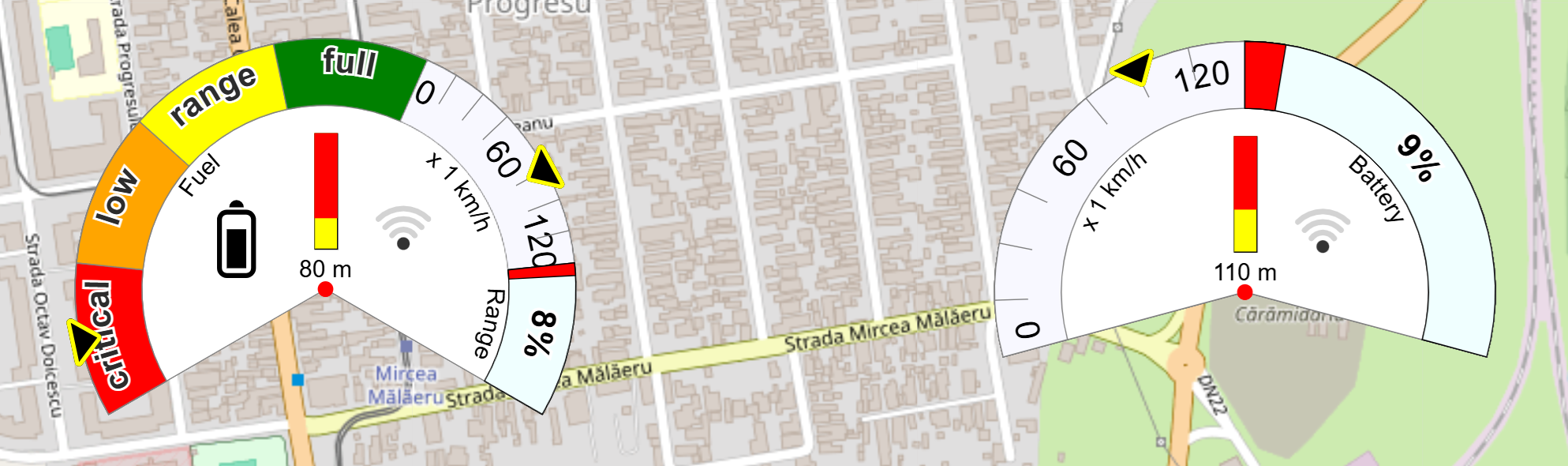
StreamPoint collection can be used to monitor moving targets: vehicles, boats, aircraft, even fleets of vehicles, drones and so one. Both the map and the StreamPoint collection can be configured to create a Map Dashboard.
🔌 Map plugins
However, extending the NuGet package can only be implemented by adding JavaScript code.
The Map component provides the MapPlugins slot (Plugin Framework), allowing you to extend LeafletForBlazor with additional Leaflet functionality. It enables the development of features in JavaScript and grants you access to the map (the Leaflet map instance) and the L object.
        <Map>
            <MapPlugins>
                        @* Custom Blazor Component - Leaflet.js Fullscreen plugin  *@
                        <Fullscreen
                            Map="@context.map"
                            L="context.LeafletCore"
                            url="https://unpkg.com/leaflet.fullscreen/dist/Control.FullScreen.umd.js"
                            href="https://unpkg.com/leaflet.fullscreen/dist/Control.FullScreen.css" />
						@*   other plugins or custom functionality  *@
            </MapPlugins>
        </Map>
        //This is an example of usage. You can find the complete implementation at the link below.
By writing simple wrapper code, the MapPlugins framework allows LeafletForBlazor to be extended with already developed Leaflet.js add-ons.
more about MapPlugins and WASM
more about MapPlugins and MAUI
📦 Map Components
The Map component provides the MapComponents slot, allowing you to extend the LeafletForBlazor map with graphical interface elements.
        <Map>
            <MapComponents>
                <Toolbar/>
				@*   other MapComponents or html elements  *@
            </MapComponents>
        </Map>
        //This is an example of usage. You can find the complete implementation via the links in the table below.
| Description | Image |
|---|---|
| The component displays a Legend on the map, allowing users to quickly understand the meaning of the symbols and colors applied to data layers. In the current version, the legend is only available for GeoJSON files and StreamPoint Collection. Legend can also be used in .NET MAUI projects. | 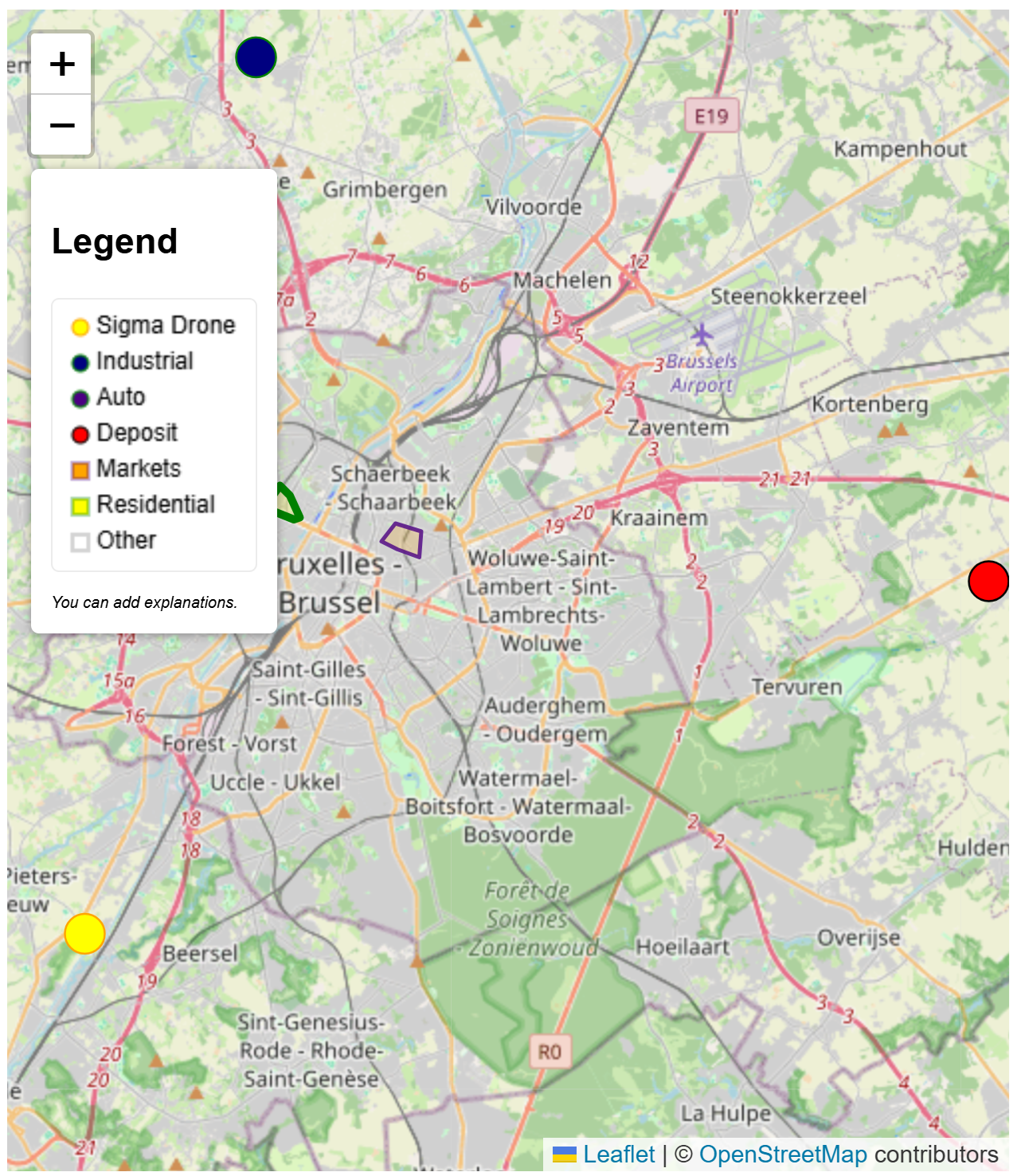 |
| Contextual display driven by data source with MapPopup | 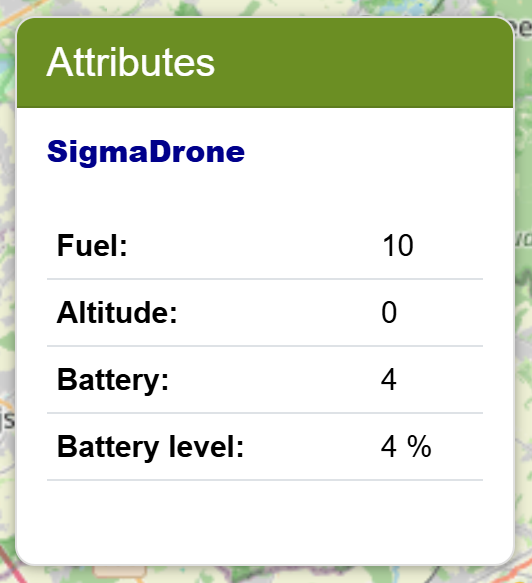 |
| The Toolbar it is a map component that allows for expansion with various buttons and even tools. | 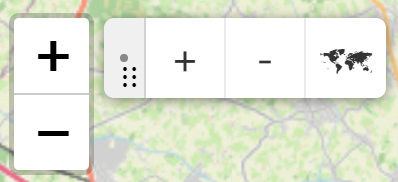 |
| A Toggle is a check/uncheck component that can be hosted in a toolbar. | 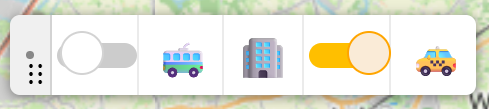 |
O-L I - ᶜ⁴ˡᵘ⁷ᵘ⁵ᵘᶠˡᵉ⁷⁸ᵘⁿ 🐕
Thank you for choosing this package!
Laurentiu Ichim
| Product | Versions Compatible and additional computed target framework versions. |
|---|---|
| .NET | net9.0 is compatible. net9.0-android was computed. net9.0-browser was computed. net9.0-ios was computed. net9.0-maccatalyst was computed. net9.0-macos was computed. net9.0-tvos was computed. net9.0-windows was computed. net10.0 was computed. net10.0-android was computed. net10.0-browser was computed. net10.0-ios was computed. net10.0-maccatalyst was computed. net10.0-macos was computed. net10.0-tvos was computed. net10.0-windows was computed. |
-
net9.0
- Microsoft.AspNetCore.Components.Web (>= 9.0.11)
- Microsoft.Extensions.Caching.Memory (>= 10.0.10)
- NetTopologySuite (>= 2.6.0)
- NetTopologySuite.IO.GeoJSON (>= 4.0.0)
- Newtonsoft.Json (>= 13.0.4)
NuGet packages
This package is not used by any NuGet packages.
GitHub repositories
This package is not used by any popular GitHub repositories.
| Version | Downloads | Last Updated |
|---|---|---|
| 4.0.8.882 | 211 | 11/4/2026 |
| 4.0.8.88 | 581 | 10/15/2026 |
| 4.0.8.86 | 276 | 10/14/2026 |
| 4.0.8.84 | 189 | 10/12/2026 |
| 4.0.8.82 | 127 | 10/11/2026 |
| 4.0.8.8 | 355 | 9/24/2026 |
| 4.0.8.6 | 215 | 9/21/2026 |
| 4.0.8.4 | 138 | 9/20/2026 |
| 4.0.8.2 | 650 | 9/16/2026 |
| 4.0.8 | 171 | 9/15/2026 |
| 4.0.6.8 | 246 | 9/14/2026 |
| 4.0.6.6 | 263 | 9/9/2026 |
| 4.0.6.4 | 212 | 9/8/2026 |
| 4.0.6.2 | 176 | 9/4/2026 |
| 4.0.6 | 252 | 9/1/2026 |
| 4.0.4.8 | 187 | 8/28/2026 |
| 4.0.4.4 | 154 | 8/27/2026 |
| 4.0.4.2 | 195 | 8/25/2026 |
| 4.0.4 | 166 | 8/24/2026 |
| 4.0.2.8 | 254 | 8/19/2026 |
Bug #113 / PointIcon not working with the Update method
Reported By [devCioo](https://github.com/devCioo)