Diplo.Translator
17.0.0
dotnet add package Diplo.Translator --version 17.0.0
NuGet\Install-Package Diplo.Translator -Version 17.0.0
<PackageReference Include="Diplo.Translator" Version="17.0.0" />
<PackageVersion Include="Diplo.Translator" Version="17.0.0" />
<PackageReference Include="Diplo.Translator" />
paket add Diplo.Translator --version 17.0.0
#r "nuget: Diplo.Translator, 17.0.0"
#:package Diplo.Translator@17.0.0
#addin nuget:?package=Diplo.Translator&version=17.0.0
#tool nuget:?package=Diplo.Translator&version=17.0.0
Diplo Translator for Umbraco
Diplo Translator is an Umbraco 17 package for AI translating Umbraco Dictionary items from the backoffice using Umbraco.AI. You can quickly translate the entire Dictionary in just a couple of clicks using your AI model of choice.
This v17 release is a rewrite for Umbraco 17 and .NET 10. It replaces the older AngularJS and Microsoft Translator integration with a Lit backoffice extension, Umbraco Management API endpoints, and Umbraco.AI chat providers.
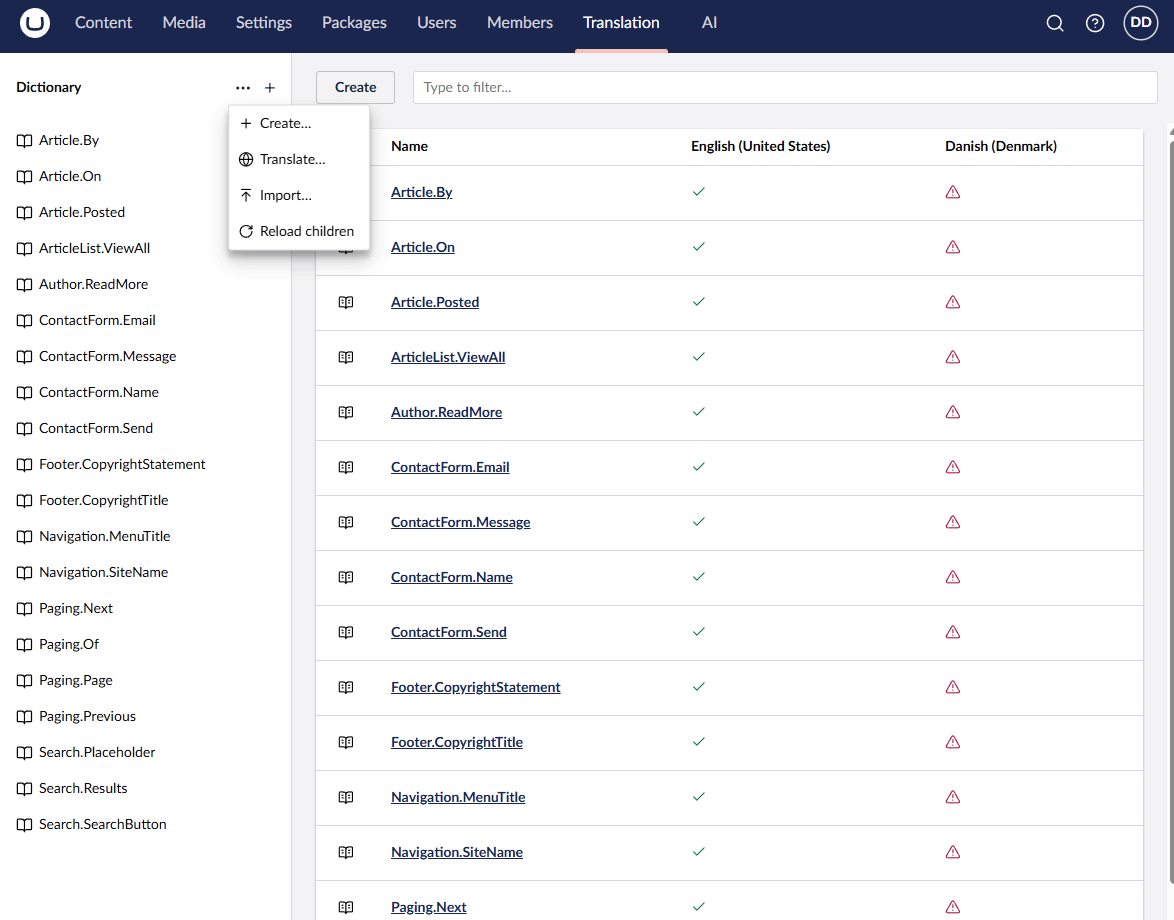
Features
- Adds a Translate action to the Dictionary tree.
- Translates missing Dictionary values from a selected source language.
- Optional overwrite mode for replacing existing translated values.
- Uses Umbraco.AI chat profiles, including the host site's default profile.
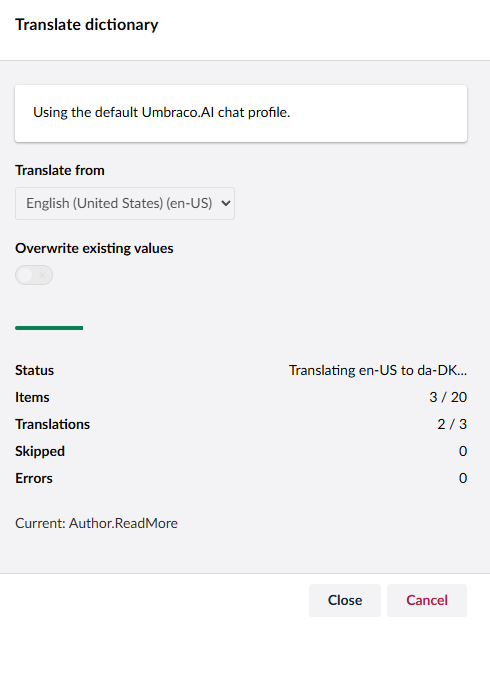
- Runs translations as a background job with progress polling in the backoffice modal.
- Refreshes the Dictionary overview after a successful translation.
- Continues processing if an individual Dictionary item fails and reports per-item errors.
Requirements
- Umbraco 17
- .NET 10
- An Umbraco.AI provider installed and configured in the host site, for example
Umbraco.AI.OpenAI - At least two languages configured in Umbraco
Installation
Install the package into your Umbraco 17 site:
dotnet add package Diplo.Translator
The package ships its backoffice assets under:
/App_Plugins/DiploTranslator/
Umbraco.AI Setup
Configure Umbraco.AI in the host site as normal with at least one provider (it is free and open source).
- Diplo Translator uses
IAIChatService, so it will use the configured chat provider and chat profile from Umbraco.AI.
By default, the package allows Umbraco.AI to resolve the default chat profile. To use a specific chat profile, add this to appsettings.json:
{
  "DiploTranslator": {
    "ChatProfileAlias": "your-chat-profile-alias"
  }
}
Leave ChatProfileAlias empty or remove it to use the default Umbraco.AI chat profile.
Note: When selecting a model, use something small and fast like gpt-4.1-nano
Usage
Open the Umbraco backoffice and go to the Dictionary tree.
Use the Translate entity action on the Dictionary root or a Dictionary item. The action opens a modal where you can:
- choose the source language
- choose whether to overwrite existing target values
- start the translation job
- watch progress and item errors
The source language defaults to Umbraco's default language where possible.
Screenshots
Track Progress
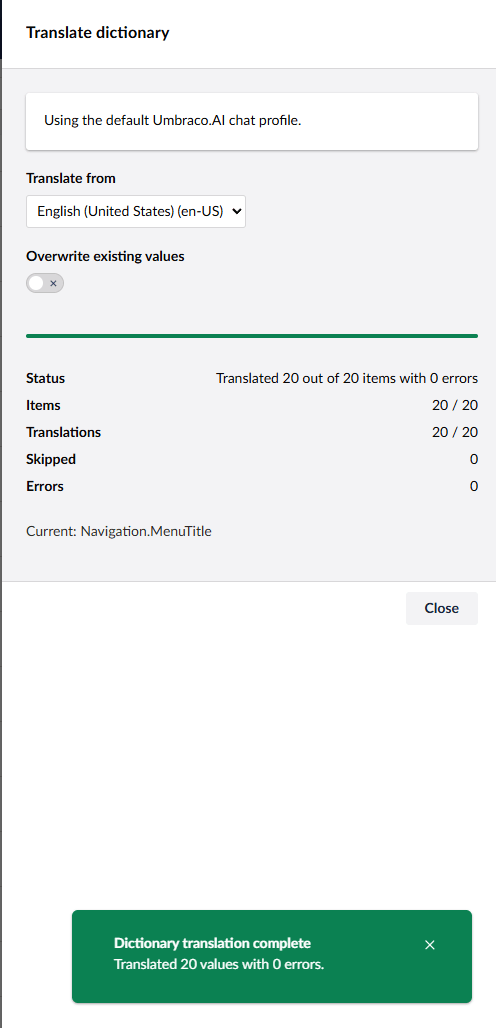
Completion Summary
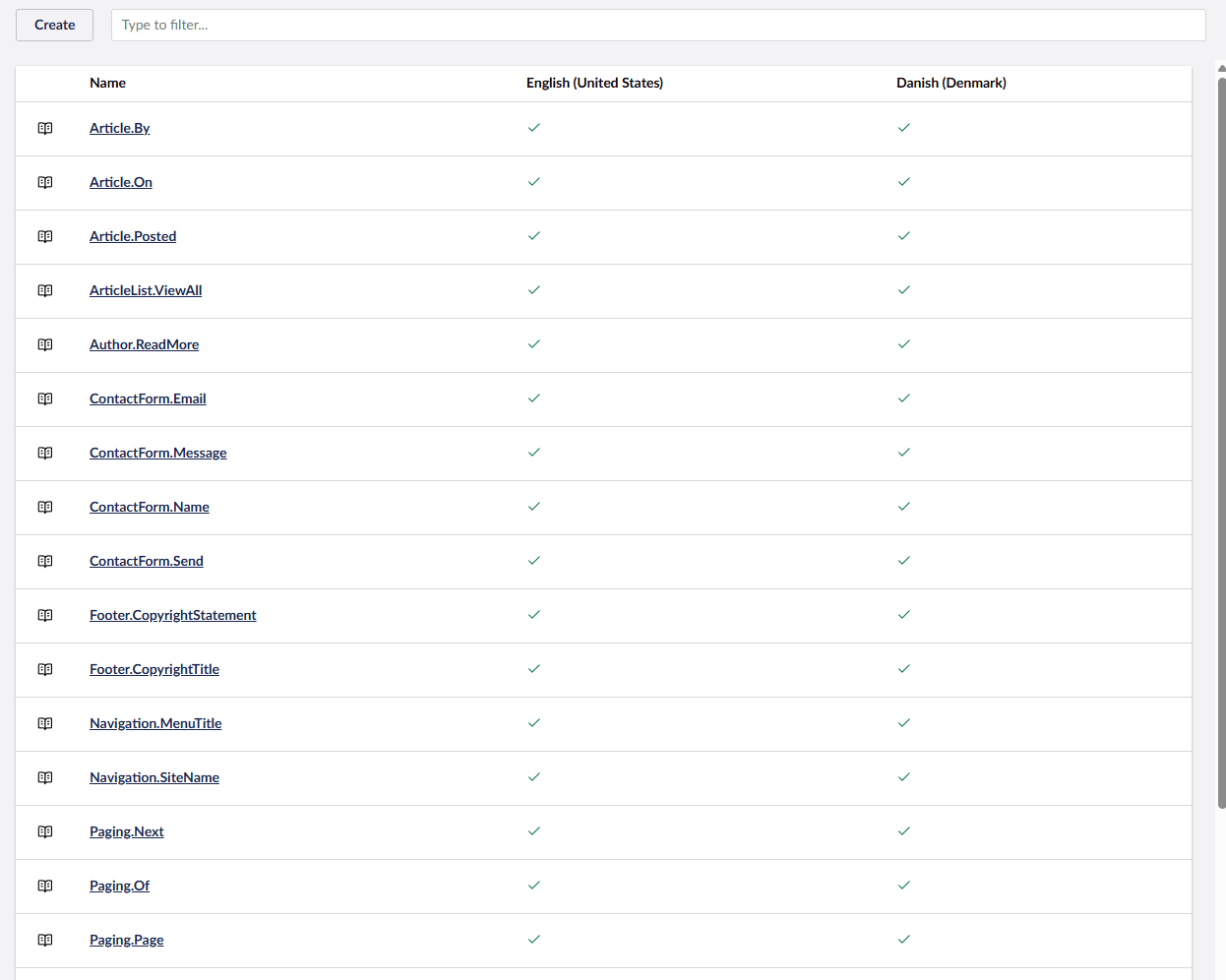
Refreshed Dictionary Overview
Links
| Product | Versions Compatible and additional computed target framework versions. |
|---|---|
| .NET | net10.0 is compatible. net10.0-android was computed. net10.0-browser was computed. net10.0-ios was computed. net10.0-maccatalyst was computed. net10.0-macos was computed. net10.0-tvos was computed. net10.0-windows was computed. |
-
net10.0
- Umbraco.AI (>= 1.10.1)
- Umbraco.Cms.Api.Management (>= 17.3.5)
- Umbraco.Cms.Core (>= 17.3.5)
- Umbraco.Cms.Web.Common (>= 17.3.5)
NuGet packages
This package is not used by any NuGet packages.
GitHub repositories
This package is not used by any popular GitHub repositories.
Umbraco 17 / .NET 10 rewrite. Translation now uses Umbraco.AI.