AvalonDock.Themes.WPFUI
1.2.2
dotnet add package AvalonDock.Themes.WPFUI --version 1.2.2
NuGet\Install-Package AvalonDock.Themes.WPFUI -Version 1.2.2
<PackageReference Include="AvalonDock.Themes.WPFUI" Version="1.2.2" />
<PackageVersion Include="AvalonDock.Themes.WPFUI" Version="1.2.2" />
<PackageReference Include="AvalonDock.Themes.WPFUI" />
paket add AvalonDock.Themes.WPFUI --version 1.2.2
#r "nuget: AvalonDock.Themes.WPFUI, 1.2.2"
#:package AvalonDock.Themes.WPFUI@1.2.2
#addin nuget:?package=AvalonDock.Themes.WPFUI&version=1.2.2
#tool nuget:?package=AvalonDock.Themes.WPFUI&version=1.2.2
AvalonDock.Themes.WPFUI

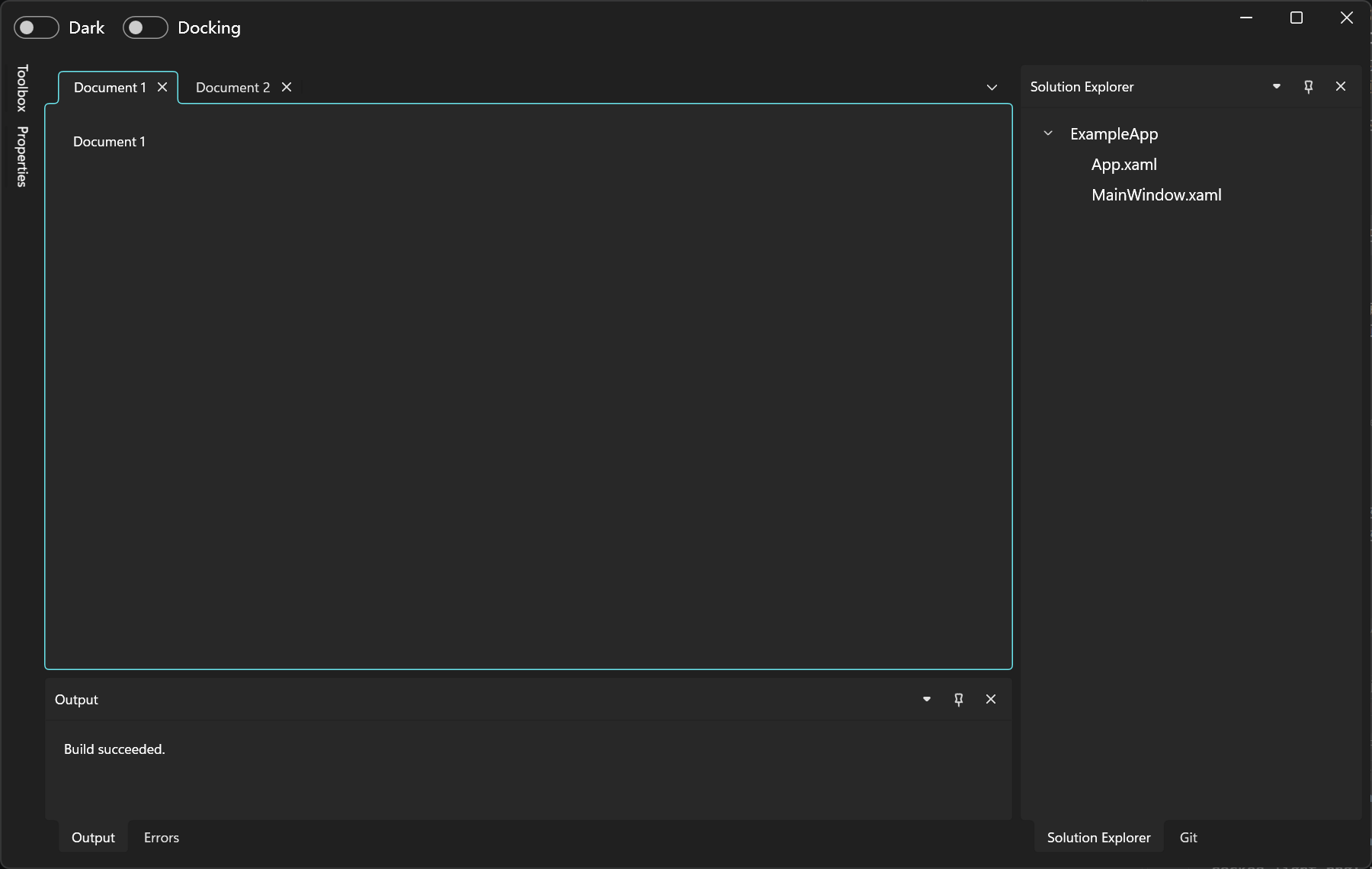
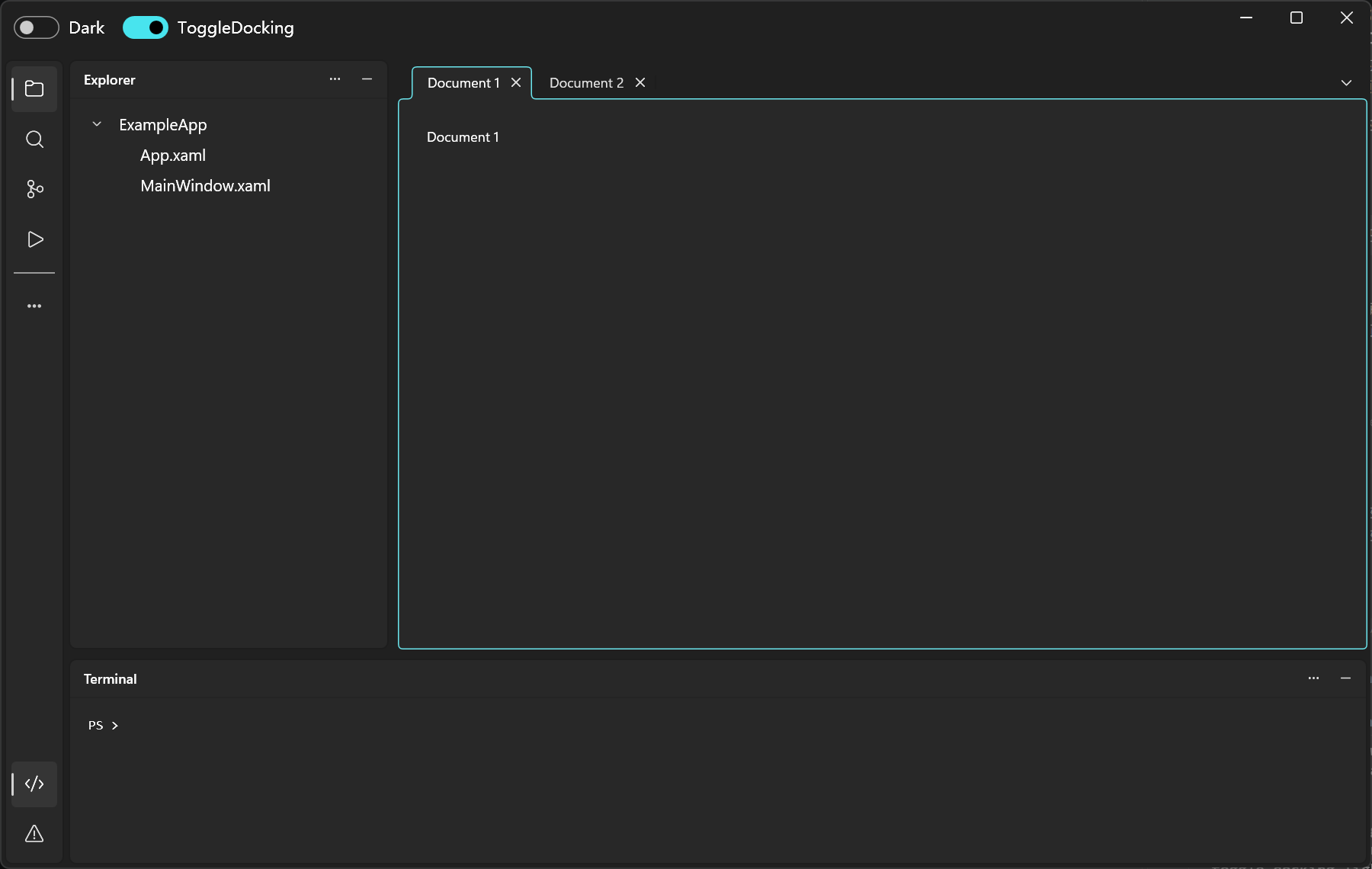
A light and dark WPF UI theme for AvalonDock, supporting both DockingManager and ToggleDockingManager.
Targets .NET Framework 4.8 and .NET 10 WPF. Dependencies: AvalonDock 5.0.0 and WPF UI 4.3.0.
Preview
| Layout | Light | Dark |
|---|---|---|
| Docking | 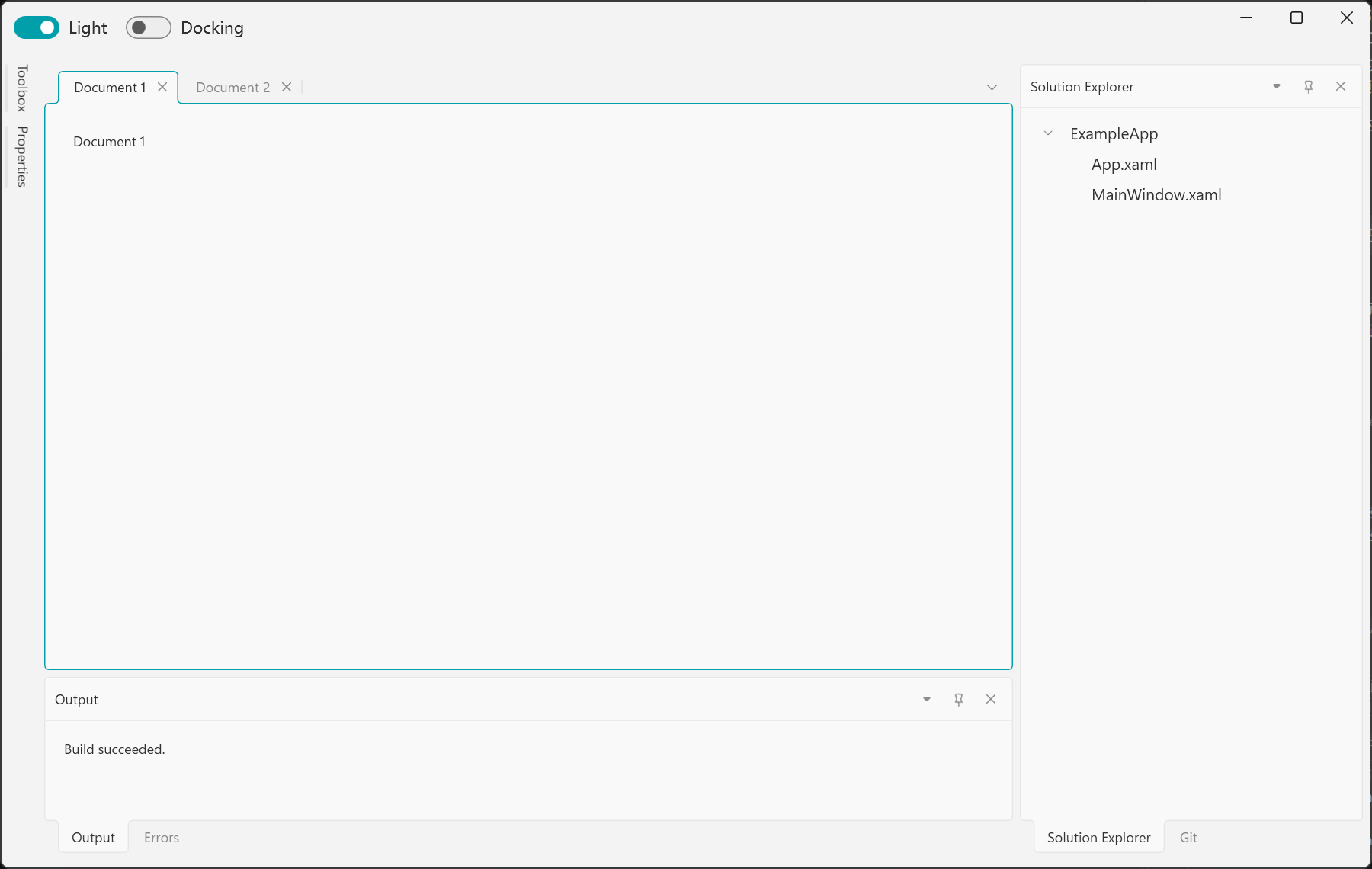 |
 |
| ToggleDocking | 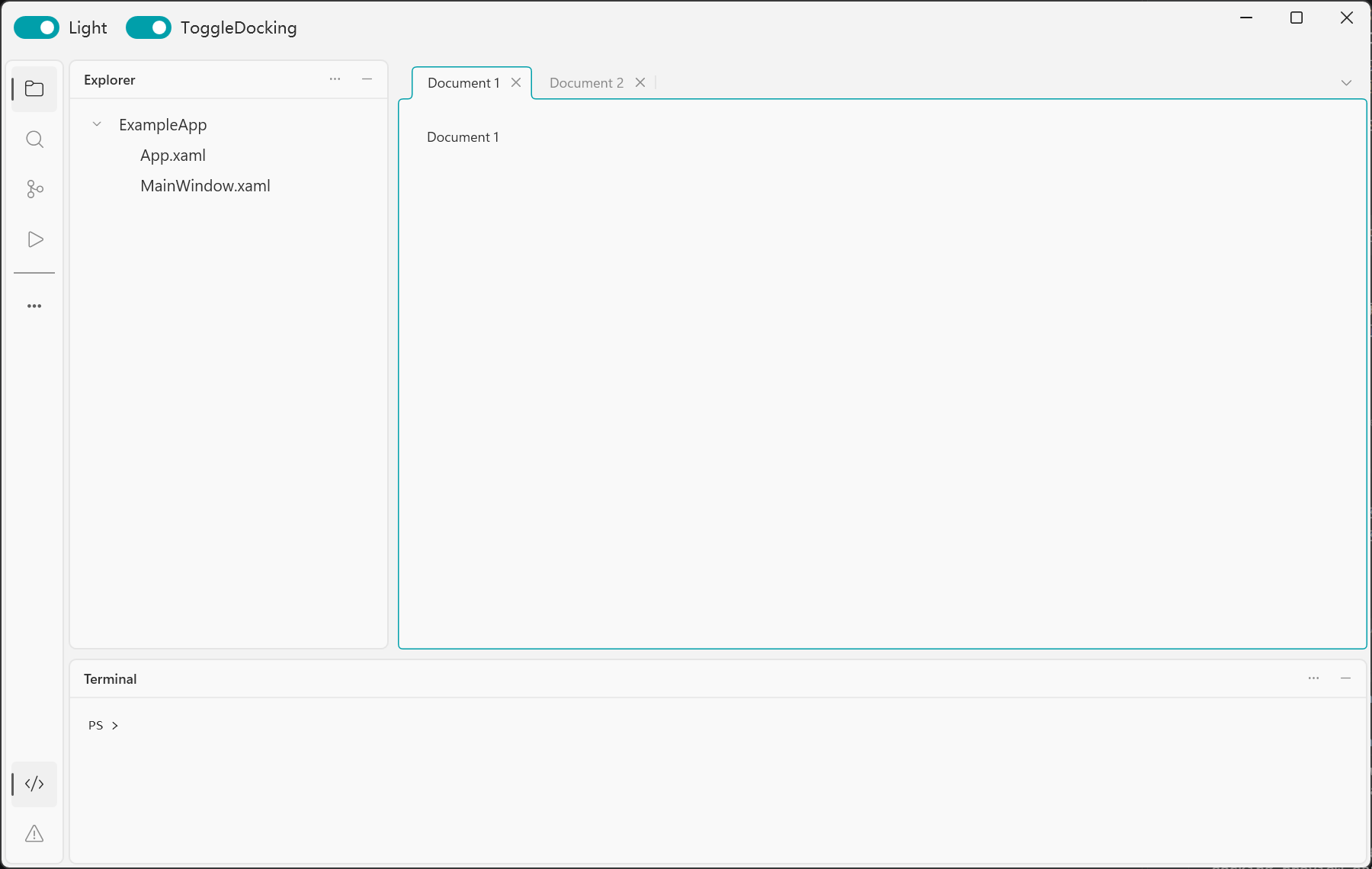 |
 |
| Floating | 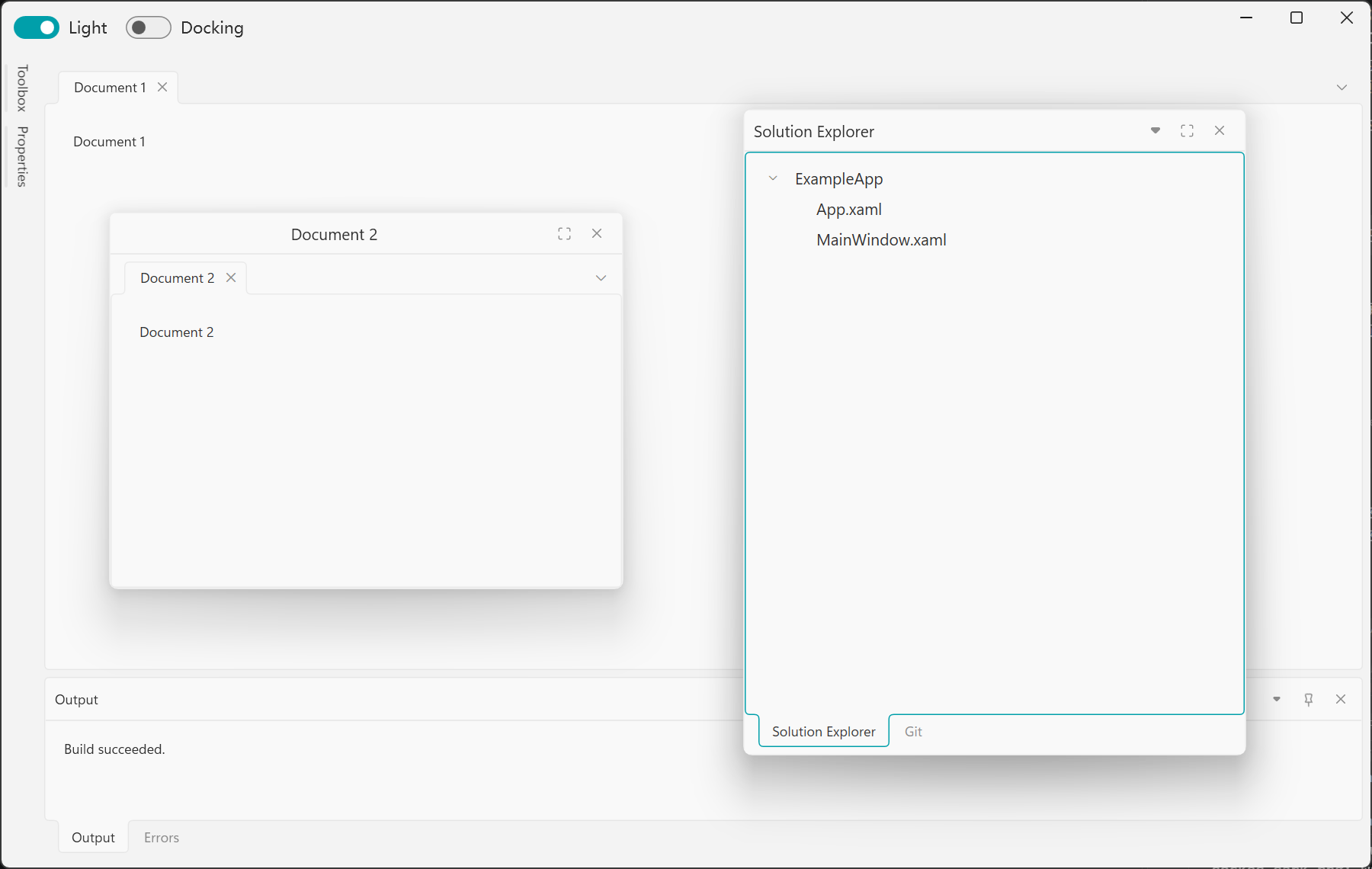 |
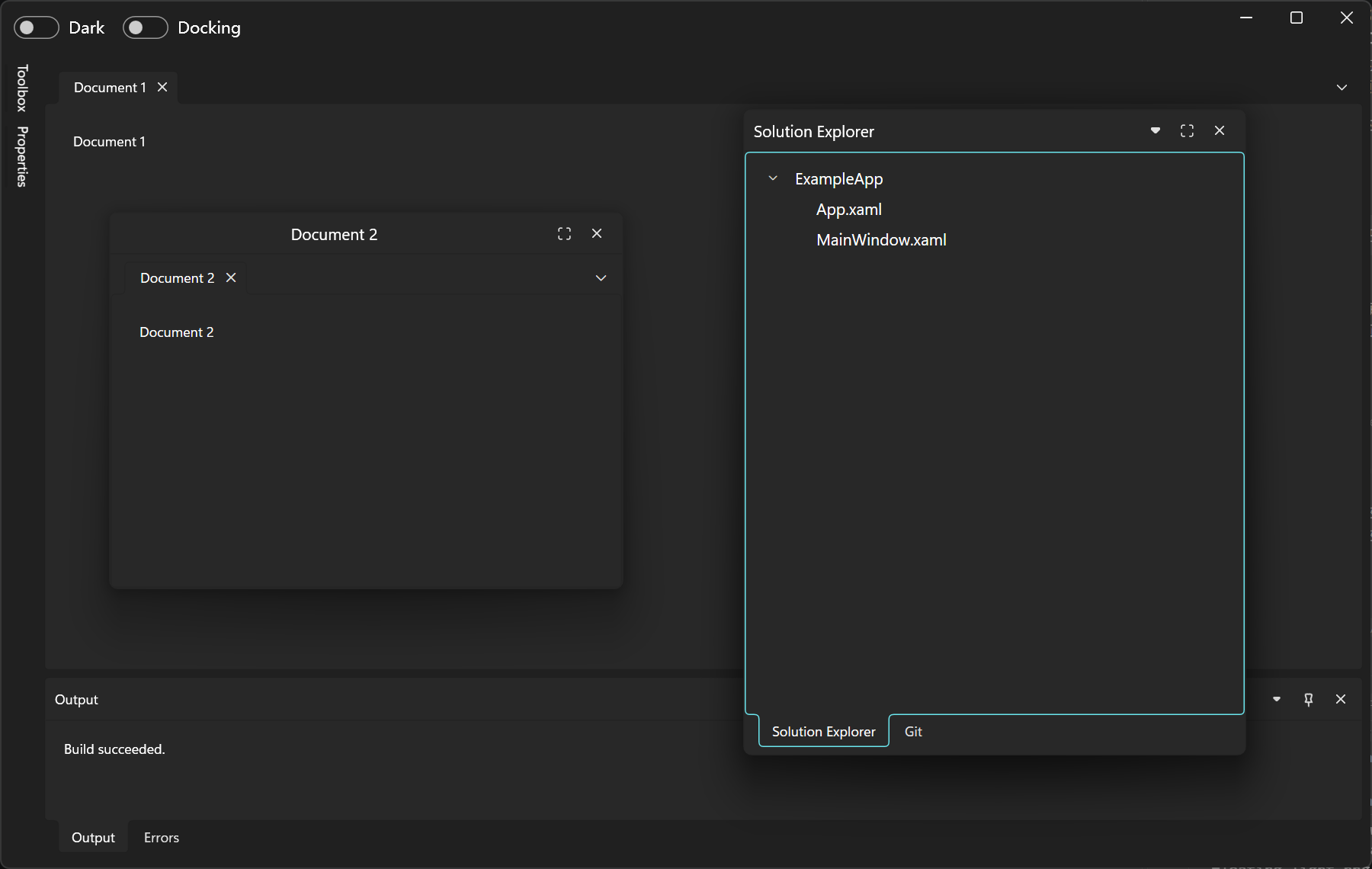 |
| Docking preview | 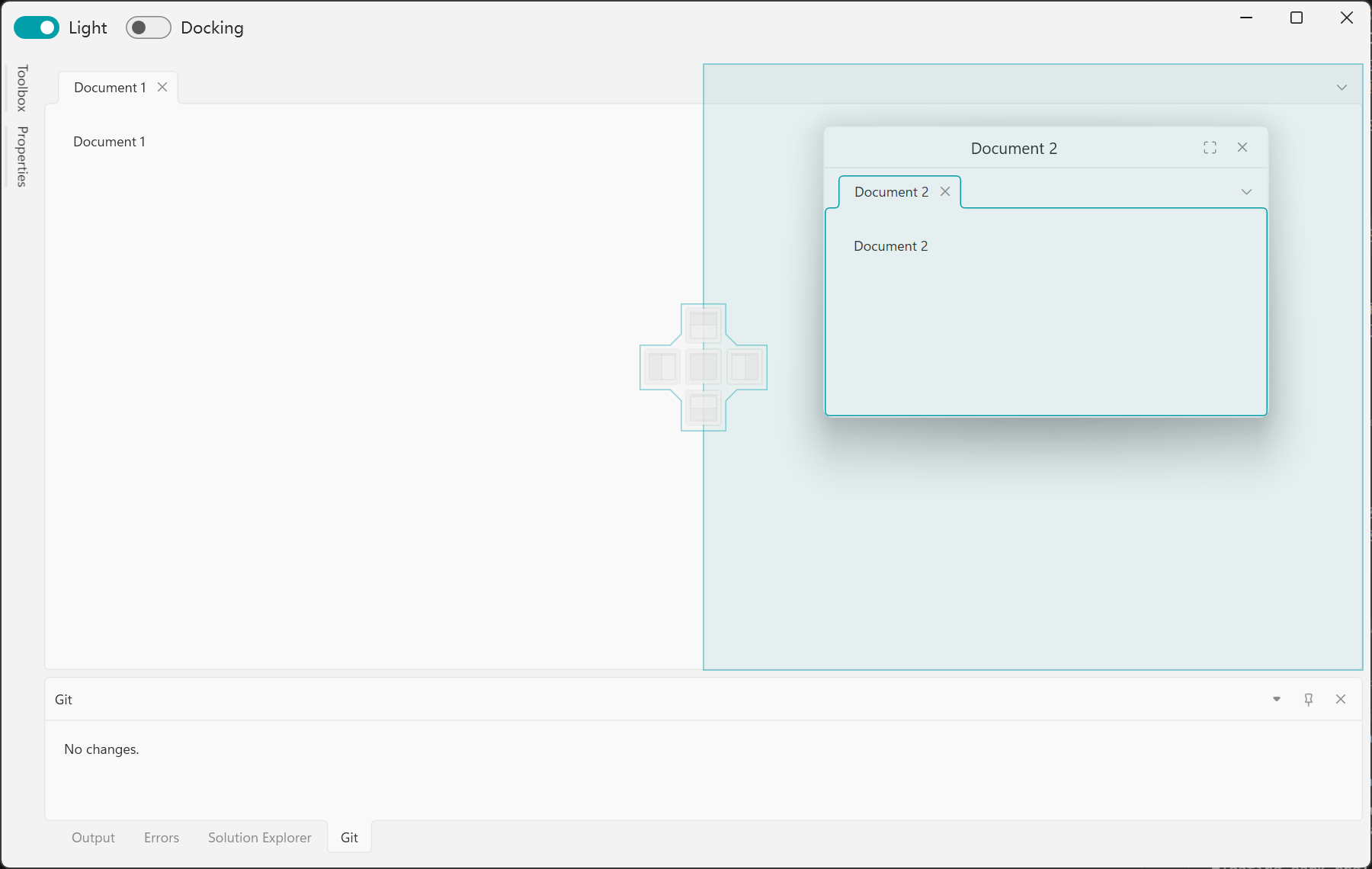 |
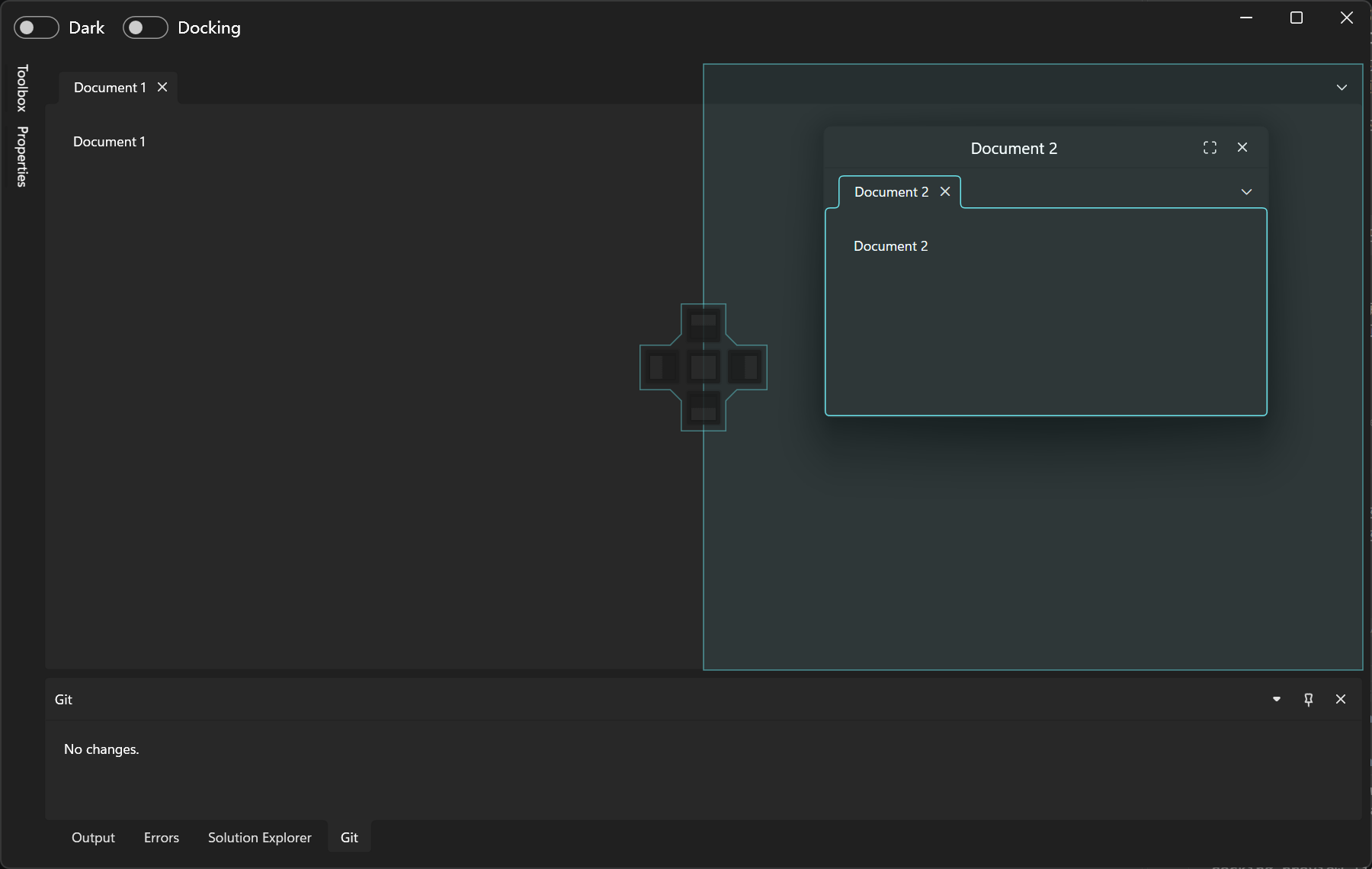 |
| Toggle preview | 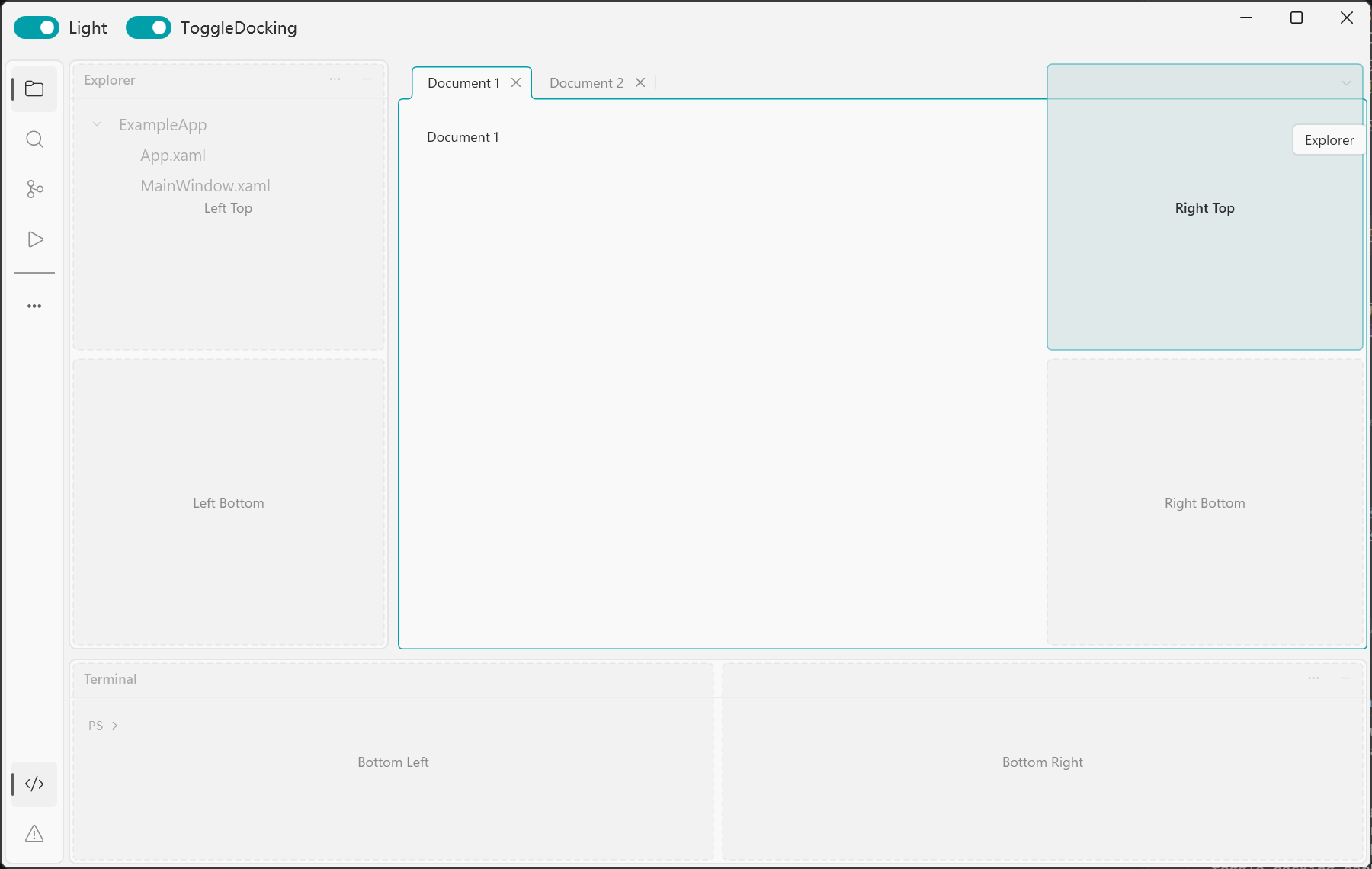 |
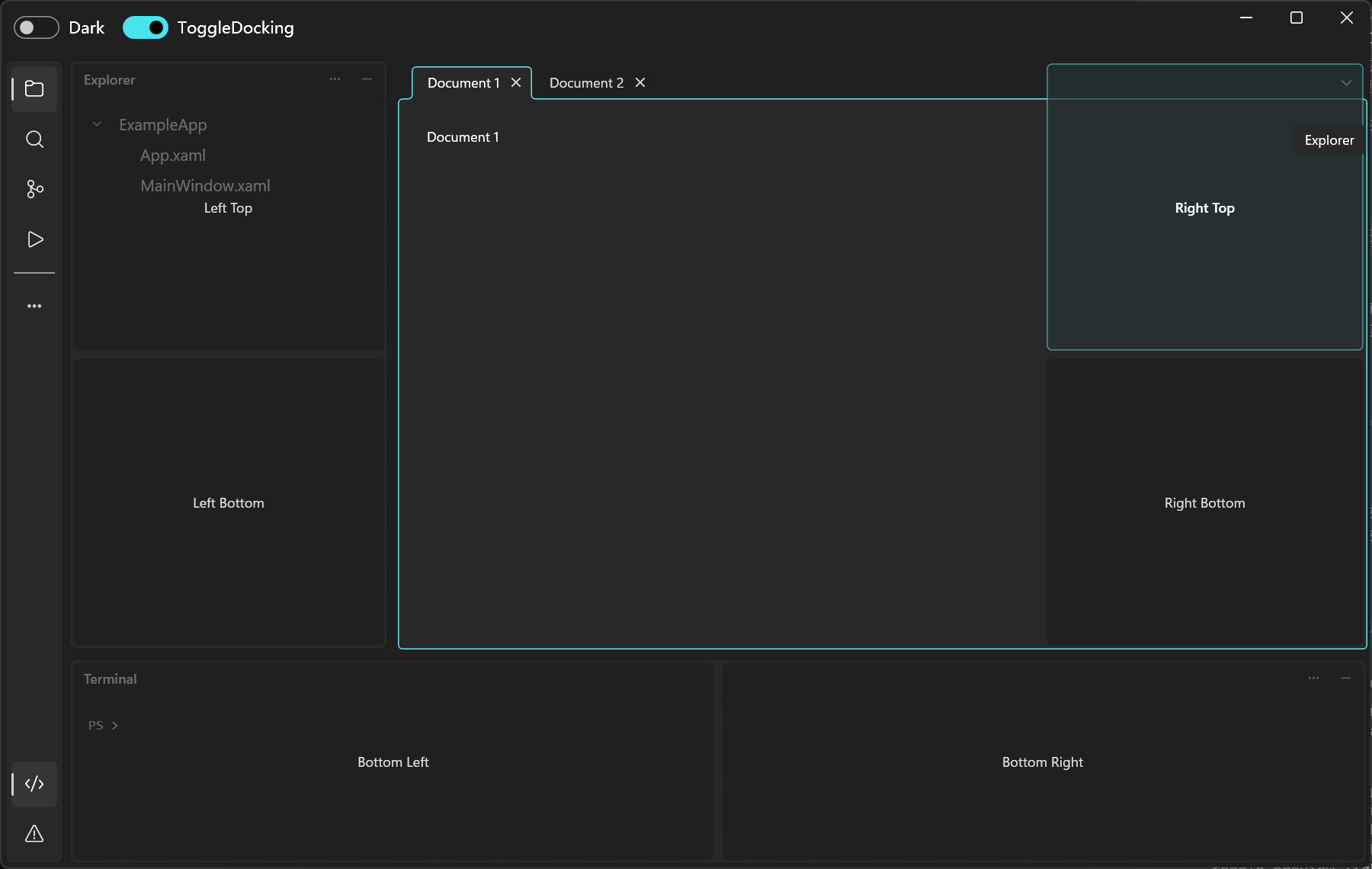 |
Usage
dotnet add package AvalonDock.Themes.WPFUI
Merge the dictionaries at application scope in App.xaml:
<Application x:Class="YourApp.App"
             xmlns="http://schemas.microsoft.com/winfx/2006/xaml/presentation"
             xmlns:x="http://schemas.microsoft.com/winfx/2006/xaml"
             xmlns:ui="http://schemas.lepo.co/wpfui/2022/xaml"
             StartupUri="MainWindow.xaml">
    <Application.Resources>
        <ResourceDictionary>
            <ResourceDictionary.MergedDictionaries>
                <ui:ThemesDictionary Theme="Light" />
                <ui:ControlsDictionary />
                <ResourceDictionary Source="pack://application:,,,/AvalonDock.Themes.WPFUI;component/Theme.xaml" />
            </ResourceDictionary.MergedDictionaries>
        </ResourceDictionary>
    </Application.Resources>
</Application>
Replace YourApp with your namespace, then apply WPFUITheme to your manager:
<dock:DockingManager xmlns="http://schemas.microsoft.com/winfx/2006/xaml/presentation"
                     xmlns:dock="clr-namespace:AvalonDock;assembly=AvalonDock"
                     xmlns:layout="clr-namespace:AvalonDock.Layout;assembly=AvalonDock"
                     xmlns:theme="clr-namespace:AvalonDock.Themes.WPFUI;assembly=AvalonDock.Themes.WPFUI">
    <dock:DockingManager.Theme>
        <theme:WPFUITheme />
    </dock:DockingManager.Theme>
    <layout:LayoutRoot>
        <layout:LayoutPanel>
            <layout:LayoutDocumentPane>
                <layout:LayoutDocument Title="Document 1"
                                       ContentId="document-1">
                    <TextBlock Margin="24"
                               Text="Document content" />
                </layout:LayoutDocument>
            </layout:LayoutDocumentPane>
        </layout:LayoutPanel>
    </layout:LayoutRoot>
</dock:DockingManager>
Use the same theme with ToggleDockingManager. Complete layouts are in MainWindow.xaml.
Switch between Light and Dark through WPF UI:
using Wpf.Ui.Appearance;

ApplicationThemeManager.Apply(ApplicationTheme.Dark);
Example
The static UI showcase includes theme and docking-mode switches. Build on Windows with the .NET 10 SDK and .NET Framework 4.8 targeting pack:
dotnet build AvalonDock.Themes.WPFUI.slnx --configuration Release
dotnet run --project src/ExampleApp/ExampleApp.csproj --framework net10.0-windows
License
MIT.
Thanks to AakStudio.Shell.UI.Themes.AvalonDock.
| Product | Versions Compatible and additional computed target framework versions. |
|---|---|
| .NET | net10.0-windows7.0 is compatible. |
| .NET Framework | net48 is compatible. net481 was computed. |
-
.NETFramework 4.8
- Dirkster.AvalonDock (>= 5.0.0)
- WPF-UI (>= 4.3.0)
-
net10.0-windows7.0
- Dirkster.AvalonDock (>= 5.0.0)
- WPF-UI (>= 4.3.0)
NuGet packages
This package is not used by any NuGet packages.
GitHub repositories
This package is not used by any popular GitHub repositories.