UnderAutomation.Staubli
1.0.0
dotnet add package UnderAutomation.Staubli --version 1.0.0
NuGet\Install-Package UnderAutomation.Staubli -Version 1.0.0
<PackageReference Include="UnderAutomation.Staubli" Version="1.0.0" />
<PackageVersion Include="UnderAutomation.Staubli" Version="1.0.0" />
<PackageReference Include="UnderAutomation.Staubli" />
paket add UnderAutomation.Staubli --version 1.0.0
#r "nuget: UnderAutomation.Staubli, 1.0.0"
#:package UnderAutomation.Staubli@1.0.0
#addin nuget:?package=UnderAutomation.Staubli&version=1.0.0
#tool nuget:?package=UnderAutomation.Staubli&version=1.0.0
Staubli Robot Communication SDK for .NET






UnderAutomation.Staubli is a fully managed .NET SDK that communicates with Staubli CS8 and CS9 robot controllers through the SOAP server of the controller. Nothing is installed on the controller. No Staubli Robotics Suite, no other Staubli software on the PC.
Use it to read the robots and the controller parameters, read positions, compute the kinematics, move the robot, read and write I/O, manage VAL 3 applications and tasks, and transfer the files of the controller, from a normal .NET application.
- Product page: underautomation.com/staubli
- Documentation: underautomation.com/staubli/documentation
- Also available for Python: Staubli.py. LabVIEW: available on request, contact us.
What you can do
- Controller and robots: list the robots of the controller, read the controller parameters, the Denavit-Hartenberg parameters and the joint ranges of each arm.
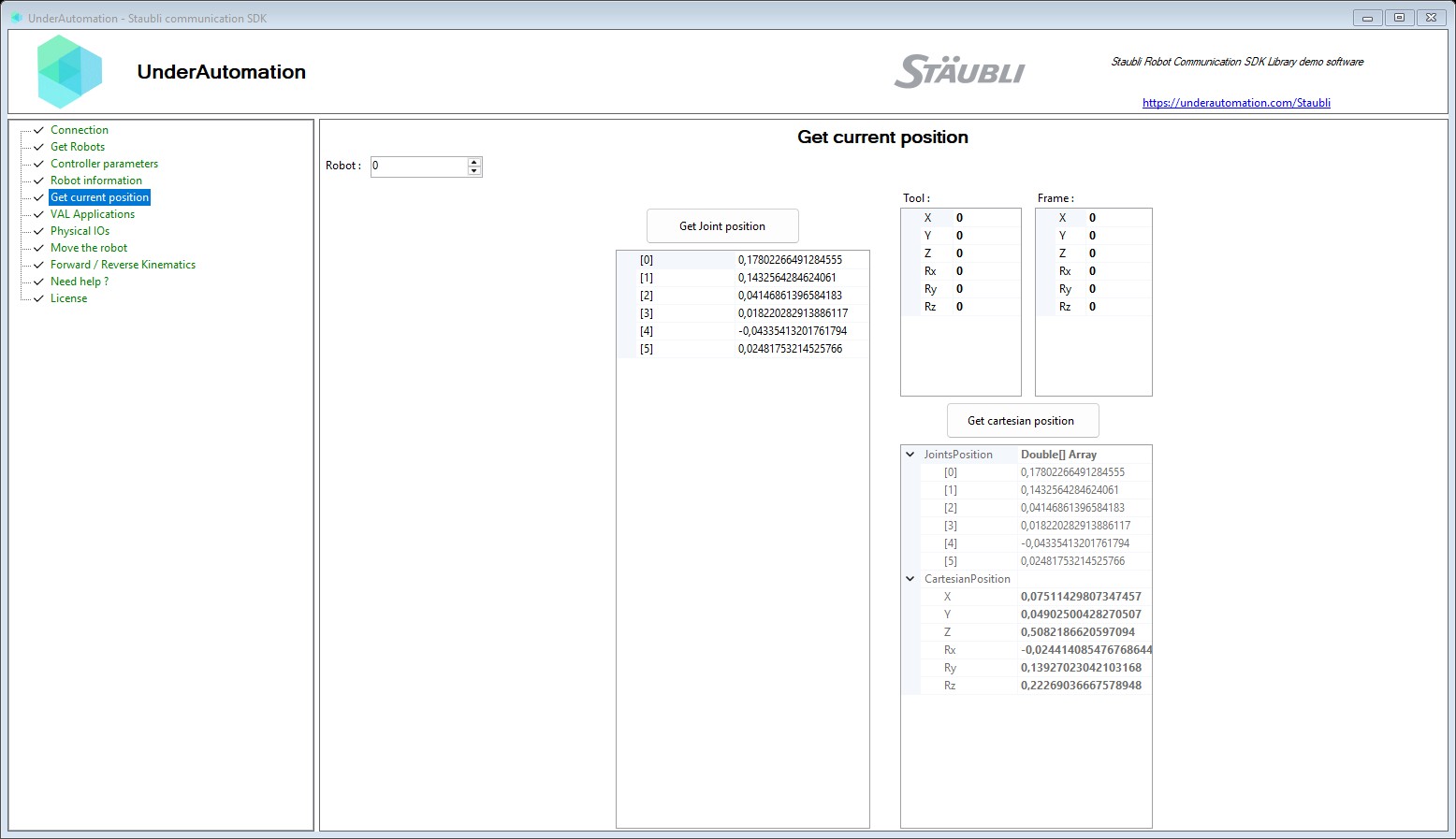
- Positions: read the current joint position, and the Cartesian position with the joint values.
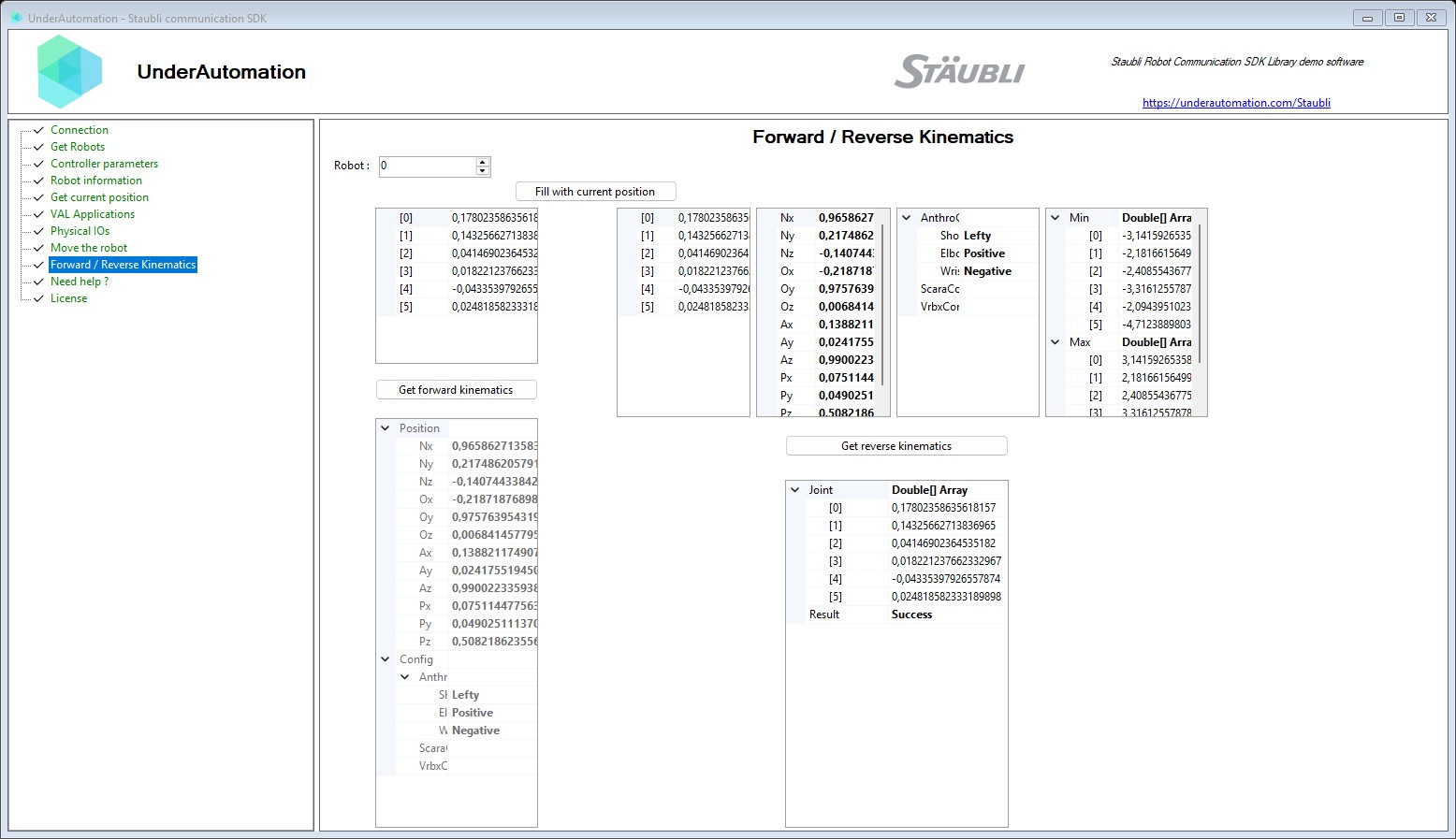
- Kinematics: compute the forward kinematics (joints to frame) and the inverse kinematics (frame to joints) on the controller.
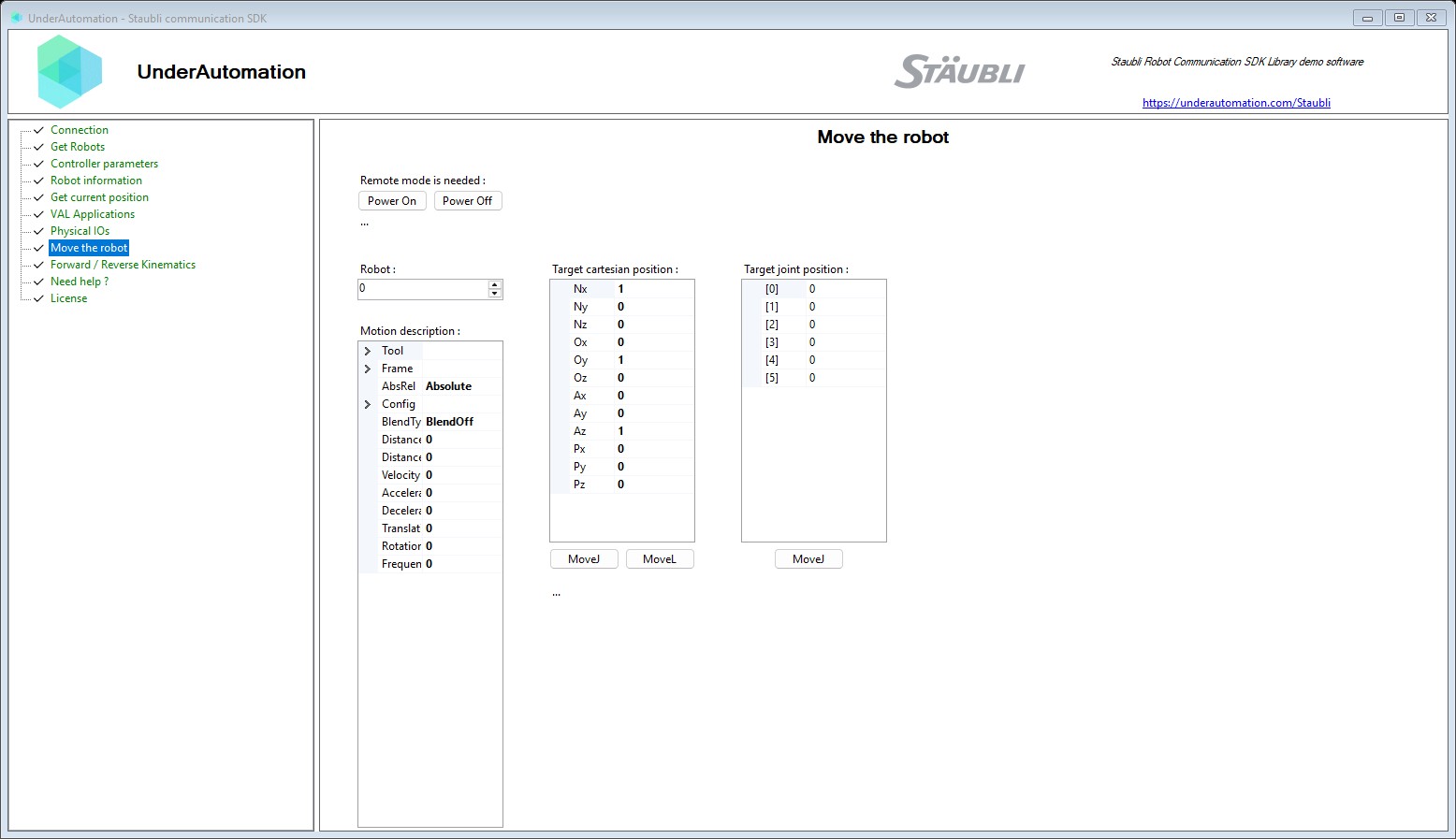
- Motion: power the arm on and off, send
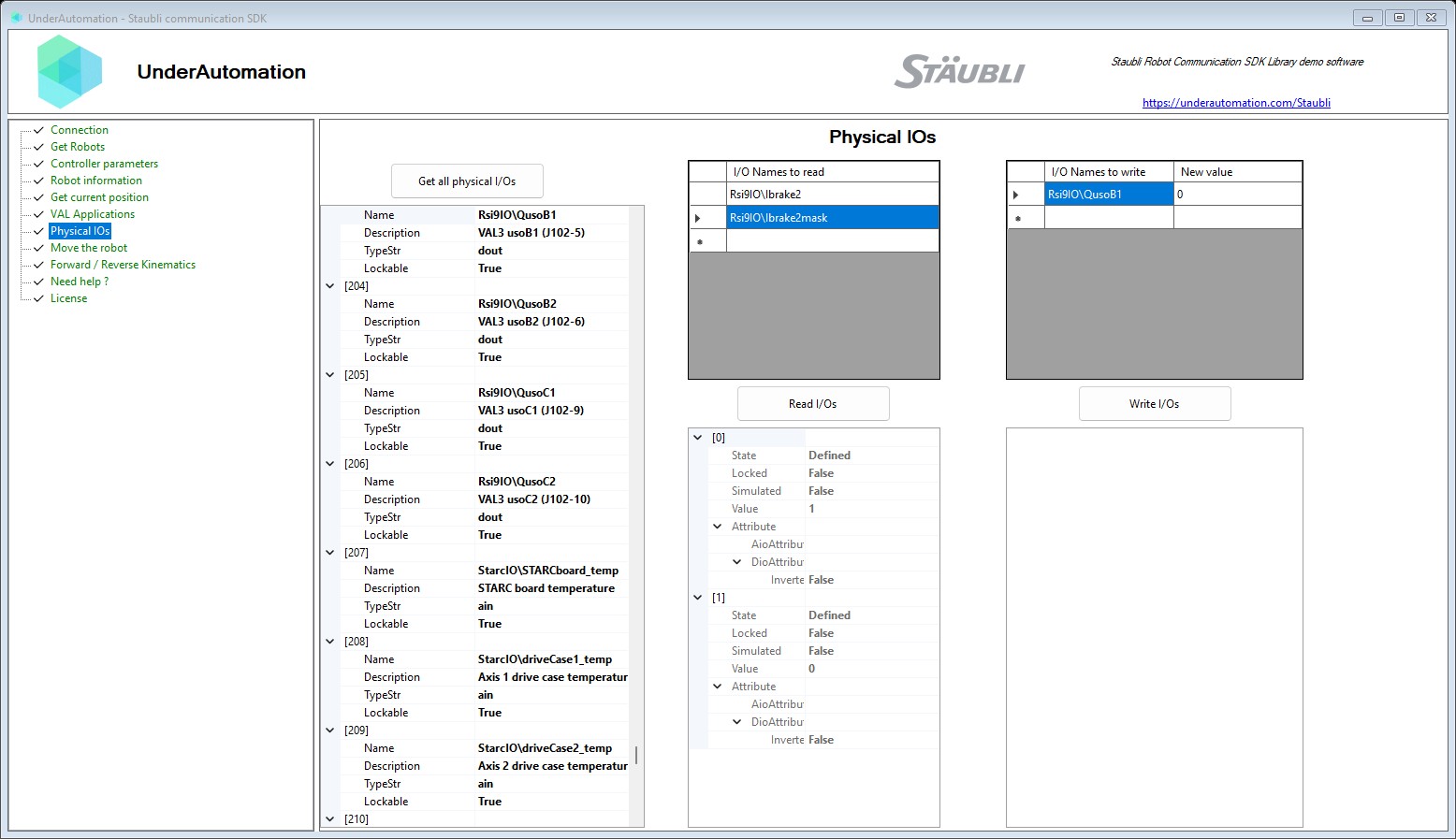
MoveJJ,MoveJC,MoveLandMoveCmotions with a motion descriptor (speeds, accelerations, blending, tool and frame), stop, reset and restart the motion. - Inputs / Outputs: list the physical I/O with their attributes, read and write them by name.
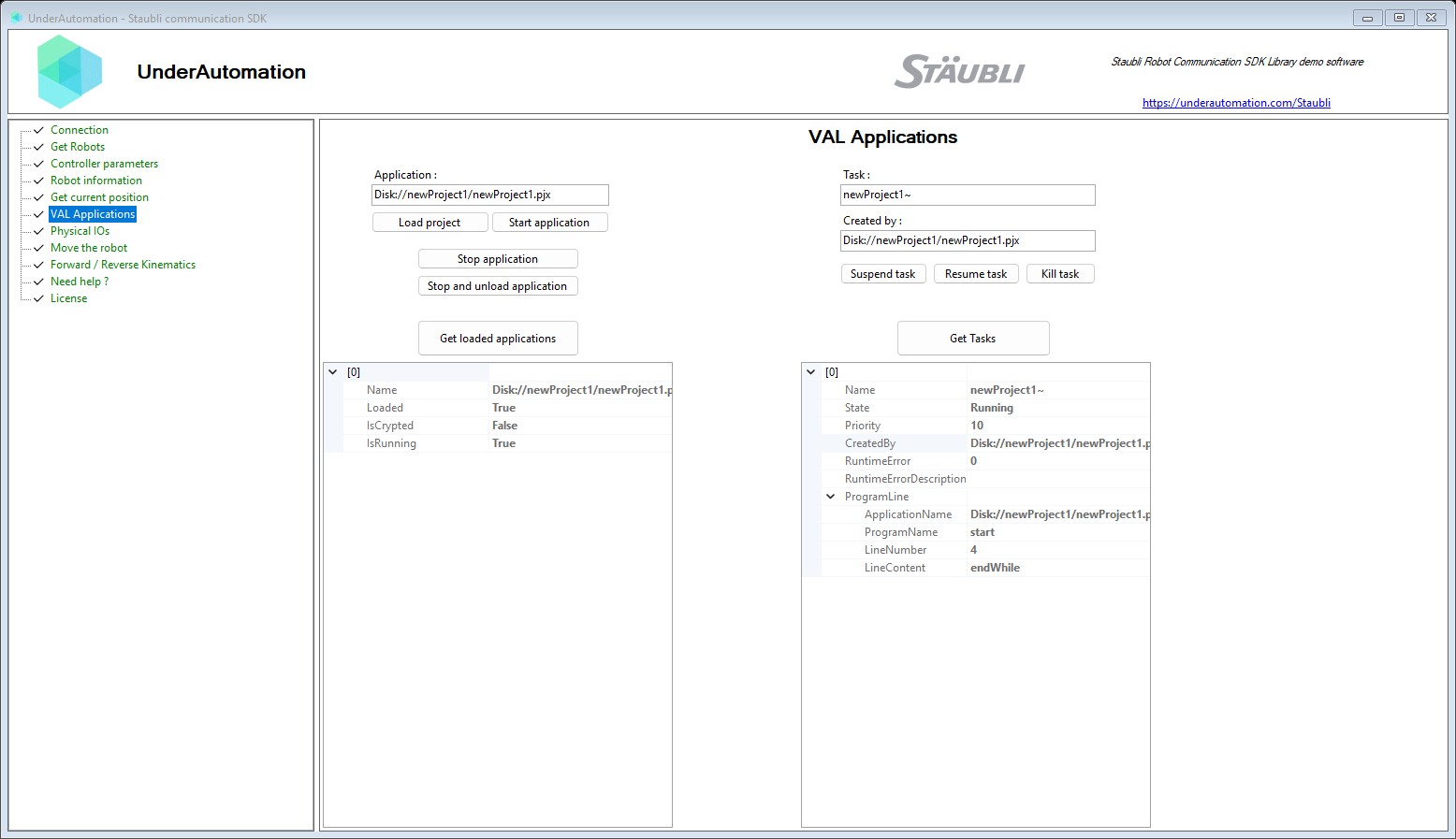
- VAL 3 applications: load a project, list the applications, start and stop an application, stop and unload all.
- Tasks: list the tasks with their state, suspend, resume or kill a task.
- Files: list, upload, download, rename and delete the files of the controller, and send a complete
VAL 3 application to
/usr/usrapp. Through the FTP server of a real controller, or in the Controller folder of a cell emulated by Staubli Robotics Suite.
The SOAP server is part of the standard controller software. The user, the password and the port (851 by default) are the ones of the controller.
Example application
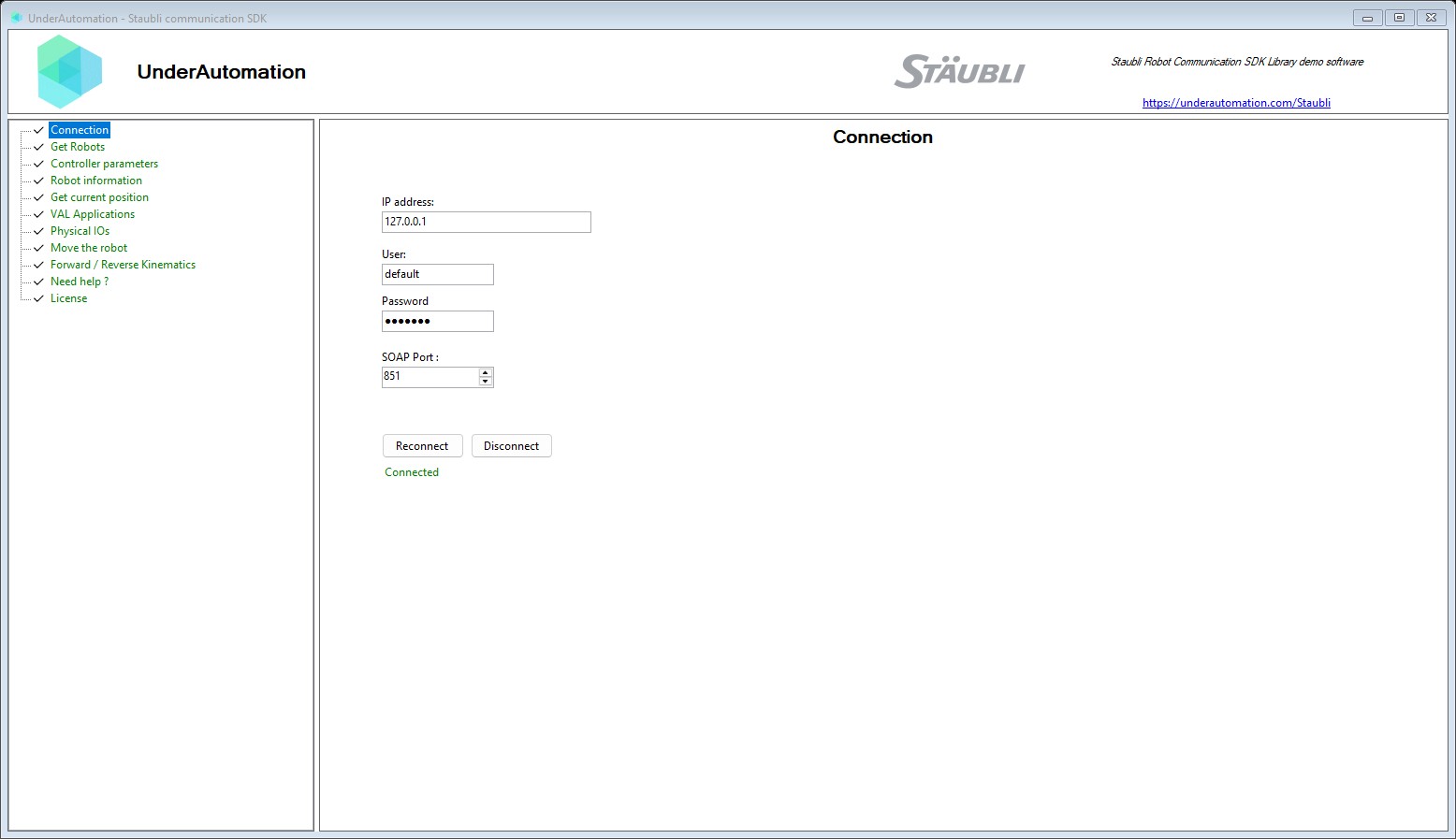
A Windows Forms application shows the features of the SDK. Its source code is in this repository, in
UnderAutomation.Staubli.Showcase.Forms.
Download: UnderAutomation.Staubli.Showcase.Forms.exe (all releases)
Installation
dotnet add package UnderAutomation.Staubli
Or with the NuGet Package Manager console:
Install-Package UnderAutomation.Staubli
You can also download UnderAutomation.Staubli.zip from the releases page.
It contains one folder per target framework. On Windows, unblock the zip file before you extract it
(right-click, "Properties", "Unblock"), then reference the DLL of your framework.
Getting started
using UnderAutomation.Staubli;

// The SDK runs in trial mode for 30 days. Register your key to remove the trial limit.
StaubliController.RegisterLicense("Your Company", "your-license-key");

var controller = new StaubliController();

var parameters = new ConnectionParameters("192.168.0.254");
parameters.Soap.User = "default";     // user of the controller
parameters.Soap.Password = "default";
parameters.Soap.Port = 0;             // 0 (default): automatic, 851 on a real controller

controller.Connect(parameters);

double[] joints = controller.Soap.GetCurrentJointPosition(robot: 0);
Console.WriteLine(string.Join(", ", joints));

controller.Disconnect();
ConnectionParameters.PingBeforeConnect (true by default) pings the controller before the connection.
To connect to a controller emulated by Staubli Robotics Suite, give the path of its .controller file as
address (for example C:\...\MyCell\Controller1\Controller1.controller, or a UNC path when the emulator
runs on another PC). With the SOAP port 0, the SDK reads the SOAP port of the emulated controller in its
configuration (usr\configs\network.cfx), and uses 851 when it is not found.
Features
Everything is reached through controller.Soap, except the files: controller.File.
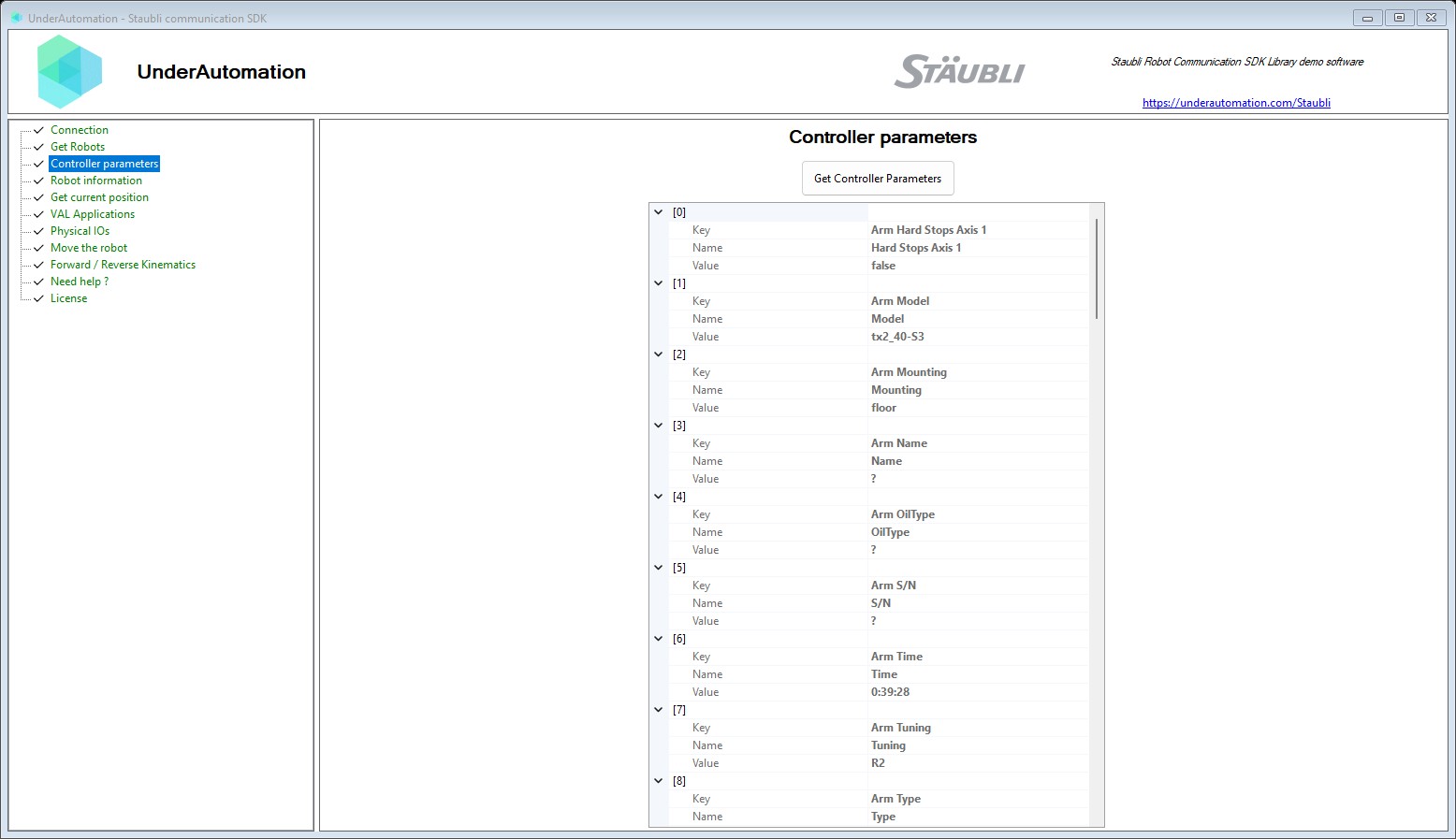
Controller and robots
Robot[] robots = controller.Soap.GetRobots();
Parameter[] parameters = controller.Soap.GetControllerParameters();
DhParameters[] dh = controller.Soap.GetDhParameters(robot: 0);
JointRange range = controller.Soap.GetJointRange(robot: 0);
Positions
double[] joints = controller.Soap.GetCurrentJointPosition(robot: 0);

CartesianJointPosition position = controller.Soap.GetCurrentCartesianJointPosition(robot: 0);
Console.WriteLine($"X={position.CartesianPosition.X} Y={position.CartesianPosition.Y} Z={position.CartesianPosition.Z}");
Kinematics
double[] joints = controller.Soap.GetCurrentJointPosition(robot: 0);

// Joints to frame
IForwardKinematics fk = controller.Soap.ForwardKinematics(0, joints);

// Frame to joints, near the current joints and inside the joint range
JointRange range = controller.Soap.GetJointRange(robot: 0);
IReverseKinematics ik = controller.Soap.ReverseKinematics(0, joints, fk.Position, fk.Config, range);
Motion
var mdesc = new MotionDesc
{
    Velocity = 50,             // % of the nominal joint speed
    Acceleration = 100,        // %
    Deceleration = 100,        // %
    TranslationVelocity = 250, // mm/s
    RotationVelocity = 100,    // deg/s
    Tool = new Frame(),
    Frame = new Frame(),
    Frequency = 100,           // interpolation frequency in %, 0 is refused by the controller
};

controller.Soap.SetPower(true);

IMoveResult result = controller.Soap.MoveJJ(0, new double[] { 0, 0, 90, 0, 90, 0 }, mdesc);
Console.WriteLine(result.ReturnCode);

var target = new Frame { Px = 300, Py = 0, Pz = 450 };
controller.Soap.MoveL(0, target, mdesc);

controller.Soap.StopMotion();
controller.Soap.SetPower(false);
Inputs / Outputs
PhysicalIo[] ios = controller.Soap.GetAllPhysicalIos();

PhysicalIoState[] states = controller.Soap.ReadIos(new[] { "BasicDO_1" });
Console.WriteLine(states[0].Value);

PhysicalIoWriteResponse[] responses = controller.Soap.WriteIos(new[] { "BasicDO_1" }, new[] { 1.0 });
VAL 3 applications
controller.Soap.LoadProject("Disk://myProject/myProject.pjx");

foreach (ValApplication application in controller.Soap.GetValApplications())
    Console.WriteLine($"{application.Name} loaded={application.Loaded} running={application.IsRunning}");

controller.Soap.StartApplication("Disk://myProject/myProject.pjx");
controller.Soap.StopApplication();
controller.Soap.StopAndUnloadAll();
Tasks
ControllerTask[] tasks = controller.Soap.GetTasks();

controller.Soap.TaskSuspend(tasks[0].Name, tasks[0].CreatedBy);
controller.Soap.TaskResume(tasks[0].Name, tasks[0].CreatedBy);
controller.Soap.TaskKill(tasks[0].Name, tasks[0].CreatedBy);
Files
The file client is disabled by default. On a real controller, it uses the FTP server of the controller
(port 21, user and password of the FTP server). The emulator of Staubli Robotics Suite has no FTP server:
give the path of the .controller file of the emulated controller as address (a UNC path when the emulator
runs on another PC). The files are read and written in the folder of this file, which has the same tree as
the FTP server of a real controller. The paths are the same in both cases. The VAL 3 applications are in /usr/usrapp, one sub-folder per
application: /usr/usrapp/myApp/myApp.pjx is the project Disk://myApp/myApp.pjx.
using UnderAutomation.Staubli;
using UnderAutomation.Staubli.Files;

var parameters = new ConnectionParameters("192.168.0.254"); // or @"C:\SRS\MyCell\Controller1\Controller1.controller"
parameters.File.Enable = true;
parameters.File.User = "default";
parameters.File.Password = "default";

var controller = new StaubliController();
controller.Connect(parameters);

foreach (FileItem item in controller.File.GetListing("/usr/usrapp"))
    Console.WriteLine($"{item.FullName} {item.Type} {item.Size}");

controller.File.UploadFileToController(@"C:\Data\points.dat", "/usr/usrapp/myApp/points.dat");
byte[] content = controller.File.DownloadBytesFromController("/usr/usrapp/myApp/myApp.pjx");

// Send a complete application: C:\MyApps\myApp is copied to /usr/usrapp/myApp
controller.Soap.StopAndUnloadAll();
controller.File.UploadApplicationToController(@"C:\MyApps\myApp");
controller.Soap.LoadProject("Disk://myApp/myApp.pjx");

controller.Disconnect();
Each method has an asynchronous version (GetListingAsync, UploadApplicationToControllerAsync...).
FileClient is the same client without StaubliController.
Shell sources
The folder UnderAutomation.Staubli.ObfuscatedSources
contains every public type and member of the SDK, with its XML documentation. The bodies of the methods
are replaced by "Source is hidden". Use it to:
- browse the public API and its documentation on GitHub;
- jump to a definition from your code editor;
- see the structure of the code that is delivered with a source license.
The source license gives the complete source code of the library, with the Visual Studio solution. See the license page of the documentation.
Compatibility
| Target framework | Supported |
|---|---|
| .NET 10.0 / 9.0 / 8.0 / 6.0 / 5.0 | yes |
| .NET Core 3.0 | yes |
| .NET Standard 2.1 / 2.0 | yes |
| .NET Framework 4.0 to 4.8 | yes |
| .NET Framework 3.5 | yes |
- Operating systems: Windows, Linux, macOS.
- No native dependency, no NuGet dependency.
- Controllers: Staubli CS8 and CS9, and the emulator of Staubli Robotics Suite.
License
This SDK needs a commercial license. A 30-day trial starts at the first use, no key needed.
- License agreement: underautomation.com/staubli/eula and License.md
- Trial, license key and source license: underautomation.com/staubli/documentation/license
- Prices and quote: underautomation.com/staubli
Support
- Documentation: underautomation.com/staubli/documentation
- Issues: GitHub Issues
- Contact: underautomation.com/contact
| Product | Versions Compatible and additional computed target framework versions. |
|---|---|
| .NET | net5.0 is compatible. net5.0-windows was computed. net6.0 is compatible. net6.0-android was computed. net6.0-ios was computed. net6.0-maccatalyst was computed. net6.0-macos was computed. net6.0-tvos was computed. net6.0-windows was computed. net7.0 was computed. net7.0-android was computed. net7.0-ios was computed. net7.0-maccatalyst was computed. net7.0-macos was computed. net7.0-tvos was computed. net7.0-windows was computed. net8.0 is compatible. net8.0-android was computed. net8.0-browser was computed. net8.0-ios was computed. net8.0-maccatalyst was computed. net8.0-macos was computed. net8.0-tvos was computed. net8.0-windows was computed. net9.0 is compatible. net9.0-android was computed. net9.0-browser was computed. net9.0-ios was computed. net9.0-maccatalyst was computed. net9.0-macos was computed. net9.0-tvos was computed. net9.0-windows was computed. net10.0 is compatible. net10.0-android was computed. net10.0-browser was computed. net10.0-ios was computed. net10.0-maccatalyst was computed. net10.0-macos was computed. net10.0-tvos was computed. net10.0-windows was computed. |
| .NET Core | netcoreapp2.0 was computed. netcoreapp2.1 was computed. netcoreapp2.2 was computed. netcoreapp3.0 is compatible. netcoreapp3.1 was computed. |
| .NET Standard | netstandard2.0 is compatible. netstandard2.1 is compatible. |
| .NET Framework | net35 is compatible. net40 is compatible. net403 was computed. net45 is compatible. net451 is compatible. net452 is compatible. net46 is compatible. net461 is compatible. net462 is compatible. net463 was computed. net47 is compatible. net471 is compatible. net472 is compatible. net48 is compatible. net481 was computed. |
| MonoAndroid | monoandroid was computed. |
| MonoMac | monomac was computed. |
| MonoTouch | monotouch was computed. |
| Tizen | tizen40 was computed. tizen60 was computed. |
| Xamarin.iOS | xamarinios was computed. |
| Xamarin.Mac | xamarinmac was computed. |
| Xamarin.TVOS | xamarintvos was computed. |
| Xamarin.WatchOS | xamarinwatchos was computed. |
-
.NETCoreApp 3.0
- No dependencies.
-
.NETFramework 3.5
- No dependencies.
-
.NETFramework 4.0
- No dependencies.
-
.NETFramework 4.5
- No dependencies.
-
.NETFramework 4.5.1
- No dependencies.
-
.NETFramework 4.5.2
- No dependencies.
-
.NETFramework 4.6
- No dependencies.
-
.NETFramework 4.6.1
- No dependencies.
-
.NETFramework 4.6.2
- No dependencies.
-
.NETFramework 4.7
- No dependencies.
-
.NETFramework 4.7.1
- No dependencies.
-
.NETFramework 4.7.2
- No dependencies.
-
.NETFramework 4.8
- No dependencies.
-
.NETStandard 2.0
- No dependencies.
-
.NETStandard 2.1
- No dependencies.
-
net10.0
- No dependencies.
-
net5.0
- No dependencies.
-
net6.0
- No dependencies.
-
net8.0
- No dependencies.
-
net9.0
- No dependencies.
NuGet packages
This package is not used by any NuGet packages.
GitHub repositories
This package is not used by any popular GitHub repositories.