Umbraco.Community.uMux
17.0.0
dotnet add package Umbraco.Community.uMux --version 17.0.0
NuGet\Install-Package Umbraco.Community.uMux -Version 17.0.0
<PackageReference Include="Umbraco.Community.uMux" Version="17.0.0" />
<PackageVersion Include="Umbraco.Community.uMux" Version="17.0.0" />
<PackageReference Include="Umbraco.Community.uMux" />
paket add Umbraco.Community.uMux --version 17.0.0
#r "nuget: Umbraco.Community.uMux, 17.0.0"
#:package Umbraco.Community.uMux@17.0.0
#addin nuget:?package=Umbraco.Community.uMux&version=17.0.0
#tool nuget:?package=Umbraco.Community.uMux&version=17.0.0
uMux


Automatically sync local video assets from Umbraco to Mux.
Quick Start
- Ensure you have an Umbraco v17+ site and a Mux account.
- Install the package:
dotnet add package Umbraco.Community.uMux - Add your Mux credentials to your configuration (see below).
- Add the uMux property editor to your media/content/member type where you upload videos.
- Upload a video and it will sync to Mux automatically.
Prerequisites
- Umbraco CMS v17 or newer
- A Mux account with API access
Installation
1. Install the package
Add the package to your Umbraco website:
dotnet add package Umbraco.Community.uMux
2. Add Mux credentials
Credentials for Mux are added in your appsettings (appsettings.json) or as environment variables.
appsettings.json example:
{
  "Umbraco": {
    "Mux": {
      "ApiTokenId": "API TOKEN ID HERE",
      "ApiSecret": "API SECRET HERE"
    }
  }
}
Environment variable example:
Umbraco__Mux__ApiTokenId=API TOKEN ID HERE
Umbraco__Mux__ApiSecret=API SECRET HERE
Credentials can be found from the settings page in your Mux environment.
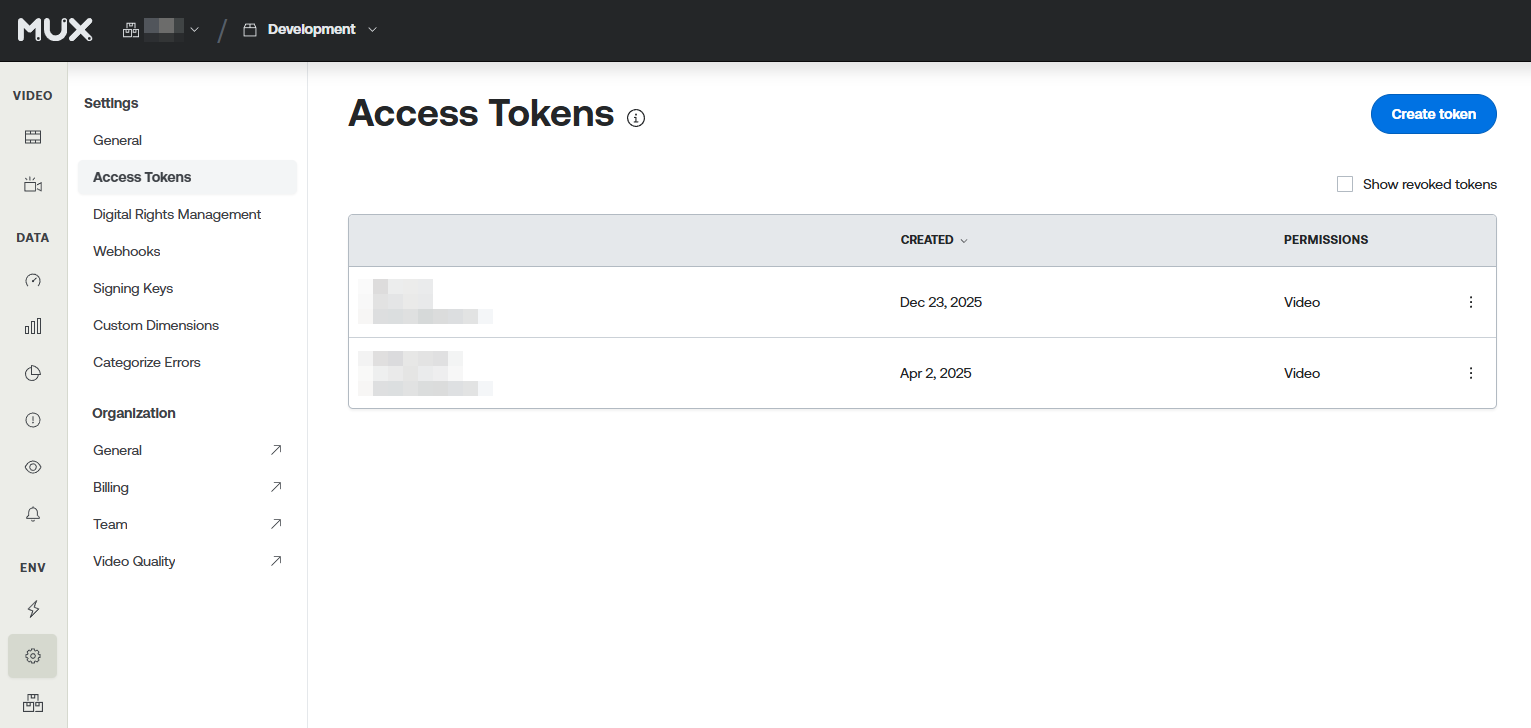
You can create a new token from the Create token button in the upper right-hand side.
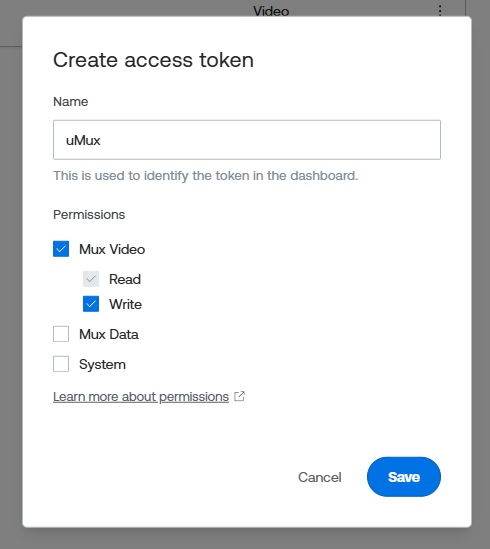
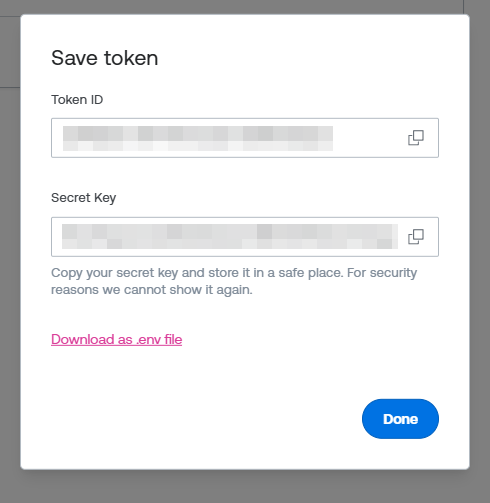
Name your token, and make sure to give it permission to read and write Mux Video.
Copy the Token ID and Secret to your settings.
3. Add the uMux property editor
uMux comes with a property editor that enables synchronization between Umbraco Media and Mux. The property editor also stores the reference to the media in Mux for easy playback.
Step-by-step: Add the uMux property editor
- Go to Settings > Data Types in the Umbraco backoffice.
- Create a new data type using the uMux property editor.
- In the data type settings, enter the alias of the Upload property (the property where the video file is uploaded) so uMux knows which file to sync.
- Add the new data type as a property to your media/content/member type (e.g., the default
umbracoMediaVideomedia type). - Save your changes.
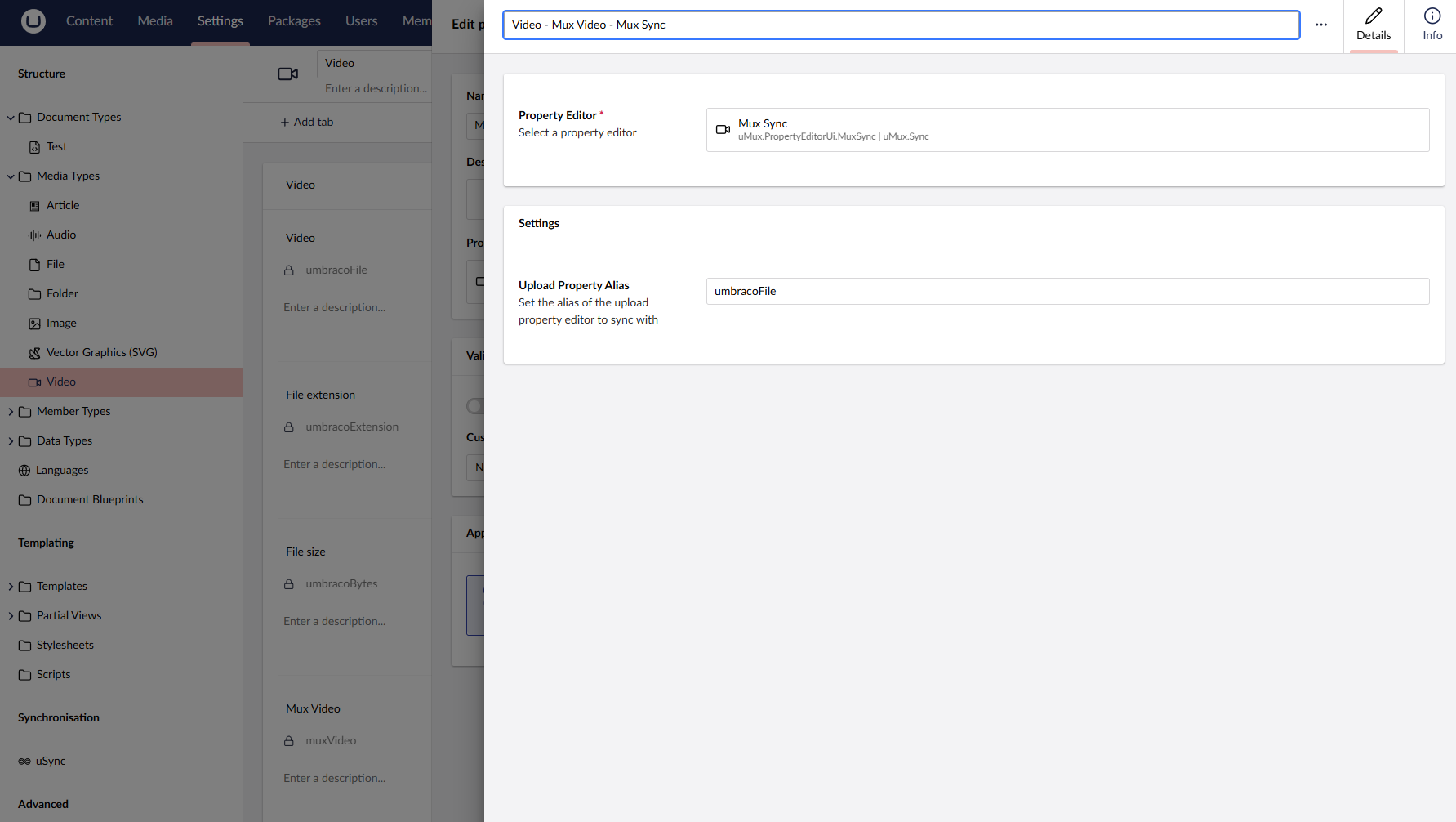
You can name the property and place it wherever you like. The only requirement is that it must be on the same content type as the Upload property.
For more details, see the Umbraco documentation on Data Types.
4. Upload a video
When the Mux Sync property editor is placed on a content type, any changes to the referenced Upload property will trigger a sync with Mux. On saving the video to Umbraco, uMux will automatically upload the video to Mux and save the video ID from Mux onto the media item.
For existing videos uploaded before adding the Mux Sync property editor, you can save the individual media items from Umbraco to trigger the automatic sync with Mux.
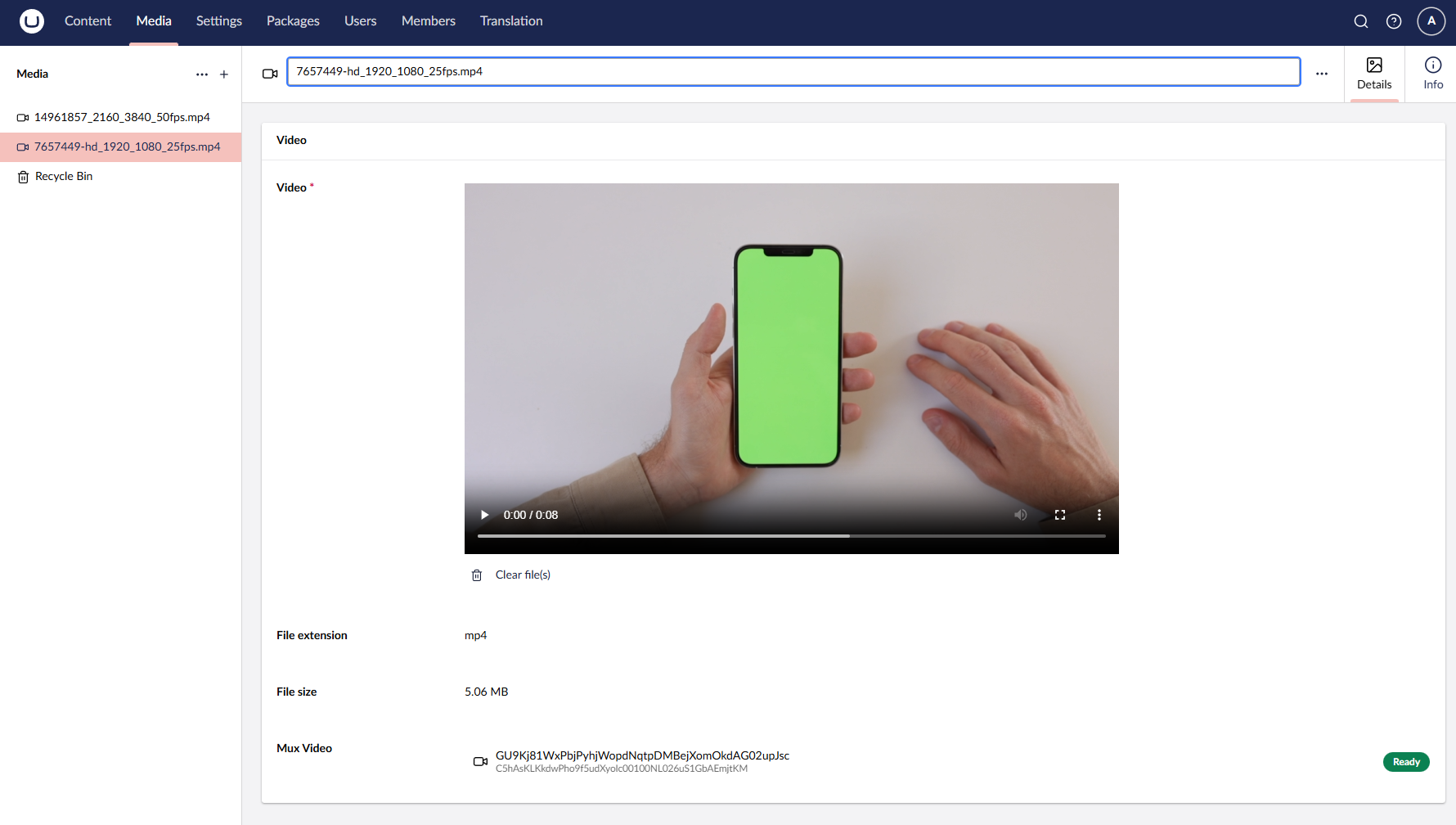
5. Embedding video
How you embed your video on your website is up to you. Mux gives you plenty of options. You can also still get the video from your local media file system as normal.
The value of your Mux Sync property contains a MuxValue object. This object contains the following information:
Src: the path to the local media file in Umbraco, e.g./media/2swkmr3a/7657449-hd_1920_1080_25fps.mp4MuxAssetId: the asset ID from Mux, used to reference the video in the Mux dashboardPlaybackId: the playback ID from Mux, used to embed the video on your website.
Examples
In the examples, @mediaVideo is the media item in Umbraco, and MuxVideo is the property containing the Mux information.
Animated gif
<img src="https://image.mux.com/@mediaVideo.MuxVideo.PlaybackId/animated.gif?width=320" />Thumbnail of the video
Set your desired size with the
width/heightattributes, and a timestamp for the thumbnail with thetimeattribute.<img src="https://image.mux.com/@mediaVideo.MuxVideo.PlaybackId/thumbnail.png?width=214&height=121&time=4" />Storyboard of thumbnails of the video
<img src="https://image.mux.com/@mediaVideo.MuxVideo.PlaybackId/storyboard.png" />Embed the video in an iframe
<iframe src="https://player.mux.com/@mediaVideo.MuxVideo.PlaybackId"
      style="width: 100%; border: none; aspect-ratio: 16/9;"
      allow="accelerometer; gyroscope; autoplay; encrypted-media; picture-in-picture;"
      allowfullscreen></iframe>
Embed the video using Mux's own player
<script src="https://cdn.jsdelivr.net/npm/@@mux/mux-player" defer></script>
<mux-player playback-id="@mediaVideo.MuxVideo.PlaybackId"></mux-player>
Embed in any player that supports HLS
You can embed the video in any video player that supports HLS. The URL for the video will be
https://stream.mux.com/@mediaVideo.MuxVideo.PlaybackId.m3u8
Troubleshooting
- Sync not working?
- Double-check your Mux credentials in appsettings or environment variables.
- Ensure the uMux property editor is on the same content type as the Upload property.
- Check Umbraco logs for errors.
- No Mux asset created for existing videos?
- Re-save the media item in Umbraco to trigger sync.
- Still having issues?
- See the Contributing Guidelines or open an issue.
Contributing
Contributions to this package are most welcome! Please read the Contributing Guidelines.
| Product | Versions Compatible and additional computed target framework versions. |
|---|---|
| .NET | net10.0 is compatible. net10.0-android was computed. net10.0-browser was computed. net10.0-ios was computed. net10.0-maccatalyst was computed. net10.0-macos was computed. net10.0-tvos was computed. net10.0-windows was computed. |
-
net10.0
- Mux.Csharp.Sdk (>= 2.1.0)
- Umbraco.Cms.Api.Common (>= 17.0.0)
- Umbraco.Cms.Api.Management (>= 17.0.0)
- Umbraco.Cms.Web.Common (>= 17.0.0)
- Umbraco.Cms.Web.Website (>= 17.0.0)
NuGet packages
This package is not used by any NuGet packages.
GitHub repositories
This package is not used by any popular GitHub repositories.
| Version | Downloads | Last Updated |
|---|---|---|
| 17.0.0 | 182 | 12/23/2025 |
| 17.0.0-rc1 | 175 | 12/23/2025 |