TheBuilder.SchemaCity
0.2.3
dotnet add package TheBuilder.SchemaCity --version 0.2.3
NuGet\Install-Package TheBuilder.SchemaCity -Version 0.2.3
<PackageReference Include="TheBuilder.SchemaCity" Version="0.2.3" />
<PackageVersion Include="TheBuilder.SchemaCity" Version="0.2.3" />
<PackageReference Include="TheBuilder.SchemaCity" />
paket add TheBuilder.SchemaCity --version 0.2.3
#r "nuget: TheBuilder.SchemaCity, 0.2.3"
#:package TheBuilder.SchemaCity@0.2.3
#addin nuget:?package=TheBuilder.SchemaCity&version=0.2.3
#tool nuget:?package=TheBuilder.SchemaCity&version=0.2.3
Schema City
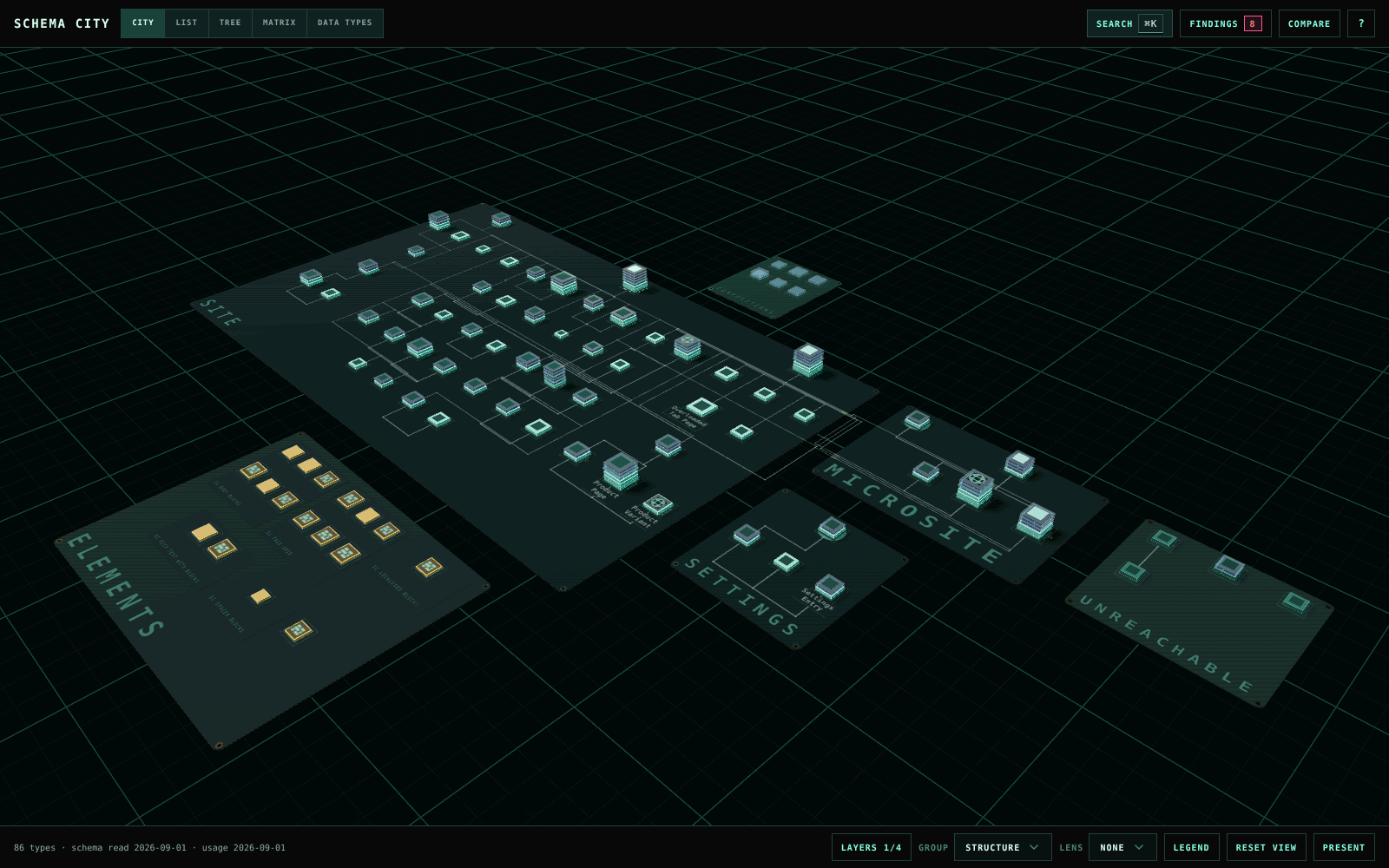
See your Umbraco content model as a city, right in the backoffice. Each Document Type is a building and each property group a floor. Traces between buildings show allowed children, compositions, block targets and picker references. Use it to understand a schema before you change it.
Try the demo in your browser. It needs no Umbraco install.
Schema City never changes your Document Types, Data Types or content. The only thing it writes is the decisions you record on findings.
Install
dotnet add package TheBuilder.SchemaCity
Restart the site and open Settings > Advanced > Schema City. Every Document Type editor also
gets a Relationships tab that opens the city focused on that type.
Set "SchemaCity": { "RelationshipsTab": false } in appsettings.json to leave that tab out.
| Requirement | Version |
|---|---|
| Umbraco | 17 or 18, tested on 17.6.2 and 18.1.1 |
| .NET | 10 |
| Backoffice user | Access to the Settings section |
What you can do with it
Find your way around a schema
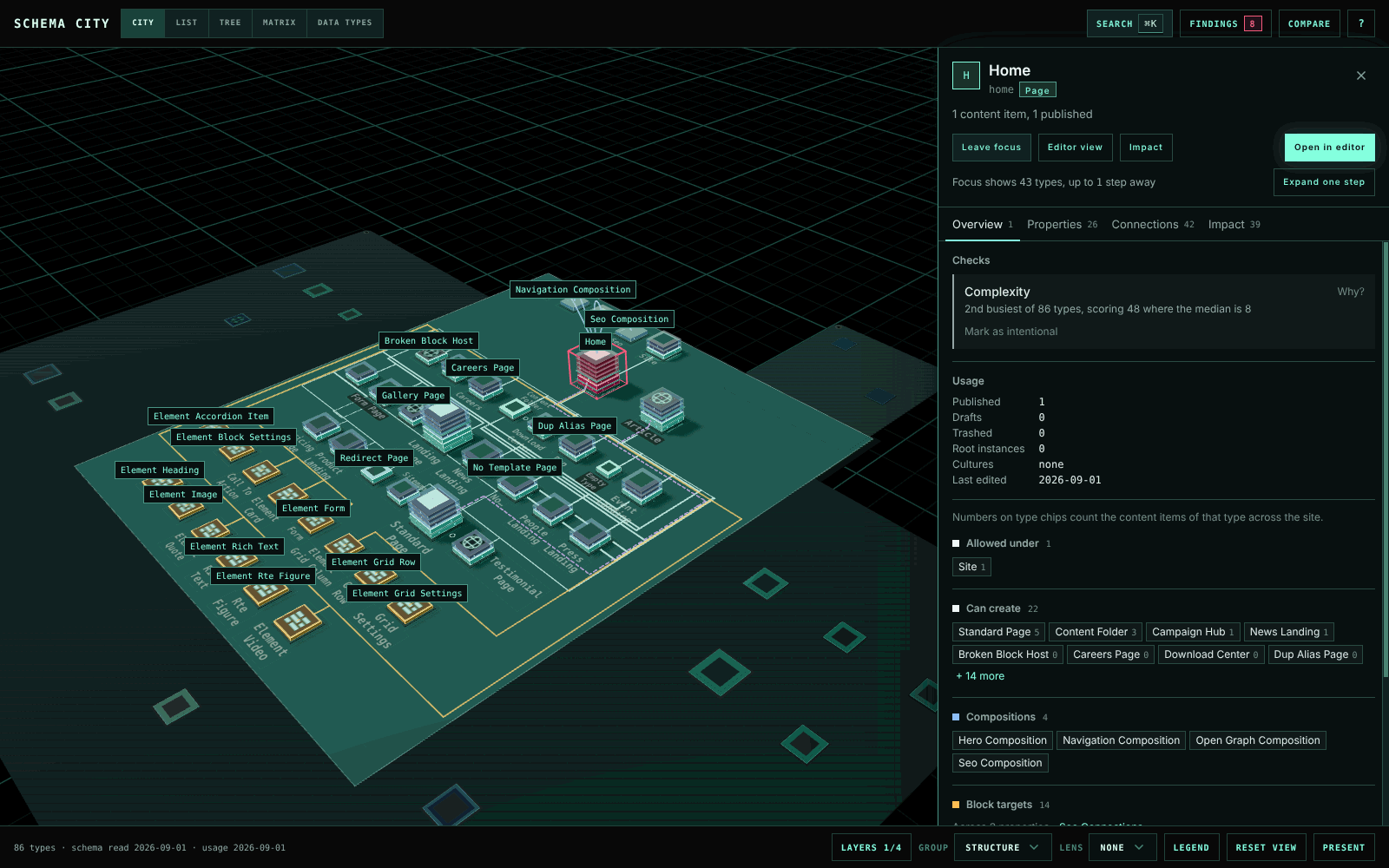
Search by name, alias or property alias with ⌘K / Ctrl+K. Hover a building to see what it
connects to. Click it to open the inspector with its properties, compositions, parents, children
and block targets. Double-click to focus on a type and its neighbours.
Catch problems before they ship
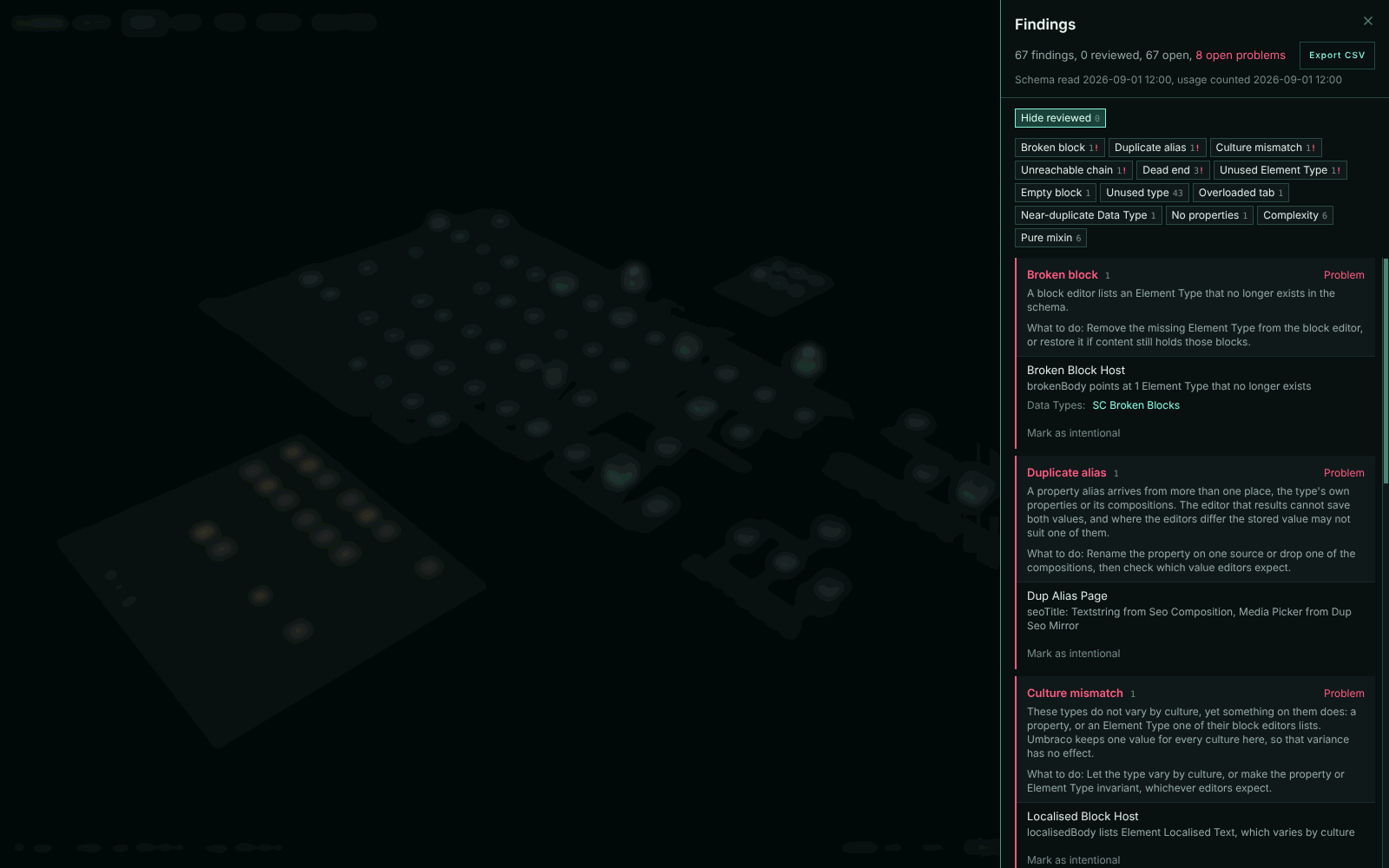
Findings checks the schema for blocks that point at deleted Element Types, duplicate aliases, unused types and Data Types, types no editor can reach, culture mismatches and overloaded tabs. Each row names the evidence and opens the type it is about. Mark a deliberate one as intentional with a reason, and it reopens by itself if the type changes later. Export the list as CSV for your issue tracker.
See what content uses
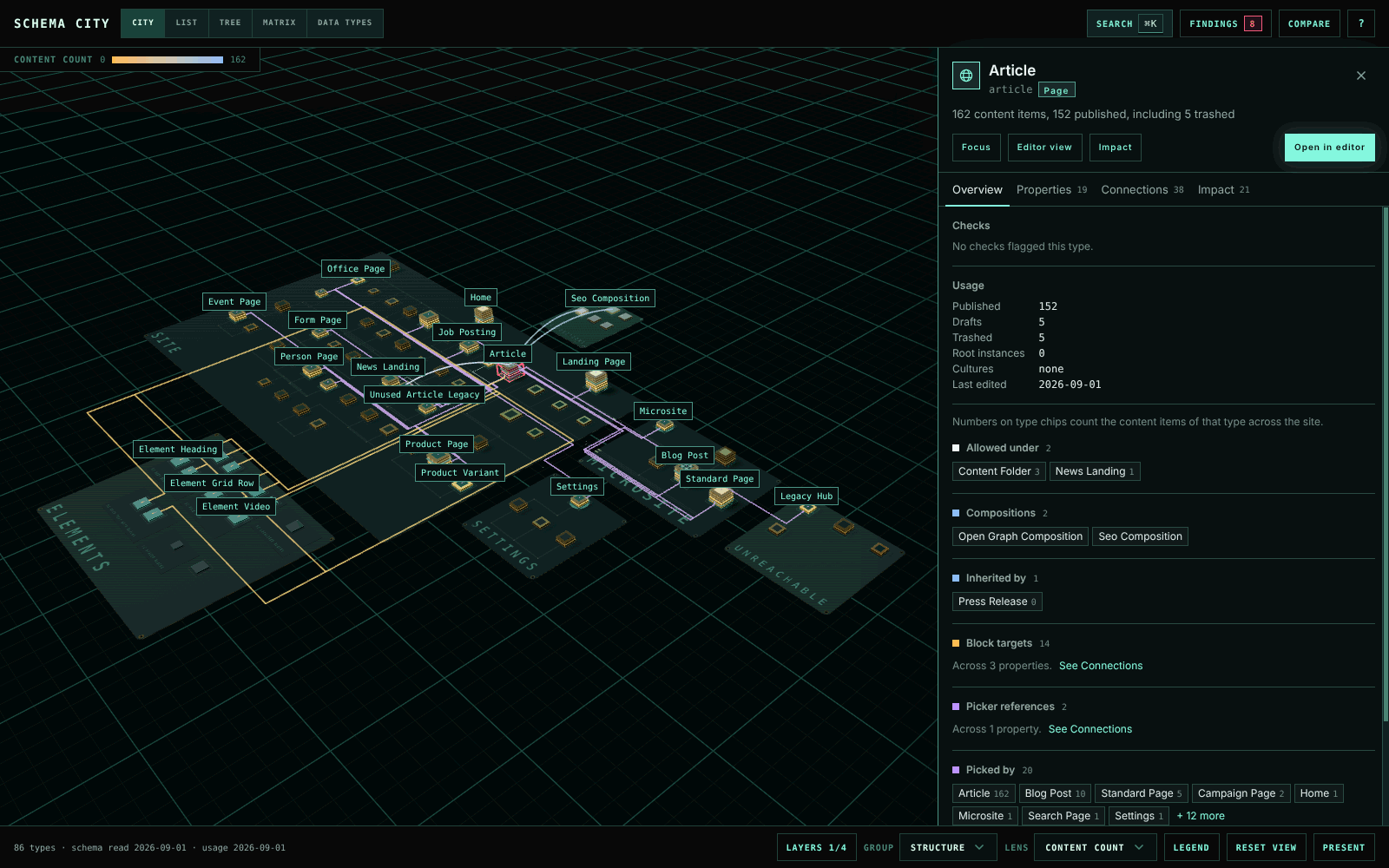
Colour the city by content count, published share, cultures, incoming references or unused types. Each Data Type has a page that shows which types use it and, for block editors, how many blocks of each Element Type content stores.
Know what a change will touch
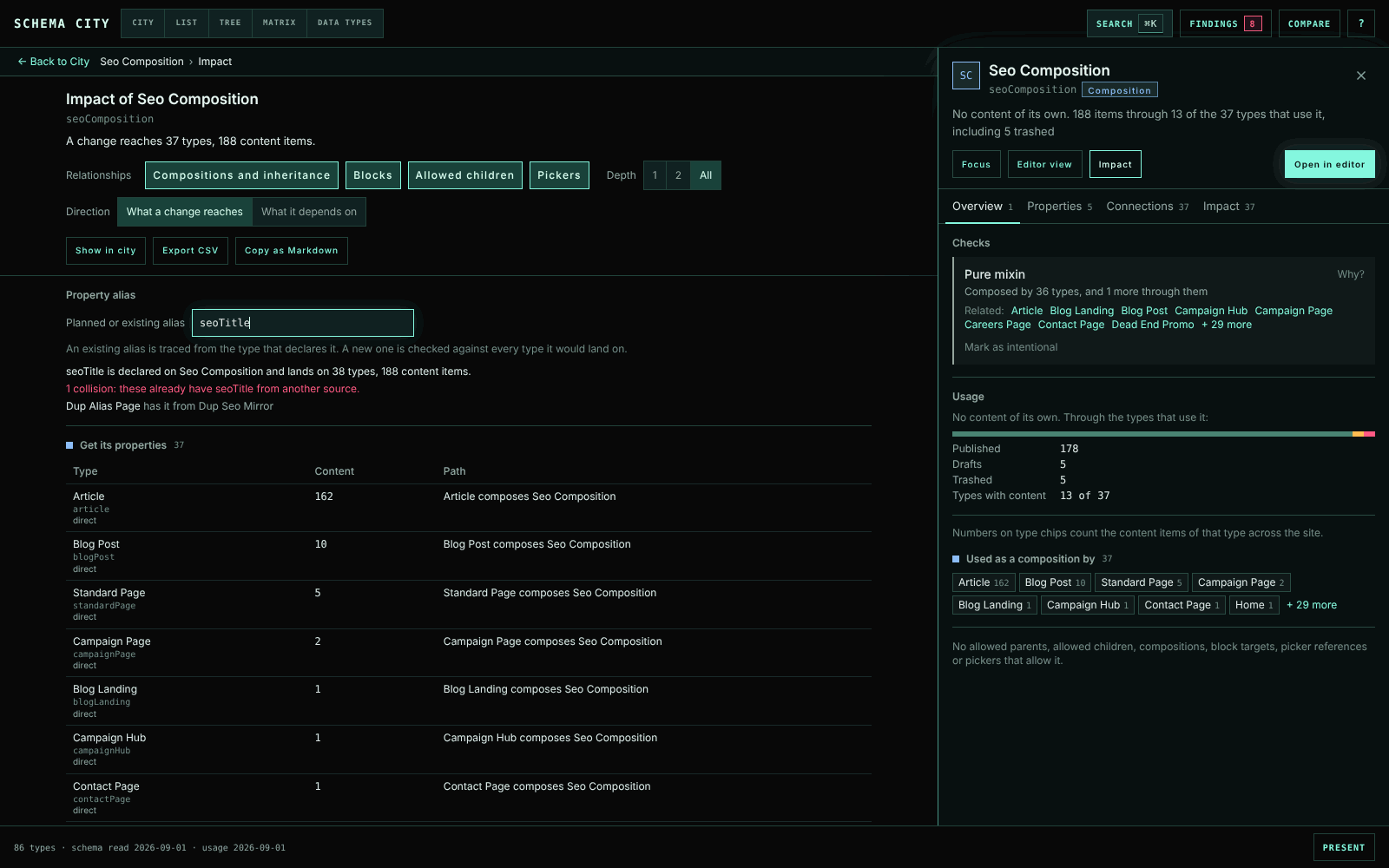
Impact lists every type a change reaches through compositions, blocks, allowed children and pickers, with the path to each one and its content count. Check a new property alias against every type it would land on to catch collisions early. Copy the result as Markdown for a ticket.
Compare environments
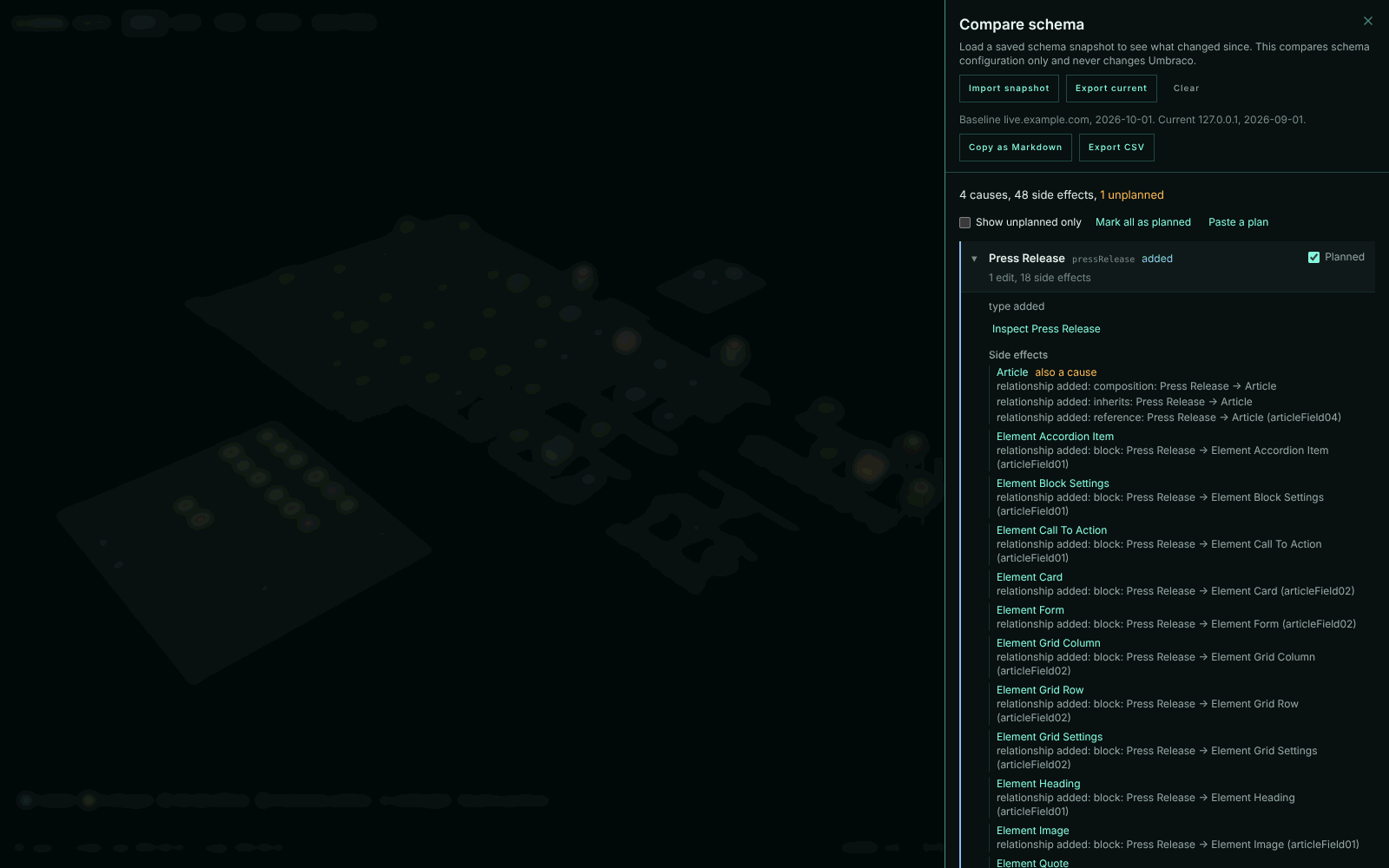
Export a snapshot of the schema, then compare against it later, or against a snapshot from another environment. Changes are grouped by cause, so adding one type reads as one change with the types it affected under it. Tick off what you planned and see what nobody asked for.
Read the schema without the 3D
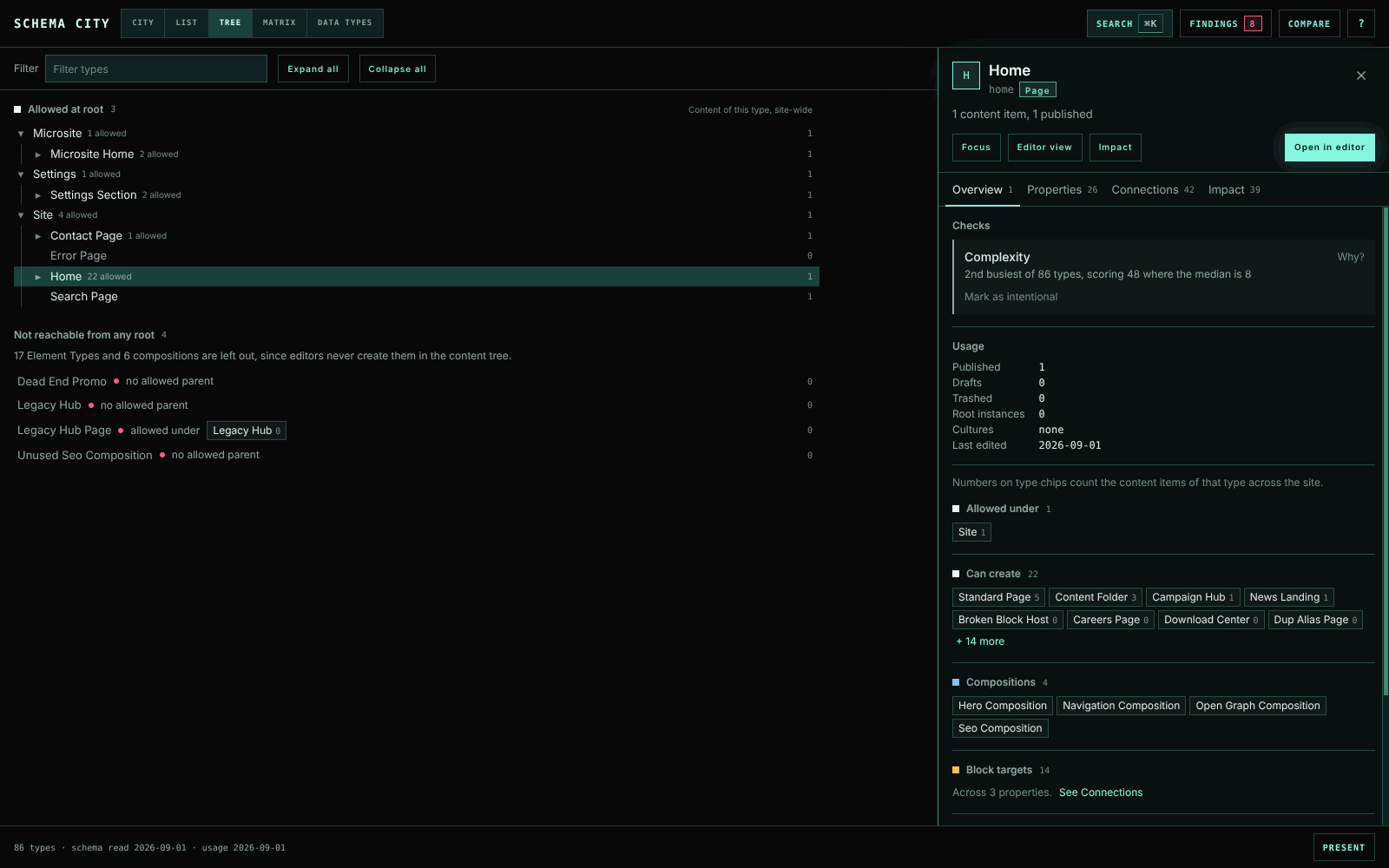
List, Tree, Matrix and Editor work without the city canvas and from the keyboard:
- List is every type in a sortable table.
- Tree shows what editors can create under each root, and which types they cannot reach.
- Matrix crosses types with compositions or with Data Types.
- Editor lays a type out in tabs and groups, the way editors see it.
Show it to a room
Press P for presentation mode. The city fills the screen with larger names, and a caption card replaces the inspector.
Good to know
- Treat a finding as a reason to look before you delete anything. Custom code, templates, migrations and external systems can depend on a type that no content uses.
- Usage counts are a snapshot, cached for one minute. Block counting stops after 50,000 values or five seconds, and the app says when it did.
- Decisions on findings are stored in Umbraco's
umbracoKeyValuetable, so the package needs no migration. Every user with Settings access sees the same decisions. - The screenshots come from the demo, which has 86 types with problems planted on purpose. They show the app without the backoffice around it.
Keyboard
| Action | Key |
|---|---|
| Search | ⌘K / Ctrl+K |
| Focus the selected type | Enter |
| Leave focus, then clear the selection | Escape |
| Reframe the city | Home |
| List, Tree, Matrix | L, T, M |
| Editor or Impact for the selected type | E, I |
| Presentation mode | P |
| All controls | ? |
More
- The docs cover every view, check and control in detail.
- The development guide covers building, the demo site, tests and packaging.
- Report a problem or suggest an improvement in GitHub issues.
MIT licence.
| Product | Versions Compatible and additional computed target framework versions. |
|---|---|
| .NET | net10.0 is compatible. net10.0-android was computed. net10.0-browser was computed. net10.0-ios was computed. net10.0-maccatalyst was computed. net10.0-macos was computed. net10.0-tvos was computed. net10.0-windows was computed. |
-
net10.0
- Umbraco.Cms.Api.Common (>= 17.0.0 && < 19.0.0)
- Umbraco.Cms.Api.Management (>= 17.0.0 && < 19.0.0)
- Umbraco.Cms.Web.Common (>= 17.0.0 && < 19.0.0)
- Umbraco.Cms.Web.Website (>= 17.0.0 && < 19.0.0)
NuGet packages
This package is not used by any NuGet packages.
GitHub repositories
This package is not used by any popular GitHub repositories.