Syncfusion.Maui.ProgressBar
33.1.44
Prefix Reserved
dotnet add package Syncfusion.Maui.ProgressBar --version 33.1.44
NuGet\Install-Package Syncfusion.Maui.ProgressBar -Version 33.1.44
<PackageReference Include="Syncfusion.Maui.ProgressBar" Version="33.1.44" />
<PackageVersion Include="Syncfusion.Maui.ProgressBar" Version="33.1.44" />
<PackageReference Include="Syncfusion.Maui.ProgressBar" />
paket add Syncfusion.Maui.ProgressBar --version 33.1.44
#r "nuget: Syncfusion.Maui.ProgressBar, 33.1.44"
#:package Syncfusion.Maui.ProgressBar@33.1.44
#addin nuget:?package=Syncfusion.Maui.ProgressBar&version=33.1.44
#tool nuget:?package=Syncfusion.Maui.ProgressBar&version=33.1.44
Syncfusion.Maui.ProgressBar Components
This package contains .NET MAUI Linear ProgressBar, .NET MAUI Circular ProgressBar and .NET MAUI Step ProgressBar components for .NET MAUI application.
System Requirements
Linear ProgressBar
The Syncfusion .NET MAUI Linear ProgressBar control shows the progress of a task with custom visuals. It displays the progress of a process in rectangular shapes, determinate and indeterminate states, segments, and smooth animation. You can also define ranges with different colors.

Features Overview | Docs | Online Demo | Support | Forums | Feedback
Getting Started
Circular ProgressBar
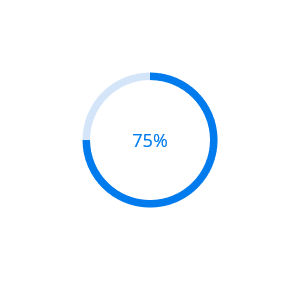
The Syncfusion .NET MAUI Circular ProgressBar control shows the progress of a task with customizable visuals. It displaying the progress of a process in circular shapes, determinate and indeterminate states, segments, smooth animation, and with customizable content. You can also define ranges with different colors.
Features Overview | Docs | Online Demo | Support | Forums | Feedback
Getting Started
Step ProgressBar
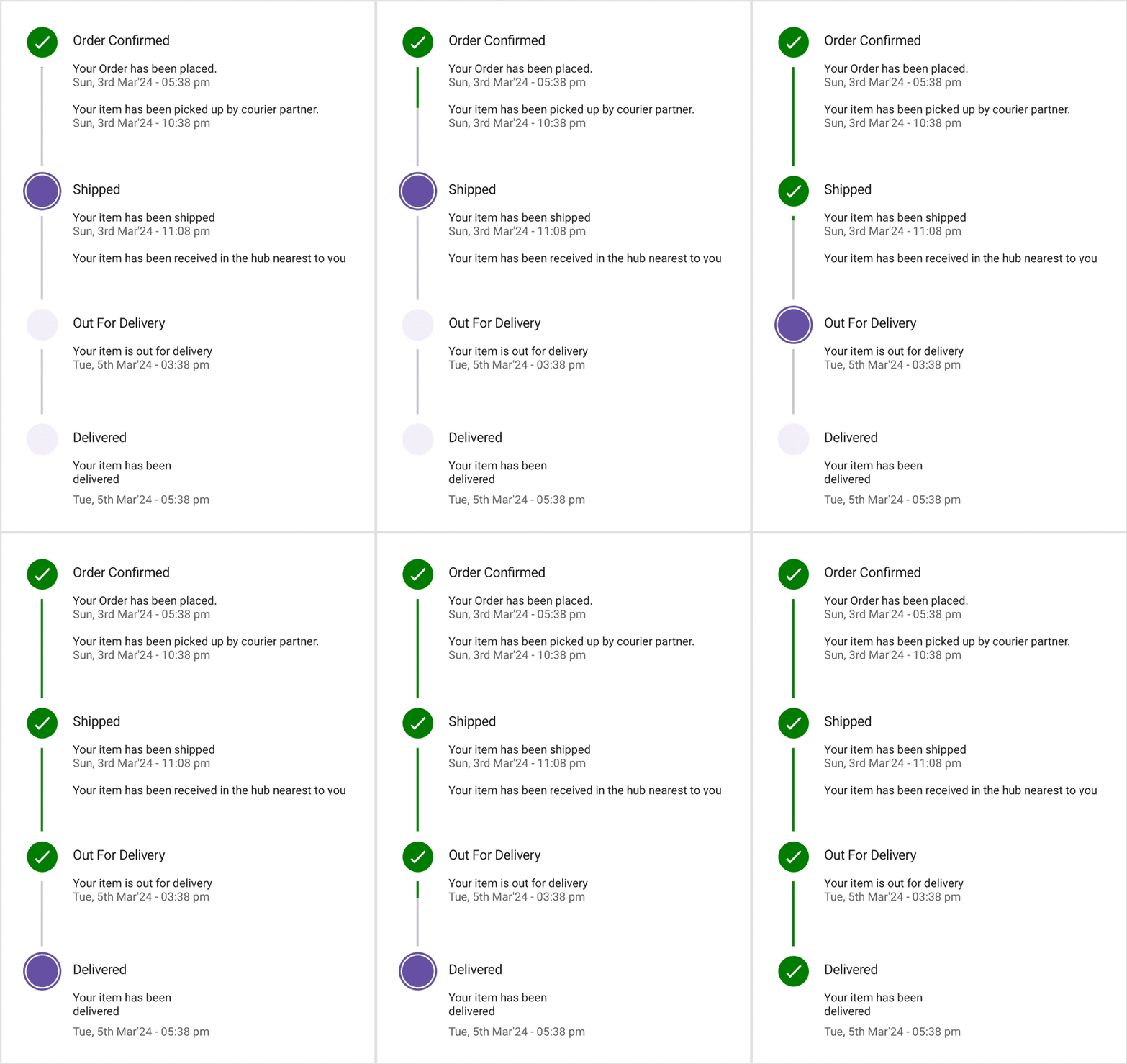
The Syncfusion .NET MAUI Step ProgressBar is a control that indicates the progress of a multiple-step (state) process. This control can be used to track the progress of an online purchase, new user registration, live location tracking of buses, trains, flights, and more.
Features Overview | Docs | Online Demo | Support | Forums | Feedback
Key Features
- Display the progress in either horizontal or vertical orientation.
- Provides three-state progress indication: Not Started, In Progress, and Completed.
- Customize the active step index and progress values.
- Add descriptions to each state on both sides.
- Customize step content using numbers, ticks, crosses, dots, or images.
- Customize the shape of each state or step, allowing for options such as circles or squares.
Getting Started
To initialize the Step ProgressBar control add the below code to your xaml file.
<?xml version="1.0" encoding="utf-8" ?>
<ContentPage xmlns="http://schemas.microsoft.com/dotnet/2021/maui"
             xmlns:x="http://schemas.microsoft.com/winfx/2009/xaml"
             xmlns:progressBar="clr-namespace:Syncfusion.Maui.ProgressBar;assembly=Syncfusion.Maui.ProgressBar"
             x:Class="StepProgressBarTesting.MainPage">
        <progressBar:SfStepProgressBar />
</ContentPage>
License
This is a commercial product and requires a paid license for possession or use. Syncfusion’s licensed software, including this component, is subject to the terms and conditions of Syncfusion's EULA. You can purchase a license here or start a free 30-day trial here.
About Syncfusion
Founded in 2001 and headquartered in Research Triangle Park, N.C., Syncfusion has more than 26,000+ customers and more than 1 million users, including large financial institutions, Fortune 500 companies, and global IT consultancies.
Today, we provide 1600+ components and frameworks for web (Blazor, ASP.NET Core, ASP.NET MVC, ASP.NET WebForms, JavaScript, Angular, React, Vue, and Flutter), mobile (.NET MAUI, Xamarin, Flutter, UWP, and JavaScript), and desktop development (WinForms, WPF, WinUI, Flutter and UWP). We provide ready-to-deploy enterprise software for dashboards, reports, data integration, and big data processing. Many customers have saved millions in licensing fees by deploying our software.
sales@syncfusion.com | www.syncfusion.com | Toll Free: 1-888-9 DOTNET
| Product | Versions Compatible and additional computed target framework versions. |
|---|---|
| .NET | net9.0 is compatible. net9.0-android was computed. net9.0-android35.0 is compatible. net9.0-browser was computed. net9.0-ios was computed. net9.0-ios18.0 is compatible. net9.0-maccatalyst was computed. net9.0-maccatalyst18.0 is compatible. net9.0-macos was computed. net9.0-tvos was computed. net9.0-windows was computed. net9.0-windows10.0.19041 is compatible. net10.0 is compatible. net10.0-android was computed. net10.0-android36.0 is compatible. net10.0-browser was computed. net10.0-ios was computed. net10.0-ios26.0 is compatible. net10.0-maccatalyst was computed. net10.0-maccatalyst26.0 is compatible. net10.0-macos was computed. net10.0-tvos was computed. net10.0-windows was computed. net10.0-windows10.0.19041 is compatible. |
-
net10.0
- Syncfusion.Maui.Core (>= 33.1.44)
-
net10.0-android36.0
- Syncfusion.Maui.Core (>= 33.1.44)
-
net10.0-ios26.0
- Syncfusion.Maui.Core (>= 33.1.44)
-
net10.0-maccatalyst26.0
- Syncfusion.Maui.Core (>= 33.1.44)
-
net10.0-windows10.0.19041
- Syncfusion.Maui.Core (>= 33.1.44)
-
net9.0
- Syncfusion.Maui.Core (>= 33.1.44)
-
net9.0-android34.0
- Syncfusion.Maui.Core (>= 33.1.44)
-
net9.0-ios16.1
- Syncfusion.Maui.Core (>= 33.1.44)
-
net9.0-maccatalyst16.1
- Syncfusion.Maui.Core (>= 33.1.44)
-
net9.0-windows10.0.19041
- Syncfusion.Maui.Core (>= 33.1.44)
NuGet packages (4)
Showing the top 4 NuGet packages that depend on Syncfusion.Maui.ProgressBar:
| Package | Downloads |
|---|---|
|
SharedMauiXamlStylesLibrary.Syncfusion
A collection of predefined Control styles for MAUI and Syncfusion. |
|
|
Cyber.FrameworkNet8
Phiên bản CyberPlus phát triển trên nền tảng .Net Maui |
|
|
Cyber.FrameworkNet8_FutaHaSon
Phiên bản FTHS khách hàng phát triển trên nền tảng .Net Maui |
|
|
Cyber.FrameworkNet8_FTHS_NB
Phiên bản FTHS nội bộ phát triển trên nền tảng .Net Maui |
GitHub repositories (3)
Showing the top 3 popular GitHub repositories that depend on Syncfusion.Maui.ProgressBar:
| Repository | Stars |
|---|---|
|
AvaloniaUI/AvaloniaMauiHybrid
Brings templated controls, pixel perfect rendering, animations, styling and composition to Maui
|
|
|
syncfusion/maui-demos
This repository contains the Syncfusion .NET MAUI control’s samples and the guide to use them
|
|
|
Strypper/mauisland
MAUIsland 🏝️ is the number 1 controls gallery for .NET MAUI
|
| Version | Downloads | Last Updated |
|---|---|---|
| 33.1.44 | 503 | 3/16/2026 |
| 32.2.9 | 455 | 3/9/2026 |
| 32.2.8 | 558 | 3/2/2026 |
| 32.2.7 | 2,022 | 2/23/2026 |
| 32.2.5 | 1,125 | 2/16/2026 |
| 32.2.4 | 1,070 | 2/10/2026 |
| 32.2.3 | 1,531 | 2/5/2026 |
| 32.1.25 | 2,657 | 1/26/2026 |
| 32.1.24 | 961 | 1/19/2026 |
| 32.1.23 | 1,077 | 1/13/2026 |
| 32.1.22 | 903 | 1/5/2026 |
| 32.1.21 | 4,363 | 12/29/2025 |
| 32.1.20 | 4,799 | 12/23/2025 |
| 32.1.19 | 2,780 | 12/16/2025 |
| 31.2.18 | 5,084 | 12/8/2025 |
| 31.2.16 | 2,887 | 12/1/2025 |
| 31.2.15 | 1,715 | 11/25/2025 |
| 31.2.12 | 4,814 | 11/18/2025 |
| 31.2.10 | 1,572 | 11/12/2025 |
| 31.2.5 | 2,545 | 11/3/2025 |