Syncfusion.Maui.MarkdownViewer
35.1.40
Prefix Reserved
dotnet add package Syncfusion.Maui.MarkdownViewer --version 35.1.40
NuGet\Install-Package Syncfusion.Maui.MarkdownViewer -Version 35.1.40
<PackageReference Include="Syncfusion.Maui.MarkdownViewer" Version="35.1.40" />
<PackageVersion Include="Syncfusion.Maui.MarkdownViewer" Version="35.1.40" />
<PackageReference Include="Syncfusion.Maui.MarkdownViewer" />
paket add Syncfusion.Maui.MarkdownViewer --version 35.1.40
#r "nuget: Syncfusion.Maui.MarkdownViewer, 35.1.40"
#:package Syncfusion.Maui.MarkdownViewer@35.1.40
#addin nuget:?package=Syncfusion.Maui.MarkdownViewer&version=35.1.40
#tool nuget:?package=Syncfusion.Maui.MarkdownViewer&version=35.1.40
Syncfusion .NET MAUI Markdown Viewer (SfMarkdownViewer)
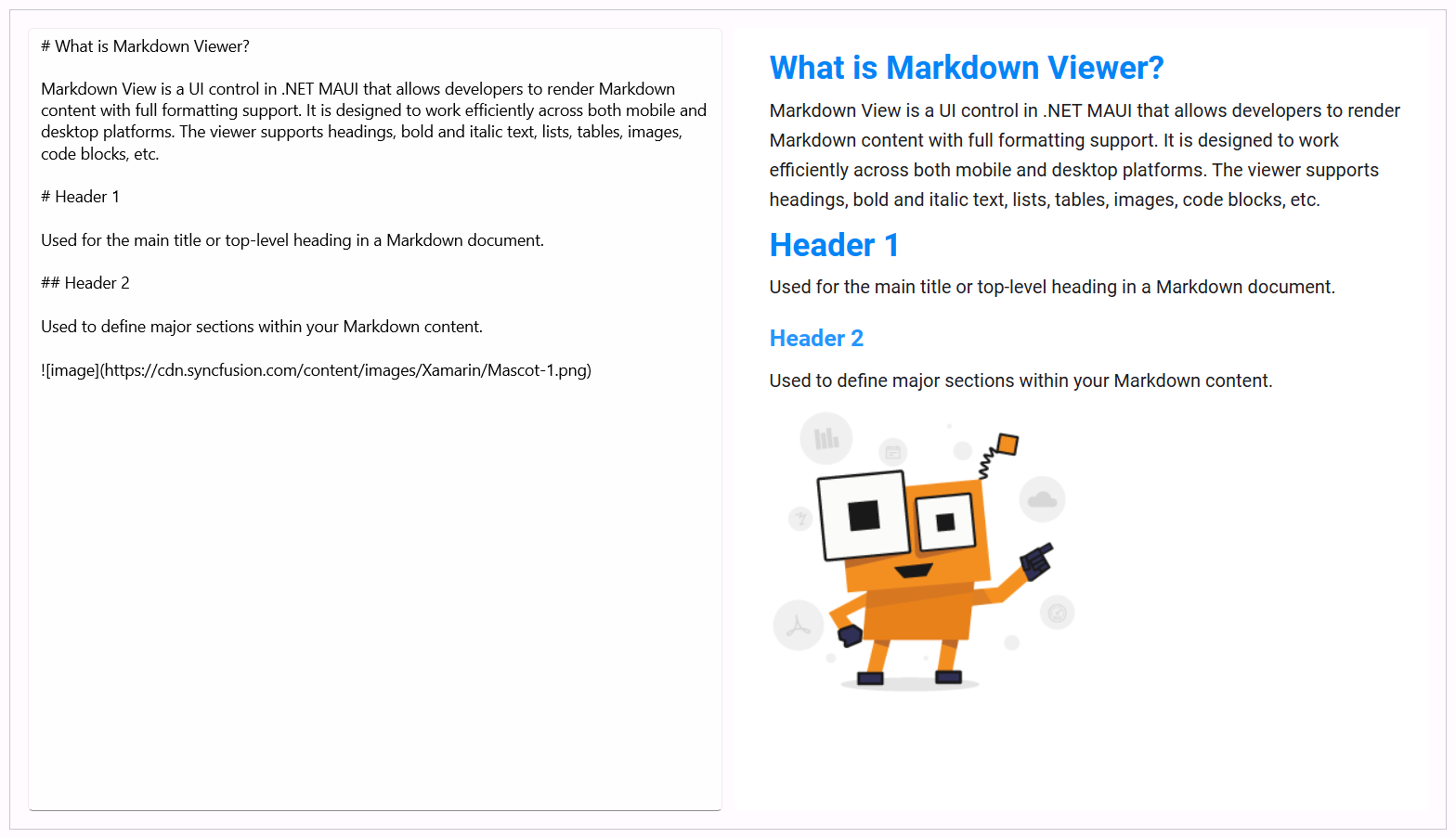
The Syncfusion .NET MAUI Markdown Viewer renders Markdown content with rich formatting, interactive hyperlinks, and Mermaid diagram support. Built on a lightweight engine, it displays Markdown documents beautifully on Android, iOS, macOS, and Windows from a single codebase—perfect for documentation viewers, AI chat responses, and in-app help.
Documentation · Getting Started · API Reference · Demos on GitHub · Product Page · Release Notes
Key features
Rendering
- Full Markdown syntax: headings, paragraphs, lists (including task lists and definition lists), tables, block quotes, code blocks, and images.
- Mermaid diagram visualization directly inside the Markdown content.
- The
Sourceproperty accepts raw Markdown text, a remote URL, or a local file path. - Raw inline HTML elements are supported alongside standard Markdown.
Styling
- Fine-grained control through
MarkdownStyleSettings: font sizes and colors for H1-H3, body text, and tables (header text, data text, and background). - Built-in light and dark theme support.
Interaction
- Interactive hyperlinks with a
HyperlinkClickedevent that exposes the URL and lets you cancel navigation. - Auto height:
EnableAutoHeightmeasures the rendered content and resizes the control automatically. - Streaming rendering:
IsStreamingEnabledrenders content incrementally (word by word) as the source grows-ideal for AI assistant responses-instead of reloading the whole document.
Supported platforms
| Platform | Target framework |
|---|---|
| Android | net9.0-android, net10.0-android |
| iOS | net9.0-ios, net10.0-ios |
| macOS (Mac Catalyst) | net9.0-maccatalyst, net10.0-maccatalyst |
| Windows | net9.0-windows10.0.19041, net10.0-windows10.0.19041 |
Minimum OS versions follow the .NET MAUI supported platforms.
Installation
.NET CLI
dotnet add package Syncfusion.Maui.MarkdownViewer
Package Manager Console
Install-Package Syncfusion.Maui.MarkdownViewer
Getting started
1. Register the Syncfusion core handler
In MauiProgram.cs, call ConfigureSyncfusionCore():
using Syncfusion.Maui.Core.Hosting;

public static class MauiProgram
{
    public static MauiApp CreateMauiApp()
    {
        var builder = MauiApp.CreateBuilder();
        builder
            .UseMauiApp<App>()
            .ConfigureSyncfusionCore();

        return builder.Build();
    }
}
2. Add SfMarkdownViewer to your page
<ContentPage xmlns="http://schemas.microsoft.com/dotnet/2021/maui"
             xmlns:x="http://schemas.microsoft.com/winfx/2009/xaml"
             xmlns:syncfusion="clr-namespace:Syncfusion.Maui.MarkdownViewer;assembly=Syncfusion.Maui.MarkdownViewer"
             x:Class="YourAppNamespace.MainPage">

    <syncfusion:SfMarkdownViewer Source="# Hello World"
                                EnableAutoHeight="True" />

</ContentPage>
Run the app. The Markdown content is parsed and rendered with rich formatting, interactive links, and diagram support.
3. Load Markdown from any source
The Source property accepts raw Markdown text, a remote URL, or a local file path:
SfMarkdownViewer markdownViewer = new SfMarkdownViewer();

markdownViewer.Source = "# Hello World";
// (or)
markdownViewer.Source = "https://example.com/readme.md";
// (or)
markdownViewer.Source = "file:///storage/emulated/0/docs/readme.md";
4. Render Mermaid diagrams
Use the familiar Mermaid fenced code block, and the viewer renders it as an interactive diagram:
```mermaid
flowchart LR
    A[Start] --> B{Valid?}
    B -- Yes --> C[Process]
    B -- No --> A
```
Common scenarios
Customize the appearance with MarkdownStyleSettings
Control fonts and colors for headings, body text, and tables. On top of that, apply any custom CSS through CssStyleRules, which overrides or complements the base styles:
XAML
<syncfusion:SfMarkdownViewer Source="# Hello World">
    <syncfusion:SfMarkdownViewer.Settings>
        <syncfusion:MarkdownStyleSettings
            H1FontSize="32px"
            H1Color="#2C3E50"
            H2FontSize="24px"
            H2Color="#34495E"
            H3FontSize="18px"
            H3Color="#7F8C8D"
            BodyTextColor="#2C3E50"
            BodyFontSize="14px"
            TableHeaderFontSize="18px"
            TableHeaderTextColor="#2C3E50"
            TableDataFontSize="18px"
            TableDataTextColor="#2C3E50"
            TableBackground="#F8F9FA"
            CssStyleRules="body { line-height: 1.6; margin: 16px; }" />
    </syncfusion:SfMarkdownViewer.Settings>
</syncfusion:SfMarkdownViewer>
C#
SfMarkdownViewer markdownViewer = new SfMarkdownViewer();
markdownViewer.Source = "# Hello World";

markdownViewer.Settings = new MarkdownStyleSettings()
{
    H1FontSize = "32px",
    H1Color = "#2C3E50",
    H2FontSize = "24px",
    H2Color = "#34495E",
    H3FontSize = "18px",
    H3Color = "#7F8C8D",
    BodyTextColor = "#2C3E50",
    BodyFontSize = "14px",
    TableHeaderFontSize = "18px",
    TableHeaderTextColor = "#2C3E50",
    TableDataFontSize = "18px",
    TableDataTextColor = "#2C3E50",
    TableBackground = "#F8F9FA",
    CssStyleRules = "body { line-height: 1.6; margin: 16px; }"
};
Enable streaming rendering for AI responses
When IsStreamingEnabled is true, the content is rendered incrementally (word by word) instead of reloading the full document on every Source update:
<syncfusion:SfMarkdownViewer x:Name="markdownViewer" IsStreamingEnabled="True" />
// Simulate a token stream from an AI service.
string[] tokens = { "## ", "Answer", "\n\n", "The ", "Markdown ", "Viewer ", "streams ", "this ", "text." };

foreach (string token in tokens)
{
    markdownViewer.Source += token;
    await Task.Delay(100);
}
Handle hyperlink clicks
The HyperlinkClicked event provides the URL and lets you cancel the built-in navigation:
markdownViewer.HyperlinkClicked += async (sender, e) =>
{
    if (e.Url.StartsWith("https"))
    {
        // Open the link in the system browser instead of the viewer.
        await Launcher.OpenAsync(e.Url);
        e.Cancel = true;
    }
};
Let the control size itself to its content
Set EnableAutoHeight to measure the rendered content and adjust the control height automatically:
<syncfusion:SfMarkdownViewer Source="{Binding MarkdownText}" EnableAutoHeight="True" />
Dependencies
Installing this package also installs the following packages:
Microsoft.Maui.ControlsSyncfusion.Maui.CoreSyncfusion.Markdown
Licensing
This is a commercial product and requires a paid license. You have three options:
- Free Community License: for individual developers and small businesses. Check eligibility
- 30-day free trial: Start a trial
- Commercial license: View pricing
Register your license key
Register the key in MauiProgram.cs before the app is built:
Syncfusion.Licensing.SyncfusionLicenseProvider.RegisterLicense("YOUR_LICENSE_KEY");
For details, see Licensing overview. Use of this package is subject to the Syncfusion EULA.
Support and feedback
- Support tickets: Syncfusion Support Portal
- Community forums: .NET MAUI Forums
- Feature requests and bug reports: Feedback Portal
- Samples: Syncfusion .NET MAUI demos on GitHub
About Syncfusion®
Syncfusion® provides an ecosystem of compatible developer control suites, embeddable BI platforms, and business software. Our 1,900+ components and frameworks for mobile, web, and desktop development get your products to market faster, and our Bold line delivers a diverse set of enterprise solutions, ranging from data analysis and visualization, to customer service software, to an electronic signature platform. With endless customization options, you can deliver an optimal user experience while saving development time and cost.
We are proud to serve a wide variety of customers, from individual developers to Fortune 500 companies. No matter your needs or your budget, we have the tools to help your team succeed.
Please contact us if you have any questions—we’d love to hear from you.
| Product | Versions Compatible and additional computed target framework versions. |
|---|---|
| .NET | net9.0 is compatible. net9.0-android was computed. net9.0-android35.0 is compatible. net9.0-browser was computed. net9.0-ios was computed. net9.0-ios18.0 is compatible. net9.0-maccatalyst was computed. net9.0-maccatalyst18.0 is compatible. net9.0-macos was computed. net9.0-tvos was computed. net9.0-windows was computed. net9.0-windows10.0.19041 is compatible. net10.0 is compatible. net10.0-android was computed. net10.0-android36.0 is compatible. net10.0-browser was computed. net10.0-ios was computed. net10.0-ios26.0 is compatible. net10.0-maccatalyst was computed. net10.0-maccatalyst26.0 is compatible. net10.0-macos was computed. net10.0-tvos was computed. net10.0-windows was computed. net10.0-windows10.0.19041 is compatible. |
-
net10.0
- Microsoft.Maui.Controls (>= 10.0.0)
- Syncfusion.Markdown (>= 35.1.40)
- Syncfusion.Maui.Core (>= 35.1.40)
-
net10.0-android36.0
- Microsoft.Maui.Controls (>= 10.0.0)
- Syncfusion.Markdown (>= 35.1.40)
- Syncfusion.Maui.Core (>= 35.1.40)
-
net10.0-ios26.0
- Microsoft.Maui.Controls (>= 10.0.0)
- Syncfusion.Markdown (>= 35.1.40)
- Syncfusion.Maui.Core (>= 35.1.40)
-
net10.0-maccatalyst26.0
- Microsoft.Maui.Controls (>= 10.0.0)
- Syncfusion.Markdown (>= 35.1.40)
- Syncfusion.Maui.Core (>= 35.1.40)
-
net10.0-windows10.0.19041
- Microsoft.Maui.Controls (>= 10.0.0)
- Syncfusion.Markdown (>= 35.1.40)
- Syncfusion.Maui.Core (>= 35.1.40)
-
net9.0
- Microsoft.Maui.Controls (>= 9.0.111)
- Syncfusion.Markdown (>= 35.1.40)
- Syncfusion.Maui.Core (>= 35.1.40)
-
net9.0-android35.0
- Microsoft.Maui.Controls (>= 9.0.111)
- Syncfusion.Markdown (>= 35.1.40)
- Syncfusion.Maui.Core (>= 35.1.40)
-
net9.0-ios18.0
- Microsoft.Maui.Controls (>= 9.0.111)
- Syncfusion.Markdown (>= 35.1.40)
- Syncfusion.Maui.Core (>= 35.1.40)
-
net9.0-maccatalyst18.0
- Microsoft.Maui.Controls (>= 9.0.111)
- Syncfusion.Markdown (>= 35.1.40)
- Syncfusion.Maui.Core (>= 35.1.40)
-
net9.0-windows10.0.19041
- Microsoft.Maui.Controls (>= 9.0.111)
- Syncfusion.Markdown (>= 35.1.40)
- Syncfusion.Maui.Core (>= 35.1.40)
NuGet packages (2)
Showing the top 2 NuGet packages that depend on Syncfusion.Maui.MarkdownViewer:
| Package | Downloads |
|---|---|
|
Syncfusion.Maui.AIAssistView
This package provides the functionality to utilize the features of Syncfusion® Maui AIAssistView control and more. |
|
|
Syncfusion.Maui.SmartDataGrid
This package provides the functionality to utilize the features of Syncfusion® Maui SmartDataGrid control and more. |
GitHub repositories (1)
Showing the top 1 popular GitHub repositories that depend on Syncfusion.Maui.MarkdownViewer:
| Repository | Stars |
|---|---|
|
syncfusion/maui-demos
This repository contains the Syncfusion .NET MAUI control’s samples and the guide to use them
|
| Version | Downloads | Last Updated |
|---|---|---|
| 35.1.40 | 212 | 10/13/2026 |
| 35.1.39 | 287 | 10/6/2026 |
| 35.1.37 | 349 | 9/29/2026 |
| 34.2.9 | 148 | 9/21/2026 |
| 34.2.8 | 123 | 9/14/2026 |
| 34.2.7 | 211 | 9/8/2026 |
| 34.2.6 | 197 | 8/31/2026 |
| 34.2.5 | 137 | 8/25/2026 |
| 34.2.4 | 168 | 8/17/2026 |
| 34.2.3 | 174 | 8/11/2026 |
| 34.2.2 | 153 | 8/5/2026 |
| 34.1.33 | 165 | 7/27/2026 |
| 34.1.32 | 141 | 7/21/2026 |
| 34.1.31 | 145 | 7/14/2026 |
| 34.1.30 | 146 | 7/9/2026 |
| 34.1.29 | 166 | 7/6/2026 |
| 33.2.15 | 184 | 6/23/2026 |
| 33.2.13 | 173 | 6/16/2026 |
| 33.2.12 | 795 | 6/9/2026 |
| 33.2.10 | 160 | 6/2/2026 |