SplatDev.Umbraco.Plugins.WhatsApp
3.5.3
dotnet add package SplatDev.Umbraco.Plugins.WhatsApp --version 3.5.3
NuGet\Install-Package SplatDev.Umbraco.Plugins.WhatsApp -Version 3.5.3
<PackageReference Include="SplatDev.Umbraco.Plugins.WhatsApp" Version="3.5.3" />
<PackageVersion Include="SplatDev.Umbraco.Plugins.WhatsApp" Version="3.5.3" />
<PackageReference Include="SplatDev.Umbraco.Plugins.WhatsApp" />
paket add SplatDev.Umbraco.Plugins.WhatsApp --version 3.5.3
#r "nuget: SplatDev.Umbraco.Plugins.WhatsApp, 3.5.3"
#:package SplatDev.Umbraco.Plugins.WhatsApp@3.5.3
#addin nuget:?package=SplatDev.Umbraco.Plugins.WhatsApp&version=3.5.3
#tool nuget:?package=SplatDev.Umbraco.Plugins.WhatsApp&version=3.5.3
SplatDev.Umbraco.Plugins.WhatsApp
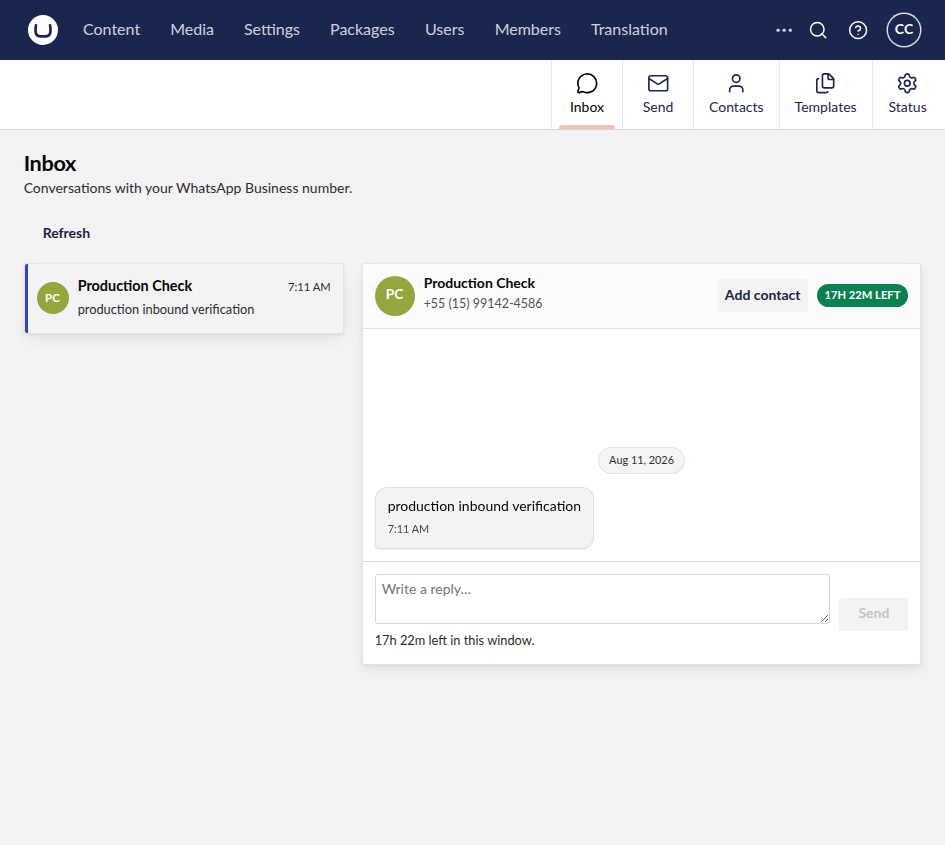
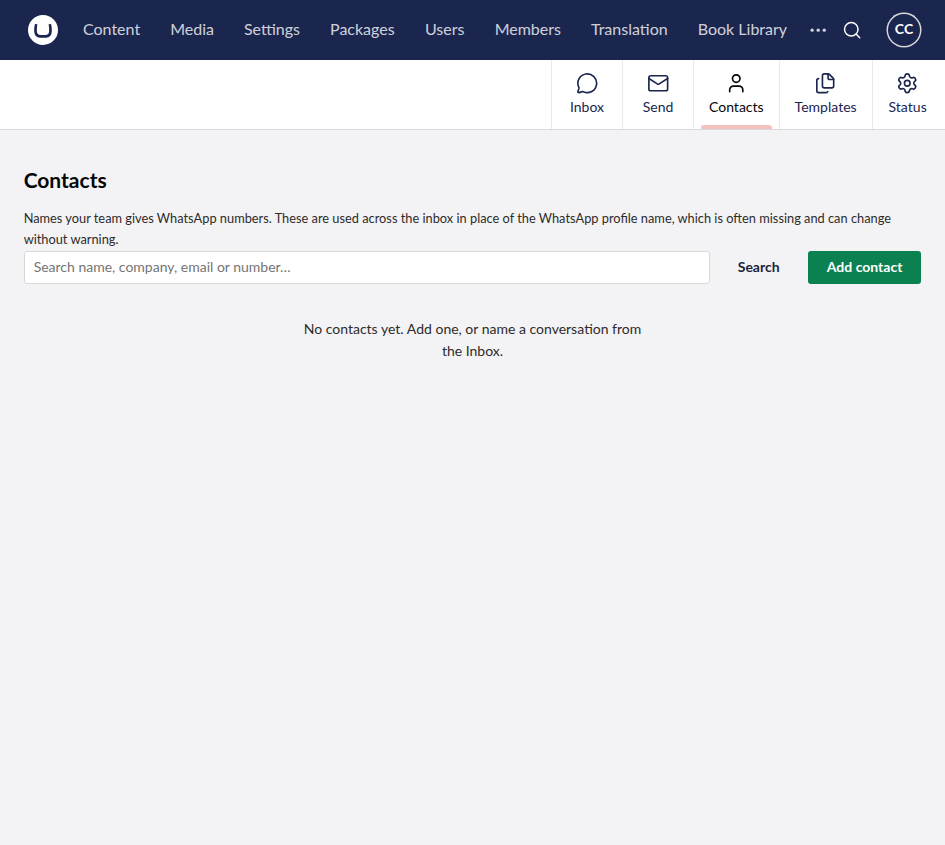
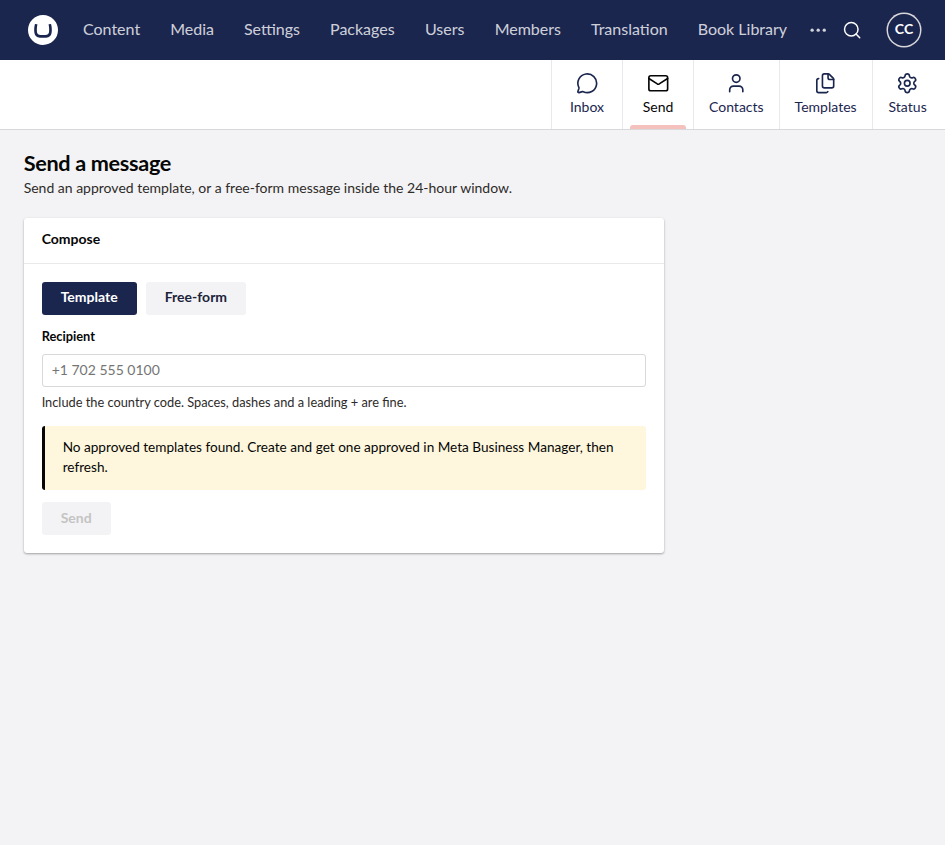
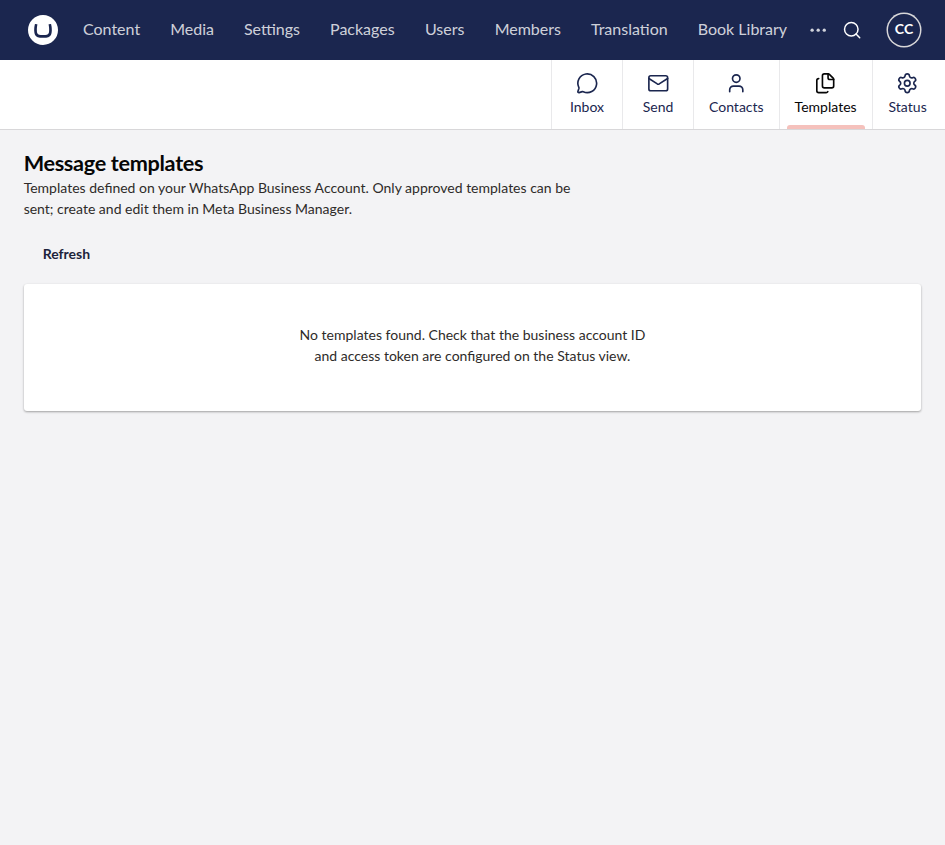
WhatsApp Business Cloud API integration for Umbraco — a backoffice inbox, template and free-form sending, and an inbound webhook receiver.

v3.0.0 is a rewrite. Versions 2.x shipped a
wa.medeep-link button, not an API integration. There is no upgrade path for the oldWhatsApp:*configuration keys — see Configuration.
Compatibility
| Umbraco | .NET | Backend API + webhook | Backoffice dashboard |
|---|---|---|---|
| 13.x | 8.0 | ✅ | ❌ (Lit 3 requires the v14+ backoffice) |
| 17.x | 10.0 | ✅ | ✅ |
On Umbraco 13 the plugin still sends messages and receives webhooks; only the UI is Umbraco 17-only.
Installation
dotnet add package SplatDev.Umbraco.Plugins.WhatsApp
The composer registers itself — no Program.cs change is required. On startup, the plugin
adds SplatDev.WhatsApp.Section to the built-in Administrators group if it is missing.
Existing permissions on Administrators and all other groups are preserved. The plugin never
removes a section permission during uninstall; custom groups must be granted access manually
by an administrator.
On Umbraco 13 the backend API and webhook are available, but the Lit dashboard is not supported. The permission backfill still runs on both Umbraco 13 and 17.
Configuration
Bound from the SplatDev:WhatsApp section.
{
  "SplatDev": {
    "WhatsApp": {
      "PhoneNumberId": "1311077628745755",
      "BusinessAccountId": "1777491496760147",
      "AccessToken": "",
      "WebhookVerifyToken": "",
      "AppSecret": "",
      "GraphApiVersion": "v21.0",
      "CustomerServiceWindowHours": 24
    }
  }
}
Never commit
AccessTokenorAppSecret. Use user-secrets locally and environment variables or Key Vault on the server:dotnet user-secrets set "SplatDev:WhatsApp:AccessToken" "EAAG..." # or, as environment variables: export SplatDev__WhatsApp__AccessToken=EAAG... export SplatDev__WhatsApp__AppSecret=...
| Setting | Required | Notes |
|---|---|---|
PhoneNumberId |
yes | The ID, not the display number. Find it in Meta → WhatsApp → API Setup. |
BusinessAccountId |
for templates | WABA ID. Without it the Templates view is empty. |
AccessToken |
yes | Use a System User token. The 24-hour tokens from the Meta dashboard break the integration daily. |
WebhookVerifyToken |
for inbound | Any non-empty string; enter the same value in Meta. Without it, verification fails and no inbound messages arrive. |
AppSecret |
production | Validates X-Hub-Signature-256. Without it the endpoint accepts unverified deliveries and logs a warning. |
CustomerServiceWindowHours |
no | Defaults to 24. Lower it only to give operators a safety margin. |
Storage
Conversations live in a SQLite sidecar at umbraco/Data/whatsapp.db, created at startup.
The Umbraco database is never touched. Override with
ConnectionStrings:WhatsAppDb.
Webhook setup
The plugin exposes:
GET  /umbraco/whatsapp/webhook   # Meta's verification handshake
POST /umbraco/whatsapp/webhook   # messages + delivery statuses
In the Meta app → WhatsApp → Configuration → Webhook, set the callback URL to
https://your-site/umbraco/whatsapp/webhook, the verify token to your
WebhookVerifyToken, and subscribe to the messages field.
Running alongside an existing integration
A phone number belongs to the WABA, not to an app, and a WABA accepts multiple
subscribed apps (POST /{waba-id}/subscribed_apps). Each app receives the same events at
its own callback URL, and Meta resolves overrides per app
(phone-number override → WABA override → app default).
So if another system already consumes a number's webhooks, do not repoint the app-level callback — you would silently cut that system off. There are two safe routes:
Per-number override (simplest). Overrides are resolved per phone number, so point only the number Umbraco owns at this plugin and leave the others alone:
curl -X POST "https://graph.facebook.com/v21.0/{PHONE_NUMBER_ID}/settings" \
  -H "Authorization: Bearer $TOKEN" -H "Content-Type: application/json" \
  -d '{"webhooks":{"override_callback_uri":"https://your-site/umbraco/whatsapp/webhook",
       "verify_token":"YOUR_VERIFY_TOKEN"}}'
A second Meta app subscribed to the same WABA, with its own callback URL. Use this when the two integrations need separate tokens or permissions.
The 24-hour customer-service window
WhatsApp only allows free-form messages within 24 hours of the user's last inbound message. Outside that window, only an approved template will deliver.
The plugin models this directly: LastInboundUtc is set by inbound messages only —
sending does not extend the window — and the inbox disables the reply box once it
closes, pointing the operator at a template instead of letting them type a reply that
would bounce with error 131047.
Backoffice
Adds a WhatsApp section with four views:
- Inbox — threads, transcript, live window countdown, reply box
- Send — approved template with variable filling and live preview, or free-form
- Templates — every template on the WABA with status and variable count
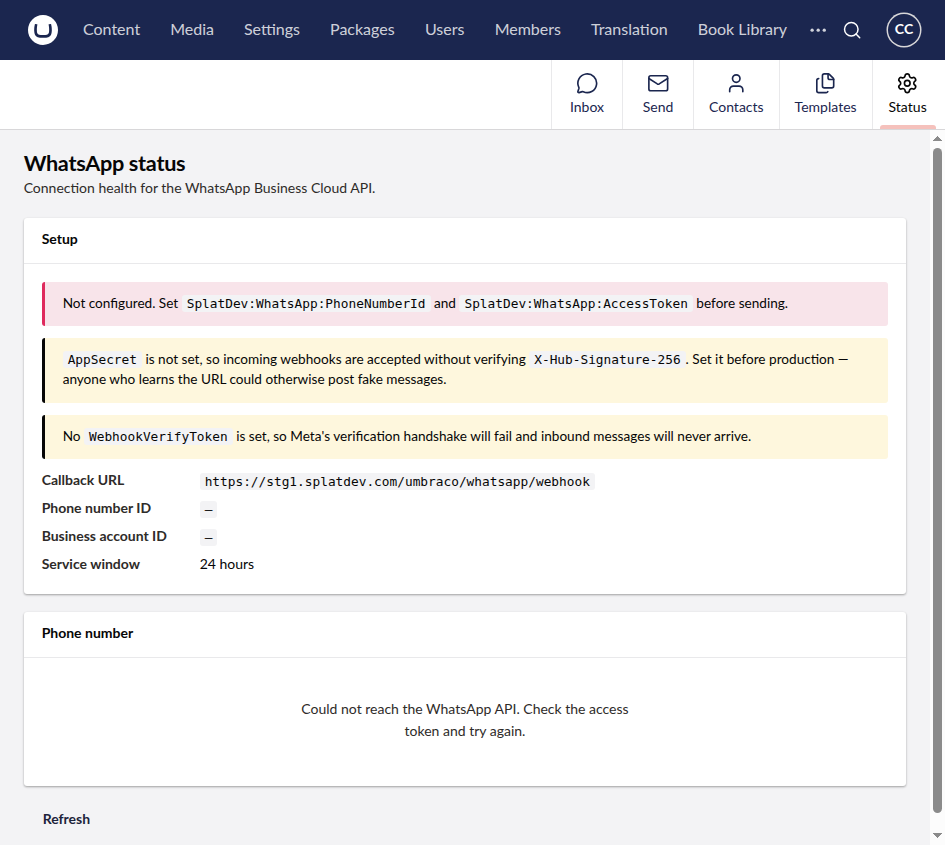
- Status — phone health, quality rating, and setup warnings for anything unconfigured
API
All endpoints require a backoffice user (AuthorizationPolicies.BackOfficeAccess);
anonymous callers get 401.
| Method | Route |
|---|---|
GET |
/umbraco/whatsapp/api/v1/status |
GET |
/umbraco/whatsapp/api/v1/conversations |
GET |
/umbraco/whatsapp/api/v1/conversations/{id}/messages |
POST |
/umbraco/whatsapp/api/v1/conversations/{id}/read |
GET |
/umbraco/whatsapp/api/v1/templates |
POST |
/umbraco/whatsapp/api/v1/send/text |
POST |
/umbraco/whatsapp/api/v1/send/template |
Building the client
cd client
npm install --include=dev
npx vite build      # emits ../App_Plugins/WhatsApp/dist
Testing
dotnet test SplatDev.Umbraco.Plugins.WhatsApp.Tests

# live, read-only checks against the Graph API (excluded from CI)
export SplatDev__WhatsApp__AccessToken=...
export SplatDev__WhatsApp__PhoneNumberId=...
export SplatDev__WhatsApp__BusinessAccountId=...
dotnet test --filter "Category=Integration"
Troubleshooting
| Symptom | Cause |
|---|---|
| Inbox stays empty | Webhook not registered, or the messages field isn't subscribed. |
| Verification handshake fails | WebhookVerifyToken is empty or doesn't match Meta. |
Send fails with code 131047 |
The 24-hour window has closed — send a template. |
Send fails with code 132000 |
Template variable count doesn't match the body. |
| Templates view is empty | BusinessAccountId not set, or the token lacks whatsapp_business_management. |
| Webhooks return 401 | AppSecret doesn't match the Meta app secret. |
Changelog
3.5.3 — 2026-08-26
Fixes a duplicate registration on sites that still have a physical App_Plugins folder for this plugin, left behind by an older release that copied content into the site. Umbraco registered those extensions twice - once from its own scan of the folder, once from this package's embedded manifest - and logged "Extension with alias ... is already registered". The embedded manifest now yields to the physical copy.
3.5.2 — 2026-08-26
The five screenshots on the NuGet listing now describe themselves — inbox, contacts, send, templates and status — rather than all five reading "screenshot".
3.5.1 — 2026-08-24
Package metadata only: the listing now carries an icon and search tags, and the project and repository links point at the organisation that actually hosts this code. No code changes.
3.5.0 — 2026-08-23
The Umbraco Marketplace listing now shows every screenshot for this plugin, not just the dashboard. The listing keeps its own screenshot list rather than reading the README.
License
MIT © SplatDev
| Product | Versions Compatible and additional computed target framework versions. |
|---|---|
| .NET | net8.0 is compatible. net8.0-android was computed. net8.0-browser was computed. net8.0-ios was computed. net8.0-maccatalyst was computed. net8.0-macos was computed. net8.0-tvos was computed. net8.0-windows was computed. net9.0 was computed. net9.0-android was computed. net9.0-browser was computed. net9.0-ios was computed. net9.0-maccatalyst was computed. net9.0-macos was computed. net9.0-tvos was computed. net9.0-windows was computed. net10.0 is compatible. net10.0-android was computed. net10.0-browser was computed. net10.0-ios was computed. net10.0-maccatalyst was computed. net10.0-macos was computed. net10.0-tvos was computed. net10.0-windows was computed. |
-
net10.0
- Microsoft.EntityFrameworkCore.Sqlite (>= 10.0.10)
- Microsoft.Extensions.FileProviders.Embedded (>= 10.0.6)
- Umbraco.Cms.Api.Management (>= 17.3.4)
- Umbraco.Cms.Core (>= 17.3.4)
- Umbraco.Cms.Infrastructure (>= 17.3.4)
- Umbraco.Cms.Web.Common (>= 17.3.4)
-
net8.0
- Microsoft.EntityFrameworkCore.Sqlite (>= 8.0.20)
- Umbraco.Cms.Core (>= 13.12.0)
- Umbraco.Cms.Infrastructure (>= 13.12.0)
- Umbraco.Cms.Web.BackOffice (>= 13.12.0)
- Umbraco.Cms.Web.Common (>= 13.12.0)
NuGet packages
This package is not used by any NuGet packages.
GitHub repositories
This package is not used by any popular GitHub repositories.
| Version | Downloads | Last Updated |
|---|---|---|
| 3.5.3 | 111 | 8/27/2026 |