SplatDev.Umbraco.Plugins.DefaultValue
2.2.2
There is a newer version of this package available.
See the version list below for details.
See the version list below for details.
The owner has unlisted this package.
This could mean that the package is deprecated, has security vulnerabilities or shouldn't be used anymore.
dotnet add package SplatDev.Umbraco.Plugins.DefaultValue --version 2.2.2
NuGet\Install-Package SplatDev.Umbraco.Plugins.DefaultValue -Version 2.2.2
This command is intended to be used within the Package Manager Console in Visual Studio, as it uses the NuGet module's version of Install-Package.
<PackageReference Include="SplatDev.Umbraco.Plugins.DefaultValue" Version="2.2.2" />
For projects that support PackageReference, copy this XML node into the project file to reference the package.
<PackageVersion Include="SplatDev.Umbraco.Plugins.DefaultValue" Version="2.2.2" />
<PackageReference Include="SplatDev.Umbraco.Plugins.DefaultValue" />
For projects that support Central Package Management (CPM), copy this XML node into the solution Directory.Packages.props file to version the package.
paket add SplatDev.Umbraco.Plugins.DefaultValue --version 2.2.2
The NuGet Team does not provide support for this client. Please contact its maintainers for support.
#r "nuget: SplatDev.Umbraco.Plugins.DefaultValue, 2.2.2"
#r directive can be used in F# Interactive and Polyglot Notebooks. Copy this into the interactive tool or source code of the script to reference the package.
#:package SplatDev.Umbraco.Plugins.DefaultValue@2.2.2
#:package directive can be used in C# file-based apps starting in .NET 10 preview 4. Copy this into a .cs file before any lines of code to reference the package.
#addin nuget:?package=SplatDev.Umbraco.Plugins.DefaultValue&version=2.2.2
#tool nuget:?package=SplatDev.Umbraco.Plugins.DefaultValue&version=2.2.2
The NuGet Team does not provide support for this client. Please contact its maintainers for support.
UmbracoCms.Plugins.DefaultValue
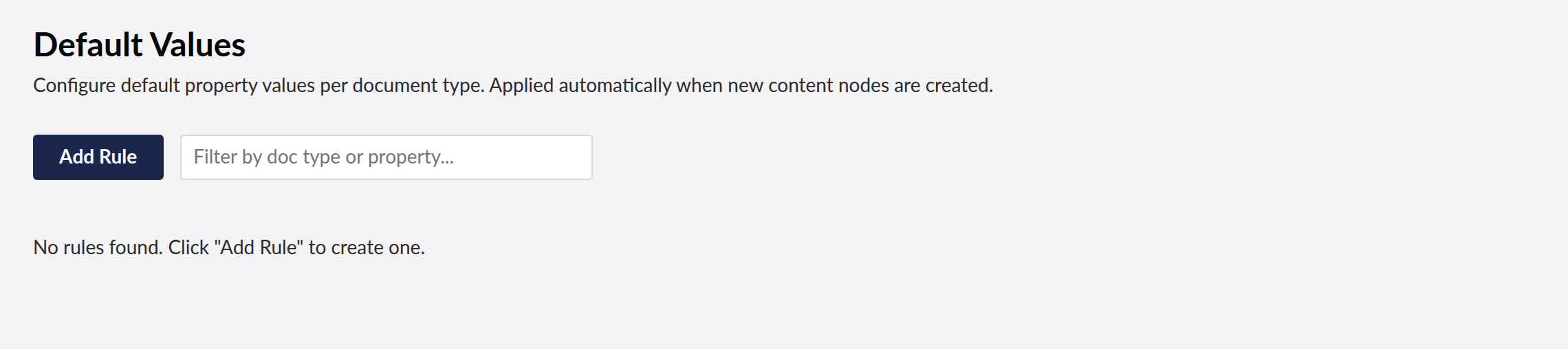
Set default values for Umbraco content properties by document type and property alias. When a new content node is created, automatically populate specified properties with configured defaults.
Supports
- Umbraco 13 (net8.0)
- Umbraco 17 (net10.0)
Features
- Configure default value rules per document type and property alias
- Priority ordering for rule application
- Enable/disable individual rules
- EF Core persistence using the
defaultvalueschema - Filter and manage rules from the Umbraco Settings dashboard
- Lit 3 dashboard for Umbraco 17, AngularJS dashboard for Umbraco 13
DefaultValueViewComponentfor rendering rules in Razor views
Installation
Add the NuGet package to your Umbraco project. The DefaultValueComposer registers the DefaultValueDbContext and IDefaultValueService automatically.
Run EF Core migrations:
dotnet ef migrations add InitialDefaultValue --context DefaultValueDbContext
dotnet ef database update --context DefaultValueDbContext
Usage in Code
Inject IDefaultValueService and call ApplyDefaultsAsync when creating new content:
var properties = new Dictionary<string, object?>();
await _defaultValueService.ApplyDefaultsAsync("blogPost", properties);
// properties now contains defaults for any unconfigured keys
REST API
| Method | Endpoint | Description |
|---|---|---|
| GET | /umbraco/api/defaultvalue/GetRules |
List all rules |
| GET | /umbraco/api/defaultvalue/GetRulesForType?documentTypeAlias=x |
Rules for a doc type |
| POST | /umbraco/api/defaultvalue/SaveRule |
Create or update a rule |
| DELETE | /umbraco/api/defaultvalue/DeleteRule?id=1 |
Delete a rule |
| POST | /umbraco/api/defaultvalue/ApplyDefaults?documentTypeAlias=x |
Apply defaults to a property bag |
Changelog
2.2.2 — 2026-08-21
- Dashboard now sends the backoffice token with its API calls. On Umbraco 17 those calls were arriving unauthenticated and coming back 401, which the dashboard rendered as an empty state rather than an error.
- A failed request now raises a notification instead of leaving the dashboard looking like there is simply no data.
- The plugin's tables are created on startup. They were never created before, so anything touching them failed on a fresh install.
- Runs on SQLite as well as SQL Server. It previously assumed SQL Server and failed with "Keyword not supported: 'cache'" on the database Umbraco's installer offers by default.
| Product | Versions Compatible and additional computed target framework versions. |
|---|---|
| .NET | net8.0 is compatible. net8.0-android was computed. net8.0-browser was computed. net8.0-ios was computed. net8.0-maccatalyst was computed. net8.0-macos was computed. net8.0-tvos was computed. net8.0-windows was computed. net9.0 was computed. net9.0-android was computed. net9.0-browser was computed. net9.0-ios was computed. net9.0-maccatalyst was computed. net9.0-macos was computed. net9.0-tvos was computed. net9.0-windows was computed. net10.0 is compatible. net10.0-android was computed. net10.0-browser was computed. net10.0-ios was computed. net10.0-maccatalyst was computed. net10.0-macos was computed. net10.0-tvos was computed. net10.0-windows was computed. |
Compatible target framework(s)
Included target framework(s) (in package)
Learn more about Target Frameworks and .NET Standard.
-
net10.0
- Microsoft.EntityFrameworkCore.Design (>= 10.0.7)
- Microsoft.EntityFrameworkCore.Sqlite (>= 10.0.7)
- Microsoft.EntityFrameworkCore.SqlServer (>= 10.0.7)
- Microsoft.Extensions.FileProviders.Embedded (>= 10.0.6)
- Umbraco.Cms.Core (>= 17.3.4)
- Umbraco.Cms.Web.Common (>= 17.3.4)
-
net8.0
- Microsoft.EntityFrameworkCore.Design (>= 8.0.20)
- Microsoft.EntityFrameworkCore.Sqlite (>= 8.0.20)
- Microsoft.EntityFrameworkCore.SqlServer (>= 8.0.20)
- Umbraco.Cms.Core (>= 13.12.0)
- Umbraco.Cms.Web.Common (>= 13.12.0)
NuGet packages
This package is not used by any NuGet packages.
GitHub repositories
This package is not used by any popular GitHub repositories.
| Version | Downloads | Last Updated |
|---|---|---|
| 2.4.0 | 0 | 8/24/2026 |