SplatDev.Umbraco.Plugins.CustomLogin
2.3.3
dotnet add package SplatDev.Umbraco.Plugins.CustomLogin --version 2.3.3
NuGet\Install-Package SplatDev.Umbraco.Plugins.CustomLogin -Version 2.3.3
<PackageReference Include="SplatDev.Umbraco.Plugins.CustomLogin" Version="2.3.3" />
<PackageVersion Include="SplatDev.Umbraco.Plugins.CustomLogin" Version="2.3.3" />
<PackageReference Include="SplatDev.Umbraco.Plugins.CustomLogin" />
paket add SplatDev.Umbraco.Plugins.CustomLogin --version 2.3.3
#r "nuget: SplatDev.Umbraco.Plugins.CustomLogin, 2.3.3"
#:package SplatDev.Umbraco.Plugins.CustomLogin@2.3.3
#addin nuget:?package=SplatDev.Umbraco.Plugins.CustomLogin&version=2.3.3
#tool nuget:?package=SplatDev.Umbraco.Plugins.CustomLogin&version=2.3.3
SplatDev.Umbraco.Plugins.CustomLogin
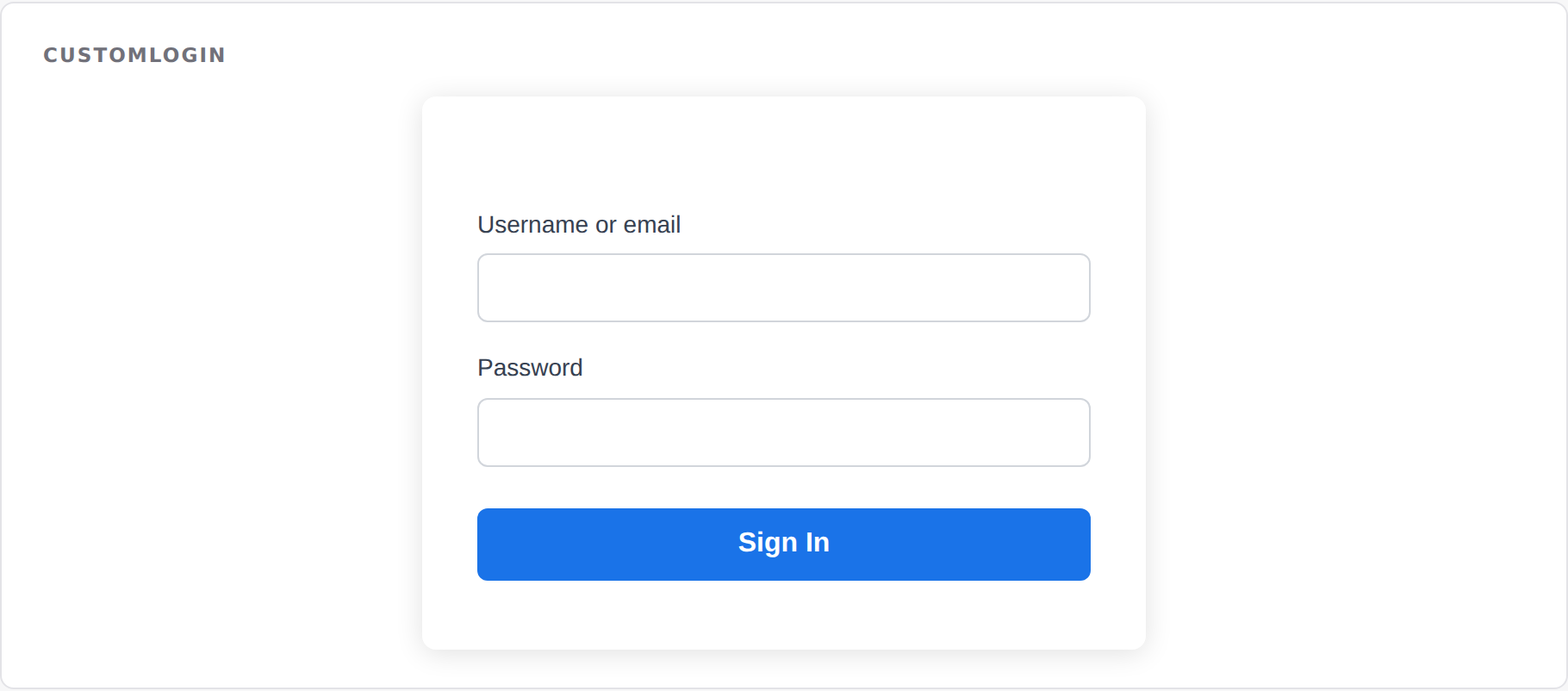
Fully customizable Umbraco login page with branding support, SSO integration hooks, and 2FA readiness.

Compatibility
| Umbraco | .NET | Package Version |
|---|---|---|
| 13.x | 8.0 | 2.3.3 |
| 17.x | 10.0 | 2.3.3 |
Installation
dotnet add package SplatDev.Umbraco.Plugins.CustomLogin
Targets
- Umbraco 13 (net8.0)
- Umbraco 17 (net10.0)
Features
- Branded login page: logo, colors, custom support email
- SSO hook endpoint ready for integration
- Member validation via Umbraco's IMemberService
- Backoffice settings dashboard (AngularJS for U13, Lit 3 Web Component for U17)
Settings
| Property | Description |
|---|---|
| BrandName | Company/app name shown on login page |
| LogoUrl | URL to the brand logo image |
| BackgroundColor | Page background color (hex) |
| AccentColor | Button and link accent color (hex) |
| SupportEmail | Support contact email |
| EnableSso | Toggle SSO redirect button |
API Endpoints
| Method | Route | Description |
|---|---|---|
| GET | /umbraco/api/customlogin/GetSettings |
Get current login settings |
| POST | /umbraco/api/customlogin/SaveSettings |
Update login settings |
| POST | /umbraco/api/customlogin/Login |
Authenticate a member |
| GET | /umbraco/api/customlogin/ValidateMember?username=... |
Check if member exists and is not locked |
Client Build
cd client
npm install
npm run build
Changelog
2.3.3 — 2026-08-26
Fixes a duplicate registration on sites that still have a physical App_Plugins folder for this plugin, left behind by an older release that copied content into the site. Umbraco registered those extensions twice - once from its own scan of the folder, once from this package's embedded manifest - and logged "Extension with alias ... is already registered". The embedded manifest now yields to the physical copy.
2.3.2 — 2026-08-24
Removes a dashboard screenshot that showed an error toast. It was captured against a site where this plugin's API was unreachable, so it advertised a broken dashboard. No screenshot is better than a misleading one; a replacement will be taken against a working install.
2.3.1 — 2026-08-24
Package metadata only: the listing now carries an icon and search tags, and the project and repository links point at the organisation that actually hosts this code. No code changes.
2.3.0 — 2026-08-23
The sign-in component no longer emits a whole HTML document. It rendered a doctype, a root element, a head and a body, along with a universal margin/padding reset and a flex layout applied to the body element — so dropping it onto one of your pages flattened every margin on that page and relaid the whole thing out. Its styles are now scoped to the component's own class names, which were renamed to the splatdev-login__* prefix; if you had overridden the old .login-card, .login-field, .login-btn or .login-support classes, update those selectors.
The Razor view behind @await Component.InvokeAsync(...) is now compiled into the package. It was previously carried as a loose file that nothing packed, so the component threw "view not found" on every install and the front-end usage shown in this README could not have worked.
The view also still referenced the package's pre-rename namespace, so it would not have compiled even had it shipped. That is fixed, and the view is now built with the project — a broken view fails the build instead of failing a visitor's request.
2.2.4 — 2026-08-22
- You pick the logo from the media library instead of typing a URL. What gets stored is the file's site-relative path, so the login screen keeps working when the site moves domain.
2.2.3 — 2026-08-21
- A failed request now says so in the dashboard. Previously the dashboard kept its previous (usually empty) state, so a refused or failed call looked identical to having no data.
2.2.2 — 2026-08-21
- Dashboard now sends the backoffice token with its API calls. On Umbraco 17 those calls were arriving unauthenticated and coming back 401, which the dashboard rendered as an empty state rather than an error.
- A failed request now raises a notification instead of leaving the dashboard looking like there is simply no data.
License
MIT © SplatDev
| Product | Versions Compatible and additional computed target framework versions. |
|---|---|
| .NET | net8.0 is compatible. net8.0-android was computed. net8.0-browser was computed. net8.0-ios was computed. net8.0-maccatalyst was computed. net8.0-macos was computed. net8.0-tvos was computed. net8.0-windows was computed. net9.0 was computed. net9.0-android was computed. net9.0-browser was computed. net9.0-ios was computed. net9.0-maccatalyst was computed. net9.0-macos was computed. net9.0-tvos was computed. net9.0-windows was computed. net10.0 is compatible. net10.0-android was computed. net10.0-browser was computed. net10.0-ios was computed. net10.0-maccatalyst was computed. net10.0-macos was computed. net10.0-tvos was computed. net10.0-windows was computed. |
-
net10.0
- Microsoft.EntityFrameworkCore.Design (>= 10.0.7)
- Microsoft.EntityFrameworkCore.SqlServer (>= 10.0.7)
- Microsoft.Extensions.FileProviders.Embedded (>= 10.0.6)
- Umbraco.Cms.Core (>= 17.3.4)
- Umbraco.Cms.Web.Common (>= 17.3.4)
-
net8.0
- Microsoft.EntityFrameworkCore.Design (>= 8.0.20)
- Microsoft.EntityFrameworkCore.SqlServer (>= 8.0.20)
- Microsoft.Extensions.FileProviders.Embedded (>= 8.0.11)
- Umbraco.Cms.Core (>= 13.12.0)
- Umbraco.Cms.Web.Common (>= 13.12.0)
NuGet packages
This package is not used by any NuGet packages.
GitHub repositories
This package is not used by any popular GitHub repositories.
| Version | Downloads | Last Updated |
|---|---|---|
| 2.3.3 | 108 | 8/27/2026 |