SplatDev.Umbraco.Plugins.CharLimit
1.5.2
dotnet add package SplatDev.Umbraco.Plugins.CharLimit --version 1.5.2
NuGet\Install-Package SplatDev.Umbraco.Plugins.CharLimit -Version 1.5.2
<PackageReference Include="SplatDev.Umbraco.Plugins.CharLimit" Version="1.5.2" />
<PackageVersion Include="SplatDev.Umbraco.Plugins.CharLimit" Version="1.5.2" />
<PackageReference Include="SplatDev.Umbraco.Plugins.CharLimit" />
paket add SplatDev.Umbraco.Plugins.CharLimit --version 1.5.2
#r "nuget: SplatDev.Umbraco.Plugins.CharLimit, 1.5.2"
#:package SplatDev.Umbraco.Plugins.CharLimit@1.5.2
#addin nuget:?package=SplatDev.Umbraco.Plugins.CharLimit&version=1.5.2
#tool nuget:?package=SplatDev.Umbraco.Plugins.CharLimit&version=1.5.2
CharLimit
Character limit property editor for Umbraco — enforces max length on text properties with live counter display.


Compatibility
| Umbraco | .NET | Package Version |
|---|---|---|
| 13.x | 8.0 | 1.5.2 |
| 17.x | 10.0 | 1.5.2 |
Installation
dotnet add package SplatDev.Umbraco.Plugins.CharLimit
Quick Start
No registration call is needed. The package ships Umbraco composers, so the AddComposers() already in the default Program.cs picks the plugin up as soon as the package is referenced.
Configuration
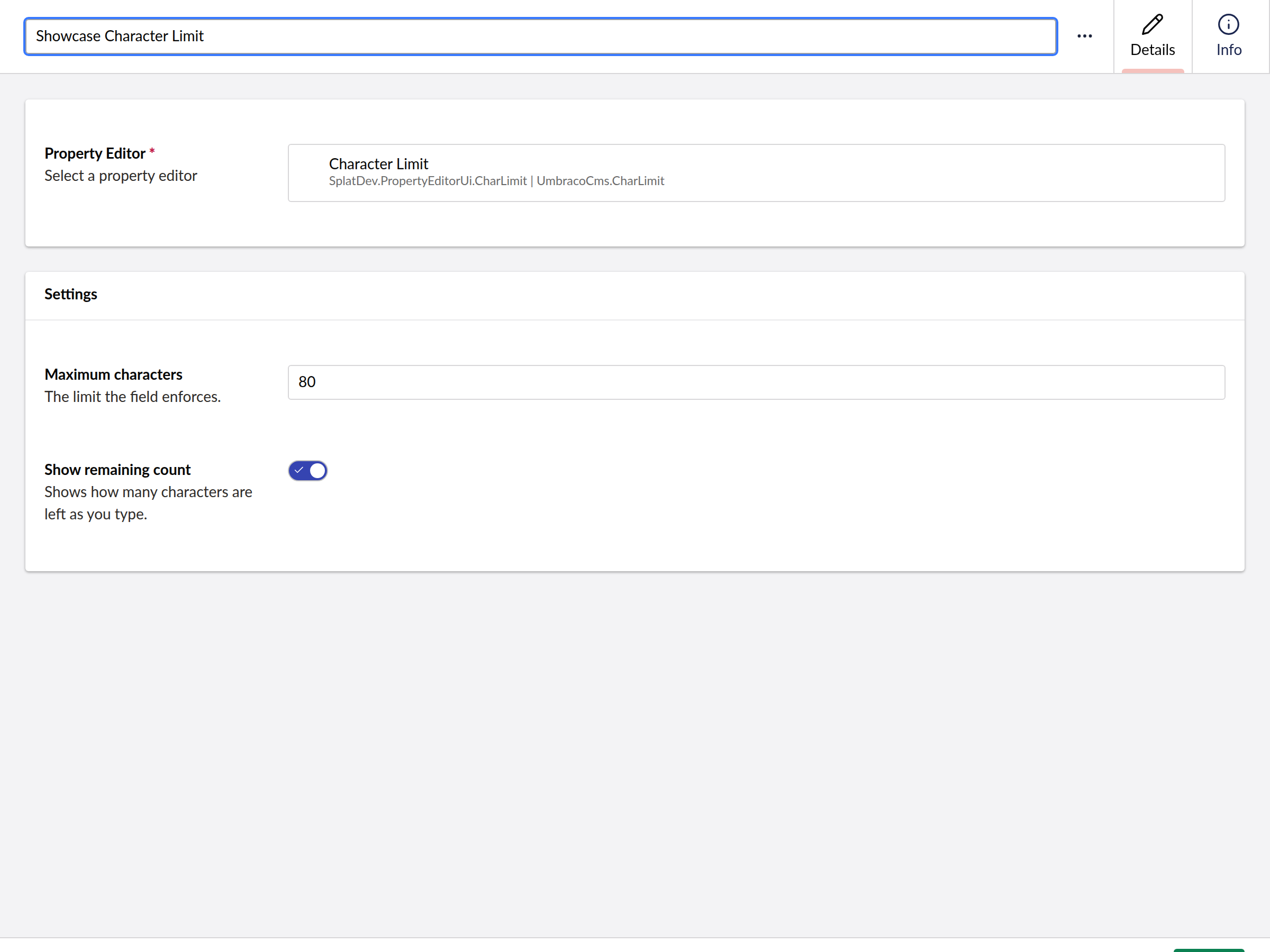
The plugin auto-registers via CharLimitComposer. Configure per-property via the Umbraco backoffice Data Type settings:
| Key | Type | Default | Description |
|---|---|---|---|
maxChars |
int | 200 | Maximum character length |
showCountdown |
bool | true | Display live character counter |
API Endpoints
| Method | Route | Description |
|---|---|---|
| GET | /umbraco/api/charlimit/GetConfig |
Returns the current CharLimit configuration |
Usage
Add a CharLimit data type to any text property on a document type. The property editor displays a live character counter and enforces the configured maximum length at the editor level.
Known Limitations
- The
GetConfigendpoint returns a hardcoded default configuration (MaxChars=200) rather than reading from the data type's saved settings - Editor validation is client-side only — backend enforcement must be handled separately
- Different
DataEditorattribute signatures are used via conditional compilation for net8.0 vs net10.0
Changelog
1.5.2 — 2026-08-26
Fixes a duplicate registration on sites that still have a physical App_Plugins folder for this plugin, left behind by an older release that copied content into the site. Umbraco registered those extensions twice - once from its own scan of the folder, once from this package's embedded manifest - and logged "Extension with alias ... is already registered". The embedded manifest now yields to the physical copy.
1.5.1 — 2026-08-25
Documentation only, no code change. The README's Quick Start told you to call a registration method that does not exist in this package — following it produced a compile error on the first build. There is nothing to register: the package ships Umbraco composers and the AddComposers() already in the default Program.cs finds it. The Compatibility table also now shows the version actually being shipped instead of the one it was written at.
1.5.0 — 2026-08-24
Restores what this plugin was on Umbraco 7 and 8. Umbraco 17 can cap a textbox on its own, so a plugin that only does that has no reason to exist — what this one always had was the counter bar that changes colour as the field fills: green while there is room, olive past halfway, crimson once the limit is reached, with a matching icon and the remaining count spelled out. That, the icon-stop-hand identity and the Common group had all been lost in the rewrite.
The limit prevalue is back. The rewrite had renamed it to maxChars, which silently orphaned the configuration of every data type carried over from Umbraco 7 or 8 — the editor read a key that was not there and fell back to a default, so the field looked configured and was not. Both keys are read, limit first, so migrated and newer data types both keep their setting.
A limit of 100 or more now renders a multi-line box rather than a single-line field, as it did originally; the threshold is configurable. Pasting past the limit is clamped, not just blocked by maxlength, which browsers apply inconsistently to paste.
The Dutch and Brazilian Portuguese translations are back alongside English.
1.4.2 — 2026-08-24
Removes a dashboard screenshot that showed an error toast. It was captured against a site where this plugin's API was unreachable, so it advertised a broken dashboard. No screenshot is better than a misleading one; a replacement will be taken against a working install.
1.4.1 — 2026-08-24
Package metadata only: the listing now carries an icon and search tags, and the project and repository links point at the organisation that actually hosts this code. No code changes.
1.4.0 — 2026-08-23
The Umbraco Marketplace listing now shows every screenshot for this plugin, not just the dashboard. The listing keeps its own screenshot list rather than reading the README.
1.3.0 — 2026-08-23
- The character limit is enforced on Umbraco 17. The package registered its schema there but no editor UI for it, and the schema pointed at Umbraco's plain text box — so a Character Limit property rendered as an ordinary text box with no limit and no counter. The plugin's whole purpose did nothing on 17, quietly, while continuing to work on 13.
- Behaviour matches the Umbraco 13 editor rather than improving on it, so a site upgrading does not find the field behaving differently: same maximum, same countdown, same wording.
- A data type configured on Umbraco 13 keeps its settings — the limit is read whether it was stored as a number or a string.
1.2.2 — 2026-08-21
- Dashboard now sends the backoffice token with its API calls. On Umbraco 17 those calls were arriving unauthenticated and coming back 401, which the dashboard rendered as an empty state rather than an error.
- A failed request now raises a notification instead of leaving the dashboard looking like there is simply no data.
- The backoffice manifest now points at the dashboard the build actually produces; it referenced an older hand-written file that shadowed it.
License
MIT © SplatDev
| Product | Versions Compatible and additional computed target framework versions. |
|---|---|
| .NET | net8.0 is compatible. net8.0-android was computed. net8.0-browser was computed. net8.0-ios was computed. net8.0-maccatalyst was computed. net8.0-macos was computed. net8.0-tvos was computed. net8.0-windows was computed. net9.0 was computed. net9.0-android was computed. net9.0-browser was computed. net9.0-ios was computed. net9.0-maccatalyst was computed. net9.0-macos was computed. net9.0-tvos was computed. net9.0-windows was computed. net10.0 is compatible. net10.0-android was computed. net10.0-browser was computed. net10.0-ios was computed. net10.0-maccatalyst was computed. net10.0-macos was computed. net10.0-tvos was computed. net10.0-windows was computed. |
-
net10.0
- Microsoft.Extensions.FileProviders.Embedded (>= 10.0.6)
- Umbraco.Cms.Core (>= 17.3.4)
- Umbraco.Cms.Web.Common (>= 17.3.4)
-
net8.0
- Umbraco.Cms.Core (>= 13.12.0)
- Umbraco.Cms.Web.Common (>= 13.12.0)
NuGet packages
This package is not used by any NuGet packages.
GitHub repositories
This package is not used by any popular GitHub repositories.
| Version | Downloads | Last Updated |
|---|---|---|
| 1.5.2 | 104 | 8/27/2026 |