SplatDev.Umbraco.Plugins.AdminBar
2.3.3
dotnet add package SplatDev.Umbraco.Plugins.AdminBar --version 2.3.3
NuGet\Install-Package SplatDev.Umbraco.Plugins.AdminBar -Version 2.3.3
<PackageReference Include="SplatDev.Umbraco.Plugins.AdminBar" Version="2.3.3" />
<PackageVersion Include="SplatDev.Umbraco.Plugins.AdminBar" Version="2.3.3" />
<PackageReference Include="SplatDev.Umbraco.Plugins.AdminBar" />
paket add SplatDev.Umbraco.Plugins.AdminBar --version 2.3.3
#r "nuget: SplatDev.Umbraco.Plugins.AdminBar, 2.3.3"
#:package SplatDev.Umbraco.Plugins.AdminBar@2.3.3
#addin nuget:?package=SplatDev.Umbraco.Plugins.AdminBar&version=2.3.3
#tool nuget:?package=SplatDev.Umbraco.Plugins.AdminBar&version=2.3.3
AdminBar
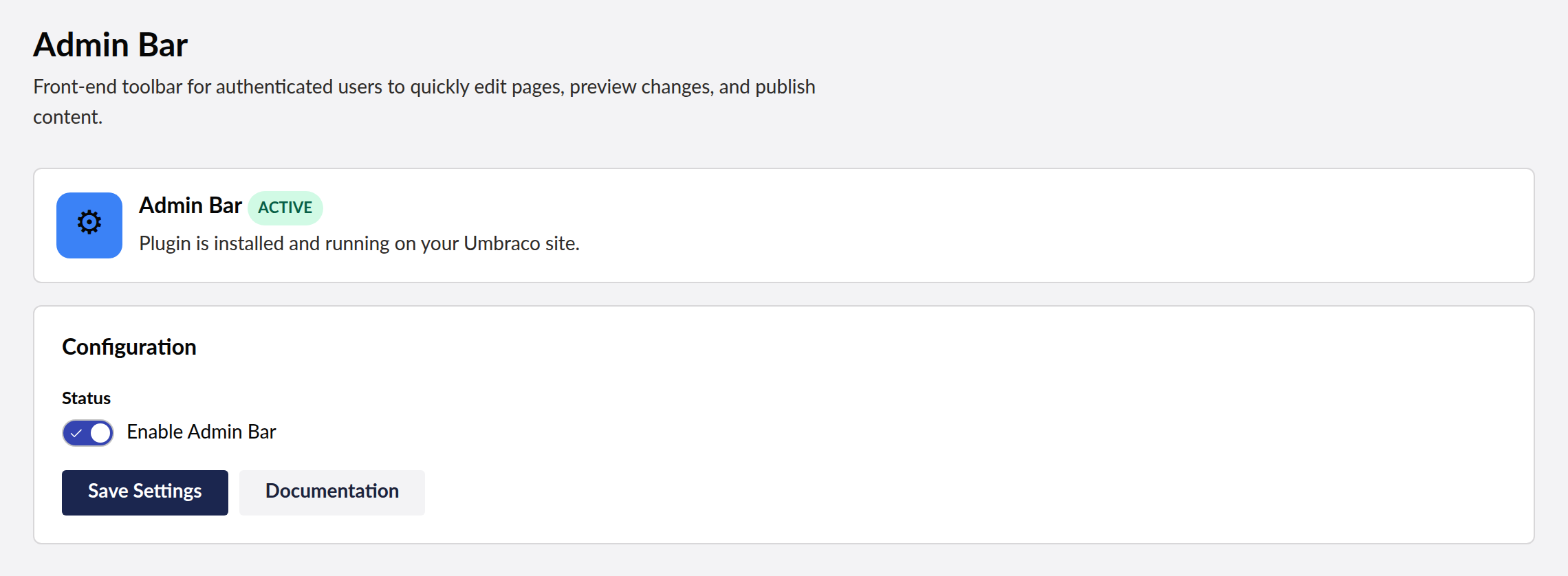
Fixed admin bar for Umbraco — injects a toolbar at the top of front-end pages for logged-in backoffice users with Edit Page, Preview, and Publish shortcuts.

Compatibility
| Umbraco | .NET | Package Version |
|---|---|---|
| 13.x | 8.0 | 2.3.3 |
| 17.x | 10.0 | 2.3.3 |
Installation
dotnet add package SplatDev.Umbraco.Plugins.AdminBar
Quick Start
No registration call is needed. The package ships Umbraco composers, so the AddComposers() already in the default Program.cs picks the plugin up as soon as the package is referenced.
Configuration
Add to appsettings.json:
{
  "AdminBar": {
    "Enabled": true,
    "ShowEditPage": true,
    "ShowPreview": true,
    "ShowPublish": true,
    "Position": "top"
  }
}
Usage
After registration, the admin bar automatically appears at the top of every front-end page when a backoffice user is logged in. The bar provides:
- Edit Page — navigates to the backoffice content editor for the current page
- Preview — toggles preview mode for unpublished content
- Publish — publishes the current page directly from the front-end
Known Limitations
- Admin bar visibility is determined by backoffice authentication cookies — no separate authorization mechanism
- Publish action bypasses Umbraco's workflow/approval if one is configured
- Position customization (top vs bottom) requires the
Positionconfig key
Changelog
2.3.3 — 2026-08-26
Fixes a duplicate registration on sites that still have a physical App_Plugins folder for this plugin, left behind by an older release that copied content into the site. Umbraco registered those extensions twice - once from its own scan of the folder, once from this package's embedded manifest - and logged "Extension with alias ... is already registered". The embedded manifest now yields to the physical copy.
2.3.2 — 2026-08-25
Documentation only, no code change. The README's Quick Start told you to call a registration method that does not exist in this package — following it produced a compile error on the first build. There is nothing to register: the package ships Umbraco composers and the AddComposers() already in the default Program.cs finds it. The Compatibility table also now shows the version actually being shipped instead of the one it was written at.
2.3.1 — 2026-08-24
Package metadata only: the listing now carries an icon and search tags, and the project and repository links point at the organisation that actually hosts this code. No code changes.
2.3.0 — 2026-08-23
The Razor view behind @await Component.InvokeAsync(...) is now compiled into the package. It was previously carried as a loose file that nothing packed, so the component threw "view not found" on every install and the front-end usage shown in this README could not have worked.
The view also still referenced the package's pre-rename namespace, so it would not have compiled even had it shipped. That is fixed, and the view is now built with the project — a broken view fails the build instead of failing a visitor's request.
License
MIT © SplatDev
| Product | Versions Compatible and additional computed target framework versions. |
|---|---|
| .NET | net8.0 is compatible. net8.0-android was computed. net8.0-browser was computed. net8.0-ios was computed. net8.0-maccatalyst was computed. net8.0-macos was computed. net8.0-tvos was computed. net8.0-windows was computed. net9.0 was computed. net9.0-android was computed. net9.0-browser was computed. net9.0-ios was computed. net9.0-maccatalyst was computed. net9.0-macos was computed. net9.0-tvos was computed. net9.0-windows was computed. net10.0 is compatible. net10.0-android was computed. net10.0-browser was computed. net10.0-ios was computed. net10.0-maccatalyst was computed. net10.0-macos was computed. net10.0-tvos was computed. net10.0-windows was computed. |
-
net10.0
- Microsoft.Extensions.FileProviders.Embedded (>= 10.0.6)
- Umbraco.Cms.Core (>= 17.3.4)
- Umbraco.Cms.Web.Common (>= 17.3.4)
-
net8.0
- Umbraco.Cms.Core (>= 13.12.0)
- Umbraco.Cms.Web.Common (>= 13.12.0)
NuGet packages
This package is not used by any NuGet packages.
GitHub repositories
This package is not used by any popular GitHub repositories.
| Version | Downloads | Last Updated |
|---|---|---|
| 2.3.3 | 109 | 8/27/2026 |