ProjectZ 2.0.1
dotnet add package ProjectZ --version 2.0.1
NuGet\Install-Package ProjectZ -Version 2.0.1
<PackageReference Include="ProjectZ" Version="2.0.1" />
<PackageVersion Include="ProjectZ" Version="2.0.1" />
<PackageReference Include="ProjectZ" />
paket add ProjectZ --version 2.0.1
#r "nuget: ProjectZ, 2.0.1"
#:package ProjectZ@2.0.1
#addin nuget:?package=ProjectZ&version=2.0.1
#tool nuget:?package=ProjectZ&version=2.0.1
Project Z
A modern XNA UI framework for .NET 8.0 — WPF-inspired controls, animations, and scene management powered by KNI.



Overview
Project Z is a GPU-accelerated UI framework built on top of KNI (XNA) that brings WPF-style controls, layout panels, declarative XAML markup, and a rich animation system to hardware-rendered applications — all running on modern .NET 8.0.
Whether you're building interactive visualizers, creative tools, or games, Project Z gives you a familiar, composable UI model with the performance of direct GPU rendering.
✨ Features
| Category | Highlights |
|---|---|
| Scene System | SceneManager → Scene → SceneElement hierarchy with render targets, input routing, and lifecycle management |
| UI Controls | Button, CheckBox, RadioButton, Textbox, Trackbar, ProgressBar — WPF-inspired API surface |
| Layout Panels | Grid (row/column definitions, star/auto/fixed sizing) and StackPanel (horizontal & vertical) |
| Primitives | RectangleElement, CircleElement, TextElement, PolygonElement with mesh triangulation |
| Animations | DoubleAnimation, ColorAnimation, Timeline with easing functions (SineEase, PowerEase, CircleEase) |
| XAML Parser | Declarative UI markup — define scenes in XAML-like syntax and generate element trees at runtime |
| Content Pipeline | ContentContainer for managed loading of fonts, textures, and sprite collections |
| Post-Processing | Built-in FXAA shader support |
| Serialization | MetaSerializer with ObjectConverter for element state persistence |
| Networking | Integrated SocketJack for real-time multiplayer and data exchange |
🖼️ Screenshots
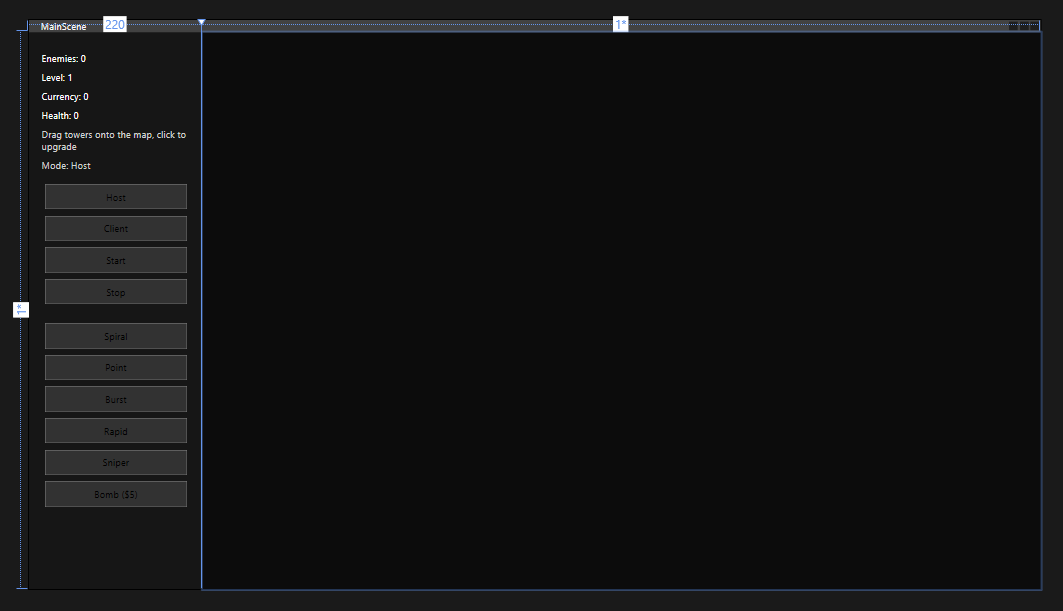
XAML Design Time
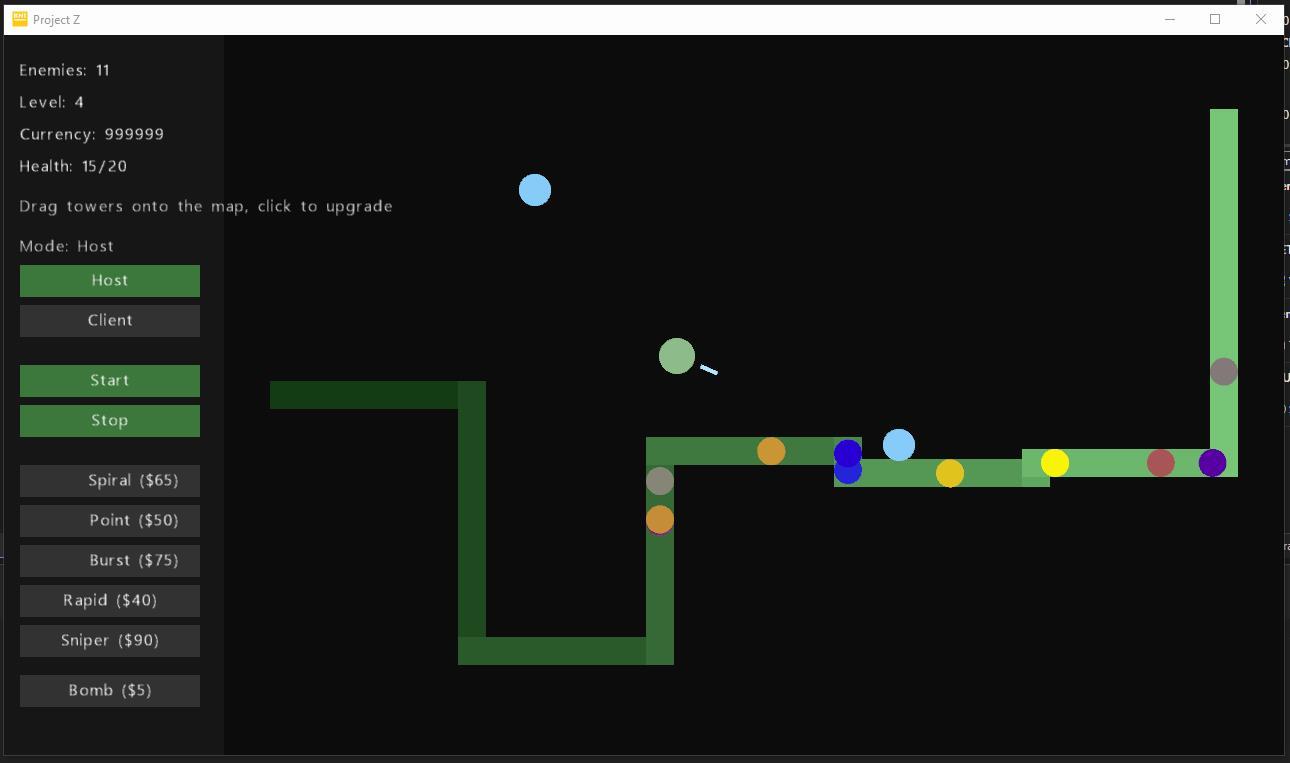
In-Game UI Runtime
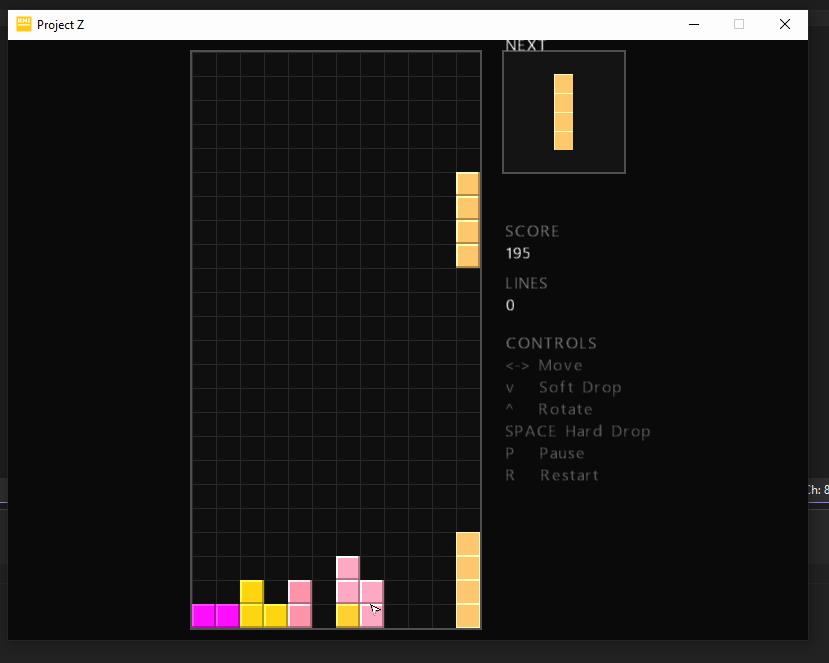
Tetris Demo
📦 Installation
NuGet
dotnet add package ProjectZ
Package Manager
Install-Package ProjectZ
Or add directly to your .csproj / .vbproj:
<PackageReference Include="ProjectZ" Version="2.0.0.0" />
🚀 Quick Start
1. Create a Scene
Imports ProjectZ.Shared.Drawing
Imports ProjectZ.Shared.Drawing.UI.Input
Imports ProjectZ.Shared.Drawing.UI.Primitives

Public Class MyScene
    Inherits Scene

    Private WithEvents MyButton As Button

    Public Overrides Sub Initialize(sender As Game)
        MyBase.Initialize(sender)

        MyButton = New Button(Me) With {
            .Text = "Click Me",
            .Position = New Vector2(100, 100),
            .Size = New Vector2(120, 40)
        }
        AddElement(MyButton)
    End Sub

    Private Sub MyButton_Click() Handles MyButton.Click
        ' Handle click
    End Sub
End Class
2. Add a Layout
Dim panel As New StackPanel(Me) With {
    .Orientation = Orientation.Vertical,
    .Position = New Vector2(50, 50),
    .Size = New Vector2(300, 400)
}

panel.Children.Add(New TextElement(Me) With { .Text = "Hello, Project Z!" })
panel.Children.Add(New Button(Me) With { .Text = "Start" })
panel.Children.Add(New Trackbar(Me) With { .MinimumValue = 0, .MaximumValue = 100 })

AddElement(panel)
3. Animate Elements
Dim fadeIn As New DoubleAnimation(
    New SineEase(EaseType.EaseIn),
    0.0, 1.0,
    TimeSpan.FromMilliseconds(500),
    gameTime
)
element.Opacity = fadeIn.Value(t)
4. Use the SceneManager
Dim manager As New SceneManager()
manager.Sender = Me  ' Your Game instance
manager.AddScene("main", New MyScene())
manager.SetActiveScene("main")
🏗️ Solution Structure
Project-Z/
├── Project Z Windows.vbproj          # Core UI framework library (NuGet package)
│   ├── Shared/
│   │   ├── Drawing/
│   │   │   ├── Scene.vb              # Base scene class
│   │   │   ├── SceneManager.vb       # Scene orchestration
│   │   │   ├── UI/
│   │   │   │   ├── SceneElement.vb   # Base element class
│   │   │   │   ├── Primitives/       # Rectangle, Circle, Text, Polygon
│   │   │   │   ├── Input/            # Button, CheckBox, RadioButton, Textbox, Trackbar, ProgressBar
│   │   │   │   ├── Layout/           # Grid, StackPanel
│   │   │   │   └── Advanced/         # SpriteElement, PolygonElement, SceneProjectionHost
│   │   │   └── Designer/             # XAML parser & code generator
│   │   ├── Animations/               # DoubleAnimation, ColorAnimation, Timeline, Easing
│   │   ├── Content/                  # ContentContainer, Fonts, Textures, SpriteCollection
│   │   ├── Serialization/            # MetaSerializer, ObjectConverter
│   │   └── XNA/                      # SpriteBatchWrapper, SpriteBatchPropertySet
│   └── Extensions/                   # Color, Point, String, Dictionary helpers
│
├── Project Z Application/            # Demo app with playable Tetris
├── Project Z Audio/                  # Audio engine (NAudio, FFT, spectrum analysis)
├── Project Z Video FX/               # Visual effects demo
└── Project Z Tower Defense/          # Tower defense game & UI Designer
🧩 UI Controls Reference
Primitives
| Control | Description |
|---|---|
RectangleElement |
Filled rectangle with border, corner styling |
CircleElement |
GPU-rendered circle via mesh triangulation |
TextElement |
Rich text with wrapping modes (NoWrap, Wrap, WrapWithOverflow) |
PolygonElement |
Arbitrary polygon with Triangle.NET mesh support |
Input Controls
| Control | Description |
|---|---|
Button |
Click-interactive button with auto-sizing and animation support |
CheckBox |
Three-state checkbox (checked, unchecked, indeterminate) |
RadioButton |
Grouped single-selection with automatic mutual exclusion |
Textbox |
Editable text input with alignment and padding |
Trackbar |
Value slider with tooltip, min/max range |
ProgressBar |
Determinate progress display |
Layout Panels
| Control | Description |
|---|---|
Grid |
Row/column grid with Auto, Star, and Fixed sizing modes |
StackPanel |
Sequential layout in Horizontal or Vertical orientation |
🔧 Dependencies
| Package | Purpose |
|---|---|
| nkast.Xna.Framework.Graphics | XNA graphics API (KNI) |
| nkast.Kni.Platform.SDL2.GL | Cross-platform OpenGL backend |
| SocketJack | Networking & real-time data exchange |
| Speckle.Triangle | Mesh triangulation for polygon rendering |
📋 Requirements
- .NET 8.0 or later
- Windows (Windows Forms host)
- Visual Studio 2022+ recommended
🎮 Demo Projects
Tetris (Project Z Application)
A fully playable Tetris game built entirely with Project Z UI elements — ghost pieces, next-piece preview, scoring, hard/soft drop, and pause support.
Video FX (Project Z Video FX)
Real-time audio-reactive visualizer with spectrum analysis, loopback audio capture, and animated polygon effects.
Tower Defense (Project Z Tower Defense)
A multiplayer tower defense game with real-time networking via SocketJack and a built-in WPF-hosted UI designer.
🤝 Contributing
Contributions are welcome! Feel free to open issues or submit pull requests.
- Fork the repository
- Create your feature branch (
git checkout -b feature/my-feature) - Commit your changes (
git commit -m 'Add my feature') - Push to the branch (
git push origin feature/my-feature) - Open a Pull Request
📄 License
Copyright © 2014–2025. See the repository for license details.
| Product | Versions Compatible and additional computed target framework versions. |
|---|---|
| .NET | net8.0-windows7.0 is compatible. net9.0-windows was computed. net10.0-windows was computed. |
-
net8.0-windows7.0
- nkast.Kni.Platform.SDL2.GL (>= 4.2.9001.1)
- nkast.Xna.Framework.Graphics (>= 4.2.9001)
- SocketJack (>= 1.2.3)
- Speckle.Triangle (>= 1.0.0)
NuGet packages
This package is not used by any NuGet packages.
GitHub repositories
This package is not used by any popular GitHub repositories.