Phases.Umbraco.MiniRollback
1.0.13.8
dotnet add package Phases.Umbraco.MiniRollback --version 1.0.13.8
NuGet\Install-Package Phases.Umbraco.MiniRollback -Version 1.0.13.8
<PackageReference Include="Phases.Umbraco.MiniRollback" Version="1.0.13.8" />
<PackageVersion Include="Phases.Umbraco.MiniRollback" Version="1.0.13.8" />
<PackageReference Include="Phases.Umbraco.MiniRollback" />
paket add Phases.Umbraco.MiniRollback --version 1.0.13.8
#r "nuget: Phases.Umbraco.MiniRollback, 1.0.13.8"
#:package Phases.Umbraco.MiniRollback@1.0.13.8
#addin nuget:?package=Phases.Umbraco.MiniRollback&version=1.0.13.8
#tool nuget:?package=Phases.Umbraco.MiniRollback&version=1.0.13.8
Phases.Umbraco.MiniRollback
Phases.Umbraco.MiniRollback is an Umbraco package that adds version history access directly to your content editing interface. By placing a small icon next to text fields, rich text editors, and textarea, users can instantly view previous versions of specific content fields in a simple popup without leaving the page. Making content comparison and recovery faster and easier than ever.
Installation
Install Phases.Umbraco.MiniRollback with npm
Install-Package Phases.Umbraco.MiniRollback
Alternatively, you can install Phases.Umbraco.MiniRollback using the .NET CLI:
dotnet add package Phases.Umbraco.MiniRollback
FAQ
Where can I find the icons to view the history?
After installing this package, a small icon appears next to text fields, rich text editors, and textarea of the Umbraco node (see Screenshot 1).
How can I access the history?
By clicking the small icon next to text fields, rich text editors, and textarea, users can instantly view previous versions of specific content fields in a simple popup (see Screenshot 2 & 3).
How can I revert to a previous version of the content?
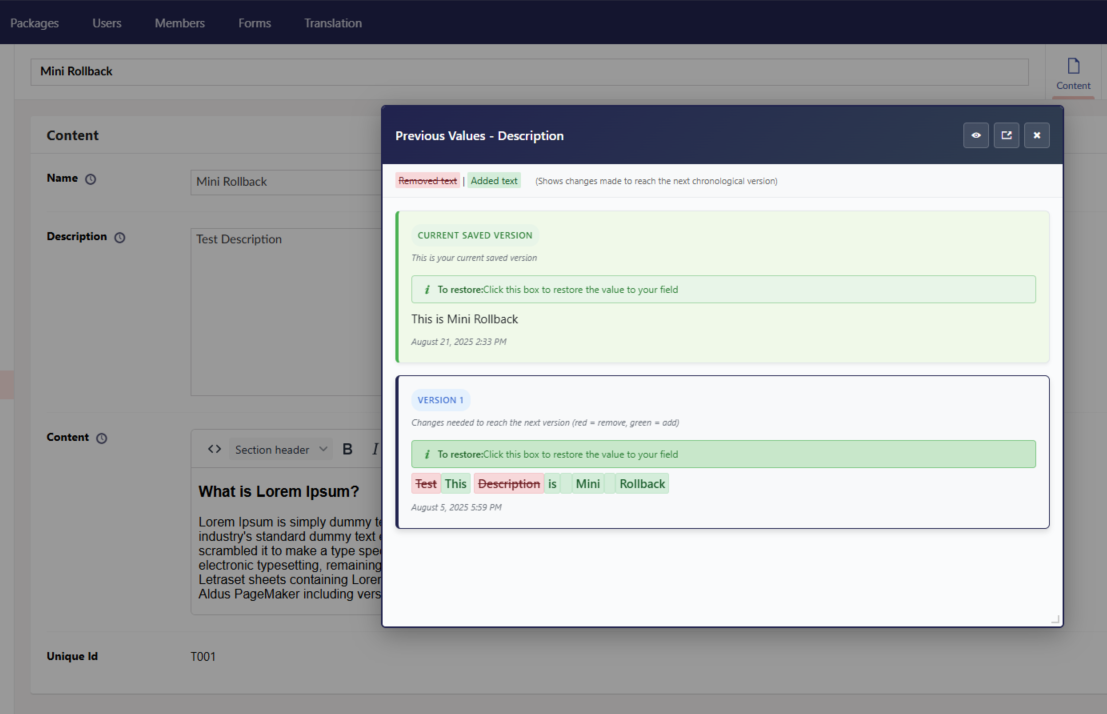
After clicking the icon, a simple popup box will display the previous history data. You can select a history entry from the list in the popup box, and the selected data will be set in the related text field, rich text editor, or text area (see Screenshot 4).
Is it possible to temporarily disable the MiniRollback functionality?
Yes, the MiniRollback package is enabled by default. If you wish to disable it, add the following to your appsettings.json file:
    {
      "Phases": {
          "MiniRollback": {
            "Enabled": false
          }
      }
    }

    Note: "Enabled": false will disable the functionality
          "Enabled": true will enable the functionality
Screenshots
Icons

Popup Box
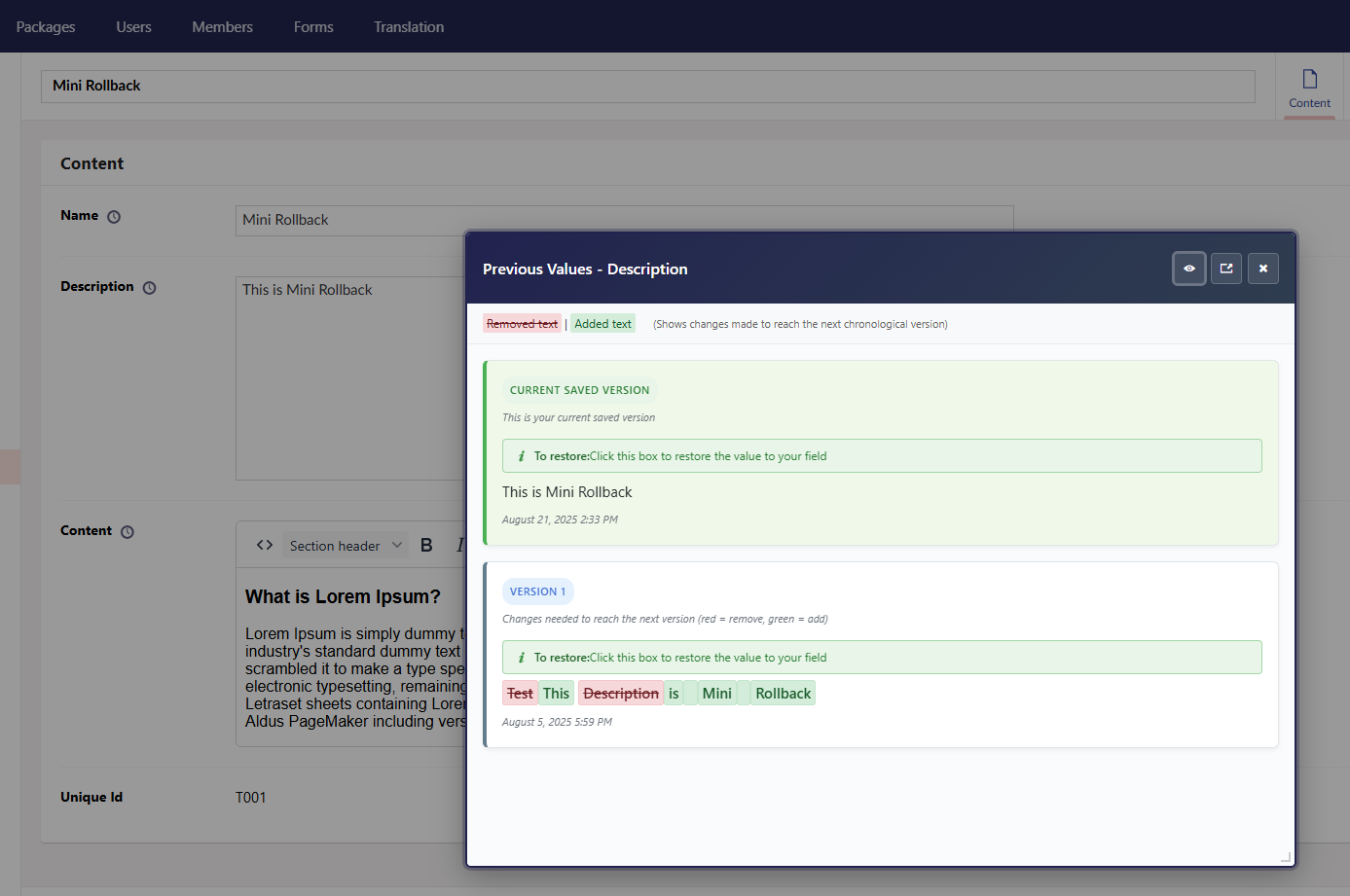

Select The History Content
| Product | Versions Compatible and additional computed target framework versions. |
|---|---|
| .NET | net8.0 is compatible. net8.0-android was computed. net8.0-browser was computed. net8.0-ios was computed. net8.0-maccatalyst was computed. net8.0-macos was computed. net8.0-tvos was computed. net8.0-windows was computed. net9.0 was computed. net9.0-android was computed. net9.0-browser was computed. net9.0-ios was computed. net9.0-maccatalyst was computed. net9.0-macos was computed. net9.0-tvos was computed. net9.0-windows was computed. net10.0 was computed. net10.0-android was computed. net10.0-browser was computed. net10.0-ios was computed. net10.0-maccatalyst was computed. net10.0-macos was computed. net10.0-tvos was computed. net10.0-windows was computed. |
-
net8.0
- Umbraco.Cms.Web.BackOffice (>= 13.7.1)
- Umbraco.Cms.Web.Website (>= 13.7.1)
NuGet packages
This package is not used by any NuGet packages.
GitHub repositories
This package is not used by any popular GitHub repositories.
v1.0.13.8:
- Fixed: Icons no longer appear in DocType editors when opened from content nodes
- Improved: Icons now only display in actual content editing contexts