Nextended.Aspire.Hosting.Supabase
10.1.35
dotnet add package Nextended.Aspire.Hosting.Supabase --version 10.1.35
NuGet\Install-Package Nextended.Aspire.Hosting.Supabase -Version 10.1.35
<PackageReference Include="Nextended.Aspire.Hosting.Supabase" Version="10.1.35" />
<PackageVersion Include="Nextended.Aspire.Hosting.Supabase" Version="10.1.35" />
<PackageReference Include="Nextended.Aspire.Hosting.Supabase" />
paket add Nextended.Aspire.Hosting.Supabase --version 10.1.35
#r "nuget: Nextended.Aspire.Hosting.Supabase, 10.1.35"
#:package Nextended.Aspire.Hosting.Supabase@10.1.35
#addin nuget:?package=Nextended.Aspire.Hosting.Supabase&version=10.1.35
#tool nuget:?package=Nextended.Aspire.Hosting.Supabase&version=10.1.35

Nextended.Aspire.Hosting.Supabase



The complete Supabase stack — Postgres, Auth (GoTrue), REST, Realtime, Storage, Studio, Kong and Edge Functions — as one composable Aspire resource.

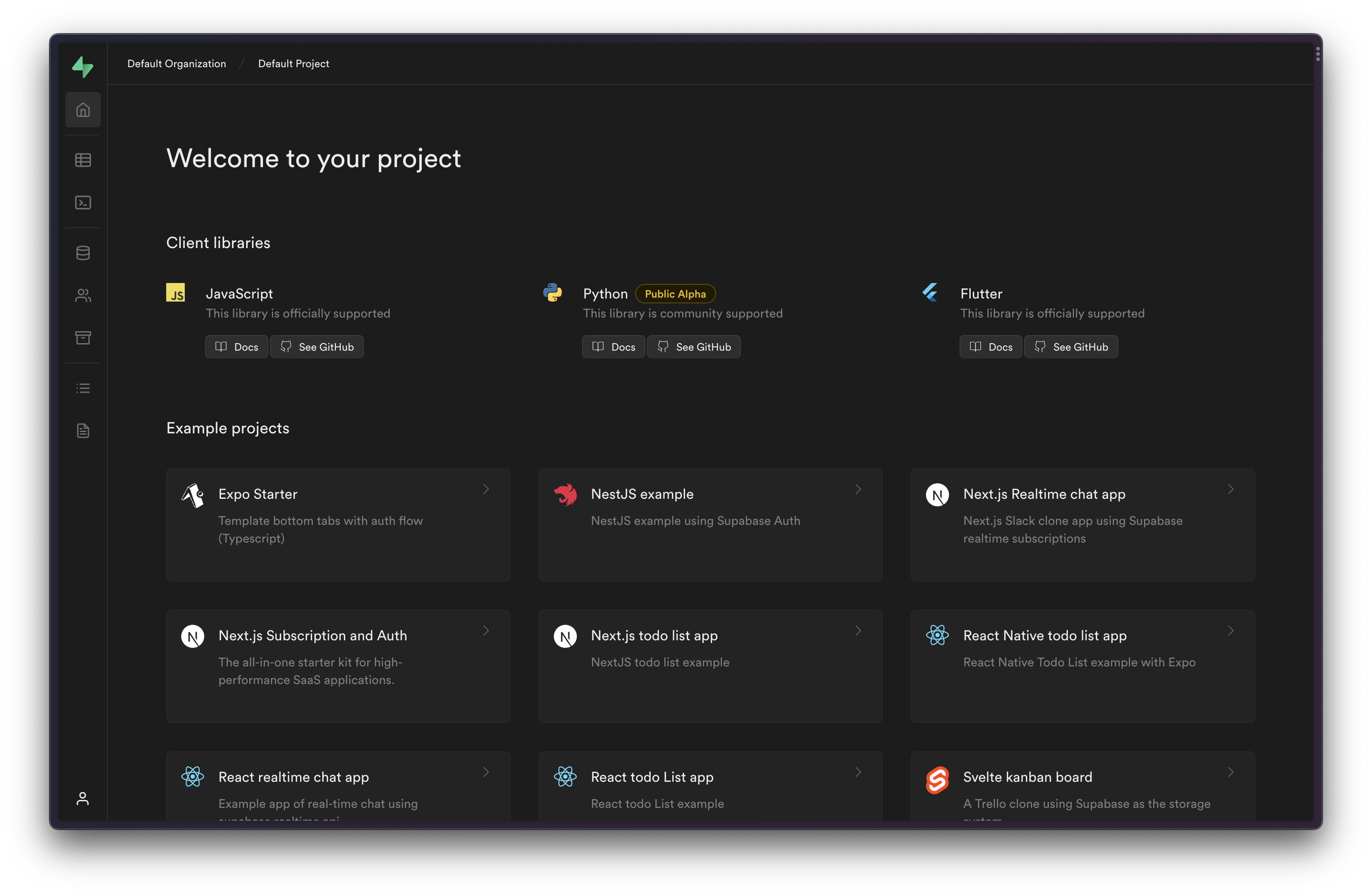
Runs Supabase as an Aspire resource.
📖 Documentation: English · Deutsch | 🧪 Runnable sample: Supabase.AppHost
A complete Supabase stack integration for .NET Aspire, providing local development with full Supabase functionality including PostgreSQL, Auth (GoTrue), REST API (PostgREST), Storage, Kong API Gateway, Studio Dashboard, and Edge Functions.
Table of Contents
- Quick Start
- Configuration Options
- Database: Internal or External Postgres
- Syncing from Remote Supabase Project
- Local Migrations
- Edge Functions
- Registered Users
- Sub-Resource Configuration
- Dashboard Commands
- Accessing Resources
- Environment Variables for Frontend
- Deployment
Quick Start
The simplest way to add a complete Supabase stack to your Aspire application:
var builder = DistributedApplication.CreateBuilder(args);

var supabase = builder.AddSupabase("supabase");

builder.Build().Run();
This starts a fully functional Supabase stack with:
- PostgreSQL database (port 54322)
- GoTrue authentication
- PostgREST API
- Storage API
- Kong API Gateway (port 8000)
- Studio Dashboard (port 54323)
- Postgres Meta
All services use sensible defaults and are ready for local development and deployment for azure container apps.
Configuration Options
Database Configuration
var supabase = builder.AddSupabase("supabase")
    .ConfigureDatabase(db => db
        .WithPassword("my-secure-password")
        .WithPort(54322));
All Available Configure Methods
Each sub-resource can be configured individually:
var supabase = builder.AddSupabase("supabase")
    // PostgreSQL Database
    .ConfigureDatabase(db => db
        .WithPassword("secure-password")
        .WithPort(54322))

    // GoTrue Authentication
    .ConfigureAuth(auth => auth
        .WithAutoConfirm(true)
        .WithDisableSignup(false)
        .WithJwtExpiration(3600)
        .WithSiteUrl("http://localhost:3000"))

    // PostgREST API
    .ConfigureRest(rest => rest
        .WithSchemas("public", "storage", "graphql_public")
        .WithAnonRole("anon"))

    // Storage API
    .ConfigureStorage(storage => storage
        .WithFileSizeLimit(52428800))  // 50MB

    // Kong API Gateway
    .ConfigureKong(kong => kong
        .WithPort(8000))

    // Postgres Meta
    .ConfigureMeta(meta => meta
        .WithPort(8080))

    // Studio Dashboard
    .ConfigureStudio(studio => studio
        .WithPort(54323)
        .WithOrganizationName("My Organization")
        .WithProjectName("My Project"))

    // Edge Runtime
    .ConfigureEdgeRuntime(edge => edge
        .WithPort(9000));
Direct Container Access
Each sub-resource is a container, so the configure callback already exposes the full Aspire container builder — call WithEnvironment, WithVolume, WithBindMount, etc. directly on it:
.ConfigureDatabase(db => db
    .WithPassword("password")
    .WithEnvironment("CUSTOM_VAR", "value")
    .WithVolume("my-volume", "/data"))
You can also reach each container after the fact via the Get*() accessors.
Database: Internal or External Postgres
By default AddSupabase(...) creates and owns its own PostgreSQL container (the supabase/postgres image) as part of the stack, configured via ConfigureDatabase(...):
var supabase = builder.AddSupabase("supabase")
    .ConfigureDatabase(db => db.WithPassword("secure-password"));
Bring your own Postgres
Alternatively, pass an existing Postgres resource as externalDatabase. The stack then does not create a database — it points every service (Auth, REST, Storage, Realtime, Meta, Edge) at your resource and seeds the Supabase roles it needs into it:
var postgres = builder.AddPostgres("mypg")
    .WithImage("supabase/postgres", "15.8.1.085")
    .WithPassword(builder.AddParameter("pg-password", secret: true))
    .WithPgAdmin();

var supabase = builder.AddSupabase("supabase", externalDatabase: postgres);
The external database must use the
supabase/postgresimage — a vanillapostgresimage lacks the roles, extensions and init scripts the stack relies on. In this mode you own the database: configure its image, password, data volume and deployment on your own resource.
Because the stack no longer owns the database, ConfigureDatabase(...) throws when an external database was supplied. Use ConfigureDatabaseIf(...) to keep a single code path that works both ways:
bool useExternalDb = false;

var postgres = useExternalDb
    ? builder.AddPostgres("mypg")
        .WithImage("supabase/postgres", "15.8.1.085")
        .WithPassword(builder.AddParameter("pg-password", secret: true))
    : null;

var supabase = builder.AddSupabase("supabase", externalDatabase: postgres)
    // only applied when there is an internal database to configure
    .ConfigureDatabaseIf(postgres is null, db => db.WithPassword("secure-password"));
Syncing from Remote Supabase Project
Synchronize schema, data, storage, and more from an existing Supabase cloud project:
Basic Sync
const string projectRef = "your-project-ref";
const string serviceKey = "eyJhbGciOiJIUzI1NiIs...";  // service_role key

var supabase = builder.AddSupabase("supabase")
    .WithProjectSync(projectRef, serviceKey);
Sync Options
Control what gets synchronized using SyncOptions:
var supabase = builder.AddSupabase("supabase")
    .WithProjectSync(
        projectRef,
        serviceKey,
        SyncOptions.Schema | SyncOptions.Data | SyncOptions.StorageBuckets);
Available options:
| Option | Description |
|---|---|
Schema |
Table structures (columns, types, constraints) |
Data |
Table data |
Policies |
Row Level Security policies (requires DB password) |
Functions |
Stored procedures and functions (requires DB password) |
Triggers |
Database triggers (requires DB password) |
Types |
Custom types and enums (requires DB password) |
Views |
Database views (requires DB password) |
Indexes |
Table indexes (requires DB password) |
StorageBuckets |
Storage bucket definitions |
StorageFiles |
Storage files (downloads from remote) |
EdgeFunctions |
Edge Functions (requires Management API token) |
AllSchema |
All schema-related options |
AllStorage |
StorageBuckets + StorageFiles |
All |
Everything |
Full Sync with Database Password
For complete schema sync including policies, functions, and triggers:
const string dbPassword = "your-database-password";  // From Dashboard → Project Settings → Database

var supabase = builder.AddSupabase("supabase")
    .WithProjectSync(
        projectRef,
        serviceKey,
        SyncOptions.All,
        dbPassword);
Edge Functions Sync
To sync Edge Functions, you need a Management API token:
const string managementApiToken = "sbp_...";  // From Dashboard → Account → Access Tokens

var supabase = builder.AddSupabase("supabase")
    .WithProjectSync(
        projectRef,
        serviceKey,
        SyncOptions.All,
        dbPassword,
        managementApiToken);
Note: The Supabase Management API returns compiled ESZIP bundles, not source code. The sync creates placeholder files with instructions to manually copy the source code from the Dashboard or use
supabase functions download.
Where to Find Keys
| Key | Location |
|---|---|
| Project Ref | Dashboard URL: https://supabase.com/dashboard/project/{project-ref} |
| Service Role Key | Dashboard → Project Settings → API → service_role (secret) |
| Database Password | Dashboard → Project Settings → Database → Database password |
| Management API Token | Dashboard → Account (top right) → Access Tokens |
Local Migrations
Apply local SQL migration files to your Supabase instance:
var migrationsPath = Path.Combine(builder.AppHostDirectory, "..", "supabase", "migrations");

var supabase = builder.AddSupabase("supabase")
    .WithMigrations(migrationsPath);
Migration files should follow the naming convention: YYYYMMDDHHMMSS_description.sql
Each file is tracked in public._aspire_applied_migrations and applied at most once (like the Supabase CLI), so migrations are safe to leave in place across restarts and redeploys — they will not re-run against a persistent database.
Example structure:
supabase/
  migrations/
    20240101000000_create_users_table.sql
    20240102000000_add_profiles.sql
    20240103000000_create_policies.sql
Edge Functions
Using Local Edge Functions
Point to your local Edge Functions directory:
var edgeFunctionsPath = Path.Combine(builder.AppHostDirectory, "..", "supabase", "functions");

var supabase = builder.AddSupabase("supabase")
    .WithEdgeFunctions(edgeFunctionsPath);
Expected directory structure:
supabase/
  functions/
    my-function/
      index.ts
    another-function/
      index.ts
Edge Function Format
Each function should be in its own directory with an index.ts file:
// supabase/functions/hello-world/index.ts
import { serve } from "https://deno.land/std@0.177.0/http/server.ts";

serve(async (req) => {
  const { name } = await req.json();

  return new Response(
    JSON.stringify({ message: `Hello ${name}!` }),
    { headers: { "Content-Type": "application/json" } }
  );
});
Calling Edge Functions
Edge Functions are available through Kong at:
http://localhost:8000/functions/v1/{function-name}
Example:
curl -X POST http://localhost:8000/functions/v1/hello-world \
  -H "Content-Type: application/json" \
  -H "Authorization: Bearer YOUR_ANON_KEY" \
  -d '{"name": "World"}'
Registered Users
Pre-create users for development and testing:
var supabase = builder.AddSupabase("supabase")
    .WithRegisteredUser("admin@example.com", "password123", "Admin User")
    .WithRegisteredUser("test@example.com", "test1234", "Test User");
These users:
- Are created with confirmed email status
- Automatically get a profile in
public.profiles(if table exists) - Automatically get an admin role in
public.user_roles(if table exists)
Dashboard Commands
Add a "Clear All Data" button to the Aspire dashboard:
var supabase = builder.AddSupabase("supabase")
    .WithClearCommand();
This adds a command in the Aspire dashboard that truncates all tables in the public schema.
Accessing Resources
Get Sub-Resource Builders
Access individual container resources for advanced configuration:
var supabase = builder.AddSupabase("supabase");

var kong = supabase.GetKong();
var studio = supabase.GetStudio();
var database = supabase.GetDatabase();
var auth = supabase.GetAuth();
var rest = supabase.GetRest();
var storage = supabase.GetStorage();
var meta = supabase.GetMeta();
var edge = supabase.GetEdgeRuntime();
Access Keys and Endpoints
var supabase = builder.AddSupabase("supabase");

// Get the anon key for client-side use
var anonKey = supabase.Resource.AnonKey;

// Get the service role key for server-side use
var serviceRoleKey = supabase.Resource.ServiceRoleKey;

// Get the Kong endpoint (main API gateway)
var kongEndpoint = supabase.Resource.Kong!.GetEndpoint("http");
Environment Variables for Frontend
Configure your frontend application with Supabase environment variables:
var supabase = builder.AddSupabase("supabase");

var frontend = builder.AddNpmApp("frontend", "../frontend")
    .WithEnvironment("VITE_SUPABASE_URL", supabase.Resource.Kong!.GetEndpoint("http"))
    .WithEnvironment("VITE_SUPABASE_ANON_KEY", supabase.Resource.AnonKey);
Or for a JavaScript/TypeScript app:
var frontend = builder.AddJavaScriptApp("frontend", "../frontend", "dev")
    .WithEnvironment("VITE_SUPABASE_URL", supabase.Resource.Kong!.GetEndpoint("http"))
    .WithEnvironment("VITE_SUPABASE_PUBLISHABLE_KEY", supabase.Resource.AnonKey);
Deployment
The stack targets Azure Container Apps, deployed with azd:
azd init
azd up
Persistent Storage on Azure Container Apps
Container filesystems on Azure Container Apps are ephemeral — a restart or redeploy wipes the internal database and any uploaded files. To persist data across redeploys, wire NFS-backed storage in publish mode:
if (builder.ExecutionContext.IsPublishMode)
{
    var containerEnv = builder.AddAzureContainerAppEnvironment("acaenv");

    // Premium Azure Files NFS shares (one for storage, one for the Postgres data dir),
    // plus the VNet/subnet NFS requires. Omit postgresEnvStorageName to persist storage only.
    builder.AddSupabaseNfsStorage(containerEnv,
        nfsEnvStorageName: "supabasenfs",
        postgresEnvStorageName: "supabasepgnfs");

    // Run MinIO on the storage NFS share and point the Storage API at it as an S3 backend.
    // (Azure Files NFS has no extended attributes, so storage-api's FILE backend can't use it.)
    builder.AddMinioS3OnNfs(nfsEnvStorageName: "supabasenfs");

    // Mount the second NFS share at the internal Postgres data dir so the whole DB survives.
    SupabaseBuilderExtensions.PostgresDataVolumeName = "supabasepgnfs";
}

var supabase = builder.AddSupabase("supabase") /* ... */;
| Call | Effect |
|---|---|
AddSupabaseNfsStorage(env, nfsEnvStorageName, postgresEnvStorageName?) |
Provisions a VNet + delegated subnet, a Premium Azure Files account with one or two NFS shares, and registers them as managedEnvironmentStorage on the ACA environment. |
AddMinioS3OnNfs(nfsEnvStorageName) |
Adds a MinIO container backed by that NFS share and points the Storage API at it as an S3 backend. |
SupabaseBuilderExtensions.PostgresDataVolumeName |
Env-storage name to mount at the internal Postgres data dir. The DB is pinned to a single replica. Leave unset to keep an ephemeral database. |
SupabaseBuilderExtensions.PersistentStorageVolumeName |
Alternative to MinIO: mount an env-storage directly at storage-api's file directory. Leave unset when using AddMinioS3OnNfs. |
PostgresDataVolumeNameapplies to the internal database only. With an external Postgres you persist its data on your own resource;AddSupabaseNfsStorage+AddMinioS3OnNfsstill apply for storage.
Complete Example
Here's a complete example combining multiple features:
var builder = DistributedApplication.CreateBuilder(args);

// Paths
var supabasePath = Path.GetFullPath(Path.Combine(builder.AppHostDirectory, "..", "supabase"));
var migrationsPath = Path.Combine(supabasePath, "migrations");
var edgeFunctionsPath = Path.Combine(supabasePath, "functions");

// Supabase configuration
var supabase = builder.AddSupabase("supabase")
    // Database settings
    .ConfigureDatabase(db => db
        .WithPassword("secure-dev-password")
        .WithPort(54322))

    // Studio settings
    .ConfigureStudio(studio => studio
        .WithPort(54323)
        .WithProjectName("My Project"))

    // Apply local migrations
    .WithMigrations(migrationsPath)

    // Enable local Edge Functions
    .WithEdgeFunctions(edgeFunctionsPath)

    // Pre-create dev users
    .WithRegisteredUser("admin@example.com", "Admin123!", "Admin User")
    .WithRegisteredUser("user@example.com", "User123!", "Regular User")

    // Add clear data command to dashboard
    .WithClearCommand();

// Frontend
var frontend = builder.AddJavaScriptApp("frontend", "../..", "dev")
    .WithHttpEndpoint(port: 3000, targetPort: 3000)
    .WithEnvironment("VITE_SUPABASE_URL", supabase.Resource.Kong!.GetEndpoint("http"))
    .WithEnvironment("VITE_SUPABASE_ANON_KEY", supabase.Resource.AnonKey);

builder.Build().Run();
Default Ports
| Service | Default Port |
|---|---|
| PostgreSQL | 54322 |
| Kong (API Gateway) | 8000 |
| Studio Dashboard | 54323 |
| GoTrue (Auth) | 9999 (internal) |
| PostgREST | 3000 (internal) |
| Storage API | 5000 (internal) |
| Postgres Meta | 8080 (internal) |
| Edge Runtime | 9000 (internal) |
Troubleshooting
Edge Functions not working
- Check that the functions directory exists and contains subdirectories with
index.tsfiles - Verify the function follows the expected format with
serve()from Deno std library - Check the Edge Runtime container logs in the Aspire dashboard
Database connection issues
- Ensure no other PostgreSQL instance is running on port 54322
- Check the database container logs for startup errors
- Verify the password matches between configurations
Sync not working
- Verify the service key is the
service_rolekey (starts witheyJ...), not the CLI key - For full schema sync, ensure the database password is provided
- Check the console output for specific sync errors
Supported frameworks
net8.0net9.0net10.0
Dependencies
- Nextended.Aspire
- Nextended.Aspire.Hosting.Grafana
- Aspire.Hosting.PostgreSQL
The Nextended family
The other 17 packages in the suite:
Core libraries
- Nextended.Core — Foundation library — extension methods, custom types (Money, Date, BaseId, SuperType), class mapping, deep clone, encryption, hashing and the code-generation attributes.
- Nextended.Cache — Expression-based caching — automatic cache keys from method expressions, CacheProvider with condition-based invalidation, thread-safe AddOrGetExisting.
Data access
- Nextended.EF — Entity Framework Core extensions — graph loading (LoadGraphAsync, IncludeAll, MultiInclude), declarative include definitions, paging, dynamic sorting and bulk operations.
ASP.NET Core & web
- Nextended.Web — ASP.NET Core utilities — zero-config OData (AddODataAuto), composable IQueryable OData appliers, strongly typed controller URLs, streaming download helpers and a background executor that can replay a captured request.
- Nextended.ResponseFilters — Fluent, provider-agnostic pipeline that redacts, masks, rounds, truncates, hashes, prunes and restructures response DTOs before serialization — per request, per user, per permission.
- Nextended.ResponseFilters.AspNetCore — ASP.NET Core adapter for Nextended.ResponseFilters — registers the pipeline as a global IAsyncResultFilter and replays structural edits against the serialized JSON tree.
UI libraries
- Nextended.Blazor — Blazor helpers — IBrowserFile extensions (bytes, data URLs, downloads), a hierarchical model for browsing inside uploaded zip/tar/rar archives, MIME-type detection and component-parameter reflection.
- Nextended.UI — WPF and Windows desktop helpers — a global input-binding manager with hold/sequence matching, DirectInput and XInput gamepad readers, key-bind capture controls, converters, behaviours, markup extensions and runtime-defined PropertyGrid types.
Code generation & tooling
- Nextended.Imaging — Image processing — aspect-preserving resize, crop, colour replacement, brightness-based foreground picking, thumbnail generation, byte/data-URL conversion and MIME detection from magic bytes.
- Nextended.CodeGen — Roslyn source generator — DTOs and interfaces from your entities, strongly typed classes from JSON/XML, lookup tables from Excel, and documentation from source files.
.NET Aspire hosting
- Nextended.Aspire — Conditional AppHost builder extensions — WithReferenceIf / WaitForIf / WithExplicitStartIf, strongly typed environment variables from config objects, HTTPS dev-cert wiring, Docker guards, GitHub-source resources and npm app discovery.
- Nextended.Aspire.Hosting.Supabase — The complete Supabase stack — Postgres, Auth (GoTrue), REST, Realtime, Storage, Studio, Kong and Edge Functions — as one composable Aspire resource. (this package)
- Nextended.Aspire.Hosting.N8n — The n8n workflow-automation platform as an Aspire resource, with Postgres persistence, workflow import and a typed client for triggering workflows from .NET.
- Nextended.Aspire.Hosting.Grafana — Grafana, Prometheus, Loki, Tempo, Promtail, cAdvisor, postgres_exporter and the OpenTelemetry Collector as composable resources with auto-provisioned datasources.
- Nextended.Aspire.Hosting.WebDataStudio — WebDataStudio — a browser database studio for PostgreSQL, MySQL, SQL Server, SQLite, Oracle, DuckDB, ClickHouse, MongoDB and Redis — wired to the databases of your stack, with accounts and roles, an optional SQL assistant, and an MCP endpoint for AI agents.
- Nextended.Aspire.Hosting.AspireUI — AspireUI — the visual AppHost builder — as a resource inside your own Aspire stack, with an optional pre-seeded admin user and a starter stack built from your project paths.
- Nextended.Aspire.Hosting.LocalAI — Self-hosted, OpenAI-compatible multimodal AI — image generation, text-to-speech, speech-to-text and video — with gallery model management, GPU support and Open WebUI.
- Nextended.Aspire.Hosting.Php — Run PHP endpoints inside your Aspire stack — a docroot folder or a single router script served by PHP's built-in web server, with php.ini settings as fluent options.
Links
- 📦 NuGet package
- 📖 Documentation — English
- 📖 Dokumentation — Deutsch
- 🏠 Documentation portal
- 🧪 Runnable sample
- 🧑💻 Source code
- 🐛 Report an issue
License
GPL-3.0-or-later — see LICENSE.
| Product | Versions Compatible and additional computed target framework versions. |
|---|---|
| .NET | net8.0 is compatible. net8.0-android was computed. net8.0-browser was computed. net8.0-ios was computed. net8.0-maccatalyst was computed. net8.0-macos was computed. net8.0-tvos was computed. net8.0-windows was computed. net9.0 is compatible. net9.0-android was computed. net9.0-browser was computed. net9.0-ios was computed. net9.0-maccatalyst was computed. net9.0-macos was computed. net9.0-tvos was computed. net9.0-windows was computed. net10.0 is compatible. net10.0-android was computed. net10.0-browser was computed. net10.0-ios was computed. net10.0-maccatalyst was computed. net10.0-macos was computed. net10.0-tvos was computed. net10.0-windows was computed. |
-
net10.0
- Aspire.Hosting.Azure.AppContainers (>= 13.5.3)
- Aspire.Hosting.Azure.Network (>= 13.5.3)
- Aspire.Hosting.Azure.Storage (>= 13.5.3)
- Aspire.Hosting.Docker (>= 13.5.3)
- Aspire.Hosting.PostgreSQL (>= 13.5.3)
- Microsoft.IdentityModel.JsonWebTokens (>= 7.7.1)
- Nextended.Aspire (>= 10.1.35)
- Nextended.Aspire.Hosting.Grafana (>= 10.1.35)
- supabase-csharp (>= 0.16.2)
- System.IdentityModel.Tokens.Jwt (>= 7.7.1)
-
net8.0
- Aspire.Hosting.Azure.AppContainers (>= 13.5.3)
- Aspire.Hosting.Azure.Network (>= 13.5.3)
- Aspire.Hosting.Azure.Storage (>= 13.5.3)
- Aspire.Hosting.Docker (>= 13.5.3)
- Aspire.Hosting.PostgreSQL (>= 13.5.3)
- Microsoft.IdentityModel.JsonWebTokens (>= 7.7.1)
- Nextended.Aspire (>= 10.1.35)
- Nextended.Aspire.Hosting.Grafana (>= 10.1.35)
- supabase-csharp (>= 0.16.2)
- System.IdentityModel.Tokens.Jwt (>= 7.7.1)
-
net9.0
- Aspire.Hosting.Azure.AppContainers (>= 13.5.3)
- Aspire.Hosting.Azure.Network (>= 13.5.3)
- Aspire.Hosting.Azure.Storage (>= 13.5.3)
- Aspire.Hosting.Docker (>= 13.5.3)
- Aspire.Hosting.PostgreSQL (>= 13.5.3)
- Microsoft.IdentityModel.JsonWebTokens (>= 7.7.1)
- Nextended.Aspire (>= 10.1.35)
- Nextended.Aspire.Hosting.Grafana (>= 10.1.35)
- supabase-csharp (>= 0.16.2)
- System.IdentityModel.Tokens.Jwt (>= 7.7.1)
NuGet packages
This package is not used by any NuGet packages.
GitHub repositories
This package is not used by any popular GitHub repositories.
| Version | Downloads | Last Updated |
|---|---|---|
| 10.1.35 | 88 | 8/30/2026 |
| 10.1.34 | 88 | 8/27/2026 |
| 10.1.33 | 95 | 8/24/2026 |
| 10.1.32 | 108 | 8/20/2026 |
| 10.1.31 | 97 | 8/19/2026 |
| 10.1.30 | 91 | 8/19/2026 |
| 10.1.21 | 115 | 7/30/2026 |
| 10.1.20 | 139 | 7/26/2026 |
| 10.1.19 | 103 | 7/23/2026 |
| 10.1.18 | 285 | 7/22/2026 |
| 10.1.17 | 145 | 7/21/2026 |
| 10.1.16 | 109 | 7/21/2026 |
| 10.1.15 | 115 | 7/21/2026 |
| 10.1.14 | 118 | 7/16/2026 |
| 10.1.13 | 118 | 7/12/2026 |
| 10.1.12 | 108 | 7/12/2026 |
| 10.1.11 | 115 | 7/6/2026 |
| 10.1.10 | 127 | 6/16/2026 |
| 10.1.9 | 127 | 5/29/2026 |
| 10.1.8 | 116 | 5/19/2026 |