Nextended.Aspire.Hosting.LocalAI
10.1.46
dotnet add package Nextended.Aspire.Hosting.LocalAI --version 10.1.46
NuGet\Install-Package Nextended.Aspire.Hosting.LocalAI -Version 10.1.46
<PackageReference Include="Nextended.Aspire.Hosting.LocalAI" Version="10.1.46" />
<PackageVersion Include="Nextended.Aspire.Hosting.LocalAI" Version="10.1.46" />
<PackageReference Include="Nextended.Aspire.Hosting.LocalAI" />
paket add Nextended.Aspire.Hosting.LocalAI --version 10.1.46
#r "nuget: Nextended.Aspire.Hosting.LocalAI, 10.1.46"
#:package Nextended.Aspire.Hosting.LocalAI@10.1.46
#addin nuget:?package=Nextended.Aspire.Hosting.LocalAI&version=10.1.46
#tool nuget:?package=Nextended.Aspire.Hosting.LocalAI&version=10.1.46

Nextended.Aspire.Hosting.LocalAI



Self-hosted, OpenAI-compatible multimodal AI — image generation, text-to-speech, speech-to-text and video — with gallery model management, GPU support and Open WebUI.

Runs LocalAI as an Aspire resource.
📖 Documentation: English · Deutsch | 🧪 Runnable sample: AiStack.AppHost
Self-hosted, OpenAI-compatible multimodal AI for .NET Aspire — the self-hosted counterpart
to AddOllama for everything beyond text. Runs LocalAI as a
single container resource that serves image generation, text-to-speech, speech-to-text, video
generation, sound/music generation, chat and embeddings on one endpoint, with NVIDIA/AMD GPU
support, gallery model management and an optional Open WebUI.
var builder = DistributedApplication.CreateBuilder(args);

var ai = builder.AddLocalAI("localai")                      // NVIDIA GPU + LocalAI 4.x image by default
    .WithDataVolume()                                       // persist model downloads
    .AddModel(KnownImageModel.Flux1Schnell)                 // image    -> /v1/images/generations
    .AddTextModel(KnownTextModel.Qwen3_8b)                  // chat/LLM -> /v1/chat/completions
    .AddTextToSpeechModel(KnownTextToSpeechModel.Kokoro)    // TTS      -> /v1/audio/speech
    .AddSpeechToTextModel(KnownSpeechToTextModel.WhisperBase) // STT    -> /v1/audio/transcriptions
    .WithOpenWebUI();                                       // dev-time UI (excluded from publish)

builder.AddProject<Projects.Web>("web")
    .WithLocalAI(ai);   // injects AI_API_BASE + IMAGE_MODEL / TEXT_MODEL / TTS_MODEL / STT_MODEL / VIDEO_MODEL / SOUND_MODEL / EMBEDDING_MODEL
Formerly
Nextended.Aspire.Hosting.ImageGen(image-only). The container was always a full LocalAI server — this package now exposes the other modalities too.AddLocalAI/WithLocalAIreplaceAddImageGeneration/WithImageGeneration.
Version / image: the default tag is the standard non-AIO 4.x CUDA image (
latest-gpu-nvidia-cuda-12) — that's what ships video generation and the ace-step sound backend. The all-in-one (-aio-) tags are frozen at v3.12.1 upstream (no video/sound); only pick one if you want the bundled default model set. Backends download on demand either way.
What the consumer gets
WithLocalAI(...) injects environment variables into the consuming resource. One base URL serves
every modality; the default model per modality is injected only when you added one of that kind.
| Variable | Value |
|---|---|
AI_PROVIDER |
openai-compatible |
AI_API_BASE |
the service endpoint (all endpoints live under it) |
IMAGE_MODEL |
default image model (first image AddModel, else stablediffusion) |
TEXT_MODEL |
default chat/LLM model — only if an AddTextModel was added |
TTS_MODEL |
default TTS model — only if an AddTextToSpeechModel was added |
STT_MODEL |
default STT model — only if an AddSpeechToTextModel was added |
VIDEO_MODEL |
default video model — only if an AddVideoModel was added |
SOUND_MODEL |
default sound/music model — only if an AddSoundModel was added |
EMBEDDING_MODEL |
default embedding model — only if an AddEmbeddingModel was added |
AI_API_KEY |
only when configured |
Back-compat:
IMAGE_PROVIDER,IMAGE_API_BASE(andIMAGE_API_KEY) are still injected too, so existing image-only clients keep working after the rename with no code change.
Endpoints
| Capability | Endpoint | Default-model env |
|---|---|---|
| Image generation | POST /v1/images/generations |
IMAGE_MODEL |
| Text-to-speech | POST /v1/audio/speech |
TTS_MODEL |
| Speech-to-text | POST /v1/audio/transcriptions |
STT_MODEL |
| Video generation | POST /video |
VIDEO_MODEL |
| Sound / music generation | POST /v1/sound-generation |
SOUND_MODEL |
| Chat / LLM / vision | POST /v1/chat/completions |
TEXT_MODEL |
| Embeddings | POST /v1/embeddings |
EMBEDDING_MODEL |
All except /video are OpenAI-compatible, so any OpenAI client works unchanged. /video is
LocalAI's own endpoint (there is no OpenAI video standard).
Chat / LLM, vision & embeddings
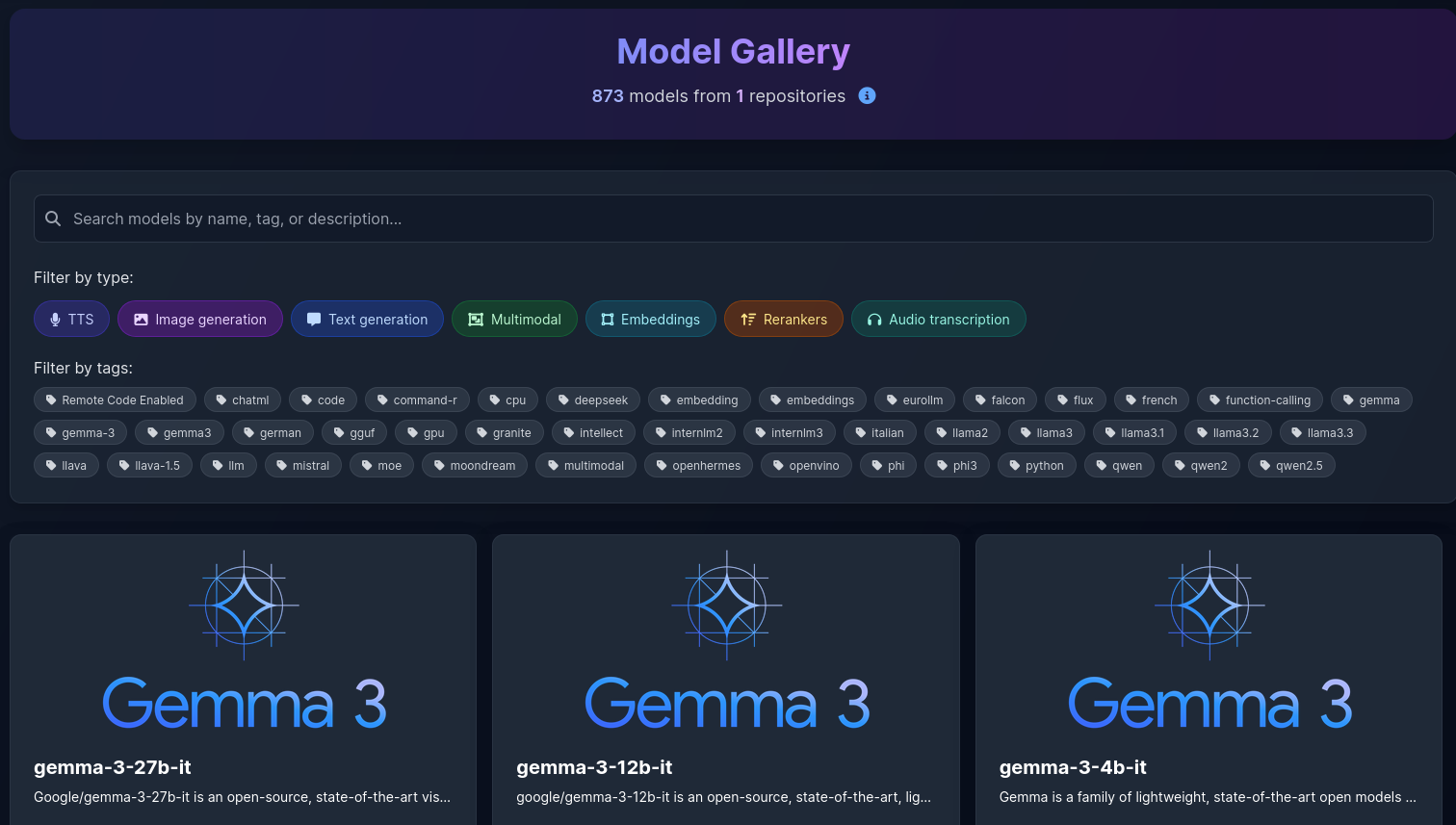
LocalAI is also a full LLM host — the AddOllama-style role for text, with 1000+ chat models
in the gallery. Add them like any other modality; the string overload takes ANY gallery id:
ai.AddTextModel(KnownTextModel.Qwen3_8b)                    // enum -> gallery name
  .AddTextModel(KnownTextModel.Qwen3Vl8b)                   // vision-capable multimodal
  .AddTextModel("kimi-k2.7-code")                           // any of the 1000+ gallery LLMs by name
  .AddEmbeddingModel(KnownEmbeddingModel.NomicEmbedText);   // -> /v1/embeddings
Curated KnownTextModel picks (any other via string): Qwen3 (qwen3-0.6b…qwen3-32b, qwen3-30b-a3b,
qwen3-coder-480b-a35b-instruct), Llama 3.x (meta-llama-3.1-8b-instruct, llama-3.3-70b-instruct),
Gemma 3 (gemma-3-4b-it…-27b-it, vision), DeepSeek (deepseek-ai.deepseek-v3.2, deepseek-ocr),
glm-4.7-flash, kimi-k2.7-code/kimi-k2.6, nousresearch_hermes-4-14b, vision qwen3-vl-{4,8,30}b,
omni qwen3-omni-30b-a3b-instruct. KnownEmbeddingModel: bert-embeddings, nomic-embed-text-v1.5,
bge-m3-colbert, granite-embedding-*, embeddinggemma-300m, qwen3-embedding-*.
Consume via the injected TEXT_MODEL/EMBEDDING_MODEL against {AI_API_BASE}/v1/chat/completions
resp. /v1/embeddings (standard OpenAI shape). Browse all models in the LocalAI WebUI "Models" tab
or at https://localai.io/gallery.html.
Generating from your app
Prefer calling the service server-side: if you set an ApiKey it must never reach the browser,
and LocalAI is meant to live on a trusted network, not be exposed publicly.
Images
The endpoint speaks the OpenAI Images API and returns a base64 PNG.
// C# (from the consuming service)
var baseUrl = builder.Configuration["AI_API_BASE"]!;   // injected, e.g. http://localhost:5069
var model   = builder.Configuration["IMAGE_MODEL"]!;
var apiKey  = builder.Configuration["AI_API_KEY"];     // only if you set o.ApiKey

using var http = new HttpClient();
if (!string.IsNullOrEmpty(apiKey))
    http.DefaultRequestHeaders.Authorization = new("Bearer", apiKey);

var res = await http.PostAsJsonAsync($"{baseUrl}/v1/images/generations", new
{
    model, prompt = "a lighthouse at dawn, cinematic", size = "1024x1024", n = 1, response_format = "b64_json",
});
res.EnsureSuccessStatusCode();
using var doc = JsonDocument.Parse(await res.Content.ReadAsStringAsync());
var b64 = doc.RootElement.GetProperty("data")[0].GetProperty("b64_json").GetString();
await File.WriteAllBytesAsync("out.png", Convert.FromBase64String(b64!));
// TypeScript / JavaScript (Node, TanStack Start server fn, Next route handler, …)
// Keep this on the server — never ship AI_API_KEY to the browser.
const base   = process.env.AI_API_BASE!;   // injected by WithLocalAI
const apiKey = process.env.AI_API_KEY;      // optional
const auth   = apiKey ? { Authorization: `Bearer ${apiKey}` } : {};

const res = await fetch(`${base}/v1/images/generations`, {
  method: "POST",
  headers: { "Content-Type": "application/json", ...auth },
  body: JSON.stringify({
    model: process.env.IMAGE_MODEL, prompt: "a lighthouse at dawn", size: "1024x1024", n: 1, response_format: "b64_json",
  }),
});
if (!res.ok) throw new Error(`image backend ${res.status}: ${await res.text()}`);
const json = await res.json();
// OpenAI Images shape; extract defensively — some models/backends return a url instead.
const b64 = json.data?.[0]?.b64_json ?? json.images?.[0]?.b64_json;
const bytes = Buffer.from(b64, "base64");   // -> save, upload to storage, or return as data URI
Audio — text-to-speech & transcription
TTS returns audio bytes (not JSON); STT is a multipart upload returning { text }.
// Text-to-speech (OpenAI-compatible). response_format: wav | mp3 | aac | flac | opus.
const speech = await fetch(`${base}/v1/audio/speech`, {
  method: "POST",
  headers: { "Content-Type": "application/json", ...auth },
  body: JSON.stringify({ model: process.env.TTS_MODEL, input: "Willkommen bei promote.me", response_format: "mp3" }),
});
const audio = Buffer.from(await speech.arrayBuffer());   // -> save as .mp3 / stream to the client

// Speech-to-text (OpenAI-compatible, multipart/form-data).
const form = new FormData();
form.append("model", process.env.STT_MODEL!);
form.append("file", new Blob([audioBytes], { type: "audio/wav" }), "clip.wav");
const stt = await fetch(`${base}/v1/audio/transcriptions`, { method: "POST", headers: auth, body: form });
const { text } = await stt.json();
Video
POST /video is long-running (seconds to minutes, GPU-bound) and returns a URL (or base64)
to the generated clip. Treat it as a job, not a request/response you block a UI on.
const res = await fetch(`${base}/video`, {
  method: "POST",
  headers: { "Content-Type": "application/json", ...auth },
  body: JSON.stringify({
    model: process.env.VIDEO_MODEL,
    prompt: "a neon city skyline at night, slow camera pan",
    width: 512, height: 512, num_frames: 16, fps: 8,
    response_format: "url",   // or "b64_json"
  }),
});
const json = await res.json();
const clipUrl = json.data?.[0]?.url;   // fetch / stream the mp4
curl {AI_API_BASE}/video -H "Content-Type: application/json" -d '{
  "model": "vllm-omni-wan2.2-t2v", "prompt": "A cat playing in a garden on a sunny day",
  "width": 512, "height": 512, "num_frames": 16, "fps": 8 }'
Other /video params: negative_prompt, start_image, end_image, input_reference, seconds,
size, seed, cfg_scale, step.
WebUI note (LocalAI ≤ 3.12.x): in LocalAI's built-in WebUI the Video tab's model dropdown reverts to "select a model" and won't keep a
vllm-omni(or other non-diffusers) video model selected — a known upstream WebUI bug (#8659, fixed by PR #8781, which addedvllm-omnito the WebUI's video-usecase detection). It is a UI-only bug: drivingPOST /videovia the API (as shown above, and as this package does) works regardless. Fix ships in LocalAI ≥ 4.0 — upgrade the image tag if you need the WebUI video picker.
Sound / music
POST /v1/sound-generation is LocalAI's ElevenLabs-compatible music/sound-effect endpoint
(distinct from TTS on /v1/audio/speech). It takes model_id + text and returns audio bytes
(wav/flac/mp3). Like video it is long-running / GPU-bound — treat it as a job. ACE-Step also
accepts optional music metadata (lyrics, bpm, keyscale, duration_seconds, …).
const res = await fetch(`${base}/v1/sound-generation`, {
  method: "POST",
  headers: { "Content-Type": "application/json", ...auth },
  body: JSON.stringify({
    model_id: process.env.SOUND_MODEL,          // e.g. "ace-step-turbo"
    text: "an upbeat lofi hip-hop beat, mellow piano, 90 bpm",
    // optional ACE-Step music controls:
    // lyrics: "[Verse 1]\n…", bpm: 90, keyscale: "C major", duration_seconds: 30,
  }),
});
if (!res.ok) throw new Error(`sound backend ${res.status}: ${await res.text()}`);
const audio = Buffer.from(await res.arrayBuffer());   // -> save as .wav / stream to the client
curl {AI_API_BASE}/v1/sound-generation -H "Content-Type: application/json" -d '{
  "model_id": "ace-step-turbo", "text": "A funky Japanese disco track",
  "bpm": 120, "keyscale": "Ab major", "duration_seconds": 30 }' --output music.wav
Calling straight from the browser is possible for the OpenAI-compatible endpoints — but only in a
trusted/dev setup: no API key (nothing to leak) and the backend reachable with permissive CORS. For
anything user-facing, proxy through your own backend so you keep control of auth, rate limiting and
prompt policy. (This server-proxy shape is exactly what the promote.me app uses in
media-provider.server.ts — generateSpeech / transcribeAudio / generateVideo / generateSound.)
Using it from n8n
Because the endpoint is OpenAI-compatible, LocalAI is a drop-in backend for
n8n's OpenAI, AI Agent and Embeddings OpenAI nodes — point them at
{endpoint}/v1 with any key (default sk-local); pair it with AddOllama for the native
Ollama nodes. When you host n8n via
Nextended.Aspire.Hosting.N8n, wire the URL in and order startup:
var localai = builder.AddLocalAI("localai").AddTextModel(KnownTextModel.Qwen3_8b);

var n8n = builder.AddN8n("n8n")
    .WaitFor(localai)
    .WithEnvironment("OPENAI_API_BASE_URL",
        ReferenceExpression.Create($"{localai.Resource.HttpEndpoint}/v1"))
    .WithEnvironment("OPENAI_API_KEY", "sk-local");
n8n keeps node credentials in its own DB, so you still add the OpenAI credential once in the
editor (Base URL http://localai:8080/v1, key sk-local) — or pre-seed it via
WithImportCredentials. A full runnable example (LocalAI + Ollama + n8n) is in
Tests/TestProjects/AiStack.AppHost.
Options
builder.AddLocalAI("localai", o =>
{
    o.Gpu = LocalAiGpu.Nvidia;               // None | Nvidia | Amd
    o.Image = "localai/localai";
    o.Tag = "latest-aio-gpu-nvidia-cuda-12"; // AIO = batteries included; slim tags also work
    o.HostPort = 5069;                       // fixed host port (optional)
    o.AioProfile = "gpu-8g";                 // force AIO profile (see GPU note below)
    o.ApiKey = "my-secret";                  // require a bearer key
});
Models
Each Add…Model call installs a model from the LocalAI gallery
on startup and tags it with a modality, so WithLocalAI knows which default-model env var to inject.
The typed enums are a curated convenience — any gallery model works via the string overload, and
the gallery is always the source of truth.
AddModel— text-to-image (KnownImageModel, gallery names, huggingface/OCI URIs, config URLs)AddTextToSpeechModel— TTS (KnownTextToSpeechModelor any gallery name)AddSpeechToTextModel— STT (KnownSpeechToTextModelor any gallery name)AddVideoModel— video (KnownVideoModelor any gallery name)AddSoundModel— sound / music generation (KnownSoundModelor any gallery name)AddHuggingFaceModel— any diffusers-format HuggingFace image repo (not in the gallery)
Image models (AddModel)
KnownImageModel |
Gallery name (API model) |
Notes |
|---|---|---|
StableDiffusionAio |
stablediffusion |
Bundled with AIO images; the default when no image model is added |
StableDiffusion15 |
sd-1.5-ggml |
Classic SD 1.5, small & fast (GGML) |
StableDiffusion3Medium |
stable-diffusion-3-medium |
SD 3 Medium |
StableDiffusion35Medium |
sd-3.5-medium-ggml |
SD 3.5 Medium (GGML) |
StableDiffusion35Large |
sd-3.5-large-ggml |
SD 3.5 Large (GGML), higher quality & VRAM |
DreamShaper |
dreamshaper |
Popular general-purpose SD 1.5 fine-tune |
Flux1Schnell |
flux.1-schnell |
FLUX.1 [schnell], fast few-step |
Flux1Dev |
flux.1-dev-ggml |
FLUX.1 [dev] (GGML) |
Flux1DevUncensored |
flux.1-dev-ggml-abliterated-v2-q8_0 |
FLUX.1 [dev] abliterated — no content filter, GGML Q8 (~13 GB) |
Flux1DevUncensoredDiffusers |
flux.1dev-abliteratedv2 |
Same model, full fp16 via the python diffusers backend (~24 GB, heavy VRAM) |
Flux1KontextDev |
flux.1-kontext-dev |
FLUX.1 Kontext [dev] (instruction / image editing) |
Flux1KreaDev |
flux.1-krea-dev-ggml |
FLUX.1 Krea [dev] (GGML) |
Flux2Dev |
flux.2-dev |
FLUX.2 [dev] |
Flux2Klein4b |
flux.2-klein-4b |
FLUX.2 Klein, 4B params (lighter) |
Flux2Klein9b |
flux.2-klein-9b |
FLUX.2 Klein, 9B params |
Ideogram4 |
ideogram-4-q8_0-ggml |
Ideogram 4 (GGML Q8) |
ZImageTurbo |
z-image-turbo-diffusers |
Z-Image Turbo (diffusers backend) |
ZImageTurboGgml |
Z-Image-Turbo |
Z-Image Turbo (GGML build) |
QwenImage |
qwen-image |
Qwen-Image |
Chroma1Hd |
chroma1-hd |
Chroma1 HD |
ai.AddModel(KnownImageModel.Flux1Schnell)          // enum -> gallery name
  .AddModel(KnownImageModel.Flux1DevUncensored)    // uncensored FLUX (GGML Q8)
  .AddModel("dreamshaper");                         // implicit string -> ImageModel
Audio models (AddTextToSpeechModel / AddSpeechToTextModel)
Text-to-speech (served on /v1/audio/speech):
KnownTextToSpeechModel |
Gallery name | Notes |
|---|---|---|
Kokoro |
kokoro |
Multilingual (incl. German), fast, high quality — good default |
KokoroGerman |
kokoros-de |
Kokoro (Rust port) with German voices |
VibeVoice |
vibevoice |
Expressive multi-speaker TTS |
OmniVoice |
omnivoice-cpp |
Fast TTS with voice cloning from a reference clip |
OmniVoiceHq |
omnivoice-cpp-hq |
Higher-fidelity OmniVoice variant |
PocketTts |
pocket-tts |
Small, fast general-purpose TTS |
OuteTts |
outetts |
Multilingual TTS |
KittenTts |
kitten-tts |
Very small / fast TTS |
PiperGerman |
vits-piper-de_DE-thorsten-sherpa |
Piper German voice (Thorsten), robust offline |
Speech-to-text / whisper (served on /v1/audio/transcriptions):
KnownSpeechToTextModel |
Gallery name | Notes |
|---|---|---|
WhisperBase |
whisper-base |
74M — good default, fast, low memory |
WhisperSmall |
whisper-small |
244M — better accuracy, still light |
WhisperMedium |
whisper-medium |
769M — high accuracy |
WhisperLargeV3 |
whisper-large-v3 |
1.55B — best accuracy, multilingual; wants a GPU |
ai.AddTextToSpeechModel(KnownTextToSpeechModel.Kokoro)
  .AddSpeechToTextModel(KnownSpeechToTextModel.WhisperBase)
  .AddTextToSpeechModel("vibevoice-cpp");   // any other gallery TTS model by exact name
Video models (AddVideoModel)
Served on POST /video. Weights are large (many GB) and generation is slow / GPU-bound — combine
with WithDataVolume().
KnownVideoModel |
Gallery name | Notes |
|---|---|---|
Wan22TextToVideo |
vllm-omni-wan2.2-t2v |
Wan 2.2 text-to-video, 14B (vllm-omni). Strong GPU |
Wan22ImageToVideo |
vllm-omni-wan2.2-i2v |
Wan 2.2 image-to-video, 14B (vllm-omni) |
Wan21TextToVideoGgml |
wan-2.1-t2v-1.3b-ggml |
Wan 2.1 text-to-video 1.3B, GGUF — cheapest, CPU-offloadable (~10 GB RAM) |
Wan21ImageToVideo480pGgml |
wan-2.1-i2v-14b-480p-ggml |
Wan 2.1 image-to-video 14B 480p, GGUF Q4 |
Wan21ImageToVideo720pGgml |
wan-2.1-i2v-14b-720p-ggml |
Wan 2.1 image-to-video 14B 720p, GGUF Q4_K_M |
Wan21FirstLastFrameToVideo720pGgml |
wan-2.1-flf2v-14b-720p-ggml |
Wan 2.1 first-last-frame→video 14B 720p — interpolate/loop between two images |
Ltx2 |
ltx-2 |
Lightricks LTX-2 — synchronized audio + video (diffusers). GPU |
Ltx23 |
ltx-2.3 |
Lightricks LTX-2.3 — improved LTX-2, synchronized audio-video (diffusers). GPU |
The video gallery moves fast. Install any other family by its exact gallery id:
ai.AddVideoModel(KnownVideoModel.Wan22TextToVideo)
  .AddVideoModel(KnownVideoModel.Ltx2)
  .AddVideoModel("some-new-video-id");   // any gallery id — browse https://localai.io/gallery.html
The built-in WebUI's Video tab can't select
vllm-omnivideo models before LocalAI 4.0 — see the WebUI note under Video above. The API works either way.
Sound / music models (AddSoundModel)
Served on the ElevenLabs-compatible POST /v1/sound-generation (model_id + text; ACE-Step also
takes lyrics/bpm/keyscale/duration_seconds). Multi-GB and GPU-bound — combine with
WithDataVolume().
KnownSoundModel |
Gallery name | Notes |
|---|---|---|
AceStepTurbo |
ace-step-turbo |
ACE-Step 1.5 Turbo — music from text/lyrics with BPM/key control (ace-step backend). Good default |
AceStepCppTurbo |
acestep-cpp-turbo |
ACE-Step 1.5 Turbo, native C++/GGML (acestep-cpp), stereo 48kHz, Q8_0 |
AceStepCppTurbo4b |
acestep-cpp-turbo-4b |
ACE-Step 1.5 Turbo C++/GGML with the larger 4B LM — higher quality |
ai.AddSoundModel(KnownSoundModel.AceStepTurbo)
  .AddSoundModel("acestep-cpp-turbo");   // any gallery sound_generation model by exact name
HuggingFace diffusers image models (AddHuggingFaceModel)
Not in the LocalAI gallery — loaded from a HuggingFace repo by generating a model config that is bind-mounted into the container; LocalAI downloads the weights on startup. Includes curated, verified NSFW-capable SDXL models for adult platforms.
ai.AddHuggingFaceModel(KnownHuggingFaceImageModel.RealVisXL4)      // photorealistic, NSFW-capable
  .AddHuggingFaceModel(KnownHuggingFaceImageModel.NsfwGenV2)       // explicit content, unfiltered
  .AddHuggingFaceModel("mymodel", "SG161222/RealVisXL_V5.0");      // any repo id (string overload)
KnownHuggingFaceImageModel |
HuggingFace repo | Notes |
|---|---|---|
RealVisXL4 |
SG161222/RealVisXL_V4.0 |
Photorealistic SDXL, NSFW-capable |
RealVisXL5 |
SG161222/RealVisXL_V5.0 |
Photorealistic SDXL v5 |
RealVisXL5Lightning |
SG161222/RealVisXL_V5.0_Lightning |
Lightning variant — 6 steps |
NsfwGenV2 |
UnfilteredAI/NSFW-gen-v2 |
Explicit content, unfiltered |
NsfwGenAnime |
UnfilteredAI/NSFW-GEN-ANIME |
Explicit anime, unfiltered |
NsfwV1 |
stablediffusionapi/nsfw |
Explicit content |
OmnigenXL |
stablediffusionapi/omnigen-xl |
OmniGen XL |
OmnigenXLNsfw |
stablediffusionapi/omnigenxlnsfwsfw-v10 |
OmniGen XL, NSFW |
WaiIllustriousSDXL |
votepurchase/waiIllustriousSDXL_v150 |
Illustrious / anime SDXL |
PonyDiffusionV6XL |
John6666/pony-diffusion-v6-xl-sdxl-spo |
Pony Diffusion v6 XL |
DreamShaperXLTurbo |
Lykon/dreamshaper-xl-v2-turbo |
Turbo — 8 steps |
DreamShaper8 |
Lykon/dreamshaper-8 |
DreamShaper 8 (SD 1.5) |
AnimagineXL4 |
cagliostrolab/animagine-xl-4.0 |
Anime SDXL v4 |
AnimagineXL31 |
cagliostrolab/animagine-xl-3.1 |
Anime SDXL v3.1 |
PlaygroundV25 |
playgroundai/playground-v2.5-1024px-aesthetic |
Playground v2.5 |
SdxlBase |
stabilityai/stable-diffusion-xl-base-1.0 |
Stock SDXL base 1.0 |
MajicMixRealistic |
digiplay/majicMIX_realistic_v7 |
Photoreal SD 1.5 |
JuggernautXLv9 |
RunDiffusion/Juggernaut-XL-v9 |
Juggernaut XL v9 |
EpicRealismXL |
misri/epicrealismXL_v7FinalDestination |
epiCRealism XL |
EpicRealism15 |
emilianJR/epiCRealism |
epiCRealism (SD 1.5) |
RealisticVision51 |
stablediffusionapi/realistic-vision-v51 |
Realistic Vision v5.1 |
These run on LocalAI's python diffusers backend (first use downloads the backend + weights;
SDXL-class models want ≥8 GB free VRAM). Sampler steps and the fp16 file-variant flag are set
automatically per known model — turbo/lightning models use fewer steps, and repos that don't
ship *.fp16.safetensors load their default-named weights (the wrong flag fails to load). For
custom repos via the string overload, tune steps and pass f16: true only if the repo ships
fp16-variant files:
ai.AddHuggingFaceModel(
    name: "my-turbo",
    hfRepo: "some/sdxl-turbo-repo",
    pipelineType: "StableDiffusionXLPipeline",   // default; fits SDXL-class models
    steps: 8,                                     // turbo/lightning want ~6-8
    f16: true);                                   // only if the repo publishes fp16 files
Changing/adding models on an existing stack: LocalAI imports each model config into its
/modelsvolume on first start and does not overwrite it later. After changing models (or this package), drop the volume so configs re-import:docker volume rm <name>-models.
Note: LocalAI gallery names (used with
AddModel/AddTextToSpeechModel/…) and HuggingFace repos (used withAddHuggingFaceModel) are different namespaces. A gallery name likensfw-v1does not exist in the gallery — useAddHuggingFaceModel(KnownHuggingFaceImageModel.NsfwV1).
Browse everything at https://localai.io/gallery.html.
Behavior notes:
- No
Add…Model→ AIO images load their bundled default set (image-gen, chat, tts, …). - With any
Add…Model→ only the models you added are downloaded/loaded (the AIO default set is overridden via theMODELSenv var). Mix modalities freely in one service. WithDataVolume()persists/modelsand/backends— both downloads are multi-GB and only happen once.
GPU notes
- NVIDIA: the container gets
--gpus all. Requirements: recent NVIDIA driver + Docker Desktop (WSL2) or NVIDIA Container Toolkit on Linux. Verify passthrough with:docker run --rm --gpus all ubuntu nvidia-smi - Docker Desktop / WSL2 quirk: LocalAI's AIO images detect GPUs via
lspci, which does not see the WSL2 GPU even when--gpus allworks. This package therefore forcesPROFILE=gpu-8gfor NVIDIA + AIO automatically (override viaAioProfile). - First start downloads several GB (backends + models) — be patient, then use
WithDataVolume()so it only happens once.
UIs
- LocalAI WebUI is built in — open the resource endpoint in the browser. It has real
text-to-image, text-to-speech, transcription, video and sound-generation tabs, so it doubles as a
quick way to try every modality without writing a line of client code. (Before LocalAI 4.0 the
Video tab can't keep a
vllm-omnivideo model selected — a UI-only bug, see the Video section; thePOST /videoAPI is unaffected.) - SD.Next (for serious image work):
WithSdNextUi()adds a full SD.Next studio — proper txt2img/img2img UI, model & LoRA management, Civitai/HuggingFace downloads. Runs its own GPU container with its own models (independent of LocalAI). Default imagevladmandic/sdnext-cuda:latest, UI on port 7860. - ACE-Step UI (music studio):
WithAceStepUi()adds a local Suno-style music studio — ace-step-ui (song library, lyrics editor, stem separation, audio editor) plus the ACE-Step 1.5 server it requires, run in Gradio mode with--enable-api(the API surface the UI generates through). NOTE: the UI speaks ACE-Step's own Gradio/REST API — not LocalAI's/v1/sound-generation— so like SD.Next it runs its own model container with its own weights ({name}-checkpointsvolume, ~18 GB on first start); models added viaAddSoundModelare independent of it. Both containers are built from source on first run: the UI ships no image, and the server is built from the pinned ACE-Step tagv0.1.4— the UI calls the Gradio endpoint with positional args, and its argument list matches exactly that signature (newer releases inserted parameters, shifting positions and breaking generation; GHCR offers no v0.1.4 image). If you changeApiGitRef/ApiTag, pinUiGitRefto a UI revision built against that server version. The generated server Dockerfile also pinstorchcodec==0.10.0(the release matching torch 2.10 on the CUDA-12.8 base) — v0.1.4 has no lockfile, so an unpinned build otherwise pulls a torchcodec built for CUDA 13 and cover/reference-audio generation fails to decode its input (plain text2music is unaffected). - Open WebUI:
WithOpenWebUI()adds aghcr.io/open-webui/open-webuicontainer. Overloads let you reuse an existing Open WebUI (e.g. the one from the Ollama integration) instead of a second one:
Note Open WebUI's image generation is awkward — you chat with a text model and press the image button; selecting an image model as a chat model yieldsvar ollama = builder.AddOllama("ollama").WithOpenWebUI(); // Ollama's Open WebUI var ai = builder.AddLocalAI("localai").AddModel(KnownImageModel.Flux1Schnell) .WithOpenWebUI(useExistingIfFound: true); // reuse it, add image models // or pass it explicitly: var ui = builder.Resources.OfType<OpenWebUIResource>().FirstOrDefault(); if (ui is not null) ai.WithOpenWebUI(ui);unimplemented(it hits/v1/chat/completions). Prefer the LocalAI WebUI or SD.Next for pure image generation.
var ai = builder.AddLocalAI("localai")
    .WithDataVolume()
    .AddHuggingFaceModel(KnownHuggingFaceImageModel.NsfwV1)
    .WithSdNextUi()      // full image studio on :7860
    .WithAceStepUi()     // Suno-style music studio (own ACE-Step 1.5 server)
    .WithOpenWebUI();    // optional, chat-first
All UIs are dev-time only (ExcludeFromManifest).
Supported frameworks
net8.0net9.0net10.0
Dependencies
- Nextended.Aspire
- Aspire.Hosting.AppHost
The Nextended family
The other 18 packages in the suite:
Core libraries
- Nextended.Core — Foundation library — extension methods, custom types (Money, Date, BaseId, SuperType), class mapping, deep clone, encryption, hashing and the code-generation attributes.
- Nextended.Cache — Expression-based caching — automatic cache keys from method expressions, CacheProvider with condition-based invalidation, thread-safe AddOrGetExisting.
Data access
- Nextended.EF — Entity Framework Core extensions — graph loading (LoadGraphAsync, IncludeAll, MultiInclude), declarative include definitions, paging, dynamic sorting and bulk operations.
ASP.NET Core & web
- Nextended.Web — ASP.NET Core utilities — zero-config OData (AddODataAuto), composable IQueryable OData appliers, strongly typed controller URLs, streaming download helpers and a background executor that can replay a captured request.
- Nextended.ResponseFilters — Fluent, provider-agnostic pipeline that redacts, masks, rounds, truncates, hashes, prunes and restructures response DTOs before serialization — per request, per user, per permission.
- Nextended.ResponseFilters.AspNetCore — ASP.NET Core adapter for Nextended.ResponseFilters — registers the pipeline as a global IAsyncResultFilter and replays structural edits against the serialized JSON tree.
UI libraries
- Nextended.Blazor — Blazor helpers — IBrowserFile extensions (bytes, data URLs, downloads), a hierarchical model for browsing inside uploaded zip/tar/rar archives, MIME-type detection and component-parameter reflection.
- Nextended.UI — WPF and Windows desktop helpers — a global input-binding manager with hold/sequence matching, DirectInput and XInput gamepad readers, key-bind capture controls, converters, behaviours, markup extensions and runtime-defined PropertyGrid types.
Code generation & tooling
- Nextended.Imaging — Image processing — aspect-preserving resize, crop, colour replacement, brightness-based foreground picking, thumbnail generation, byte/data-URL conversion and MIME detection from magic bytes.
- Nextended.CodeGen — Roslyn source generator — DTOs and interfaces from your entities, strongly typed classes from JSON/XML, lookup tables from Excel, and documentation from source files.
.NET Aspire hosting
- Nextended.Aspire — Conditional AppHost builder extensions — WithReferenceIf / WaitForIf / WithExplicitStartIf, strongly typed environment variables from config objects, HTTPS dev-cert wiring, Docker guards, GitHub-source resources and npm app discovery.
- Nextended.Aspire.Hosting.Supabase — The complete Supabase stack — Postgres, Auth (GoTrue), REST, Realtime, Storage, Studio, Kong and Edge Functions — as one composable Aspire resource.
- Nextended.Aspire.Hosting.N8n — The n8n workflow-automation platform as an Aspire resource, with Postgres persistence, workflow import and a typed client for triggering workflows from .NET.
- Nextended.Aspire.Hosting.Grafana — Grafana, Prometheus, Loki, Tempo, Promtail, cAdvisor, postgres_exporter and the OpenTelemetry Collector as composable resources with auto-provisioned datasources.
- Nextended.Aspire.Hosting.WebDataStudio — WebDataStudio — a browser database studio for PostgreSQL, MySQL, SQL Server, SQLite, Oracle, DuckDB, ClickHouse, MongoDB and Redis — wired to the databases of your stack, with accounts and roles, an optional SQL assistant, and an MCP endpoint for AI agents.
- Nextended.Aspire.Hosting.AspireUI — AspireUI — the visual AppHost builder — as a resource inside your own Aspire stack, with an optional pre-seeded admin user and a starter stack built from your project paths.
- Nextended.Aspire.Hosting.LocalAI — Self-hosted, OpenAI-compatible multimodal AI — image generation, text-to-speech, speech-to-text and video — with gallery model management, GPU support and Open WebUI. (this package)
- Nextended.Aspire.Hosting.Php — Run PHP endpoints inside your Aspire stack — a docroot folder or a single router script served by PHP's built-in web server, with php.ini settings as fluent options.
- Nextended.Aspire.Hosting.DbTools — Database tools for an Aspire app host. The first: fill a database resource from a database that already exists — schema and data — from another resource in the stack or from a server it does not model. PostgreSQL, SQL Server, MySQL/MariaDB, MongoDB and Redis, each through its own engine's dump and restore tools.
Links
- 📦 NuGet package
- 📖 Documentation — English
- 📖 Dokumentation — Deutsch
- 🏠 Documentation portal
- 🧪 Runnable sample
- 🧑💻 Source code
- 🐛 Report an issue
License
MIT — see LICENSE.
| Product | Versions Compatible and additional computed target framework versions. |
|---|---|
| .NET | net8.0 is compatible. net8.0-android was computed. net8.0-browser was computed. net8.0-ios was computed. net8.0-maccatalyst was computed. net8.0-macos was computed. net8.0-tvos was computed. net8.0-windows was computed. net9.0 is compatible. net9.0-android was computed. net9.0-browser was computed. net9.0-ios was computed. net9.0-maccatalyst was computed. net9.0-macos was computed. net9.0-tvos was computed. net9.0-windows was computed. net10.0 is compatible. net10.0-android was computed. net10.0-browser was computed. net10.0-ios was computed. net10.0-maccatalyst was computed. net10.0-macos was computed. net10.0-tvos was computed. net10.0-windows was computed. |
-
net10.0
- Aspire.Hosting.AppHost (>= 13.6.1)
- Nextended.Aspire (>= 10.1.46)
-
net8.0
- Aspire.Hosting.AppHost (>= 13.6.1)
- Nextended.Aspire (>= 10.1.46)
-
net9.0
- Aspire.Hosting.AppHost (>= 13.6.1)
- Nextended.Aspire (>= 10.1.46)
NuGet packages
This package is not used by any NuGet packages.
GitHub repositories
This package is not used by any popular GitHub repositories.
| Version | Downloads | Last Updated |
|---|---|---|
| 10.1.46 | 115 | 10/16/2026 |
| 10.1.45 | 101 | 10/12/2026 |
| 10.1.44 | 94 | 10/12/2026 |
| 10.1.43 | 93 | 10/10/2026 |
| 10.1.42 | 92 | 10/8/2026 |
| 10.1.41 | 88 | 10/8/2026 |
| 10.1.40 | 98 | 10/2/2026 |
| 10.1.38 | 114 | 9/21/2026 |
| 10.1.37 | 110 | 9/15/2026 |
| 10.1.36 | 107 | 9/11/2026 |
| 10.1.35 | 122 | 8/30/2026 |
| 10.1.34 | 113 | 8/27/2026 |
| 10.1.33 | 125 | 8/24/2026 |
| 10.1.32 | 261 | 8/20/2026 |
| 10.1.31 | 117 | 8/19/2026 |
| 10.1.30 | 130 | 8/19/2026 |
| 10.1.21 | 145 | 7/30/2026 |
| 10.1.20 | 141 | 7/26/2026 |
| 10.1.19 | 132 | 7/23/2026 |
| 10.1.18 | 306 | 7/22/2026 |