Imperium 1.4.0
dotnet add package Imperium --version 1.4.0
NuGet\Install-Package Imperium -Version 1.4.0
<PackageReference Include="Imperium" Version="1.4.0" />
<PackageVersion Include="Imperium" Version="1.4.0" />
<PackageReference Include="Imperium" />
paket add Imperium --version 1.4.0
#r "nuget: Imperium, 1.4.0"
#:package Imperium@1.4.0
#addin nuget:?package=Imperium&version=1.4.0
#tool nuget:?package=Imperium&version=1.4.0

Imperium
Imperium is a powerful all-in-one debugging and admin tool to test and explore game mechanics and functionality in Lethal Company.
Imperium works on the client-side and server-side, meaning it works in singleplayer as well as multiplayer, as long as Imperium is installed on the host.
Imperium was made with the intent to be a tool to debug game functionalities and provide more insight into the weird and wonderful mechanics of Lethal Company.
I strongly stand against cheating and trolling in public lobbies. If you really want to cheat, at least put some effort into making your own hacked client!
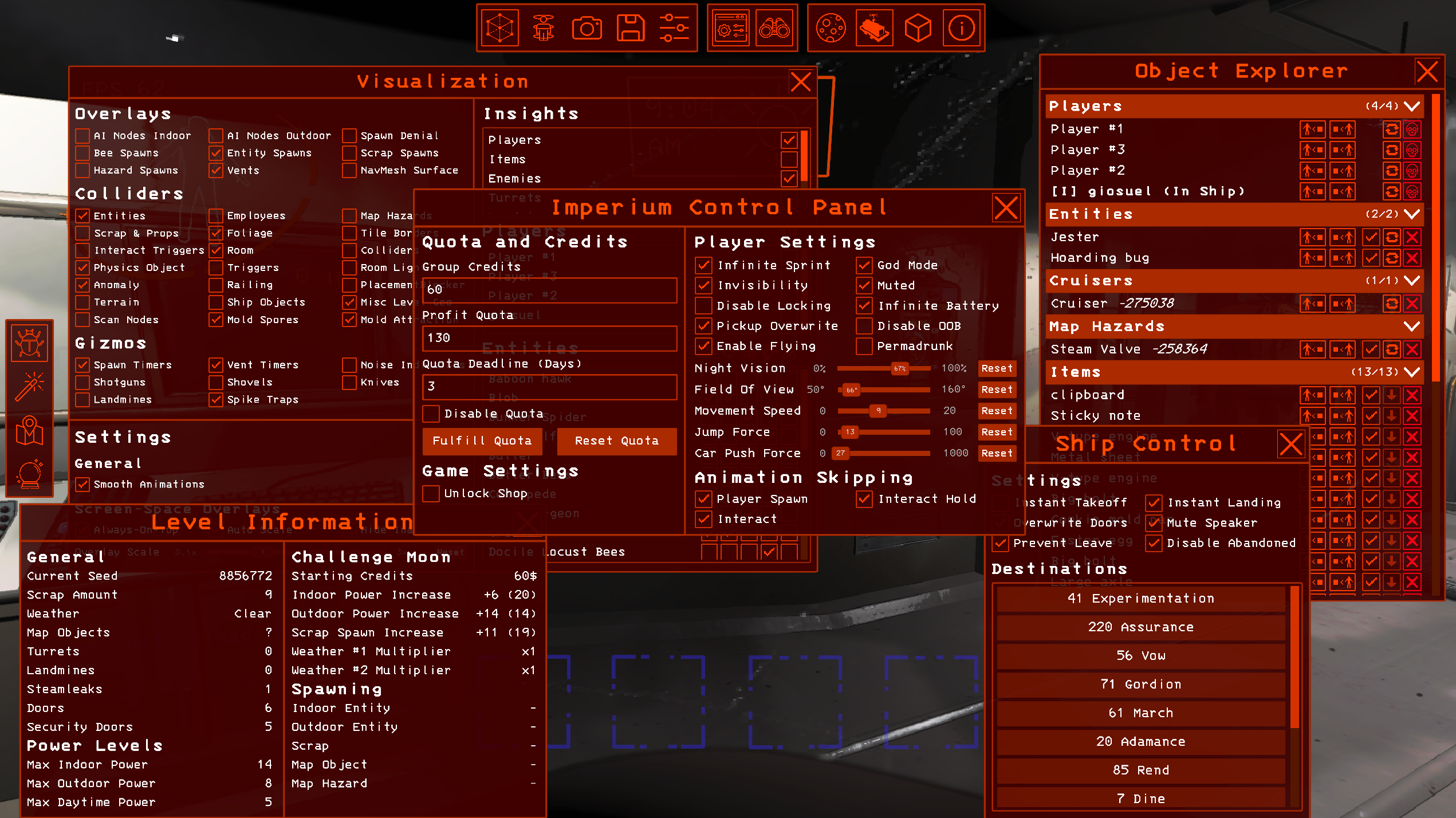
Features
- Modular and user-centered UI system with floating and resizable windows.
- In-game overlays and indicators for hitboxes of shotguns, shovels, landmines, etc.
- Customizable 3-axis freecam with built-in teleportation, night vision and custom FOV settings.
- Built-in minimap and full-screen map with layer selection, zoom and more.
- Visualization of game object hitboxes, spawn locations, tile borders and much more.
- Eight different interface themes to pick from.
- Tape measure to measure in-game distances with custom layer selection support.
- Event log that logs in-game events related to entity spawning, targeting and more.
- Entity, scrap and map hazard; spawning, de-spawning and teleportation.
- Instant ship landing and takeoff and various other animation skips.
- Ability to kill and revive players including yourself.
- Entity spawn prediction powered by the Oracle Prediction Algorithm.
- Easy adjustment of game variables such as credits, quota deadline, spawn rates and many more.
- Player tweaks such as god mode, infinite sprint, infinite battery, night vision, invisibility, custom movement speed, custom jump height, and many more.
- Player teleportation via coordinate input or interactive location picking alongside a waypoint manager.
- Noise detection overlay that marks recently played noises with temporary markers.
- Option to toggle the employee HUD overlay.
- Enabling / Disabling of various render layers, post-processing effects, render passes and more.
- Allows bypassing of the loading screen and instantly loading a save file on start-up.
- Fully compatible with Unity Explorer (Including mouse look fix).
Getting Started
Imperium can be downloaded directly from Thunderstore or installed manually from the releases page. If you are downloading Imperium through Thunderstore, I highly recommend to use the Gale mod manager to manage your mods.
Interface Navigation
Imperium can be navigated using functional keys, or F-Keys. All the default key bindings can be changed through InputUtil's keybind interface in the Lethal Company settings.
Imperium is divided into several main interfaces which can be opened directly with functional keys (e.g. F1 for the Imperium UI). Alternatively, its possible to switch between these interfaces with the dock on the left.
The main interface, called the "Imperium UI" is further divided into floating windows which contain Imperium's main settings and functionalities. These windows can be toggled on and off through the Imperium dock at the top of the screen. Altenatively, some of them can be opened through functional keys (e.g. F3 to open the teleportation window).
| Default Keybind | Action |
|---|---|
| F1 | Opens the Imperium UI. |
| F2 | Opens Imperium's spawn UI. |
| F3 | Opens the teleportation window within the Imperium UI. |
| F6 | Opens the Oracle spawn prediction UI. |
| F8 | Opens the full-screen map UI. |
| T | Toggles interactive teleportation. |
| F | Opens the Imperium freecam. |
| L | Toggles the UI while in the freecam. |
| M | Toggles the Imperium minimap. |
| X | Toggles the freecam's picture-in-picture mode. |
| F11 | Toggles the freecam's picture-in-picture mode's fullscreen. |
| Z | Toggles the vanilla employee HUD. |
Imperium's Minimap / Map
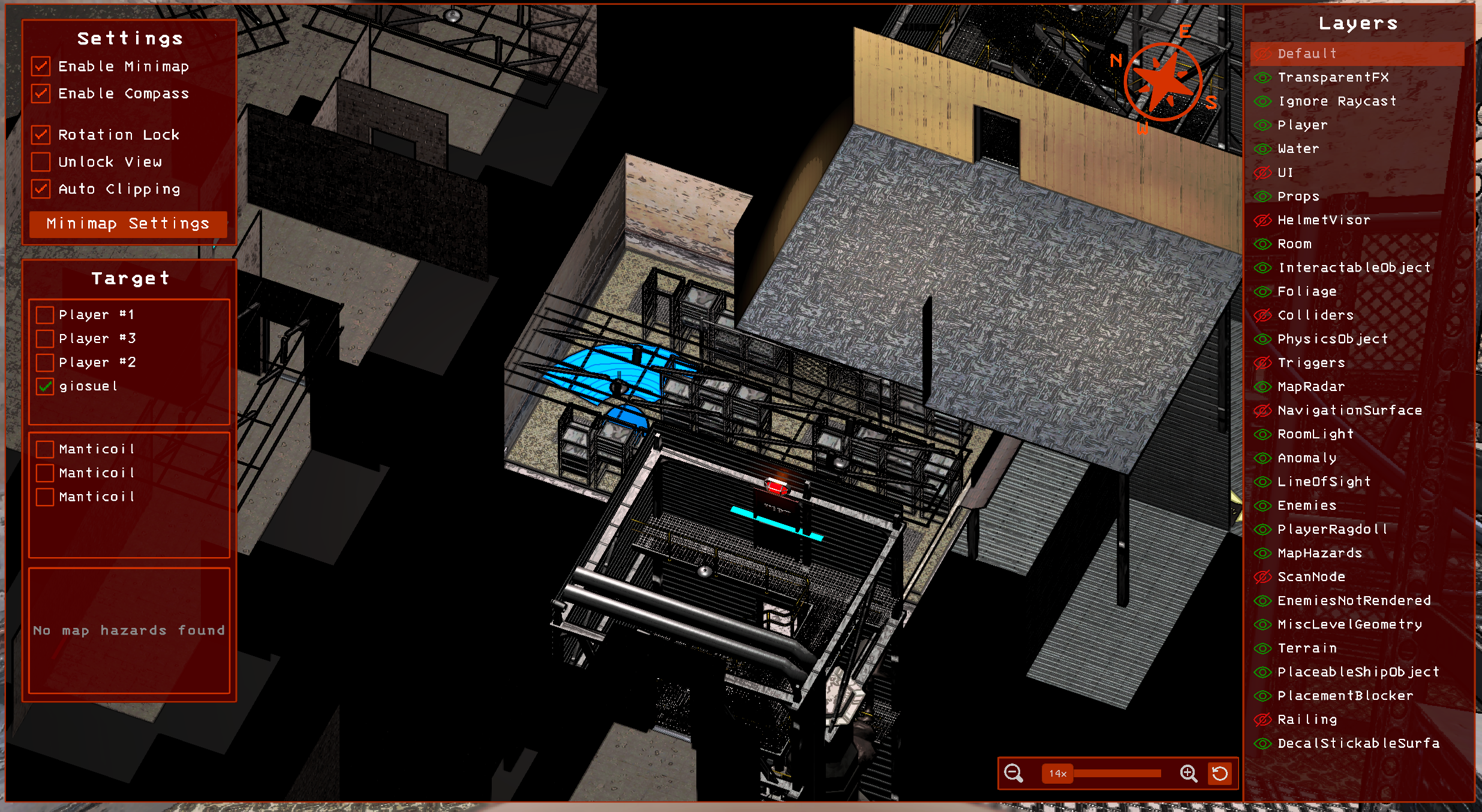
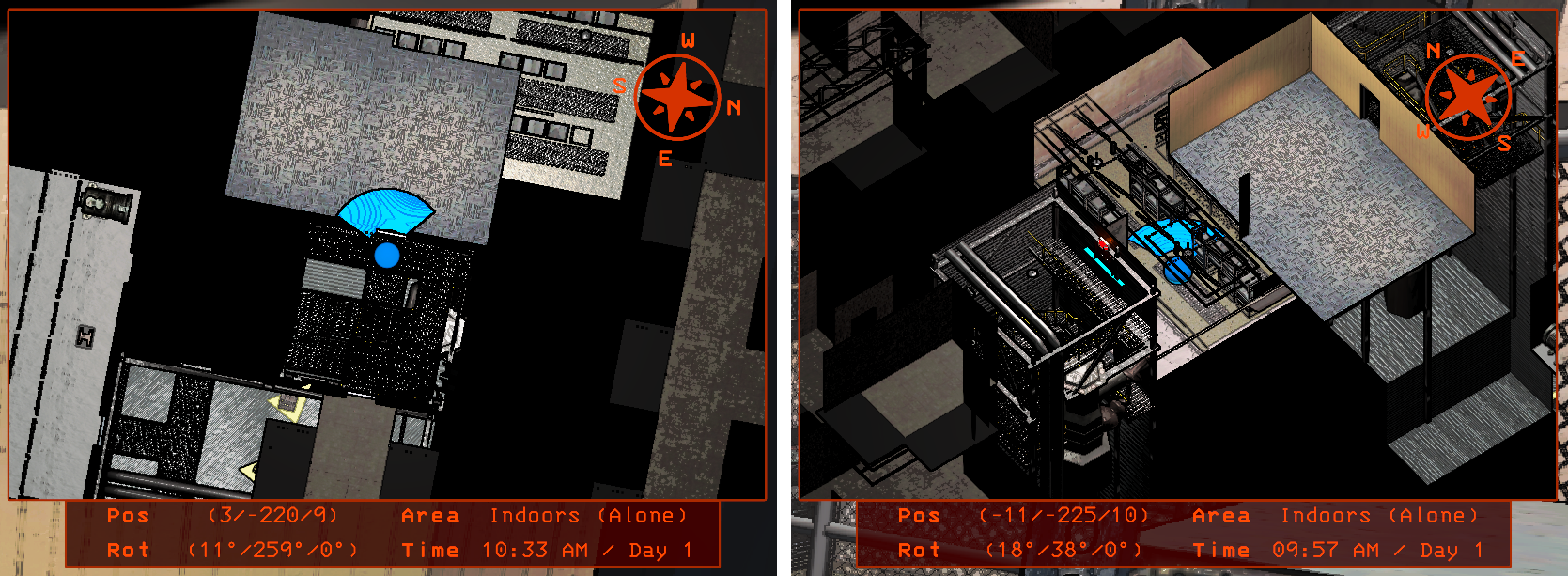
Imperium comes with its own minimap and full-screen map. The map can be used to follow yourself or other employees, as well as track entities or even map hazards. By default, the map is set to top-down view but you can adjust the viewing angle in the full-screen map.
Imperium's Visualizers
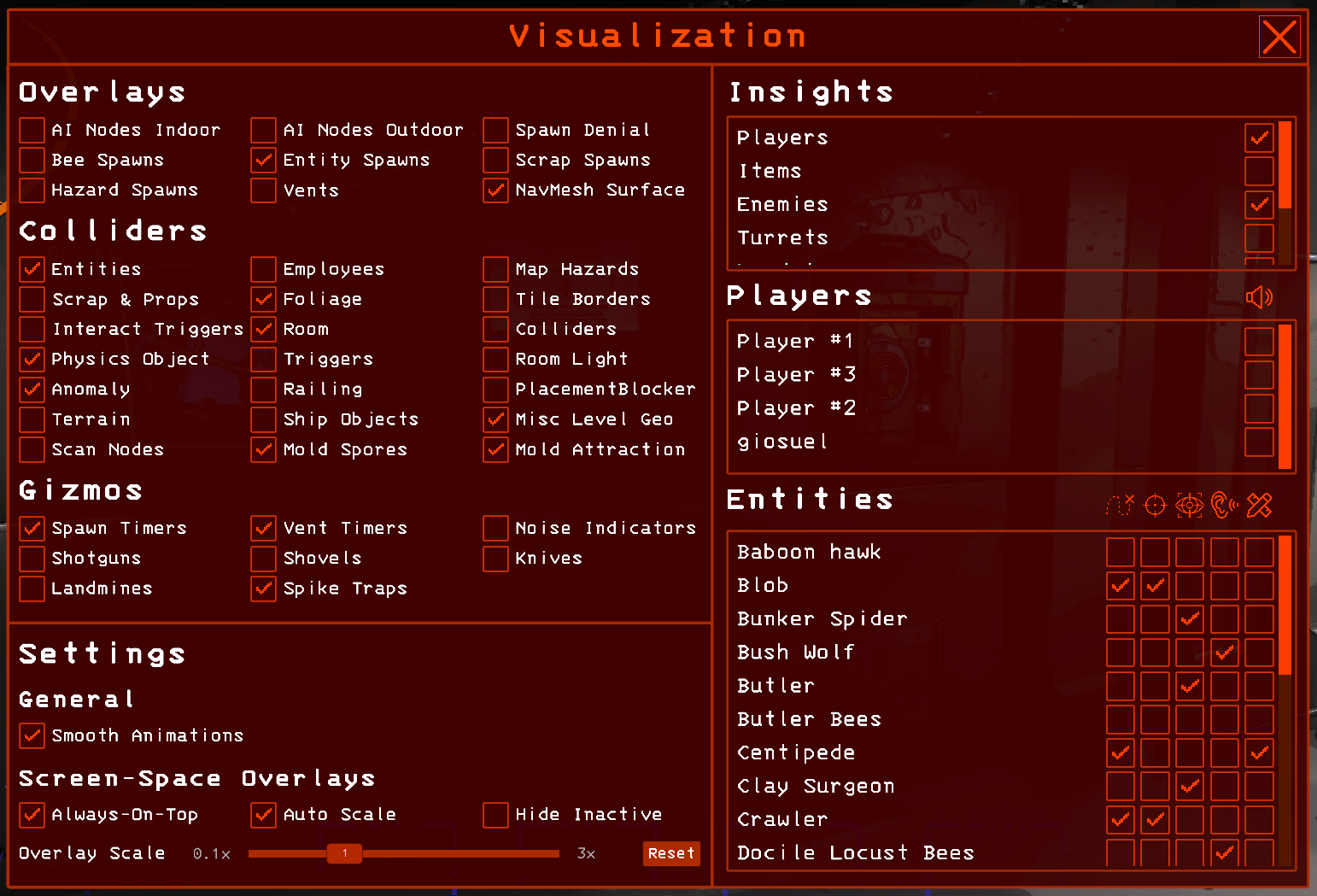
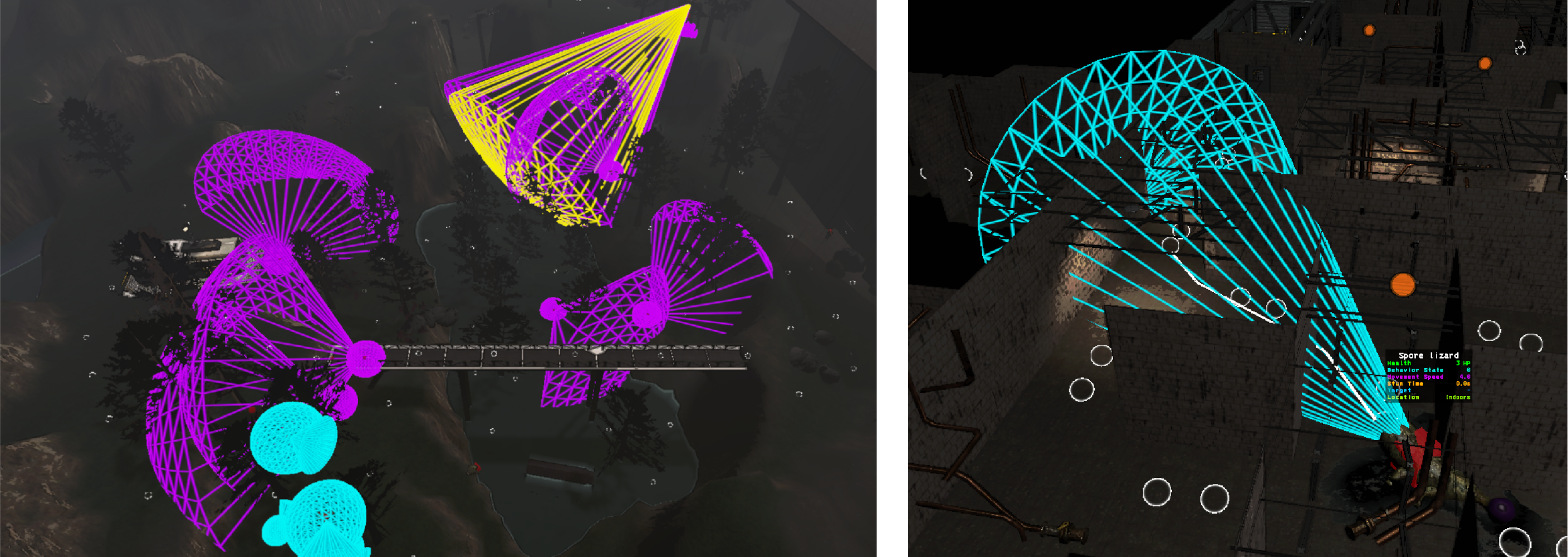
Imperium comes with a multitude of built-in visualizers for colliders, position trackers, map hazards and more. The visualizers are divided into 5 main categories.
Overlays and Colliders
Overlays are simple position trackers which highlight certain important coordinates in the game such as spawn locations, AI nodes and more. Collider visualizers highlight box, sphere and capsule colliders of game objects.
Insights
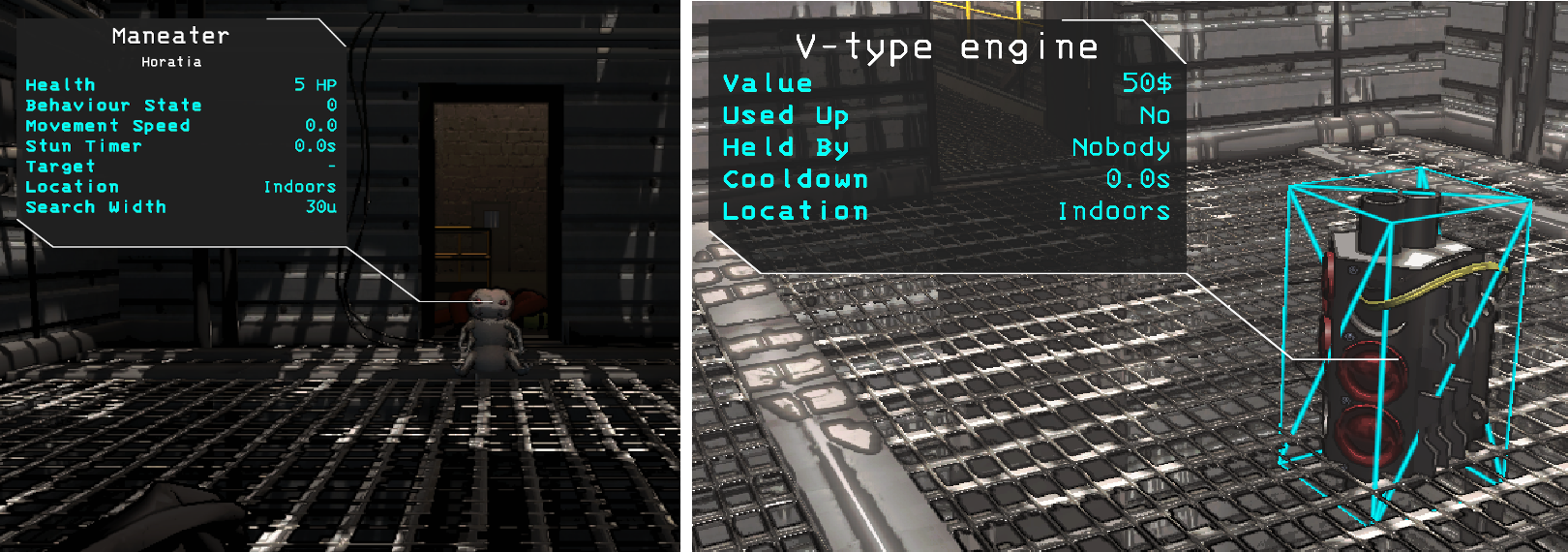
Insights provide screen-space overlays for any game objects in the scene.
Imperium's Freecam
Imperium comes with a built-in freecam that can be activated with F. The freecam camera is an exact copy of the player's gameplay camera with the exception of the culling layers that can be toggled in the layer selector. The layer selector can be toggled with L and is activated by default.
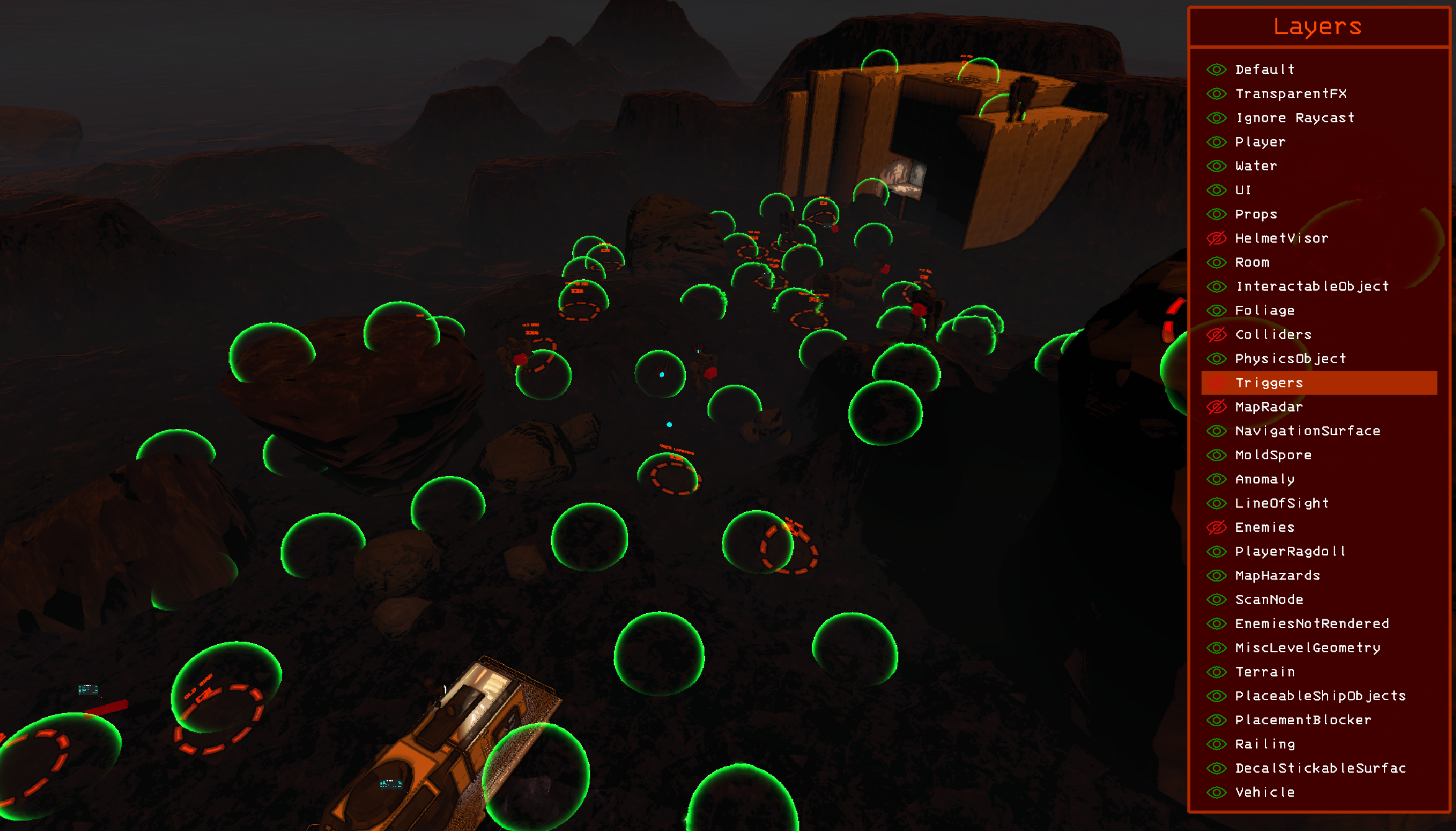
The freecam can be moved with WASD controls and Q and E for up and down movement.
| Keybind | Action |
|---|---|
| UpArrow | Moves layer selection up in layer selector. |
| DownArrow | Moves layer selection down in layer selector. |
| Space | Toggles selected layer in layer selector. |
| LeftArrow | Increases freecam field of view. |
| RightArrow | Descreases freecam field of view. |
| ScrollUp | Increases freecam movement speed. |
| ScrollDown | Decreases freecam movement speed. |
| R | Resets the freecam's position, FOV and movement speed. |
| T | Teleports the player model to the freecam. |
| L | Toggles layer selector. |
The Spawning Console
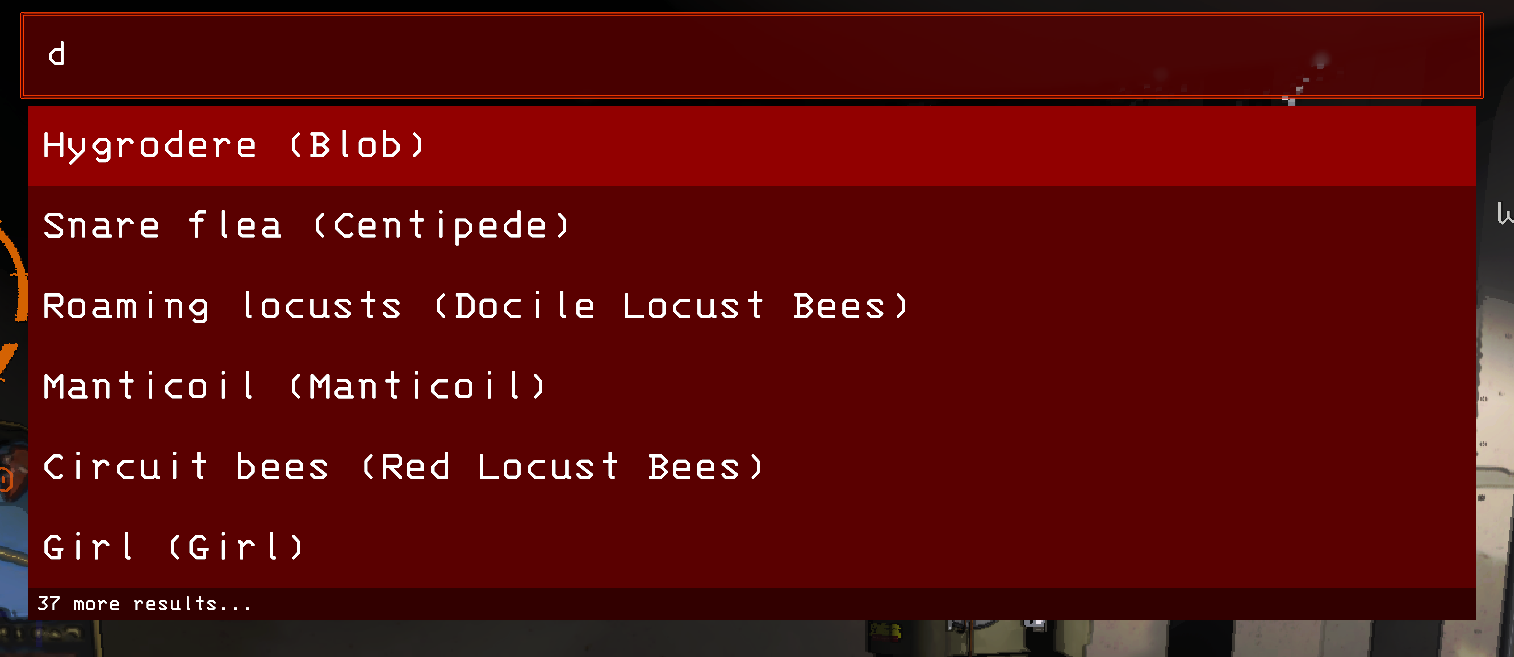
Tha spawning console allows you to spawn entities, scrap and map hazards into the scene.
Command Syntax: objectName [amount] [health / value]
The Tape Measure
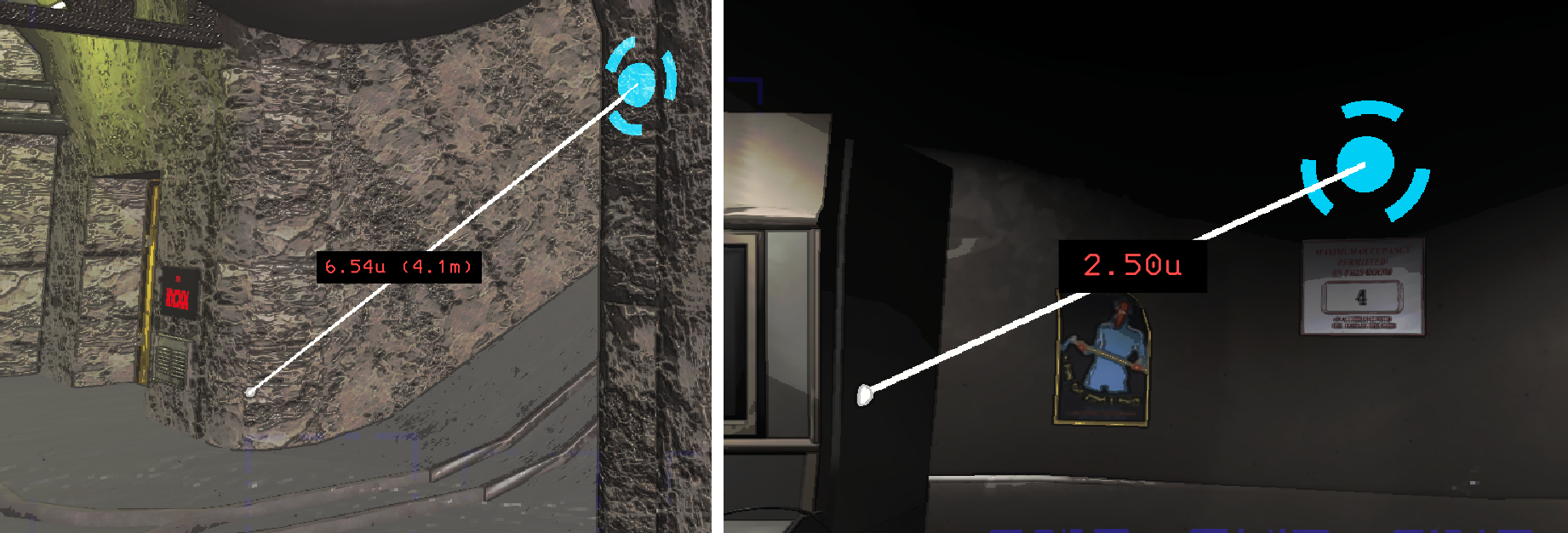
The tape measure is a virtual tool to measure distances in the game. The tape measure supports axis snapping when holding down the Alt key. It also tries to snap to surfaces as well as possible.
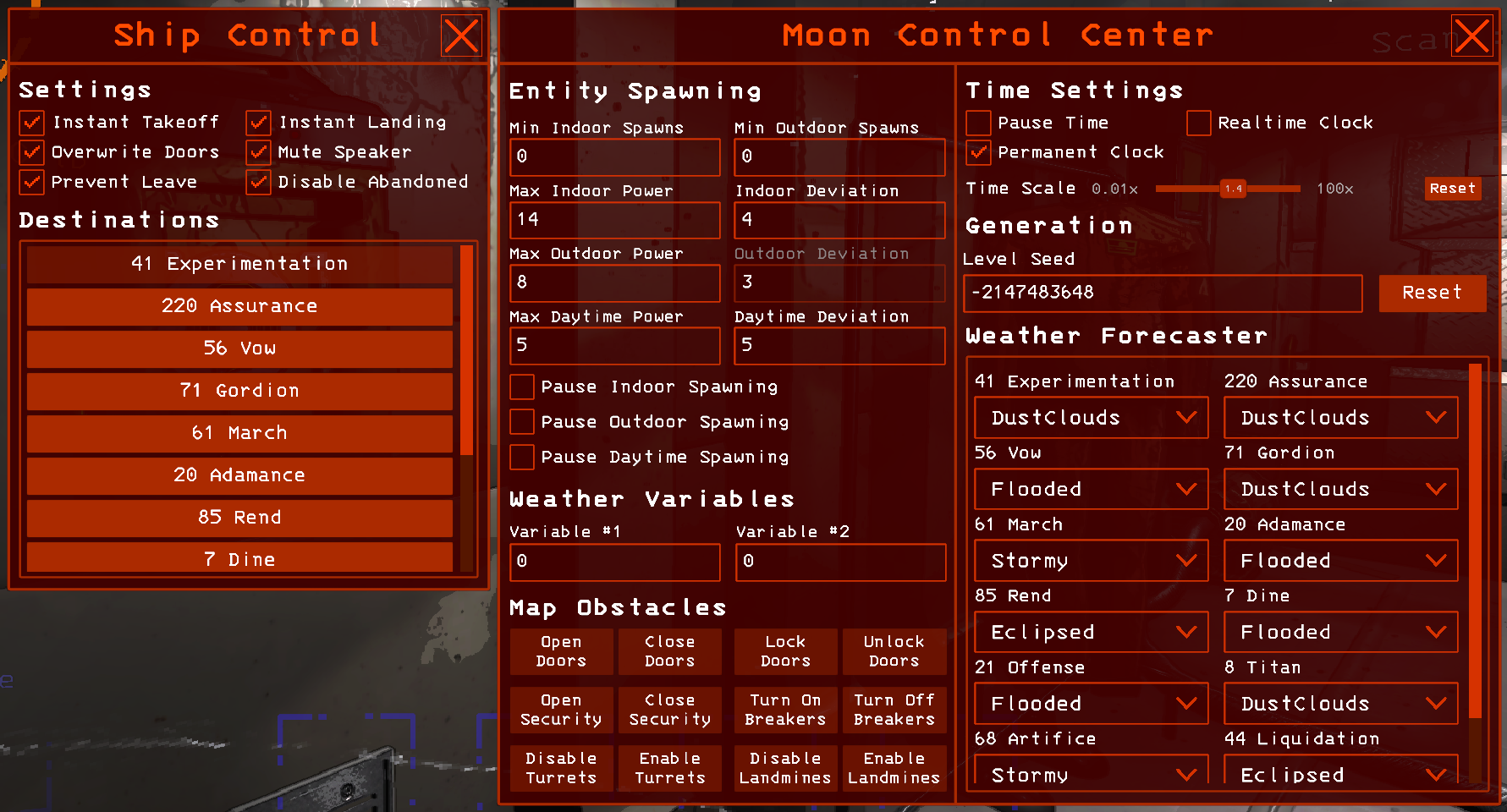
Ship and Moon Control
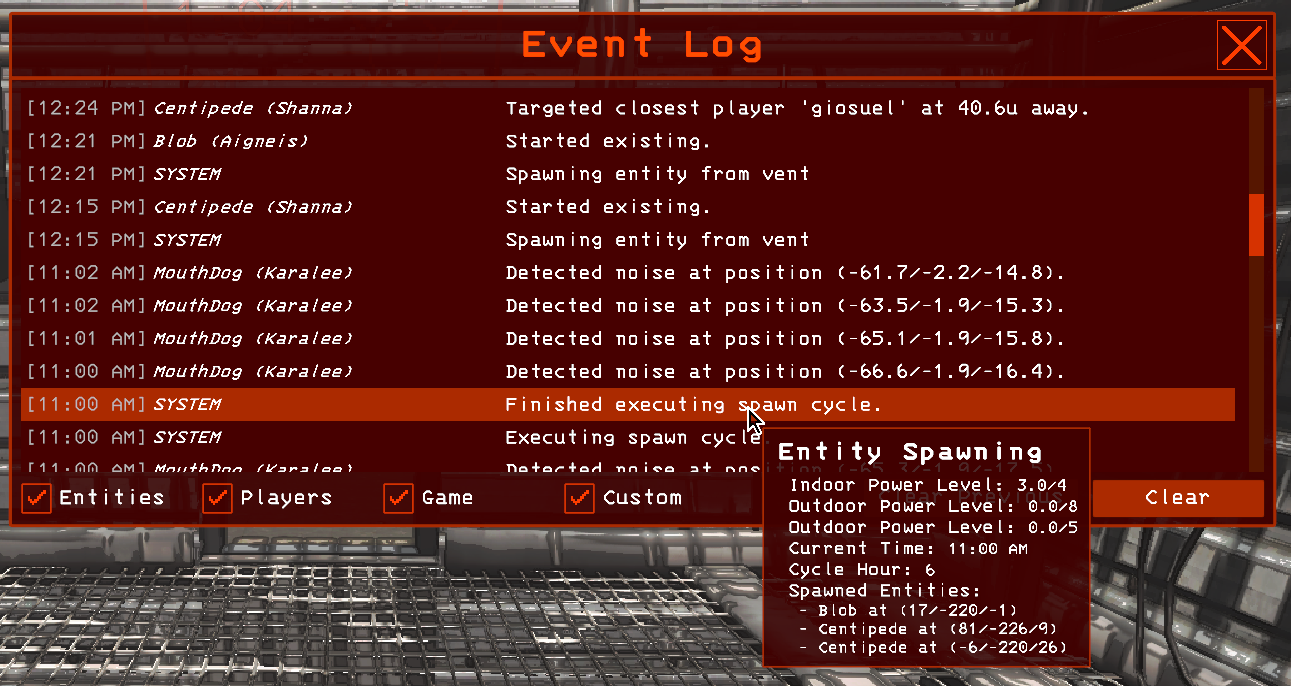
The Event Log
The event log allows you to track specific game events such as entity spawns, noise detection, entity targeting and LoS detection and more.
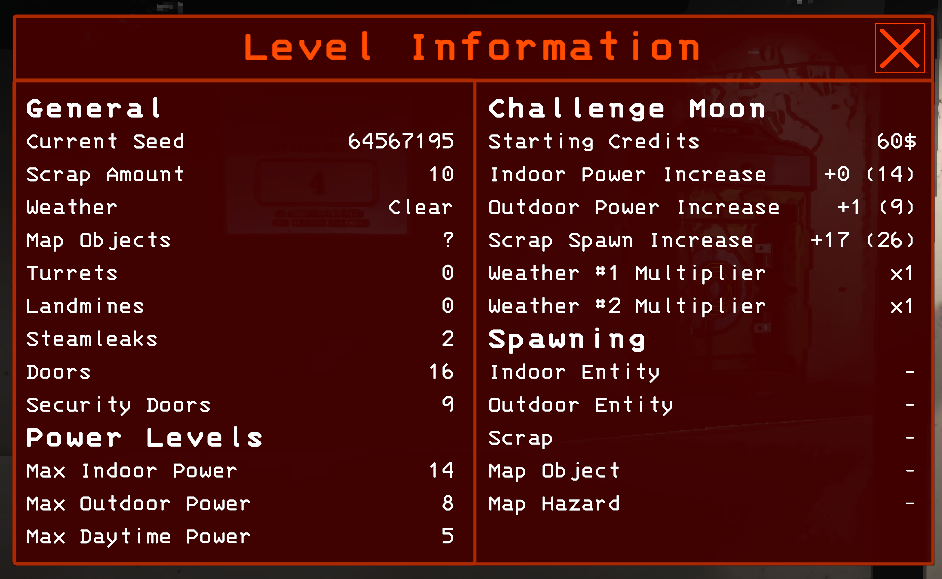
Moon / Challenge Moon Information
Imperium Preferences
The Imperium preferences interface provides access to various preferences of Imperium.
<img src="https://github.com/giosuel/imperium/blob/main/assets/imperium-settings.png?raw=true" alt="imperium-settings" style="zoom: 67%;" />
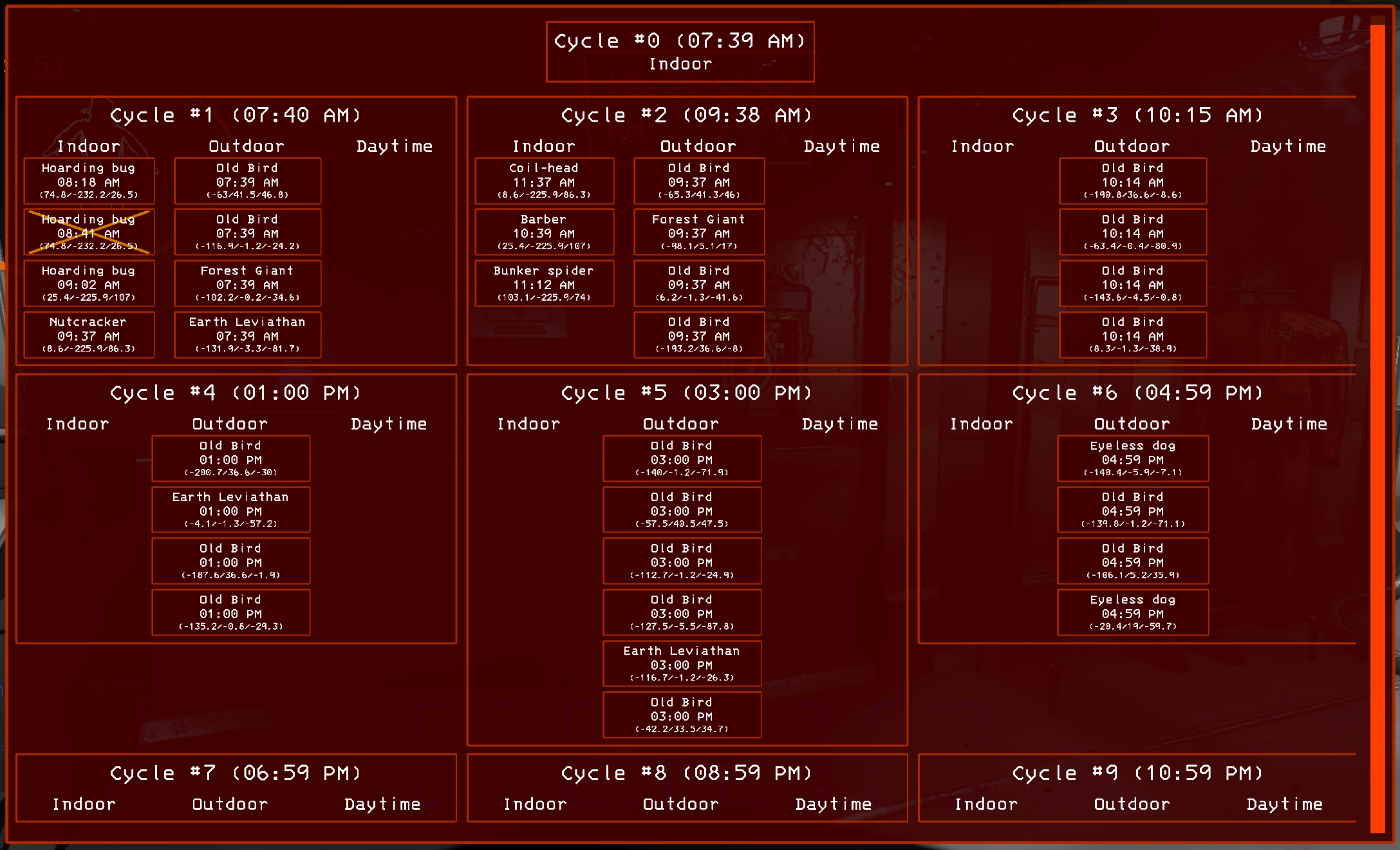
Oracle's Spawn Prediction
Oracle is an algorithm developed by the Imperium team to predict indoor, outdoor and daytime entity spawns over the course of the day.
Oracle predicts daytime, outdoor and indoor entities including their spawn times and spawn positions. Clicking the position text in an oracle entry teleports you to the spawn point.
Entities spawned with Imperium do not count towards current level power or their max count, meaning, they do not influence the entity spawning.
Oracle is currently in beta stage and is therefore not guaranteed to always work properly.
Bug Reports and Feature Requests
Feel free to submit bug reports or feature requests asissues on Imperium's Github page. Please include your BepInEx log file or an excerpt to make my life easier.
Credits
Imperium was designed and implemented by the Imperium team (giosuel).
Various icons were provided by FlatIcon.
Special Thanks To
- ratijas for helping me with bug hunting and issue management!
- sinai-dev for creating Unity Explorer, my favorite mod of all time!
- Adi for helping with the LOS visualizers!
- digger1213 for writing the shotgun visualizer!
- Xilo for helping me with the networking and writing the LethalNetworkingAPI!
- CTN and Flero for providing me with code for the Quickload logic!
- Nebby for helping with the documentation and the testing!
- Swaggies, aminoob and TulipNova for the help with the testing of Imperium!
- Dancemoon who made DanceTools, which was the initial inspiration for Imperium!
- chaser324 for providing the wireframe shaders for the collider visualizations!
- Evaisa for writing the Unity Netcode Patcher and LethalLib!
| Product | Versions Compatible and additional computed target framework versions. |
|---|---|
| .NET | net5.0 was computed. net5.0-windows was computed. net6.0 was computed. net6.0-android was computed. net6.0-ios was computed. net6.0-maccatalyst was computed. net6.0-macos was computed. net6.0-tvos was computed. net6.0-windows was computed. net7.0 was computed. net7.0-android was computed. net7.0-ios was computed. net7.0-maccatalyst was computed. net7.0-macos was computed. net7.0-tvos was computed. net7.0-windows was computed. net8.0 was computed. net8.0-android was computed. net8.0-browser was computed. net8.0-ios was computed. net8.0-maccatalyst was computed. net8.0-macos was computed. net8.0-tvos was computed. net8.0-windows was computed. net9.0 was computed. net9.0-android was computed. net9.0-browser was computed. net9.0-ios was computed. net9.0-maccatalyst was computed. net9.0-macos was computed. net9.0-tvos was computed. net9.0-windows was computed. net10.0 was computed. net10.0-android was computed. net10.0-browser was computed. net10.0-ios was computed. net10.0-maccatalyst was computed. net10.0-macos was computed. net10.0-tvos was computed. net10.0-windows was computed. |
| .NET Core | netcoreapp3.0 was computed. netcoreapp3.1 was computed. |
| .NET Standard | netstandard2.1 is compatible. |
| MonoAndroid | monoandroid was computed. |
| MonoMac | monomac was computed. |
| MonoTouch | monotouch was computed. |
| Tizen | tizen60 was computed. |
| Xamarin.iOS | xamarinios was computed. |
| Xamarin.Mac | xamarinmac was computed. |
| Xamarin.TVOS | xamarintvos was computed. |
| Xamarin.WatchOS | xamarinwatchos was computed. |
-
.NETStandard 2.1
- BepInEx.Core (>= 5.4.21)
- LethalCompanyModding-Yukieji_UnityExplorer (>= 4.13.1)
- mrov.WeatherRegistry (>= 0.8.8)
- Rune580.Mods.LethalCompany.InputUtils (>= 0.7.3)
- UnityEngine.Modules (>= 2022.3.62)
- Xilophor.LethalNetworkAPI (>= 3.4.2)
NuGet packages
This package is not used by any NuGet packages.
GitHub repositories
This package is not used by any popular GitHub repositories.