Flowcourier.Umbraco.CookieConsent
17.2.0
dotnet add package Flowcourier.Umbraco.CookieConsent --version 17.2.0
NuGet\Install-Package Flowcourier.Umbraco.CookieConsent -Version 17.2.0
<PackageReference Include="Flowcourier.Umbraco.CookieConsent" Version="17.2.0" />
<PackageVersion Include="Flowcourier.Umbraco.CookieConsent" Version="17.2.0" />
<PackageReference Include="Flowcourier.Umbraco.CookieConsent" />
paket add Flowcourier.Umbraco.CookieConsent --version 17.2.0
#r "nuget: Flowcourier.Umbraco.CookieConsent, 17.2.0"
#:package Flowcourier.Umbraco.CookieConsent@17.2.0
#addin nuget:?package=Flowcourier.Umbraco.CookieConsent&version=17.2.0
#tool nuget:?package=Flowcourier.Umbraco.CookieConsent&version=17.2.0
Flowcourier Cookie Consent for Umbraco
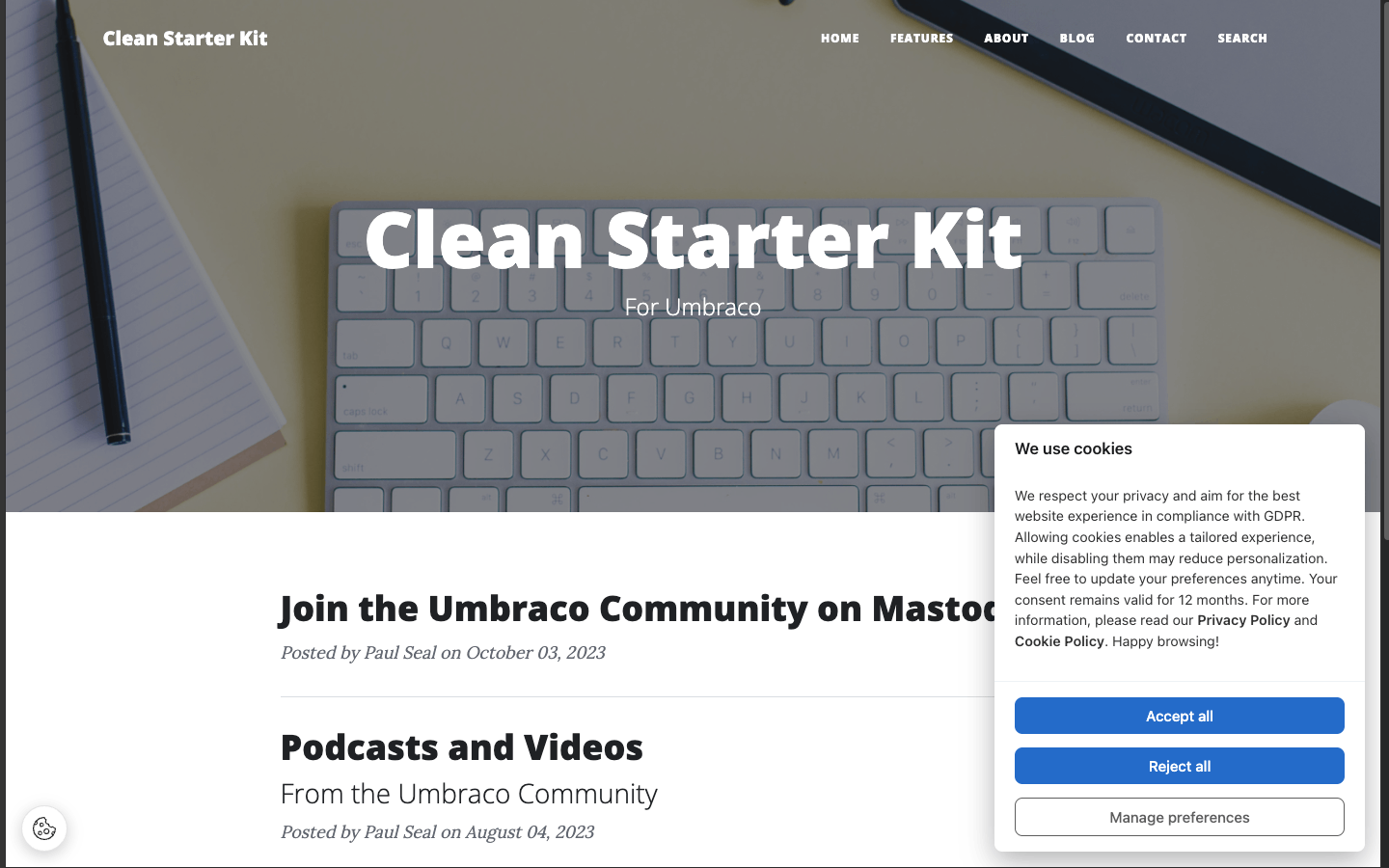
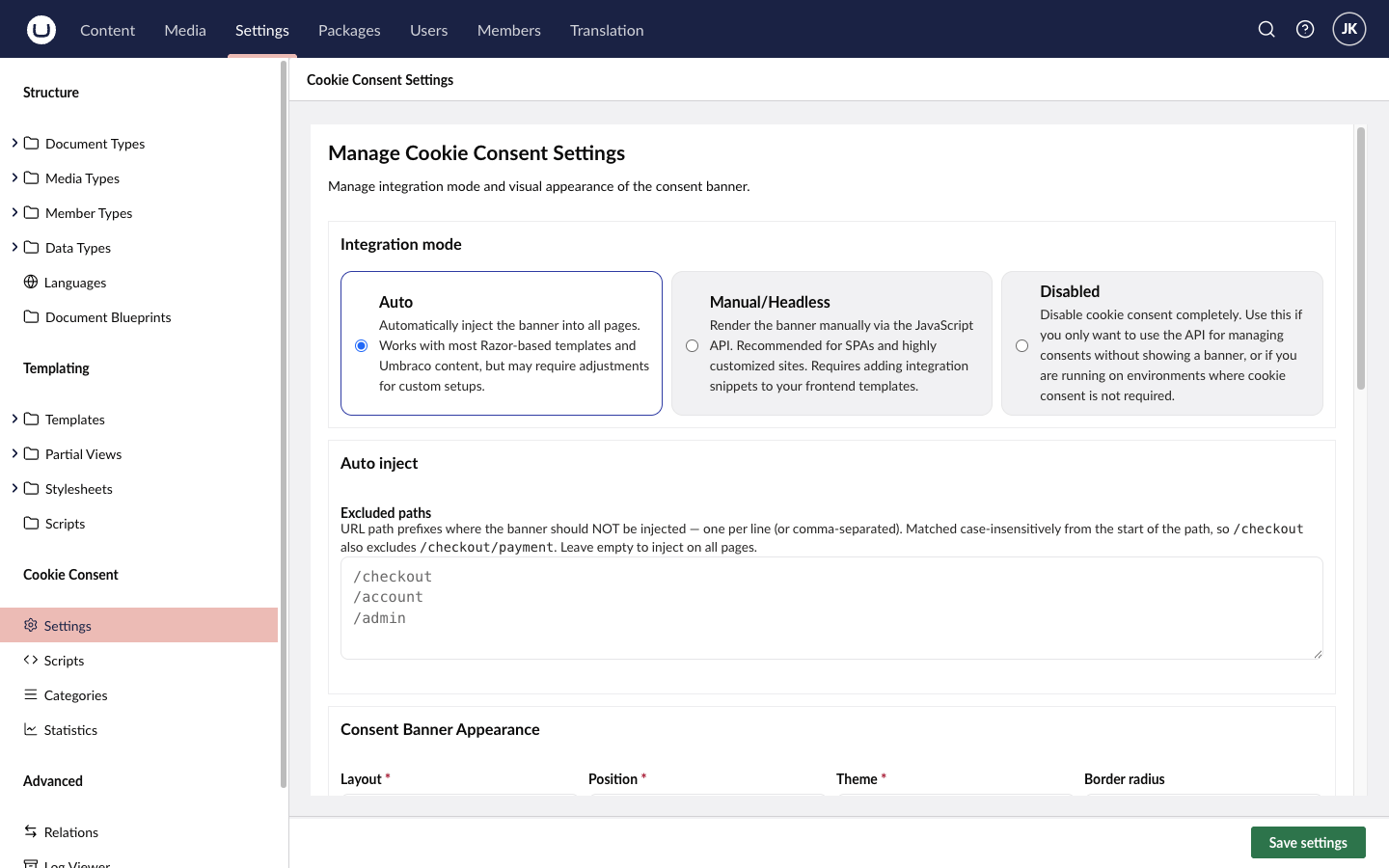
Self-hosted cookie consent for Umbraco 17 and 18, with Google Consent Mode v2, consent-gated tracking scripts and labels from the Umbraco Dictionary — all configured in the backoffice.


| Consent banner | Backoffice settings |
|---|---|
 |
 |
Features
- Drop-in banner — in Auto mode the banner is injected into every HTML page; no template changes needed. Manual mode gives you full control over placement.
- Consent-gated scripts — paste analytics or marketing snippets into the Scripts dashboard, assign a category, and they only run after the visitor consents.
- Google Consent Mode v2 — sets consent defaults before your tags load and updates them when the visitor chooses.
- Categories — necessary, analytics and marketing out of the box (plus an optional preferences category); add your own.
- Translations — banner and category texts come from the Umbraco Dictionary, so they follow your site's languages.
- Statistics — accept / reject / custom choices recorded per day, with automatic retention cleanup.
- No external service — the consent library (orestbida/cookieconsent) and all assets are served by your own site.
Requirements
| Umbraco | 17 or 18 (minimum 17.4.2) |
| .NET | 10 |
Getting started
Install the package:
dotnet add package Flowcourier.Umbraco.CookieConsentRun the site. The package creates its database tables and dictionary items on startup.
In the backoffice, open Settings → Cookie Consent. Choose the integration mode, adjust the appearance, review the categories, and add your tracking scripts under Scripts. Google Consent Mode is off by default — enable it under Settings if you use Google tags.
The backoffice pages require a user with access to the Settings section.
Documentation
- Integration guide — Auto and Manual mode, adding scripts, the JavaScript API, troubleshooting
- Configuration reference
- Translations
- REST API
- Architecture
More guides are available at flowcourier.com/docs/cookie-consent.
When to use a commercial CMP instead
This package covers self-hosted consent and Google Consent Mode v2 for typical Umbraco sites. Consider a commercial consent management platform if you need IAB TCF support, vendor-managed consent records and audits, or CMP-specific ad-stack integrations.
Contributing
Bug reports, fixes and translations are welcome — see CONTRIBUTING.md. Please report security issues privately as described in SECURITY.md.
License
MIT © Flowcourier. Includes orestbida/cookieconsent (MIT).
| Product | Versions Compatible and additional computed target framework versions. |
|---|---|
| .NET | net10.0 is compatible. net10.0-android was computed. net10.0-browser was computed. net10.0-ios was computed. net10.0-maccatalyst was computed. net10.0-macos was computed. net10.0-tvos was computed. net10.0-windows was computed. |
-
net10.0
- Umbraco.Cms.Api.Common (>= 17.4.2)
- Umbraco.Cms.Api.Management (>= 17.4.2)
- Umbraco.Cms.Web.Common (>= 17.4.2)
- Umbraco.Cms.Web.Website (>= 17.4.2)
NuGet packages
This package is not used by any NuGet packages.
GitHub repositories
This package is not used by any popular GitHub repositories.
| Version | Downloads | Last Updated | |
|---|---|---|---|
| 17.2.0 | 483 | 10/3/2026 | |
| 17.1.0 | 135 | 10/1/2026 | |
| 17.0.1 | 773 | 6/11/2026 | |
| 17.0.0 | 161 | 6/10/2026 | |
| 17.0.0-alpha.4 | 85 | 6/10/2026 | |
| 17.0.0-alpha.3 | 109 | 6/10/2026 | |
| 17.0.0-alpha.2 | 114 | 6/9/2026 | |
| 17.0.0-alpha.1 | 107 | 6/9/2026 |