CWALabs.AspNetCore.Identity.CosmosDb.PasskeyTemplates
12.0.2
dotnet new install CWALabs.AspNetCore.Identity.CosmosDb.PasskeyTemplates@12.0.2
CWALabs.AspNetCore.Identity.CosmosDb.PasskeyTemplates
CWALabs.AspNetCore.Identity.CosmosDb.PasskeyTemplates provides dotnet new templates for adding passkey (WebAuthn) Razor Pages to any ASP.NET Core project that targets .NET 10 and uses ASP.NET Core Identity with passkey support.
Versioning Note
This NuGet package now uses SemVer 2.0 package numbering and no longer mirrors the target .NET version number.
A larger package version jump (for example to 12.0.0) is expected from this change and does not, by itself, indicate a framework target jump.
The package includes two item templates:
| Short name | What it adds |
|---|---|
cosmos-passkeys-login |
A passkey-enabled Login Razor Page, scaffolded into Areas/Identity/Pages/Account/ |
cosmos-passkeys-ui |
A passkey management Razor Page, dropped into Pages/ |
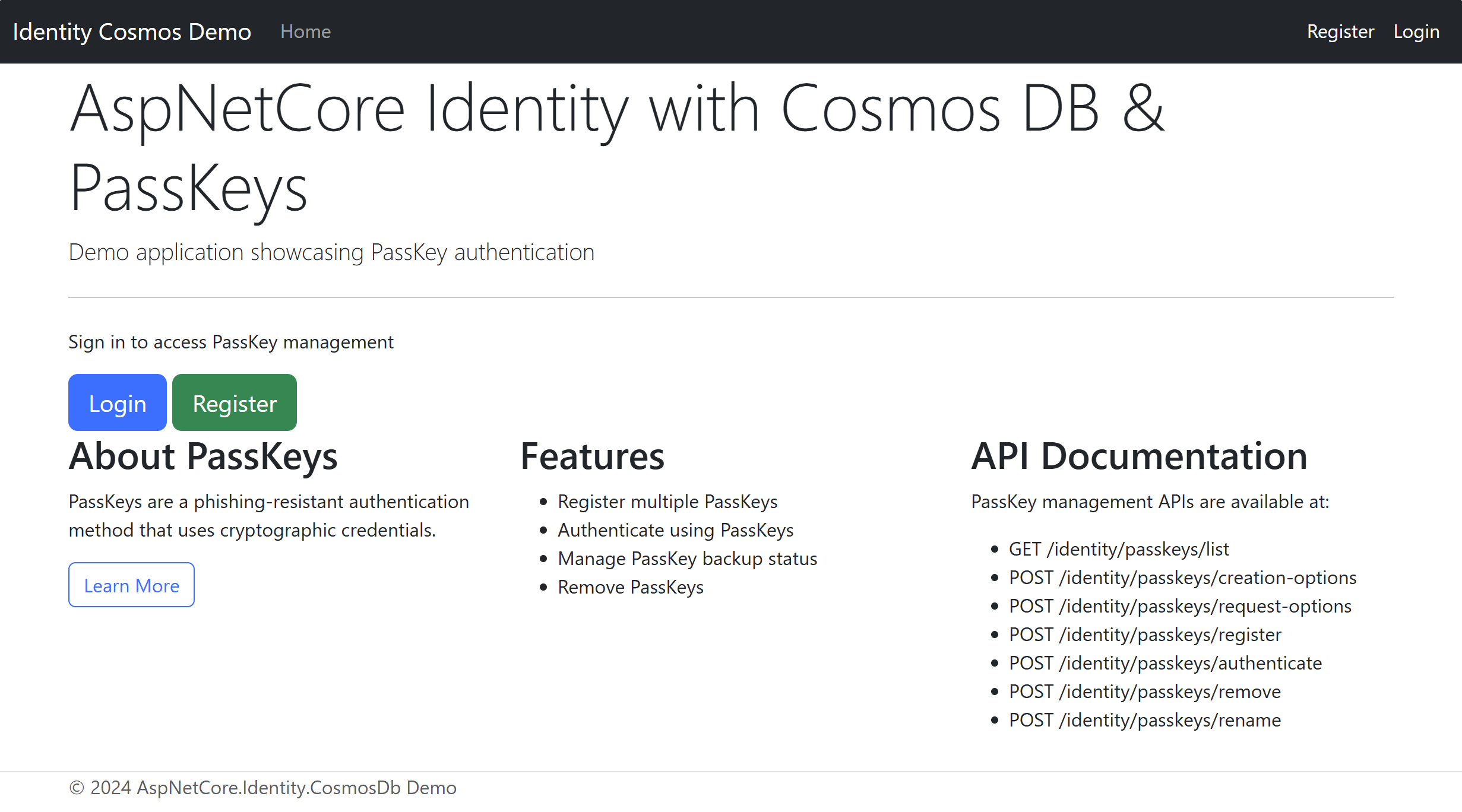
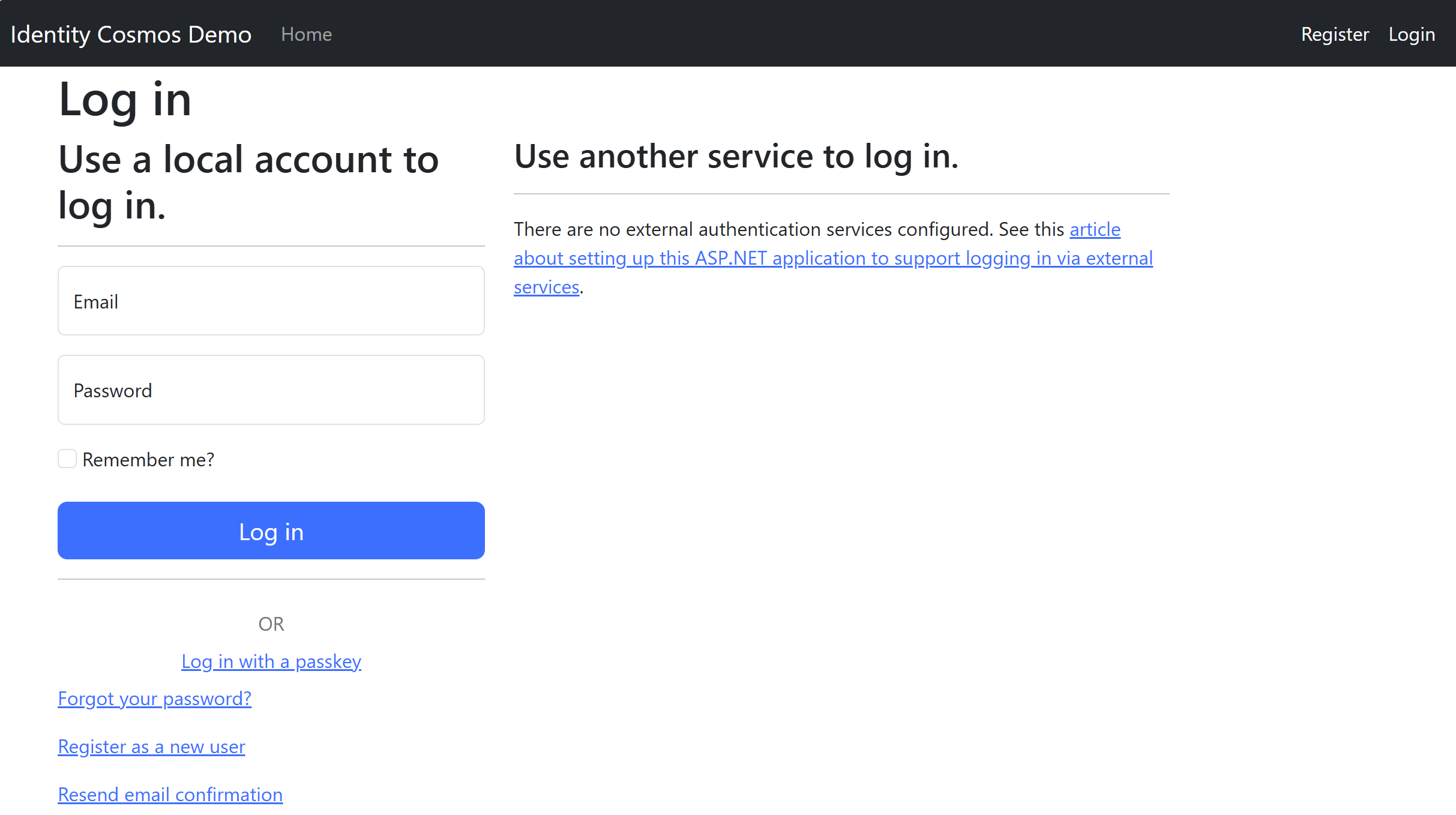
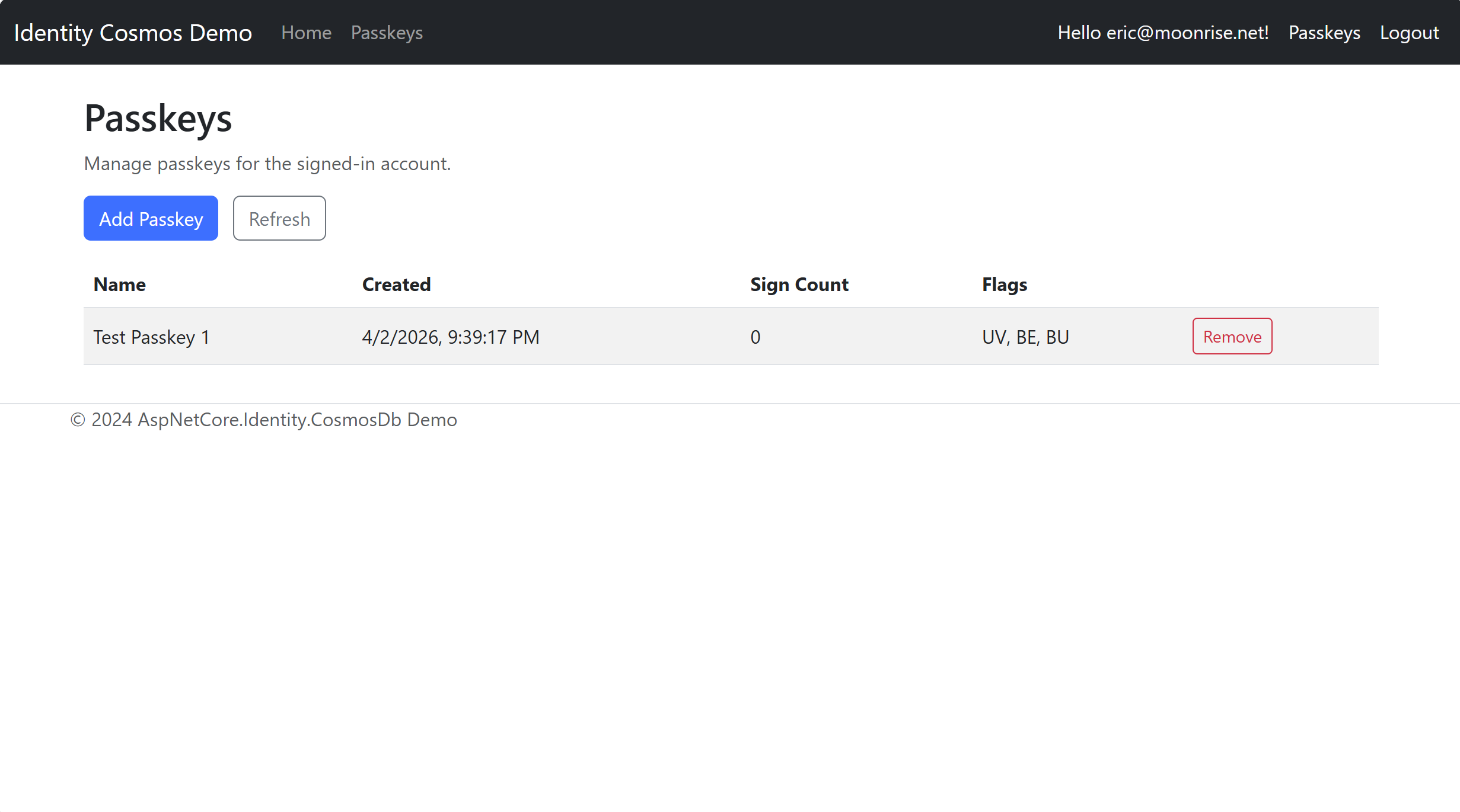
Page Screen Shots
Home
Login
Passkeys
Why use this package
- Adds passkey login and passkey management pages without manually copying scaffolded Razor files
- Uses standard .NET 10 ASP.NET Core Identity APIs in the generated page models
- Works with any Identity store that implements
IUserPasskeyStore<TUser>and exposes compatible passkey endpoints - Pairs with the main
AspNetCore.Identity.CosmosDbpackage, but is not hard-coupled to it
Provider compatibility
The generated page models use only standard .NET 10 ASP.NET Core Identity APIs (SignInManager<TUser>.PasskeySignInAsync(), [Authorize]). There are no references to AspNetCore.Identity.CosmosDb or any other specific Identity store inside the scaffolded files.
These templates work with any Identity store that:
- Implements
IUserPasskeyStore<TUser>(the standard .NET 10 interface) - Exposes passkey REST API endpoints at the paths the client JavaScript expects
- Serves the packaged client JavaScript at the configured
ClientScriptPath
The endpoint mapping and client script (AddCosmosPasskeyUiIntegration / MapCosmosPasskeyUiEndpoints) currently ship with AspNetCore.Identity.CosmosDb, but the templates themselves are not coupled to that package.
Prerequisites
- .NET 10 SDK or later
- An ASP.NET Core Identity store that implements
IUserPasskeyStore<TUser>— for exampleAspNetCore.Identity.CosmosDb - Passkey API endpoints and client script registered in
Program.cs(see Required Program.cs Registration below)
Install the Templates Package
Install the templates once into your local dotnet new catalog:
dotnet new install CWALabs.AspNetCore.Identity.CosmosDb.PasskeyTemplates
What this does:
dotnet new installtells the .NET SDK to download and register a template package on your machine.CWALabs.AspNetCore.Identity.CosmosDb.PasskeyTemplatesis the NuGet package ID for this template pack.- After installation, the templates become available to the
dotnet newcommand and can be scaffolded into compatible projects. - This does not modify your current project yet. It only adds these templates to your local template catalog.
To confirm the templates are available:
dotnet new list cosmos-passkeys
What this does:
dotnet new listshows templates available on your machine.cosmos-passkeysis used as a filter so you only see the passkey templates from this package instead of every installed template.
To uninstall later:
dotnet new uninstall CWALabs.AspNetCore.Identity.CosmosDb.PasskeyTemplates
What this does:
dotnet new uninstallremoves the installed template package from your local template catalog.- It does not delete projects you already created from the template. It only removes the ability to scaffold new items from this package until you install it again.
Official documentation:
dotnet newcommanddotnet new installcommanddotnet new listcommanddotnet new uninstallcommand- Custom templates for
dotnet new
Quick start
- Install the templates package.
- Ensure your app already has ASP.NET Core Identity passkey support enabled.
- Scaffold one or both pages into your web project.
- Register the passkey endpoints and client script your pages will call at runtime.
Need a full app instead of item templates?
If you want a complete runnable demo project (not just Razor page items), use:
dotnet new install CWALabs.AspNetCore.Identity.CosmosDb.DemoTemplate
dotnet new cosmos-identity-demo -n MyIdentityCosmosDemo
Template: cosmos-passkeys-login
Adds a passkey-enabled Login Razor Page that replaces (or supplements) the default scaffolded Identity login page. The page renders a standard email/password login form plus a "Log in with a passkey" button that triggers WebAuthn authentication via the packaged JavaScript API.
Usage
Run from inside your web project folder:
dotnet new cosmos-passkeys-login --RootNamespace MyApp --UserType IdentityUser
Parameters
| Parameter | Description | Default |
|---|---|---|
--RootNamespace |
The root namespace of your project (e.g. MyApp). Applied to the Areas.Identity.Pages.Account namespace. |
MyApp |
--UserType |
The Identity user type used by SignInManager<T> (e.g. IdentityUser, ApplicationUser). |
IdentityUser |
Output
Areas/
  Identity/
    Pages/
      Account/
        Login.cshtml
        Login.cshtml.cs
The page is ready to use as-is. It:
- Includes the
autocomplete="username webauthn"attribute on the email field for passkey autofill - Renders hidden fields for the passkey credential JSON and any error message
- Loads
/identity/passkeys/client.js(served by theMapCosmosPasskeyUiEndpointsregistration) - Calls
window.AspNetCoreIdentityPasskeys.initLoginPage(...)in the scripts section
Template: cosmos-passkeys-ui
Adds a passkey management Razor Page where authenticated users can view, add, rename, and remove their registered passkeys.
Usage (Passkeys UI)
Run from inside your web project folder:
dotnet new cosmos-passkeys-ui --RootNamespace MyApp
Parameters (Passkeys UI)
| Parameter | Description | Default |
|---|---|---|
--RootNamespace |
The root namespace of your project. Applied to the Pages namespace. |
MyApp |
Output (Passkeys UI)
Pages/
  Passkeys.cshtml
  Passkeys.cshtml.cs
The page is ready to use. It:
- Renders a table of registered passkeys with Name, Created, Sign Count, and Flags columns
- Provides Add Passkey and Refresh buttons
- Loads
/identity/passkeys/client.jsand callswindow.AspNetCoreIdentityPasskeys.initManagePage(...)in the scripts section - Includes an antiforgery form token compatible with the
RequireAntiforgery = trueoption
Required Program.cs Registration
Both templates require passkey API endpoints and client script to be available at runtime. The templates themselves call standard .NET 10 Identity APIs, but the REST endpoints and JavaScript they depend on must be provided by your Identity package.
If you are using AspNetCore.Identity.CosmosDb, add these calls in Program.cs:
// In the services section — register options and antiforgery
builder.Services.AddCosmosPasskeyUiIntegration(options =>
{
    options.RoutePrefix        = "/identity/passkeys";
    options.ClientScriptPath   = "/identity/passkeys/client.js";
    options.RequireAntiforgery = true;
    options.MaxPasskeysPerUser = 100;
    options.MaxPasskeyNameLength = 200;
});

// After app.Build() — map the REST endpoints
app.MapCosmosPasskeyUiEndpoints<IdentityUser>();
See the main package README for complete Program.cs setup including AddCosmosIdentity and EnsureCreatedAsync.
If you are using the main package from this repository, also see the demo site for a complete working example.
If you are using a different Identity provider, register its equivalent passkey endpoint mapping and ensure it serves a compatible window.AspNetCoreIdentityPasskeys client script at the same path referenced in your scaffolded pages.
Repository and examples
- Repository: CWALabs/AspNetCore.Identity.CosmosDb
- Demo website example: AspNetCore.Identity.CosmosDb.Demo
- Full demo app template package: CWALabs.AspNetCore.Identity.CosmosDb.DemoTemplate
- Main package: AspNetCore.Identity.CosmosDb
- SkyCMS project: CWALabs/SkyCMS
This templates package is part of the SkyCMS project. The demo application in this repository is the best end-to-end reference for how the generated pages are intended to be wired up.
License
-
net10.0
- No dependencies.
NuGet packages
This package is not used by any NuGet packages.
GitHub repositories
This package is not used by any popular GitHub repositories.
| Version | Downloads | Last Updated |
|---|---|---|
| 12.0.2 | 374 | 4/4/2026 |