C1.Xaml.WPF.FlexChart
4.6.20261.19
dotnet add package C1.Xaml.WPF.FlexChart --version 4.6.20261.19
NuGet\Install-Package C1.Xaml.WPF.FlexChart -Version 4.6.20261.19
<PackageReference Include="C1.Xaml.WPF.FlexChart" Version="4.6.20261.19" />
<PackageVersion Include="C1.Xaml.WPF.FlexChart" Version="4.6.20261.19" />
<PackageReference Include="C1.Xaml.WPF.FlexChart" />
paket add C1.Xaml.WPF.FlexChart --version 4.6.20261.19
#r "nuget: C1.Xaml.WPF.FlexChart, 4.6.20261.19"
#:package C1.Xaml.WPF.FlexChart@4.6.20261.19
#addin nuget:?package=C1.Xaml.WPF.FlexChart&version=4.6.20261.19
#tool nuget:?package=C1.Xaml.WPF.FlexChart&version=4.6.20261.19
About
The ComponentOne WPF FlexChart includes chart components for creating 2D charts such as bar, area, line, pie, treemap and scatter. Configure the charts down to the smallest detail with support for labels, line markers, legends and more.
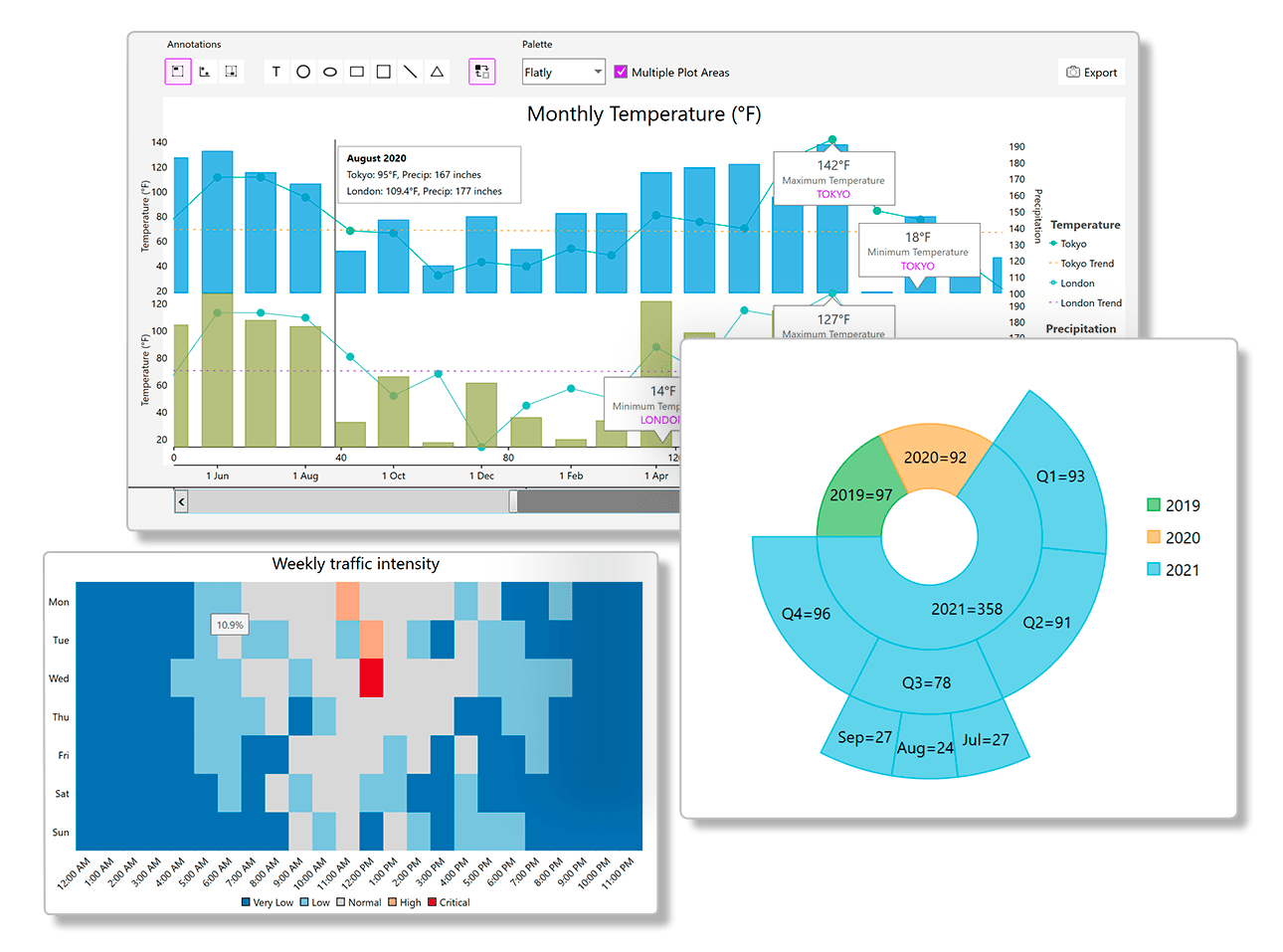
Key Features:
- Supports 80+ popular chart types including clustered, stacked and composite plots
- Supports pie and doughnut charts using the FlexPie component
- Supports polar and radar charts using the FlexRadar component
- Create hierarchical treemap and sunburst charts
- Create specialized charts like waterfall, histogram, error bar, Gantt, funnel, and bubble
- Display data labels, line markers, annotations and legends to annotate the chart
- Supports stacking, trendlines, multiple axes, axis grouping and multiple plot areas to help analyze the data
- Add axis and range scrolling, cross-hairs, selection, zooming and panning for end-user interaction
- Choose from 20+ built-in color palettes or customize the colors yourself
- High-performance DirectX rendering mode
- Model-View-ViewModel (MVVM) compatible, the entire chart can be declaratively written and bound to in XAML
Learn more at https://developer.mescius.com/componentone/wpf-ui-controls/flexchart-wpf-chart-controls.
Resources
| Product | Versions Compatible and additional computed target framework versions. |
|---|---|
| .NET Framework | net462 is compatible. net463 was computed. net47 was computed. net471 was computed. net472 was computed. net48 was computed. net481 was computed. |
-
.NETFramework 4.6.2
- C1.Chart (>= 10.0.20261.86)
- C1.Xaml.WPF (= 4.6.20261.19)
- C1.Xaml.WPF.DX (= 4.6.20261.19)
NuGet packages (3)
Showing the top 3 NuGet packages that depend on C1.Xaml.WPF.FlexChart:
| Package | Downloads |
|---|---|
|
C1.Xaml.WPF.FlexViewer
FlexViewer for WPF is a document previewing control that can be used to preview different document types such as C1Report, C1FlexReport, SSRS, and PDF documents. |
|
|
C1.Xaml.WPF.FinancialChart
FinancialChart for WPF supports financial stock chart types including Kagi, Renko, Heikin-Ashi, Line Break, Candlestick, HighLowOpenClose, and more. |
|
|
C1.Xaml.WPF.FlexChart.Extended
Provides extended chart types including heatmap for ComponentOne FlexChart for WPF. |
GitHub repositories
This package is not used by any popular GitHub repositories.
| Version | Downloads | Last Updated |
|---|---|---|
| 4.6.20261.19 | 337 | 8/7/2026 |
| 4.6.20261.13 | 205 | 7/3/2026 |
| 4.6.20261.6 | 347 | 5/29/2026 |
| 4.6.20252.919 | 221 | 3/20/2026 |
| 4.6.20252.915 | 203 | 2/12/2026 |
| 4.6.20252.903 | 165 | 2/12/2026 |
| 4.6.20252.900 | 667 | 12/1/2025 |
| 4.6.20251.887 | 492 | 9/18/2025 |
| 4.6.20251.882 | 344 | 7/11/2025 |
| 4.6.20251.877 | 459 | 5/16/2025 |
| 4.6.20242.870 | 390 | 2/26/2025 |
| 4.6.20242.863 | 395 | 12/27/2024 |
| 4.6.20242.858 | 719 | 11/9/2024 |
| 4.6.20241.853 | 424 | 9/3/2024 |
| 4.6.20241.844 | 397 | 7/8/2024 |
| 4.6.20241.839 | 373 | 5/29/2024 |
| 4.6.20233.827 | 390 | 4/1/2024 |
| 4.6.20233.821 | 350 | 3/12/2024 |
| 4.6.20233.804 | 722 | 1/19/2024 |
| 4.6.20233.801 | 727 | 11/10/2023 |