C1.Xaml.WPF.DateTimeEditors
4.6.20261.19
dotnet add package C1.Xaml.WPF.DateTimeEditors --version 4.6.20261.19
NuGet\Install-Package C1.Xaml.WPF.DateTimeEditors -Version 4.6.20261.19
<PackageReference Include="C1.Xaml.WPF.DateTimeEditors" Version="4.6.20261.19" />
<PackageVersion Include="C1.Xaml.WPF.DateTimeEditors" Version="4.6.20261.19" />
<PackageReference Include="C1.Xaml.WPF.DateTimeEditors" />
paket add C1.Xaml.WPF.DateTimeEditors --version 4.6.20261.19
#r "nuget: C1.Xaml.WPF.DateTimeEditors, 4.6.20261.19"
#:package C1.Xaml.WPF.DateTimeEditors@4.6.20261.19
#addin nuget:?package=C1.Xaml.WPF.DateTimeEditors&version=4.6.20261.19
#tool nuget:?package=C1.Xaml.WPF.DateTimeEditors&version=4.6.20261.19
About
The ComponentOne WPF DateTimeEditors includes several essential input controls for date and time information.
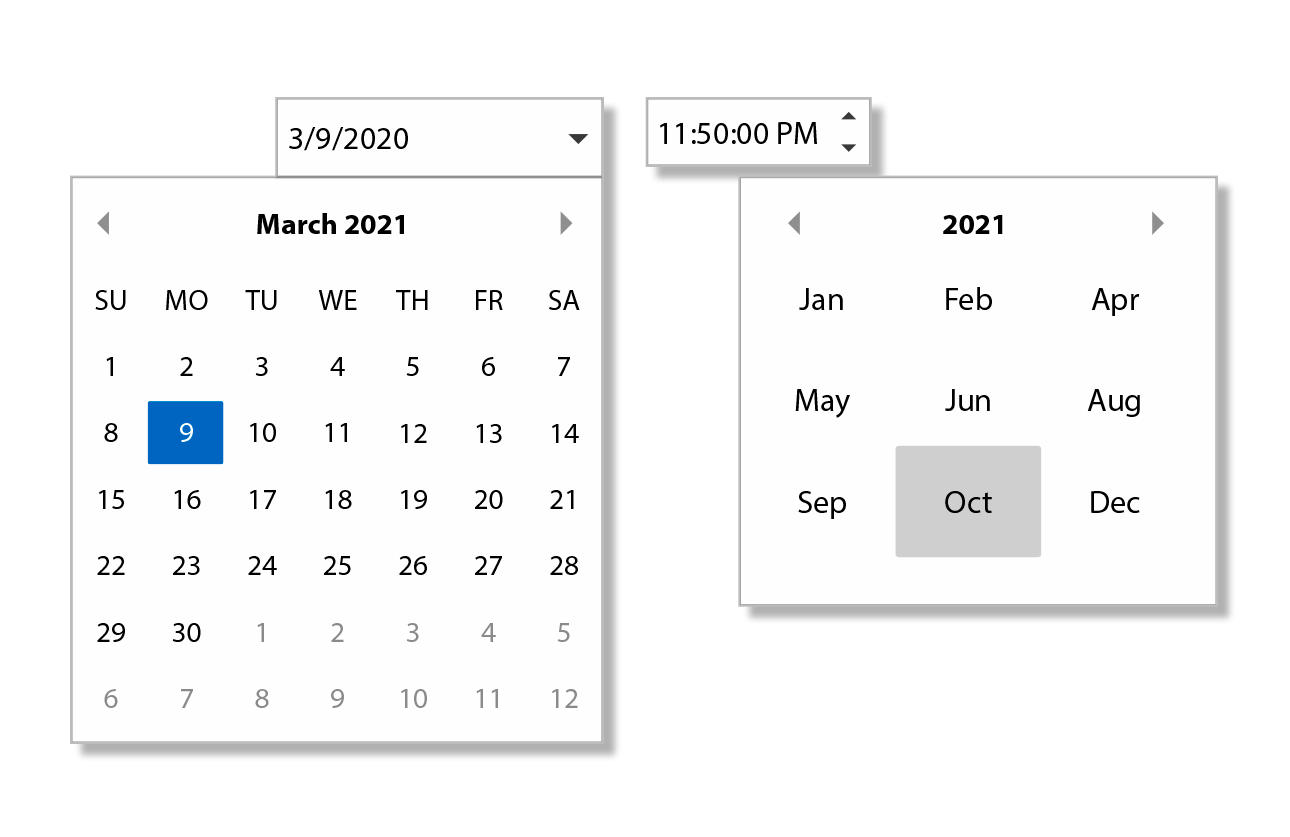
Key Features:
- Select dates from a drop-down calendar with C1DatePicker
- C1DatePicker supports month, year, and decade views for quick navigation
- Select dates and times from a wide range of supported date and time formats and cultures using C1DatePicker and C1TimeEditor
- Get both date and time editing in one control with C1DateTimePicker
Learn more at developer.mescius.com/componentone/wpf-ui-controls/date-time-editor-control-wpf.
Resources
| Product | Versions Compatible and additional computed target framework versions. |
|---|---|
| .NET Framework | net462 is compatible. net463 was computed. net47 was computed. net471 was computed. net472 was computed. net48 was computed. net481 was computed. |
-
.NETFramework 4.6.2
- C1.Xaml.WPF (= 4.6.20261.19)
NuGet packages (11)
Showing the top 5 NuGet packages that depend on C1.Xaml.WPF.DateTimeEditors:
| Package | Downloads |
|---|---|
|
C1.Xaml.WPF.FlexGridFilter
Provides filtering functionality for ComponentOne FlexGrid for WPF. |
|
|
C1.Xaml.WPF.DataGrid
DataGrid for WPF makes it easy to display, edit, and analyze tabular data. Note that DataGrid is legacy and replaced by FlexGrid. |
|
|
C1.Xaml.WPF.DataGrid.Filters
Provides filtering functionality for ComponentOne DataGrid for WPF. Note that DataGrid is legacy and replaced by FlexGrid. |
|
|
C1.Xaml.WPF.Schedule
ComponentOne Scheduler for WPF includes fully functional Outlook-style schedule and calendar controls that allow users to add, edit, and manage their appointments easily. |
|
|
C1.Xaml.WPF.FlexViewer
FlexViewer for WPF is a document previewing control that can be used to preview different document types such as C1Report, C1FlexReport, SSRS, and PDF documents. |
GitHub repositories
This package is not used by any popular GitHub repositories.
| Version | Downloads | Last Updated |
|---|---|---|
| 4.6.20261.19 | 294 | 8/7/2026 |
| 4.6.20261.13 | 216 | 7/3/2026 |
| 4.6.20261.6 | 380 | 5/29/2026 |
| 4.6.20252.919 | 233 | 3/20/2026 |
| 4.6.20252.915 | 184 | 2/12/2026 |
| 4.6.20252.903 | 158 | 2/12/2026 |
| 4.6.20252.900 | 717 | 12/1/2025 |
| 4.6.20251.887 | 492 | 9/18/2025 |
| 4.6.20251.882 | 328 | 7/11/2025 |
| 4.6.20251.877 | 415 | 5/16/2025 |
| 4.6.20242.870 | 400 | 2/26/2025 |
| 4.6.20242.863 | 388 | 12/27/2024 |
| 4.6.20242.858 | 389 | 11/9/2024 |
| 4.6.20241.853 | 493 | 9/3/2024 |
| 4.6.20241.844 | 469 | 7/8/2024 |
| 4.6.20241.839 | 7,278 | 5/29/2024 |
| 4.6.20233.827 | 382 | 4/1/2024 |
| 4.6.20233.821 | 310 | 3/12/2024 |
| 4.6.20233.804 | 1,049 | 1/19/2024 |
| 4.6.20233.801 | 1,039 | 11/10/2023 |